


Best Time Tracking Software in 2026: 9 Tools Compared

Time tracking software helps businesses and individuals record how working hours are spent across projects, tasks, clients, and activities. The choice of the best time tracking apps depends on your needs: Everhour is a strong time tracker for project-based teams, Harvest works well for time tracking and invoicing, Hubstaff is designed for remote workforce management, and Toggl is a simple option for freelancers and individuals.
This guide compares nine time tracking tools based on their features, integrations, pricing, and ideal use cases.
Best Time Tracking Software at a Glance
- Everhour — Best for project-based teams: Native integrations with project management tools, budgeting, reporting, and team time tracking.
- Harvest — Best for time tracking and invoicing: Combines time tracking, reporting, and client billing.
- Hubstaff — Best for remote teams: Includes employee monitoring, GPS tracking, payroll, and workforce management.
- Timely — Best for automatic time tracking: Uses automatic activity tracking and timeline-based reporting.
- Toggl Track — Best for freelancers: Simple time tracking with reports and broad integrations.
- Hours — Best for iOS users: A simple timer-based time tracking app for Apple devices.
- TopTracker — Best free option for freelancers: Free time and productivity tracking with optional screenshots.
- RescueTime — Best for personal productivity: Automatically analyzes how you spend time on apps and websites.
- TimeCamp — Best for reporting: Offers automatic and manual time tracking with detailed reports.
How We Evaluated the Best Time Tracking Software
We compared these tools based on:
- Time tracking methods: Manual timers, timesheets, and automatic tracking
- Project tracking: Ability to organize time by projects, tasks, and clients
- Reporting: Availability and flexibility of time and productivity reports
- Integrations: Compatibility with project management, accounting, and business tools
- Billing and invoicing: Support for billable hours and client invoicing
- Team management: Features for managing employees and approving timesheets
- Platform availability: Web, desktop, and mobile apps
- Pricing: Availability of free plans and value for different team sizes
Note: We do not accept paid placements for our evaluations. Our recommendations are based on the features, use cases, and capabilities of each tool.
Comparison Table
| Tool | Best for | Time tracking | Team features | Integrations | Starting price |
|---|---|---|---|---|---|
| Everhour | Project-based teams | Manual | Yes | Extensive PM integrations | Free; paid from $8.50/month/user |
| Harvest | Time tracking and invoicing | Manual | Yes | 80+ integrations | Free; from $9/month/user |
| Hubstaff | Remote teams | Manual and automatic | Yes | 20+ integrations | From $4.99/month/user |
| Timely | Automatic time tracking | Automatic and manual | Yes | Calendar and productivity integrations | From $9/month/user |
| Toggl Track | Freelancers | Manual | Yes | 100+ integrations | Free; from $9/month |
| Hours | iOS users | Manual | Limited | Limited | Free; from $7.99/month |
| TopTracker | Free freelancer tracking | Manual | Yes | Limited | Free |
| RescueTime | Personal productivity | Automatic | Limited | Selected integrations | Team plans start at $10/month/user, Solo plans – $7/month |
| TimeCamp | Reporting | Automatic and manual | Yes | Extensive integrations | From $3.99/month/user |
Best Time Tracking Software for Teams and Businesses
Everhour — Best for project-based teams
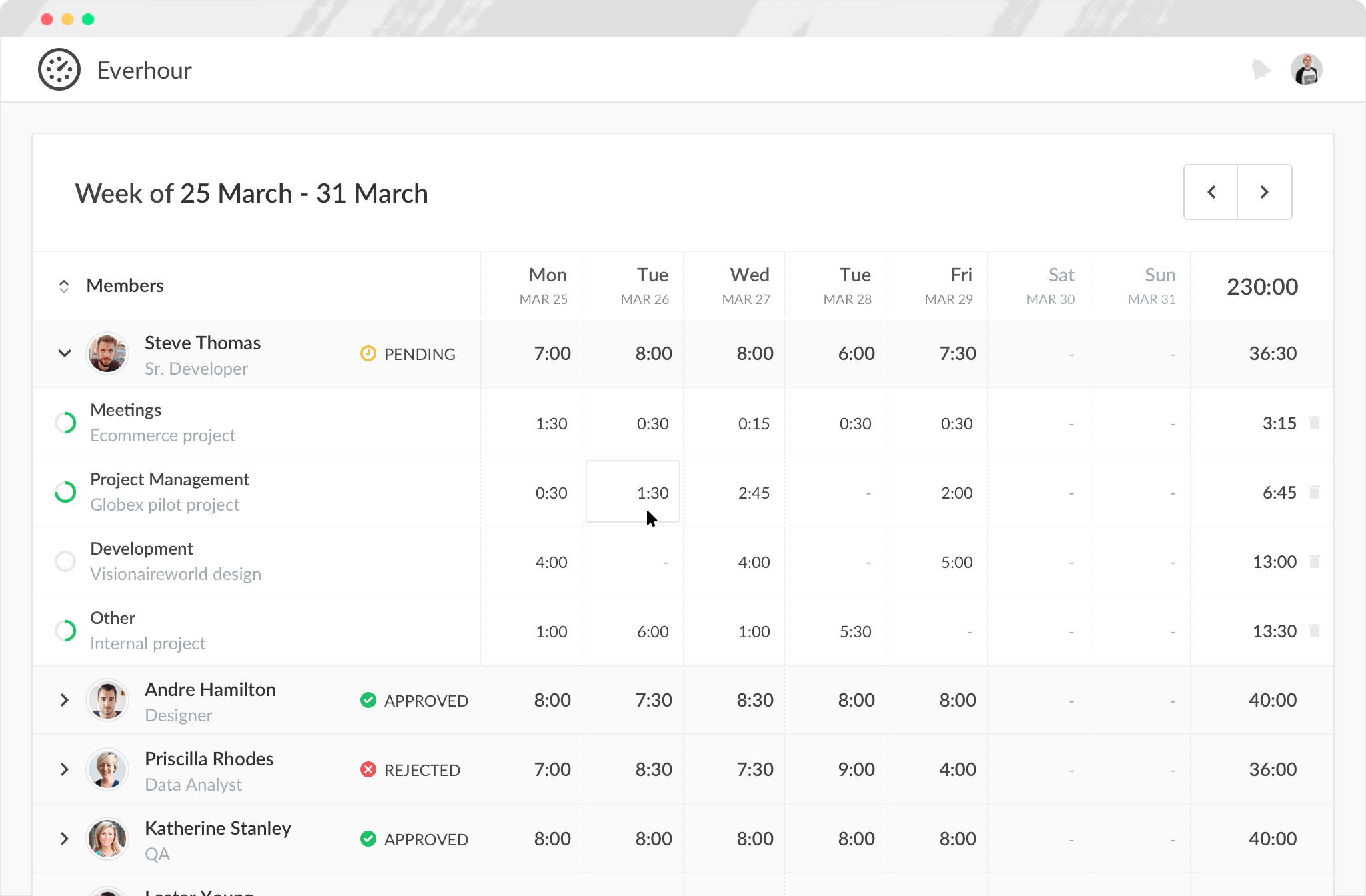
Everhour is a time tracking platform designed for teams that manage work through projects and tasks. It combines time tracking with project budgeting, billing, invoicing, reporting, and resource planning.
Why we picked it: Everhour is particularly useful for teams already using project management software. Its native integrations with Trello, Asana, ClickUp, GitHub, Monday, Jira, Notion, and Todoist allow users to track time directly alongside their existing tasks and projects instead of moving between separate systems.
Key features
- Time tracking for projects and tasks
- Native integrations with project management tools
- Project budgets and billing
- Custom reports and timesheets
- Invoicing and expense tracking
- Team management and resource planning
Best for: Agencies, consultancies, software teams, and other project-based businesses.
Limitations: Everhour is primarily designed around project-based work for small and mid-size teams, so businesses looking mainly for employee monitoring or personal productivity tracking may prefer another tool.
Pricing
- Free: $0 for up to 5 seats
- Team: $8.50 per seat/month, billed annually
Harvest — Best for time tracking with invoicing
Harvest combines time tracking, expense tracking, invoicing, and reporting in one platform. It is designed for businesses that need to turn tracked hours into client invoices and understand how time is spent across projects.
Why we picked it: Harvest is a strong choice for service businesses that want straightforward time tracking connected directly to billing and client work.

Key features
- Time tracking across projects and tasks
- Expense tracking
- Client invoicing
- Project and team reports
- Profitability reporting on higher-tier plans
- Web, desktop, and mobile apps
Best for: Agencies, consultants, and service businesses that regularly bill clients for their time.
Limitations: Businesses looking for deep employee monitoring, workforce management, or extensive project management features may need a more specialized platform.
Pricing
- Free: $0 for 1 seat and up to 2 projects
- Teams: From $9 per seat/month, billed annually
- Enterprise: From $14 per seat/month, billed annually
💡 If you want to know how Harvest compares to Everhour and Toggl, we’ve done a comparison to highlight the differences between the two.
Hubstaff — Best for remote workforce management
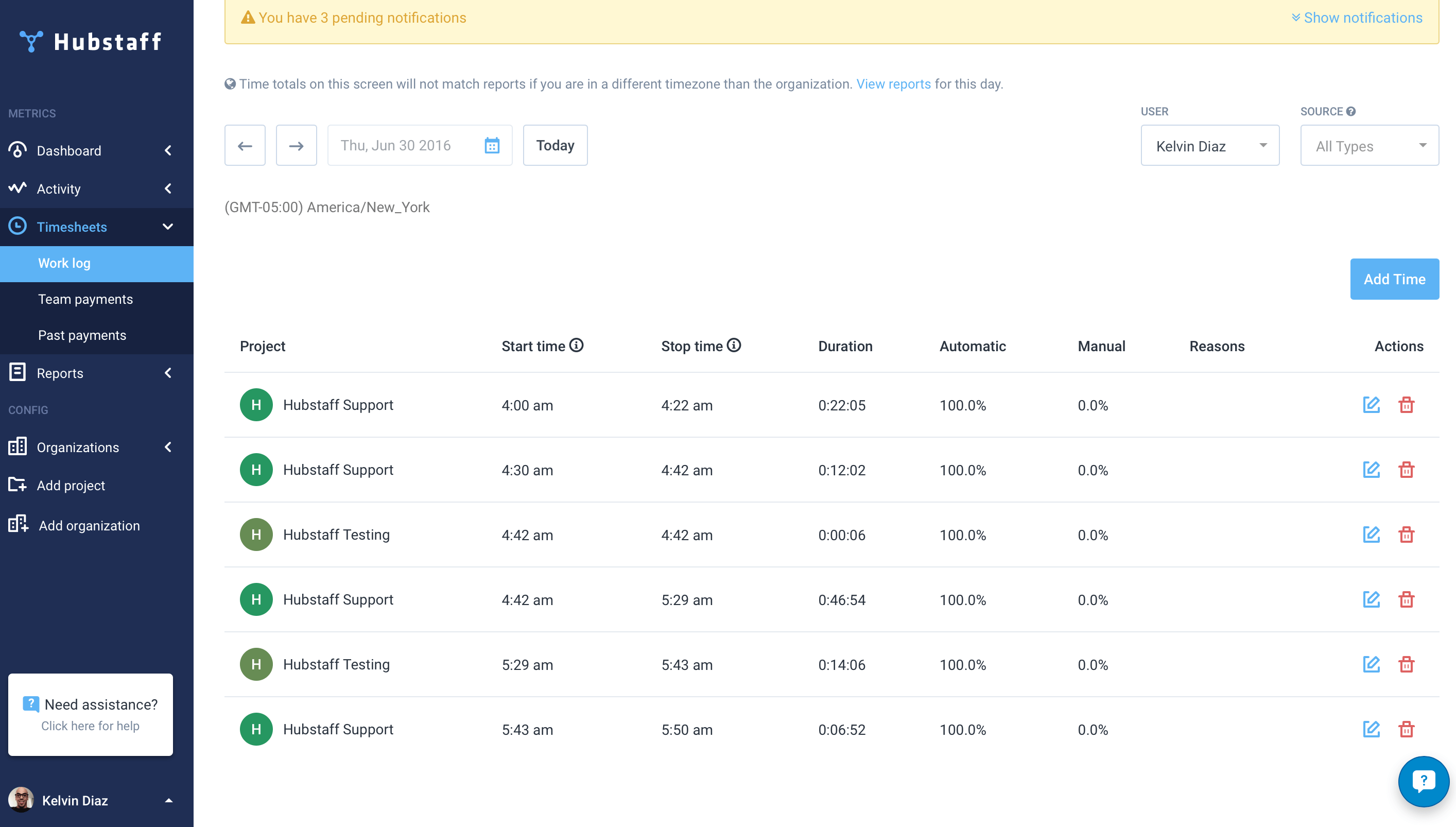
Hubstaff combines time tracking with employee monitoring, productivity tracking, payroll, scheduling, and workforce management tools.
Why we picked it: Hubstaff offers significantly more employee monitoring than most traditional time trackers, making it useful for businesses that need visibility into remote or distributed work.
Key features
- Time and activity tracking
- App and website monitoring
- Optional screenshots
- GPS and location tracking
- Automated timesheets
- Payroll and payments
- Scheduling and attendance tools
Best for: Remote and distributed teams that need detailed workforce tracking and management.
Limitations: Its monitoring features may feel too intrusive for teams that prefer trust-based management and minimal employee surveillance.
Pricing
- Starter: From $4.99 per user/month, billed annually
- Grow: From $7.50 per user/month, billed annually
- Team: From $10 per user/month, billed annually
- Enterprise: From $25 per user/month, billed annually
Timely — Best for automatic time tracking
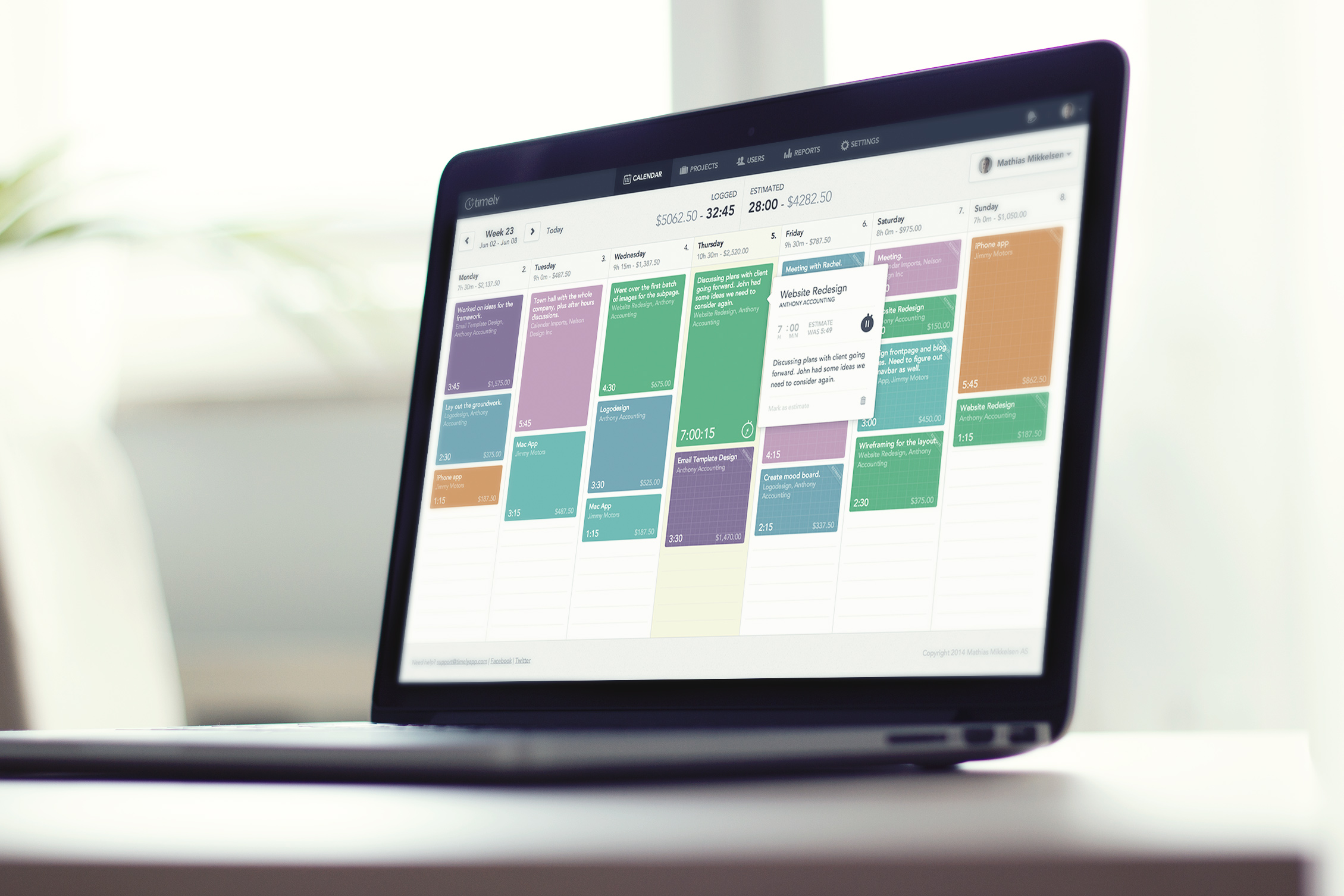
Timely is a time tracking platform that focuses on automatically capturing work activity and helping users turn that information into timesheets.
Why we picked it: Timely is a good option for people who regularly forget to start and stop timers and want a less manual approach to recording their working time.
Key features
- Automatic activity tracking
- Manual time entries
- Project and team time tracking
- Visual timelines
- Timesheets
- Reporting
- Calendar-based work planning
Best for: Teams and professionals who want to reduce the amount of manual time tracking they have to do.
Limitations: Users who prefer a simple start-and-stop timer may find automatic tracking unnecessary.
Pricing
- Starter: From $9 per user/month
- Premium: From $16 per user/month
- Unlimited: From $22 per user/month
TimeCamp — Best for flexible reporting and billing
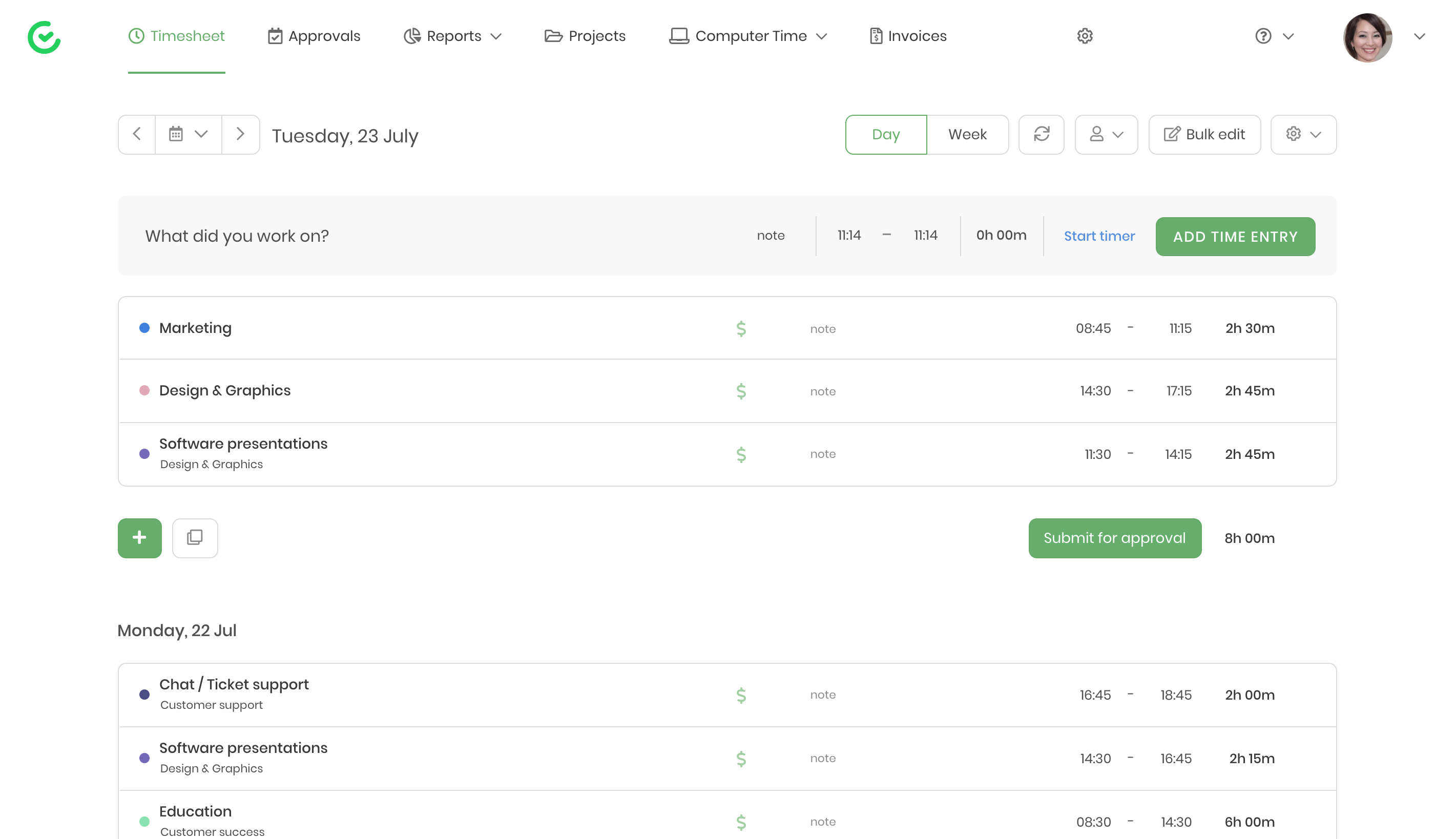
TimeCamp combines automatic and manual time tracking with timesheets, billing, reporting, and project profitability tools.
Why we picked it: TimeCamp offers a broad range of tracking methods and reporting options, making it useful for teams that need flexibility rather than a single approach to recording time.
Key features
- Automatic and manual time tracking
- Timesheets
- Project and task tracking
- Billable hours and invoicing
- Project profitability reporting
- Productivity reports
- Integrations with business and project management tools
Best for: Teams and agencies that need flexible time tracking combined with detailed reporting and billing tools.
Limitations: Its broader feature set can make it more complex than a simple timer-focused tool.
Pricing
- Starter: $3.99 per user/month, billed annually
- Premium: $6.99 per user/month, billed annually
- Ultimate: $9.99 per user/month, billed annually
- Enterprise: Custom pricing
Best Time Tracking Software for Freelancers and Individuals
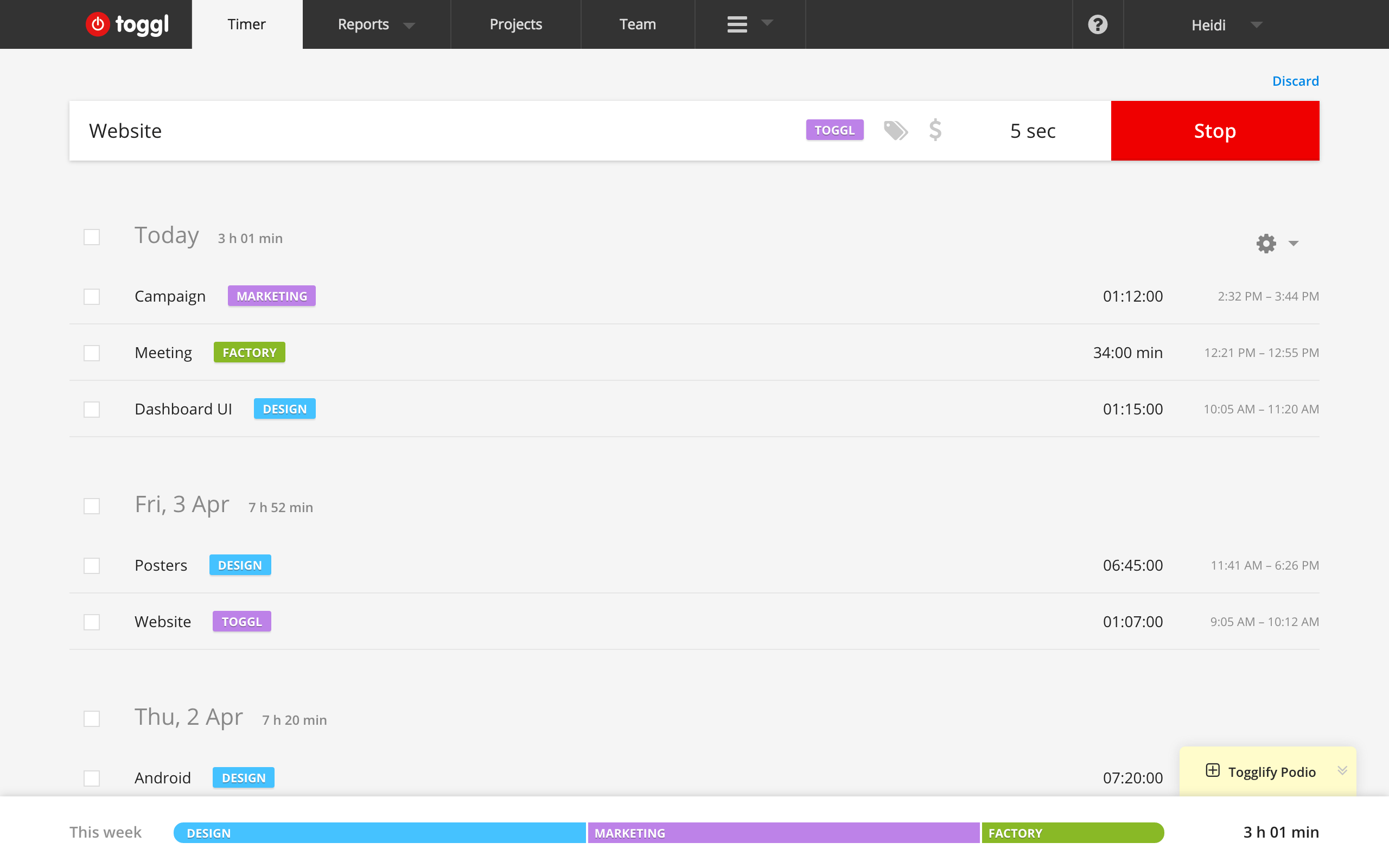
Toggl Track — Best for flexible time tracking
Toggl Track is a time tracking platform that supports manual, automatic, and calendar-based time tracking. It works for individual users but also includes project, billing, reporting, and profitability features for teams.
Why we picked it: Toggl Track is easy to start using while offering enough advanced functionality for freelancers and growing teams.
Key features
- Manual and timer-based tracking
- Automatic activity tracking
- Calendar integrations
- Project and task tracking
- Billable rates
- Project estimates
- Productivity and revenue reports
- Custom reports and profitability analysis on higher plans
Best for: Freelancers, consultants, and teams that want flexible time tracking without a complicated interface.
Limitations: Some of its more advanced project management, profitability, and reporting features require paid plans.
Pricing
- Free: $0
- Starter: From $9 per license/month
- Premium: From $14 per license/month for the first year under the current offer
- Enterprise: Custom pricing
💡 If you’re curious about Toggl’s features versus Everhour, we’ve done a detailed comparison here. Learn more about Toggl in our review of Tsheets vs Everhour vs Toggl or RescueTime.
Hours — Best for Apple-focused users
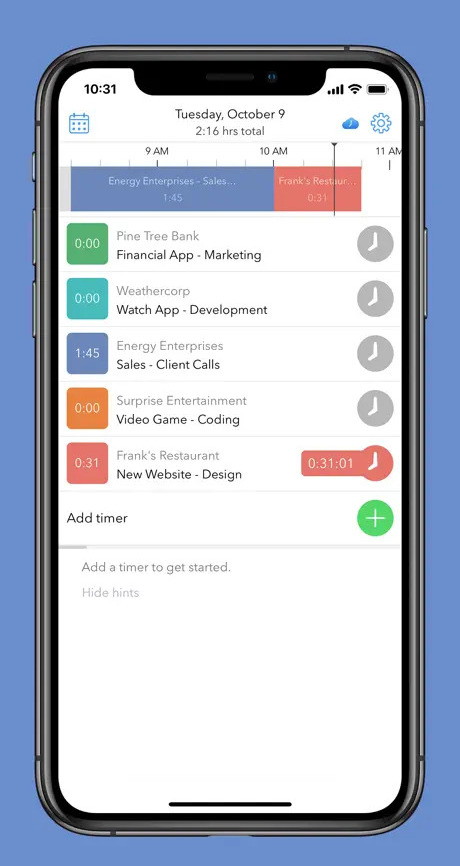
Hours is a timer-based time tracking app designed around a simple visual interface and project timers.
Why we picked it: Its straightforward approach makes it useful for people who primarily want to create timers, switch between tasks, and review their working hours without using a large business management platform.
Key features
- Timer-based time tracking
- Multiple project timers
- Visual timelines
- Reporting
- Apple-focused experience
Best for: Individuals who want a simple timer-based time tracking experience on Apple devices.
Limitations: It is less suitable for larger teams that need extensive integrations, budgeting, invoicing, or workforce management.
Pricing
Free, paid plans start at $7.99
💡 Hours is available for all Apple devices, including the Apple Watch.
TopTracker — Best free time tracker for freelancers
TopTracker is a completely free time tracking platform designed for freelancers, clients, and remote teams. In addition to tracking time, it includes timesheets, invoicing, project reporting, and optional proof-of-work features.
Why we picked it: Unlike many free plans that limit projects or users, TopTracker positions itself as a fully free solution with unlimited access to its core time tracking features.

Key features
- Free time tracking
- Manual time entries
- Project tracking
- Timesheets
- Invoicing
- Productivity reports
- Optional screenshots and webcam capture
- Activity tracking
- Payment integration
Best for: Freelancers and independent contractors looking for a free tool that combines time tracking with invoicing and client workflows.
Limitations: TopTracker has fewer integrations than many paid competitors and works primarily as a standalone platform.
Pricing
Free
Best Time Tracking Software for Productivity and Focus
RescueTime — Best for understanding personal productivity
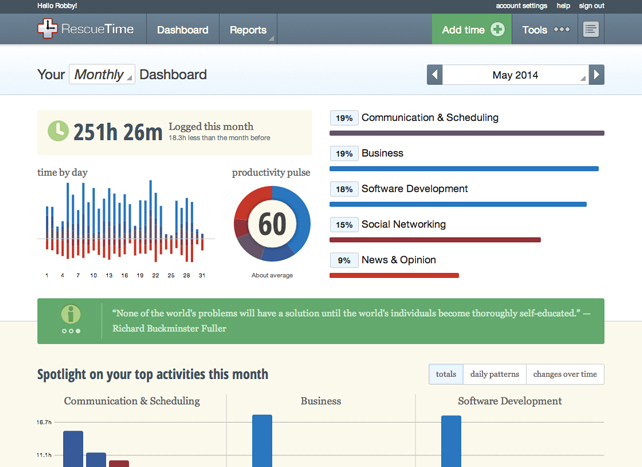
RescueTime automatically tracks how you spend time on apps and websites and helps you understand your work habits. Its focus is less on client billing and project management and more on productivity and distraction management.
Why we picked it: RescueTime is useful for people who want to understand where their time goes without manually categorizing every activity.
Key features
- Automatic activity tracking
- App and website usage reports
- Idle time detection
- Productivity insights
- Focus sessions and distraction blocking
- Goals and alerts
- Optional timesheet features
Best for: Individuals and teams focused on productivity, focus, and understanding digital work habits.
Limitations: RescueTime is not primarily designed for detailed project budgeting, invoicing, or client billing.
Pricing
- Solo: From $7/month, billed annually
- Solo+: From $12/month, billed annually
- Team: From $10 per user/month, billed annually
- Team+: From $16 per user/month, billed annually
Frequently Asked Questions
The best time tracking software depends on your needs. Everhour is well suited to project-based teams, Hubstaff to remote workforce management, Toggl Track to freelancers, and RescueTime to personal productivity tracking.
Yes. Several tools on this list offer free plans or free versions, including Everhour, Toggl Track, TopTracker, RescueTime, and TimeCamp.
Small businesses should look for a tool that matches their workflow. Everhour is suitable for project-based teams, Harvest for businesses that invoice clients, and Hubstaff for companies managing remote employees.
Toggl Track and TopTracker are strong options for freelancers who need simple time tracking and reporting. Harvest may also be useful for freelancers who regularly invoice clients.
Yes. Time tracking software can help individuals and teams identify how working hours are spent, detect time-consuming activities, improve estimates, and make better decisions about workloads and priorities.
Which Time Tracking Software Should You Choose?
- Choose TimeCamp if detailed reports and flexible tracking methods are your priority.
- Choose Everhour if your team already uses project management software and needs time tracking, budgeting, and reporting.
- Choose Harvest if you need time tracking combined with invoicing and client billing.
- Choose Hubstaff if you manage remote employees and need workforce monitoring features.
- Choose Timely if you prefer automatic time tracking and visual timelines.
- Choose Toggl Track if you want a simple and flexible tool for personal or freelance work.
- Choose Hours if you primarily work on Apple devices.
- Choose TopTracker if you want a free tool for freelancer time tracking.
- Choose RescueTime if your main goal is understanding and improving personal productivity.
Conclusion
The best time tracking software depends on what you want to measure and how your team works. Everhour is a strong choice for project-based teams that need time tracking alongside project budgets and reporting, while Harvest works well for time tracking and invoicing, Hubstaff is designed for remote workforce management, and Toggl Track offers a simple option for freelancers and individuals.
Before choosing a tool, consider whether you need manual or automatic tracking, project budgeting, employee management, invoicing, integrations, or personal productivity insights.

Mike
An IT entrepreneur, executive, and former engineer with a passion for innovation and leadership. Mike focuses on driving company growth while keeping the team inspired. Outside of work, he enjoys tennis, snowboarding, traveling, reading, and, of course, putting his heart and soul into Everhour.