


Top 5 Time Entry Systems: Free & Paid Solutions

A time entry system helps employees record their working hours and gives managers a centralized way to review timesheets, track attendance, manage projects, and use time data for payroll or billing.
Depending on the software, employees may enter time manually, clock in and out, or have their work hours recorded automatically. Some systems focus primarily on employee attendance, while others combine time tracking with project management, invoicing, reporting, or HR tools.
In this guide, we compare five time entry systems and explain what each one is best suited for.
How We Evaluated These Tools
We evaluated each tool based on time entry methods, timesheet management, reporting, integrations, mobile access, and pricing. Pricing was verified directly on each vendor’s website as of July 2026. We also reviewed user feedback on G2 and Capterra to make sure our assessments reflect real-world experience.
Disclosure: Everhour is our product and appears first on this list. We’ve aimed to give every other tool here an honest writeup including real limitations.
How to Choose a Time Entry System
When comparing time entry systems, consider how your employees record time and what you need to do with that data afterward.
Time entry methods
Look for a system that supports the way your team works. Depending on your workforce, this may include:
- Manual timesheet entry
- Clock-in and clock-out
- Mobile time tracking
- GPS or location-based clock-ins
- Automatic time tracking
- Project and task-based time entry
Reporting and timesheet management
Consider what information managers need to review. Useful capabilities may include timesheet approvals, overtime tracking, attendance reports, project reports, and billable vs non-billable time.
Integrations
If you already use project management, accounting, payroll, or HR software, check whether the time entry system integrates with those tools.
Pricing
Compare how each tool charges. Some use per-user pricing, while others charge a flat monthly fee for a certain number of employees.
Ease of use and support
Employees need to be able to log time consistently, while managers should be able to review and export data without unnecessary complexity. Check the available onboarding resources and support options before choosing a system.
Quick Overview
Best for project-based teams: Everhour
Best for attendance and field teams: Jibble
Best for small businesses with hourly employees: Buddy Punch
Best for simple affordable time clocks: OnTheClock
Best for mobile-first deskless teams: Connecteam
Comparison Table
| Tool | Entry method | Project tracking | Payroll integration | Free plan |
|---|---|---|---|---|
| Everhour | Manual + timer | ✅ | ✅ | ✅ Up to 5 users |
| Jibble | Clock-in + facial recognition | Limited | ✅ | ✅ Unlimited users |
| Buddy Punch | Clock-in + manual | Limited | ✅ | ❌ Trial only |
| OnTheClock | Clock-in + manual | Limited | ✅ | ✅ Up to 2 employees |
| Connecteam | Clock-in + mobile | Limited | ✅ | ✅ Up to 10 users |
Everhour
Best for: Project-based teams that bill clients and track budgets
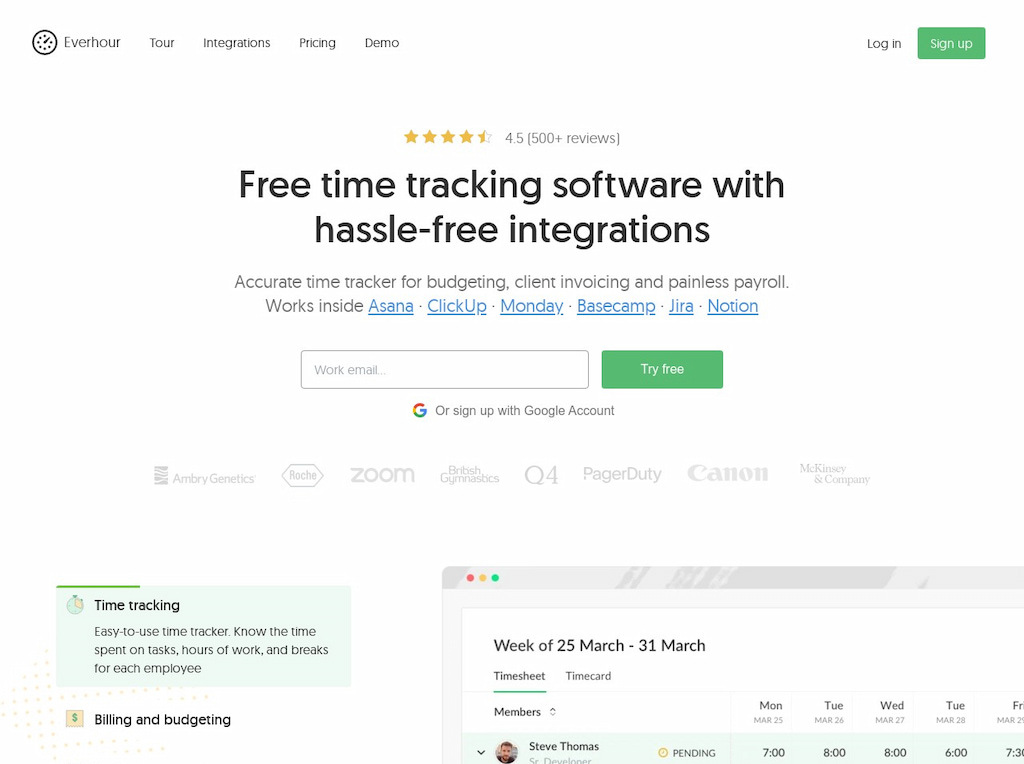
If your team already works in Asana, ClickUp, Trello, Jira, or Notion, Everhour fits into that workflow rather than asking you to add another app. Time gets entered directly inside those platforms against actual tasks, managers review and approve timesheets, and invoices generate from approved time without re-entry. For teams that need to know not just how many hours were worked but whether projects are profitable, the combination of budget tracking alongside time entry is what makes it stand out.
Key features
- Time entry via timer or manual input inside PM tools
- Billable and non-billable hour tracking
- Project budgeting and cost estimation with real-time alerts
- Timesheet approvals and payroll export
- Native invoice generation from tracked time
- Reporting by project, client, or team member
Pricing
Free for up to five users. Team plan $8.50/user/month (minimum five users).
Jibble
Best for: Attendance tracking and teams that need verified clock-ins
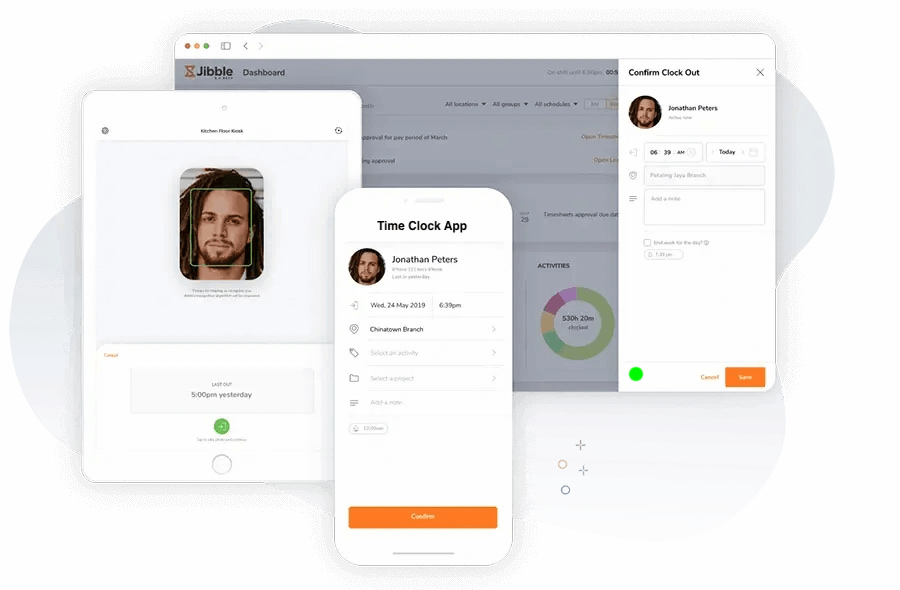
Jibble is built around one core problem: knowing whether employees actually showed up, on time, and in the right place. Facial recognition at clock-in eliminates buddy punching, GPS confirms location, and geofencing restricts clock-ins to designated areas. Timesheets generate automatically from that verified attendance data rather than relying on self-reported entries. What makes it particularly compelling is the free plan — unlimited users, facial recognition, GPS tracking, and automated timesheets with no time limit and no credit card required.
Key features
- Facial recognition for attendance verification at clock-in
- GPS location tracking and geofencing
- Multiple clock-in methods: web, mobile app, kiosk, or Slack
- Automated timesheet generation from attendance data
- Shift scheduling and overtime tracking
- Integrations with Slack, Microsoft Teams, and payroll tools
Pricing
Free
Buddy Punch
Best for: Small and medium businesses that need time entry connected to payroll
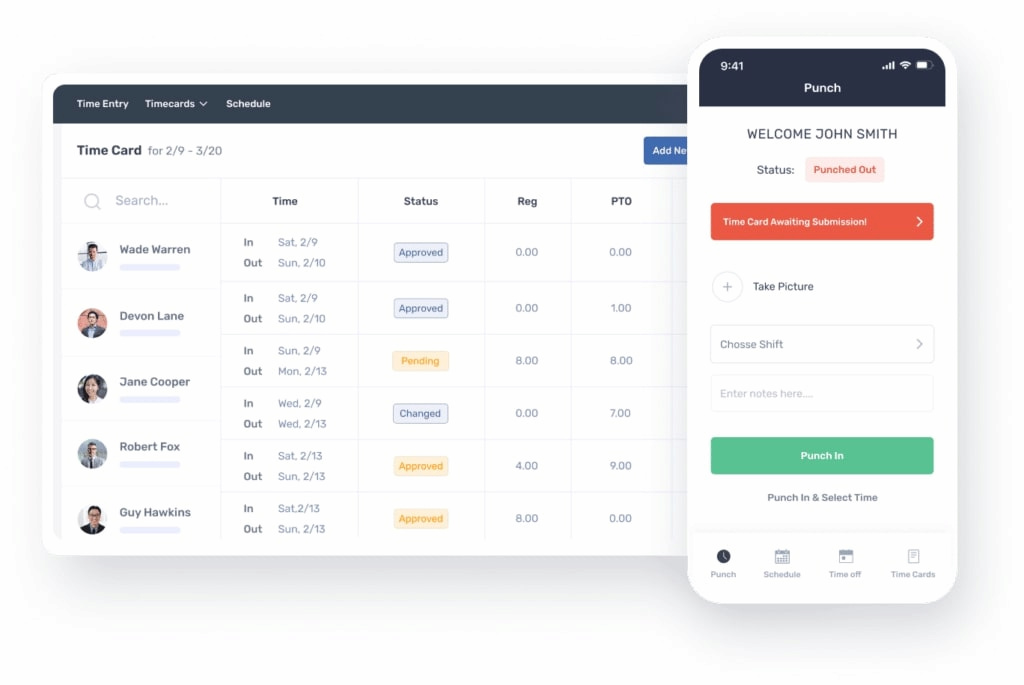
Buddy Punch covers the full employee time management cycle — clock-in via mobile, PIN, QR code, or facial recognition, shift scheduling, PTO management, and direct payroll integrations with QuickBooks, Gusto, and ADP. For SMBs that need time entry to flow cleanly into payroll without manual data transfer, that end-to-end connection is the main reason to choose it. GPS tracking and geofencing add location verification for teams working across multiple sites.
Key features
- Clock-in via mobile app, PIN, QR code, or facial recognition
- GPS tracking and geofencing for location verification
- Shift scheduling with drag-and-drop planner
- PTO management with automatic accruals and approval workflows
- Payroll integrations with QuickBooks, Gusto, and ADP
- Overtime calculations and timesheet approvals
Pricing
Starter $4.99/user/month. Pro $6.99/user/month. Enterprise $12.99/user/month. Free trial available.
OnTheClock
Best for: Small businesses that want a simple, affordable digital time clock
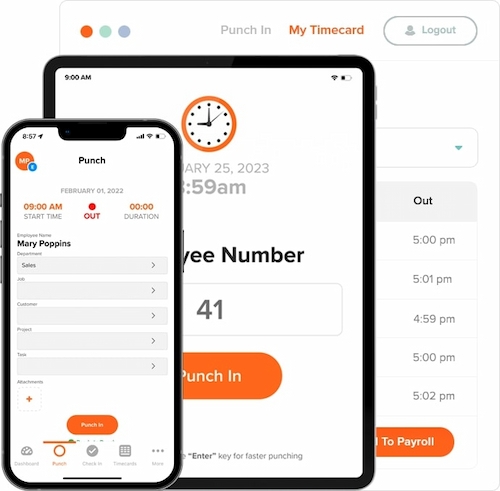
OnTheClock has been around since 2004 and focuses on doing the basics well — clocking in and out, tracking PTO, calculating overtime, and integrating with payroll — without the overhead of a full workforce management platform. For small businesses with hourly employees who just need a reliable digital time clock at a low price point, it covers the core time entry workflow without complexity. The free plan for up to two employees is genuinely useful for very small teams evaluating the tool.
Key features
- Clock in and out via web, mobile app, or kiosk
- PTO tracking with accruals and approvals
- Overtime calculations based on labor law and company policy
- Geofencing to restrict clock-ins to designated locations
- Payroll integrations with QuickBooks and Gusto
- Scheduling and shift management
Pricing
Free plan for up to two employees. Paid plans from approximately $2.50/user/month.
Connecteam
Best for: Field and deskless teams that manage employees through mobile devices
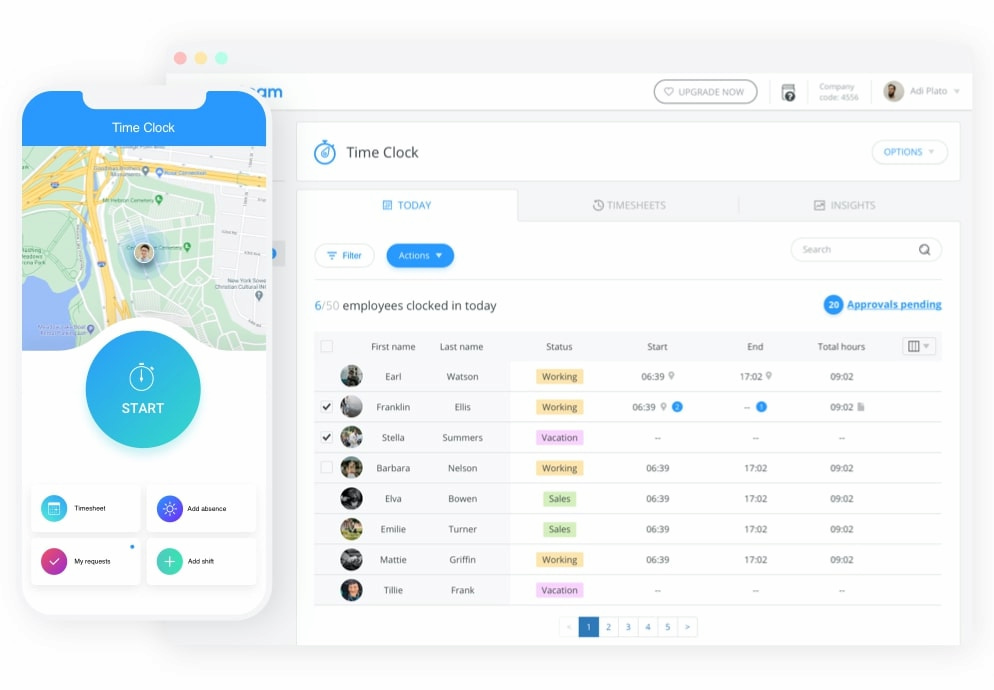
Connecteam is designed for businesses whose employees don’t sit at desks — construction crews, delivery drivers, cleaning services, field technicians, and similar mobile workforces. Everything is built around the phone: scheduling, time entry, task management, team communication, and training materials all live in one mobile app. GPS tracking and geofencing add location verification for teams working across multiple sites. The free plan covers up to ten users with the core features, which is more generous than most tools at this price point.
Key features
- Mobile clock-in and clock-out with GPS tracking
- Shift scheduling with employee self-service
- Task management and checklists for field operations
- Team communication with group chats and announcements
- Training and onboarding materials built into the platform
- Time off management and payroll exports
Pricing
Free plan for up to ten users. Basic $29/month for first 30 users. Advanced $49/month. Expert $99/month.
How to Choose
The right system depends on what your team primarily needs from time entry:
You work in PM tools and bill clients → Everhour
You need verified attendance with facial recognition → Jibble
You need time entry connected to payroll for hourly employees → Buddy Punch
You want a simple affordable digital time clock → OnTheClock
You manage field or deskless workers on mobile → Connecteam
FAQ
A time entry system records when employees work and organizes those hours into timesheets for payroll, billing, or reporting. Depending on the software, entry can be manual, clock-in/clock-out, or automatic.
The terms are often used interchangeably, but time entry systems typically focus on recording and approving hours for payroll and attendance, while time tracking apps often go further into project-level tracking, billable hours, and client billing. Many tools on this list combine both.
OnTheClock and Homebase are strong options for small businesses that need simple, affordable digital time clocks. Buddy Punch is worth considering if you need payroll integration alongside time entry. Jibble is the strongest free option if attendance verification matters.
Yes. Jibble is completely free. Everhour has a free plan for up to five users. OnTheClock has a free plan for up to two employees. Connecteam has a free plan for up to ten users.
Yes. Buddy Punch integrates directly with QuickBooks, Gusto, and ADP. OnTheClock integrates with QuickBooks and Gusto. Everhour supports payroll exports from approved timesheets. Connecteam and Jibble export timesheet data for use in payroll systems.
Yes. All five tools on this list have mobile apps and cloud-based access, so remote employees can enter time from anywhere. Jibble and Connecteam are particularly well suited to distributed teams, with GPS verification and mobile-first interfaces built around remote work.
Look for accurate clock-in and clock-out, timesheet review and approvals, overtime calculations, PTO tracking, payroll integrations, mobile access, and reporting. GPS tracking and geofencing are worth adding if you manage field or remote teams where location verification matters.
In Summary
Choose Everhour for time entry inside your PM tools with project budgeting and client billing built in
Choose Jibble for attendance verification with facial recognition and GPS on a free plan
Choose Buddy Punch for time entry connected directly to payroll for hourly employees
Choose OnTheClock for a simple, affordable digital time clock for small businesses
Choose Connecteam for mobile-first time entry across field and deskless teams

Maria
A dedicated content enthusiast with extensive experience in international teams and projects of all sizes. Maria thrives on creativity and attention to detail, fueled by a love for fantasy novels, music, classic black-and-white films, and always finding ways to make things better.