


Top Time Management Apps: Best Tools for Productivity

Time management apps help people plan tasks, organize schedules, prioritize work, manage deadlines, track how they spend their time, and stay focused. Depending on the tool, they may include to-do lists, calendars, time blocking, automatic scheduling, time tracking, Pomodoro timers, habit tracking, or productivity analytics.
The best time management app depends on how you manage your time. Professionals and project teams may need task and project tracking, freelancers may prioritize time tracking and reporting, while individuals and students may prefer daily planners, calendars, focus timers, or simple to-do lists.
In this guide, we compare 11 of the best time management apps for different needs, including project management, daily planning, AI scheduling, time blocking, focus, time tracking, and task organization.
Quick answer: The best time management app depends on your needs. Everhour is best for project-based time tracking, Notion for all-in-one organization, Sunsama for daily planning, Motion for AI scheduling, and Todoist for simple task management.
What Is a Time Management App?
A time management app is software that helps users organize, plan, and make better use of their time. Different apps approach time management differently. Some help users create task lists and prioritize work, while others focus on scheduling, time blocking, tracking working hours, or reducing distractions.
Common features include:
- Task management: Creating and organizing tasks and to-do lists
- Calendar planning: Scheduling tasks, appointments, and events
- Time blocking: Reserving specific periods for important work
- Time tracking: Recording how much time is spent on tasks and projects
- Focus tools: Using timers, Pomodoro sessions, or distraction reduction
- Automatic scheduling: Using AI or automation to organize tasks around available calendar time
- Reminders and notifications: Helping users remember deadlines and planned activities
Types of Time Management Apps
Time management apps focus on different needs, from organizing tasks and planning days to tracking hours and staying focused.
Task management apps
Help users organize to-do lists, priorities, deadlines, and reminders without necessarily scheduling tasks.
Examples: Todoist and TickTick.
Daily planning apps
Combine tasks and calendars to help users create a realistic plan for each day.
Examples: Sunsama and Structured.
Time blocking and scheduling apps
Let users assign tasks to specific time blocks, with some tools using automation or AI to build schedules.
Examples: Motion and Sorted³.
Time tracking apps
Record time spent on tasks, projects, or clients, making them useful for billable work, project budgets, and productivity analysis.
Examples: Everhour, Toggl Track, and RescueTime.
Focus and productivity apps
Use tools such as Pomodoro timers, focus sessions, website blocking, or gamification to reduce distractions.
Examples: Forest and TickTick.
All-in-one productivity apps
Combine tasks, notes, calendars, projects, and other organizational tools in one workspace.
Example: Notion.
Choose the type based on what you want to improve: task management for staying organized, planning or time blocking for structuring your day, time tracking for understanding your work hours, and focus apps for reducing distractions.
Comparison Table
| App | Best for | Main approach | Platforms | Free plan |
|---|---|---|---|---|
| Everhour | Project teams | Time and project tracking | Web | Yes |
| Notion | All-in-one organization | Tasks, notes, databases | Web, desktop, mobile | Yes |
| Sunsama | Daily planning | Guided daily planning | Web, mobile | No/limited |
| TickTick | Tasks and focus | To-do lists and Pomodoro | Web, desktop, mobile | Yes |
| Motion | AI scheduling | Automatic time blocking | Web, mobile | No |
| Forest | Focus | Gamified focus sessions | Mobile, browser | Limited |
| Todoist | Simple task management | To-do lists | Everywhere | Yes |
| Structured | Visual planning | Timeline-based daily planning | Apple devices | Yes |
| RescueTime | Automatic tracking | Productivity analytics | Desktop, mobile | Limited |
| Toggl Track | Freelancers | Manual time tracking | Everywhere | Yes |
| Sorted³ | Flexible scheduling | Time blocking and auto-scheduling | Apple devices | Limited |
Everhour – Best for Time Management Inside Projects
Everhour helps teams manage their time directly inside the project management tools they already use. Instead of switching between a separate timer and your tasks, you can track time while working in Trello, ClickUp, Asana, and Notion. It also includes project budgets, reports, and a Timeline page for monitoring team progress.
- Platforms: Web, browser extensions
- Why it’s useful: Combines time tracking, project budgets, reporting, and team management inside existing project workflows.
- Best for: Agencies, consultants, freelancers, and project-based teams that need to manage time alongside their work.
![track time like a pro with the best employee time tracking app [21 tools]](https://everhour.com/blog/wp-content/uploads/2024/10/primary-screen-everhour.jpg)
Notion – Best All-in-One Time Organizer
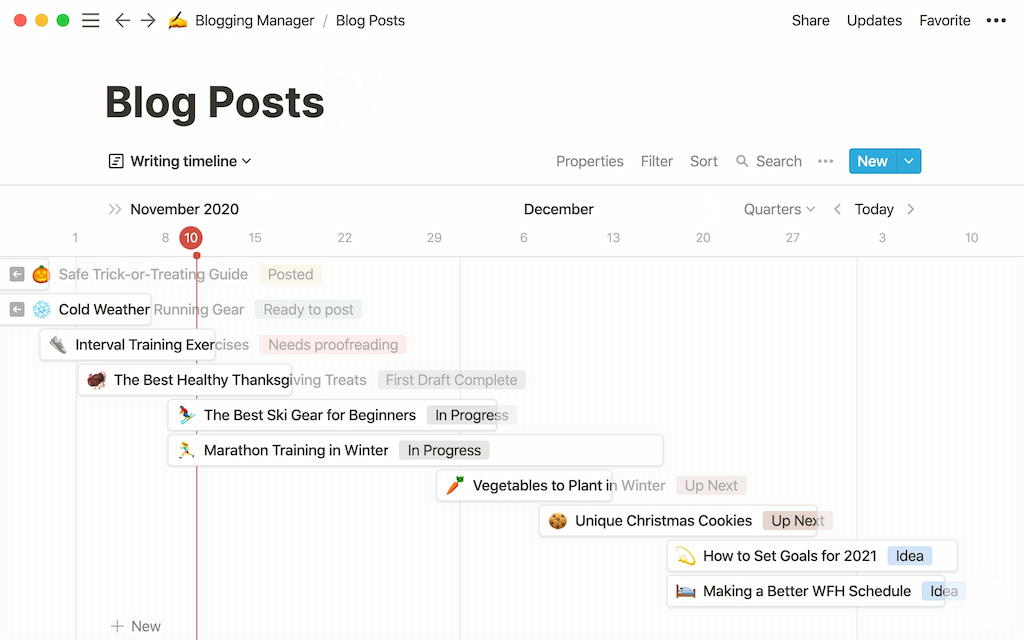
Notion is a flexible workspace that can bring tasks, notes, calendars, goals, and projects together in one place. Rather than following a fixed productivity system, users can build their own dashboards and workflows, making it useful for both personal organization and project planning.
- Platforms: iOS, Android, Web, Mac, Windows
- Why it’s useful: Highly customizable and capable of combining multiple productivity tools in one workspace.
- Best for: Students, freelancers, and people who want one system for organizing work and personal life.
🌟 Bonus: Free plan is enough for 90% of users
Sunsama – Best for Structured Daily Planning
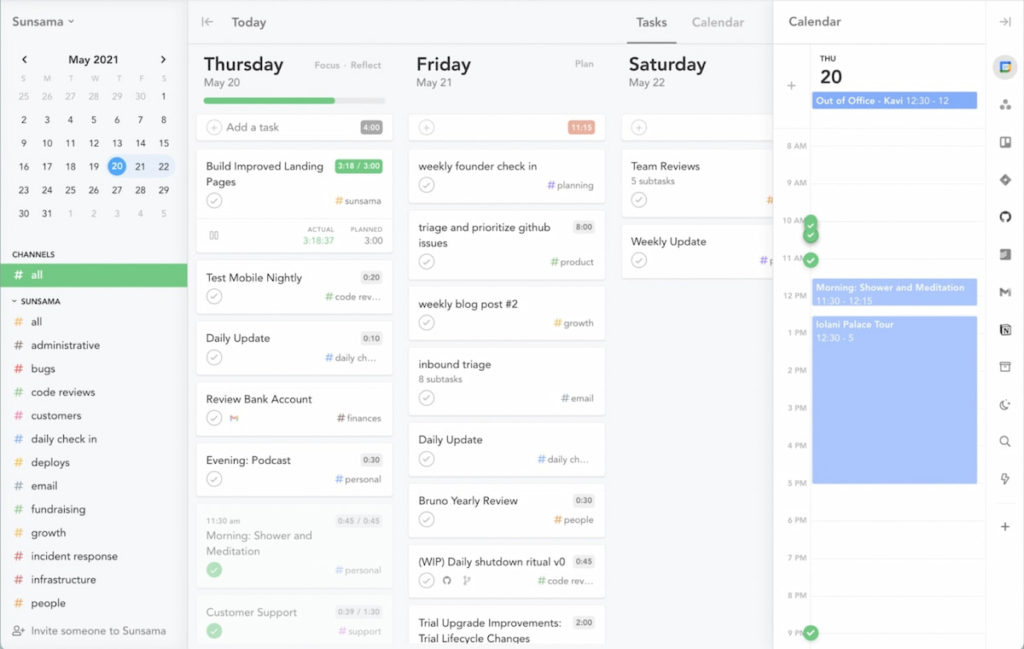
Sunsama focuses on helping users plan their days intentionally instead of simply working through an endless to-do list. It brings tasks and calendar events together and encourages users to decide what they can realistically accomplish during the day.
- Platforms: Web, iOS
- Why it’s useful: Provides a structured daily planning workflow that helps turn tasks into a realistic schedule.
- Best for: Professionals who want more structure and clearer boundaries around their daily workload.
TickTick – Best for List Lovers and Pomodoro Fans
TickTick goes beyond a basic to-do list by combining task management with reminders, priorities, habit tracking, and Pomodoro timers. This makes it a flexible option for people who want to organize their work while also using focus techniques to stay productive.
- Platforms: iOS, Android, Web, Desktop
- Why it’s useful: Combines task management, habits, reminders, and focus tools in one app.
- Best for: People who want a feature-rich to-do list with built-in productivity tools.
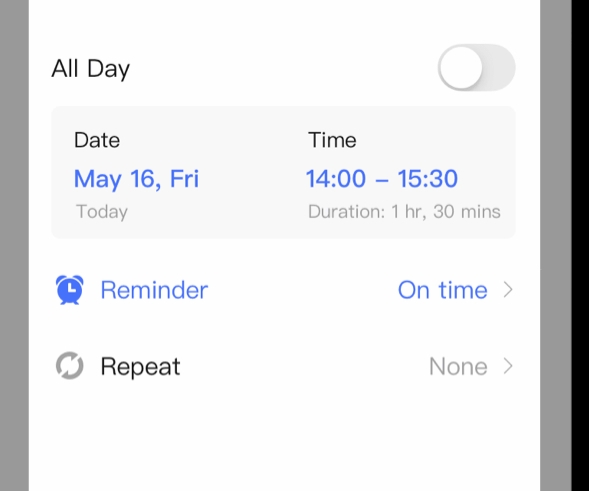
🌟 Bonus: Best widgets and reminders in the category
Motion – Best AI Time Blocking App
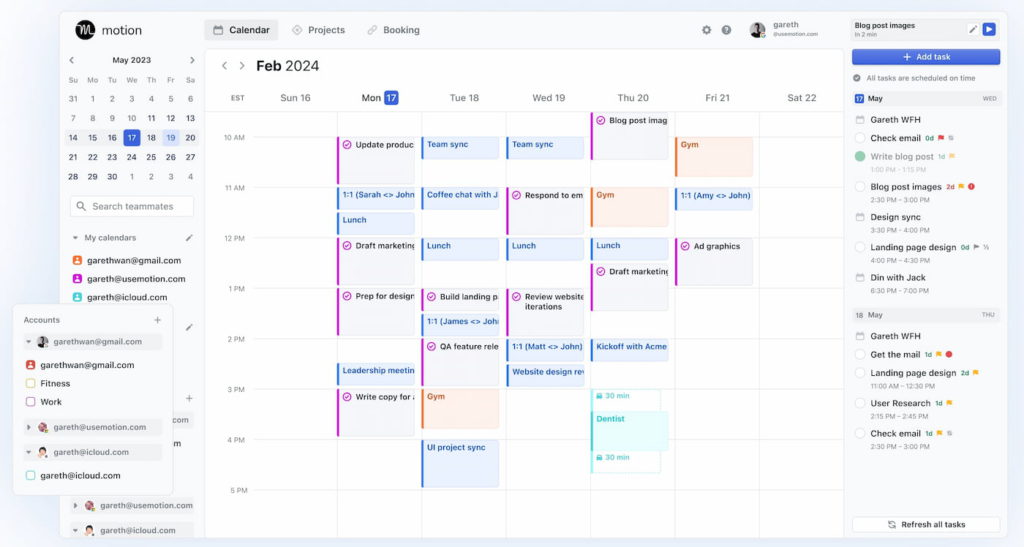
Motion uses AI and automation to schedule tasks around your existing calendar, deadlines, and priorities. When plans change, it can reorganize your schedule, making it useful for people who struggle to decide when they should actually work on everything on their to-do list.
- Platforms: Web, iOS
- Why it’s useful: Automatically turns tasks and priorities into a structured calendar schedule.
- Best for: Busy professionals with changing priorities and overloaded calendars.
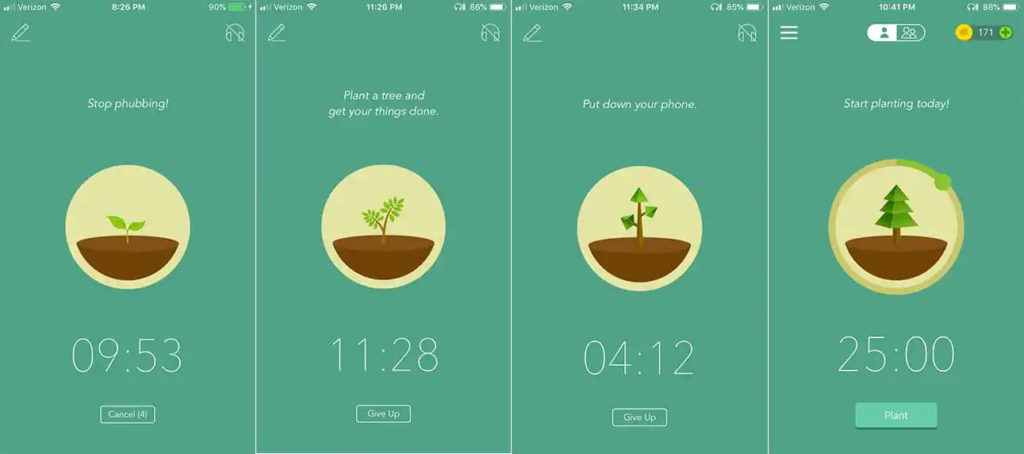
Forest – Best for Gamified Focus
Forest takes a different approach to time management by turning focus sessions into a game. Users grow virtual trees while staying focused, making it a simple and engaging way to reduce distractions and build better concentration habits.
- Platforms: iOS, Android, Chrome extension (check out our list of the best Chrome extensions)
- Why it’s useful: Uses gamification to make focus sessions more engaging and encourage users to avoid distractions.
- Best for: Students and anyone who struggles to stay focused on a single task.
Todoist – Best Lightweight To-Do List
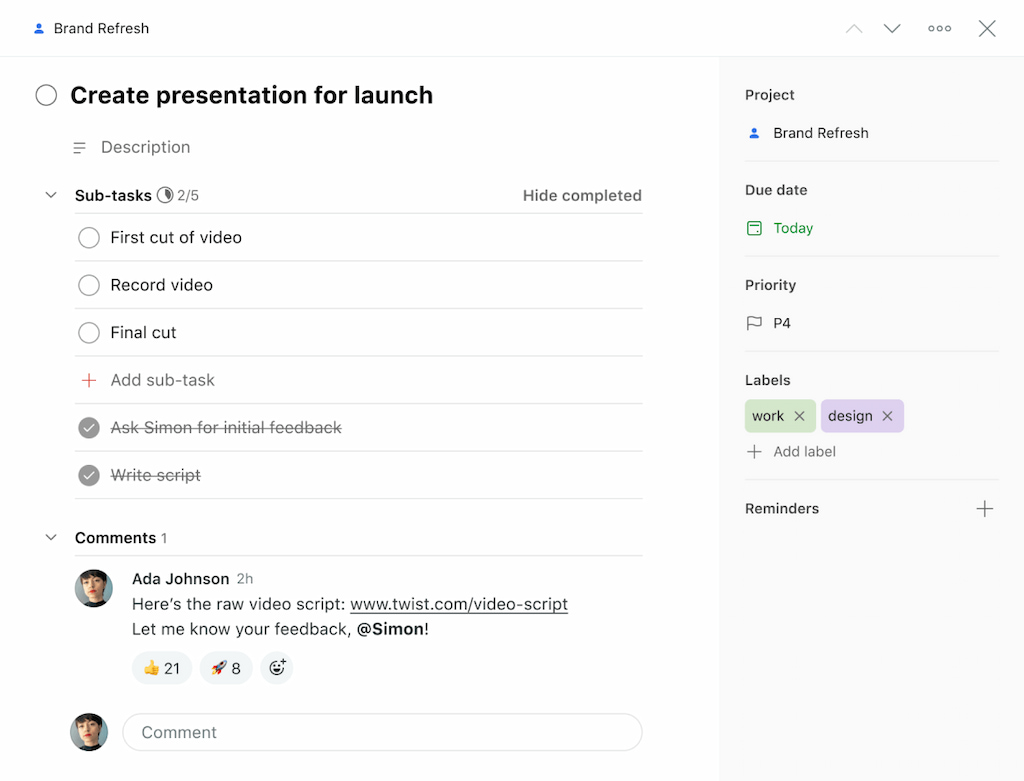
Todoist is one of the simplest ways to organize tasks, deadlines, and recurring responsibilities. Its clean interface makes it easy to quickly capture tasks and organize them by project, priority, or due date without adding unnecessary complexity.
- Platforms: iOS, Android, Web, Mac, Windows, Wearables
- Why it’s useful: Fast, simple task management with enough features for both personal and professional workflows.
- Best for: Anyone who wants an easy-to-use and flexible to-do list.
🌟 Bonus: Todoist templates and Todoist integrations for everything from study plans to daily routines, including for Todoist time tracking
Structured – Best for Visual Daily Planners
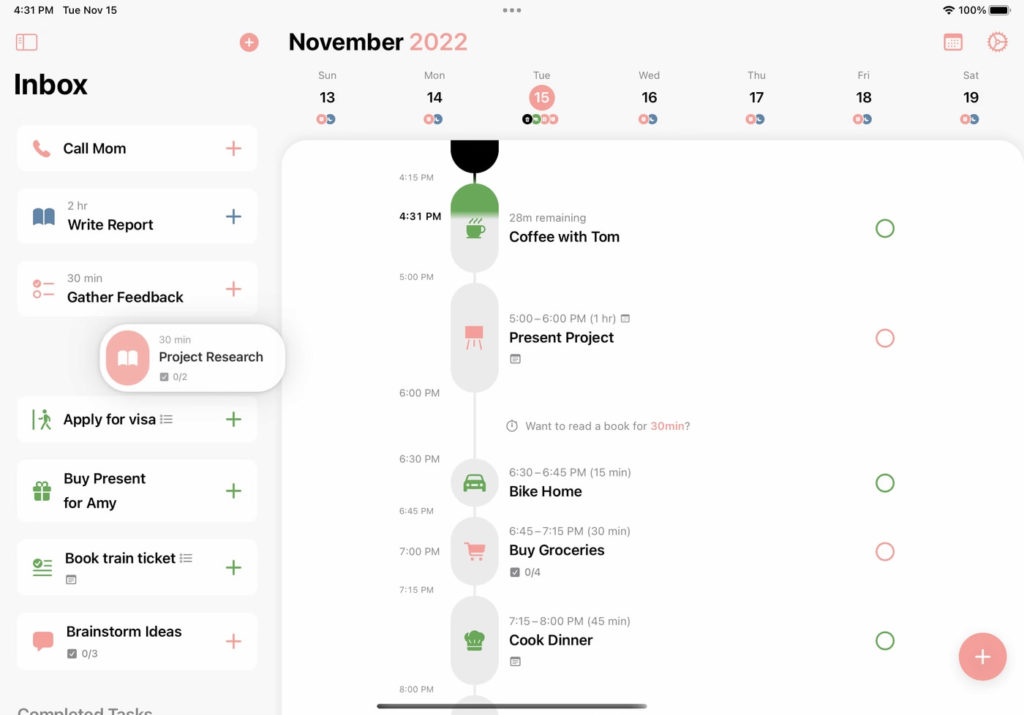
Structured organizes your day into a visual timeline, allowing you to see tasks and events in chronological order. Rather than looking at a traditional task list, you can build your day around clear time blocks and see what comes next at a glance.
- Platforms: iOS, macOS
- Why it’s useful: Its visual timeline makes daily schedules easier to understand and follow.
- Best for: Visual planners, students, and people who prefer seeing their day laid out step by step.
💰 Cost: Free with optional upgrade
RescueTime – Best for Automatic Time Tracking
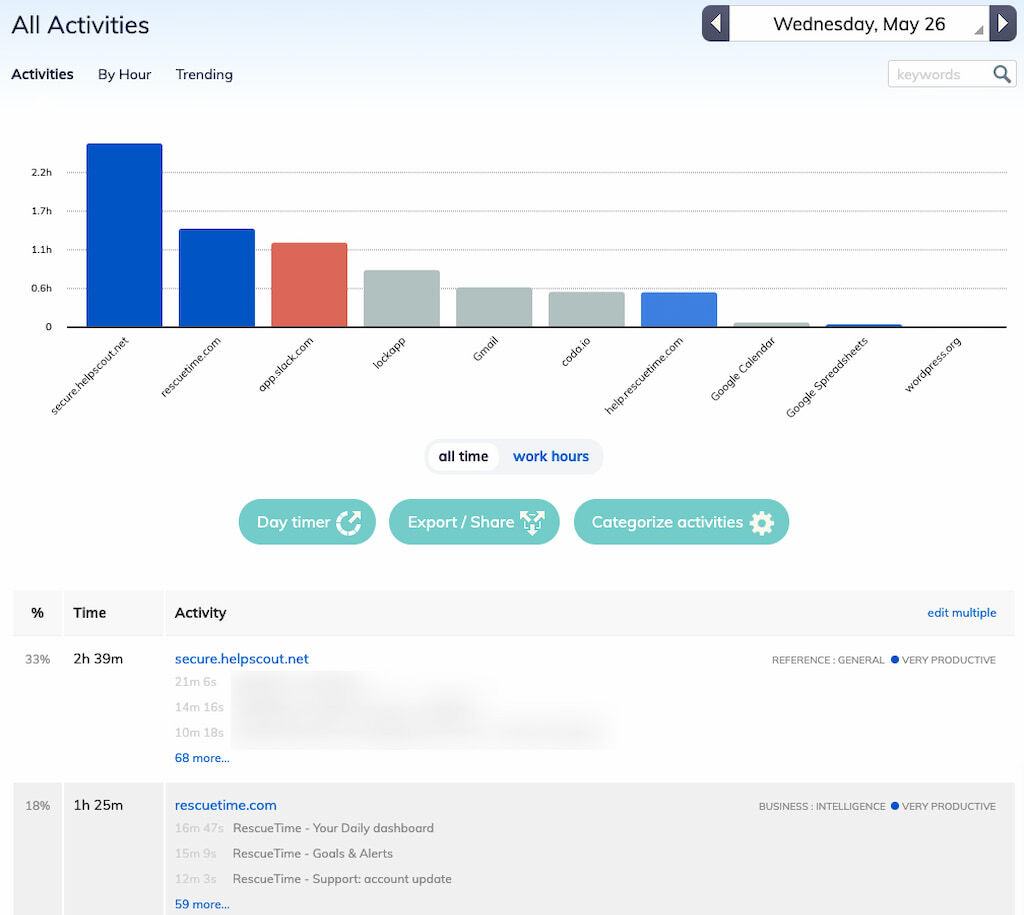
RescueTime helps users understand how they spend their time by automatically tracking activity on apps and websites. Instead of manually starting timers, users can review reports to identify productive habits, distractions, and patterns in their daily work.
- Platforms: Windows, Mac, Android, Web
- Why it’s useful: Automatically shows where your digital time goes without requiring manual time tracking.
- Best for: Anyone who wants to better understand their screen time and productivity habits.
🌟 Bonus: Sends focus nudges when you drift
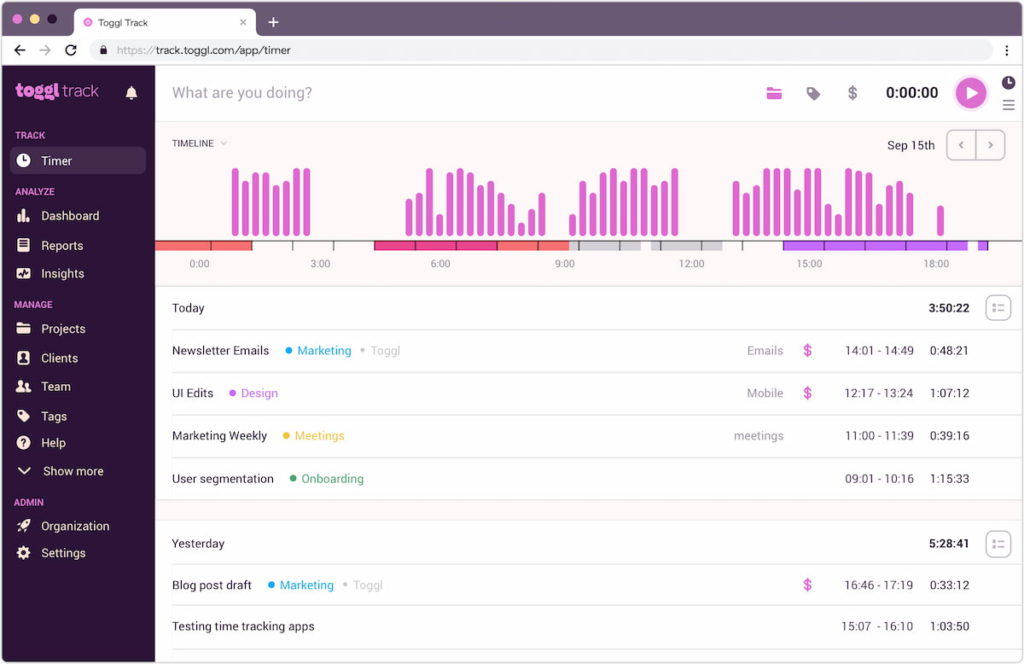
Toggl Track – Best for Freelancers and Time Logs
Toggl Track makes it easy to record time spent on projects, tasks, and clients using simple timers and manual time entries. Its reporting features help users review where their hours go and use that information for billing, project management, or productivity analysis.
- Platforms: iOS, Android, Web, Desktop
- Why it’s useful: Simple time tracking combined with project organization and detailed reports.
- Best for: Freelancers, agencies, and professionals who need accurate time logs for clients or projects.
Sorted³ – Best for Time Blocking and Auto-Scheduling
Sorted³ combines tasks, calendar events, and notes into a single daily schedule. Its scheduling tools can automatically reorganize tasks when plans change, helping users adjust their day without manually rebuilding their entire schedule.
- Platforms: iOS, macOS
- Why it’s useful: Combines time blocking with flexible scheduling that adapts to changing plans.
- Best for: People who like planning their day in time blocks but need flexibility when schedules change.
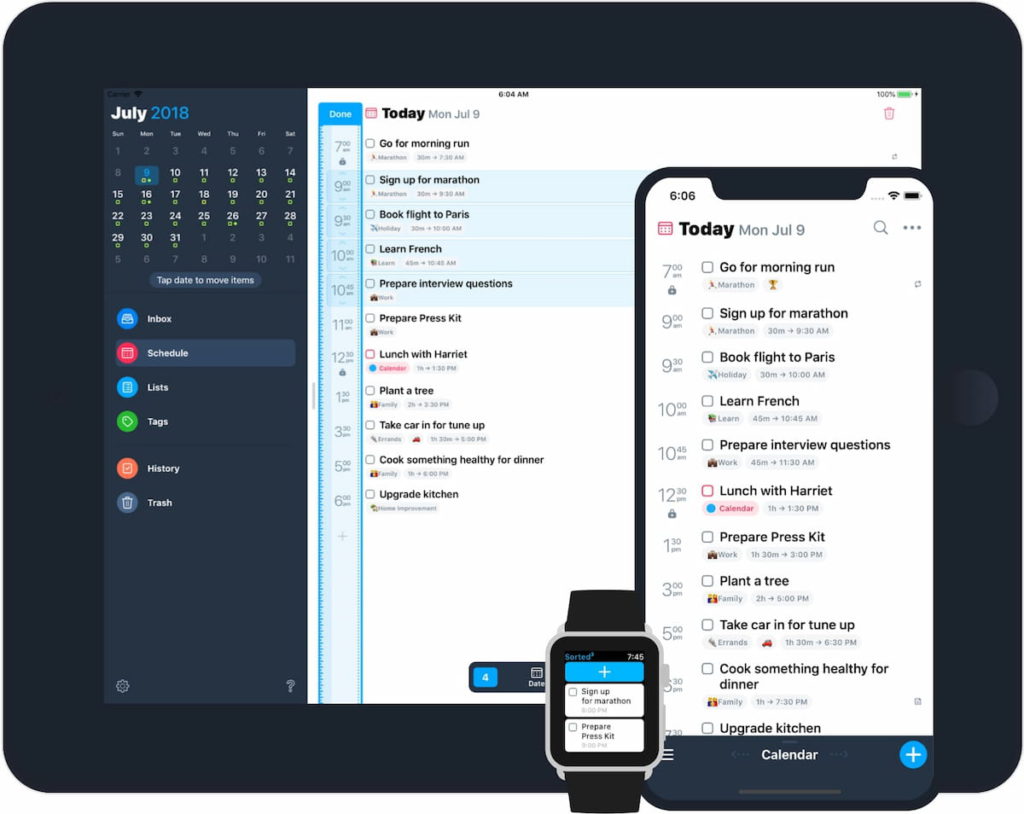
🌟 Bonus: “Magic scheduling” automatically reflows your day when plans change
How to Choose the Best Time Management App
The best time management app depends on what you’re trying to improve. Before choosing one, consider:
- Your main goal: Do you need better planning, time tracking, task management, or focus?
- Planning style: Choose between time blocking, to-do lists, calendars, or automatic scheduling.
- Work type: Freelancers and agencies may need time tracking and billing, while students may benefit more from tasks, reminders, and focus tools.
- Integrations: Check whether the app works with your calendar, project management tools, or other apps you already use.
- Ease of use: The best app is one you’ll actually use consistently. Avoid tools that add more work to your routine.
- Price: Compare free plans and paid features to make sure the app fits your needs and budget.
Frequently Asked Questions
The best time management app depends on your needs. Everhour is a strong option for project-based work, Todoist and TickTick are useful for task management, Motion is designed for AI-powered scheduling, and Forest helps users focus.
The most useful features depend on your needs, but common time management app features include task lists, calendars, reminders, priorities, time blocking, time tracking, focus timers, and productivity reports. Project-based users may also need team collaboration, project budgets, and integrations with other work tools.
Several apps offer free plans, including Todoist, TickTick, Notion, Everhour, and Toggl Track. The best option depends on whether you need task management, planning, or time tracking.
Yes, especially when they help you solve a specific problem such as forgetting tasks, missing deadlines, procrastinating, or losing track of working hours. However, the best app is usually one that fits naturally into your existing workflow.
A time management app helps users plan and organize how they spend their time. A time tracking app records how much time users actually spend on tasks, projects, or activities. Some tools combine both functions.
Motion and Sorted³ are strong options for people who prefer planning their day using scheduled blocks of time. Everhour has a time blocking template that you can use for free.
They can help users organize priorities, plan work, reduce missed deadlines, and better understand how they spend their time. However, the effectiveness of an app depends on how consistently it is used.
Final Word
There isn’t one best time management app for everyone. The right choice depends on what you want to improve.
Choose Everhour if you need accurate time tracking for projects and teams. Go with Notion for all-in-one organization, Sunsama or Structured for daily planning, and Motion or Sorted³ for time blocking and scheduling. TickTick and Forest are good choices if staying focused and poor time management is your main challenge, while RescueTime and Toggl Track can help you understand where your time actually goes.
Start with the problem you want to solve rather than the number of features an app offers. The best time management app is the one that fits your workflow and is easy enough to keep using.
➡️ Struggling with productivity and time management? Learn how to manage your time and prioritize tasks in our thorough guide!

Maria
A dedicated content enthusiast with extensive experience in international teams and projects of all sizes. Maria thrives on creativity and attention to detail, fueled by a love for fantasy novels, music, classic black-and-white films, and always finding ways to make things better.