


Best Wrike Alternatives For Growing Teams [2026]

Wrike is a popular project management tool for teams that need flexible workflows, task tracking, and cross-team collaboration. But as projects grow and reporting needs become more complex, many teams start looking for Wrike alternatives. Sometimes that means switching tools entirely. In other cases, it means finding a better way to cover gaps around Wrike project management, time tracking, effort, and visibility.
In this article, we’ll look at why teams search for alternatives to Wrike, what they usually mean by that, and how different options compare. We’ll also explore when it makes sense to replace Wrike — and when extending it with the right Wrike integrations can be the more practical choice.
🔍 Why Teams Look For Wrike Alternatives
Wrike works well for organizing tasks and workflows, especially early on. But as teams grow and projects get more complex, some limitations become harder to ignore. Here are the most common reasons teams start exploring Wrike alternatives:
- 📈 Growing complexity as teams scale: What starts as a flexible setup can become harder to maintain with more people, dependencies, and overlapping projects. Keeping everything aligned often requires extra configuration and ongoing upkeep.
- 📊 Wrike reporting limitations: Built-in reports and dashboards cover the basics, but cross-project visibility usually takes more effort. Getting a clear, high-level view often means custom setups or exporting data elsewhere.
- ⏱️ Time, effort, and cost tracking gaps: Teams that need to connect time spent with effort, budgets, or costs may find Wrike’s native tools too shallow for deeper analysis or client reporting.
- 🧩 Managing several tools alongside Wrike: As needs grow, teams often add separate tools for time tracking, budgeting, or analytics. Over time, switching between systems can create friction, duplicate work, and reduce visibility.

This is usually the point where teams reassess their setup — either by switching tools or extending Wrike with integrations that fill these gaps.
🔁 Best Wrike Alternatives
When teams look for Wrike alternatives, they usually want to either replace Wrike entirely or add missing capabilities to their workflow. Here are some of the most popular options:
⏱️ Everhour: flexible Wrike alternative
Everhour’s time tracker isn’t a full project management tool like Wrike, but it fills critical gaps that many teams face as projects grow. Whether used alongside Wrike or on its own, it focuses on time tracking, budgeting, and reporting, helping teams see exactly where effort and resources are going.
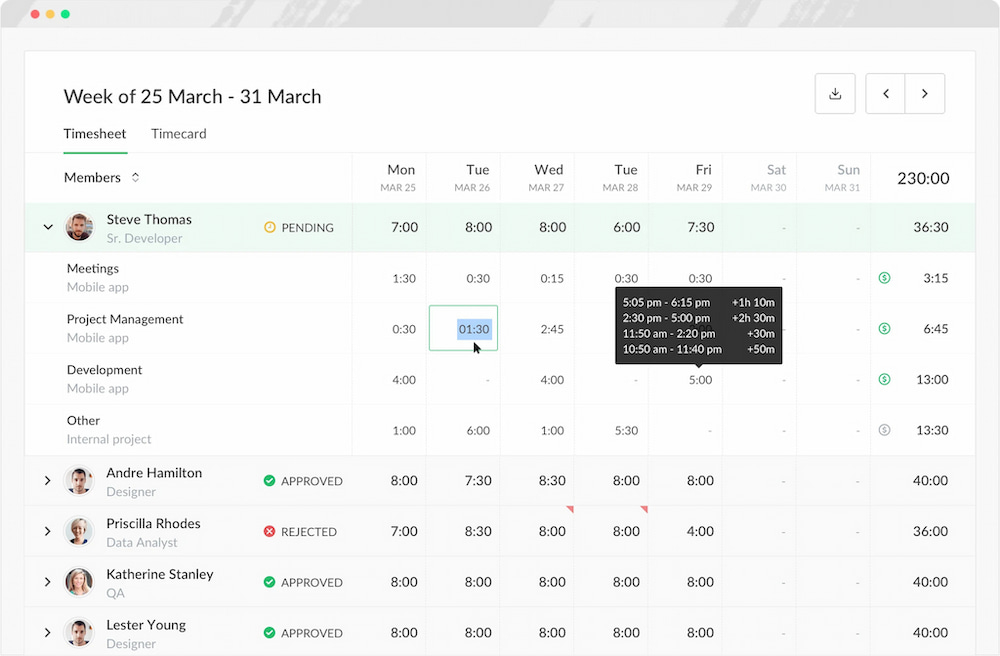
💡 Why teams choose Everhour:
- Track time in Wrike or any other PM tool directly inside tasks – timers and manual entries appear inside your existing task workflow, reducing context switching.
- Compare estimates vs actuals – see how time spent stacks up against planned estimates, making it easy to spot overruns early.
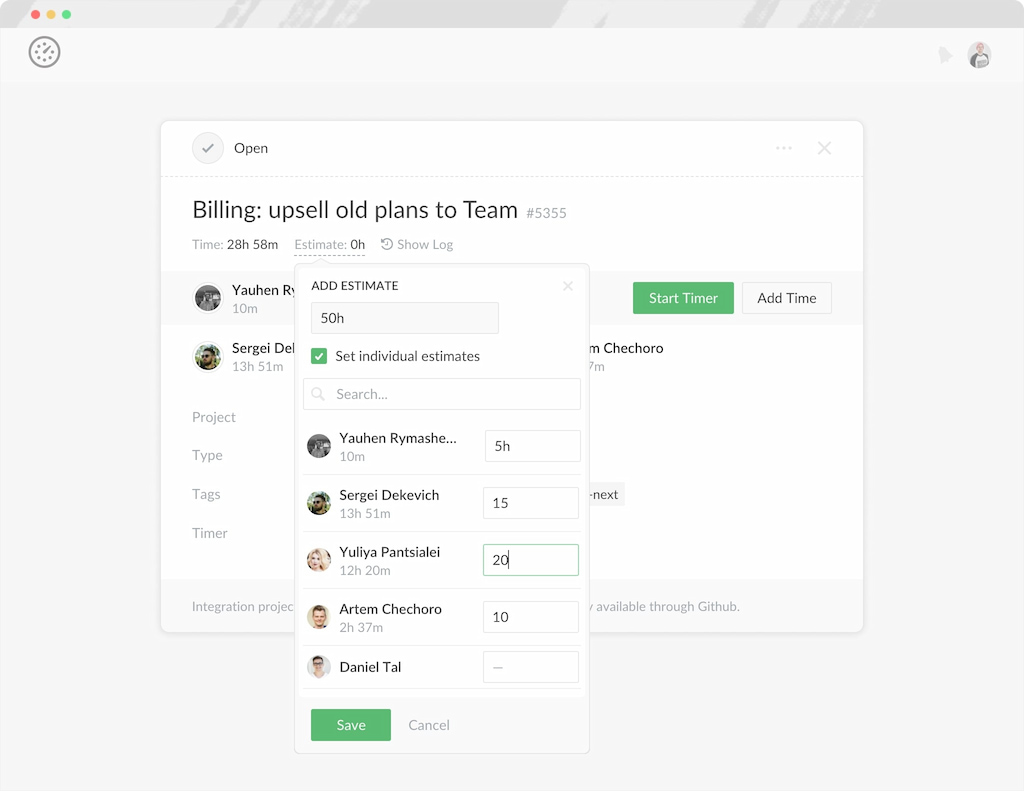
- Manage budgets and reporting – get detailed insights into costs, hours, and progress without exporting spreadsheets or combining multiple reports.
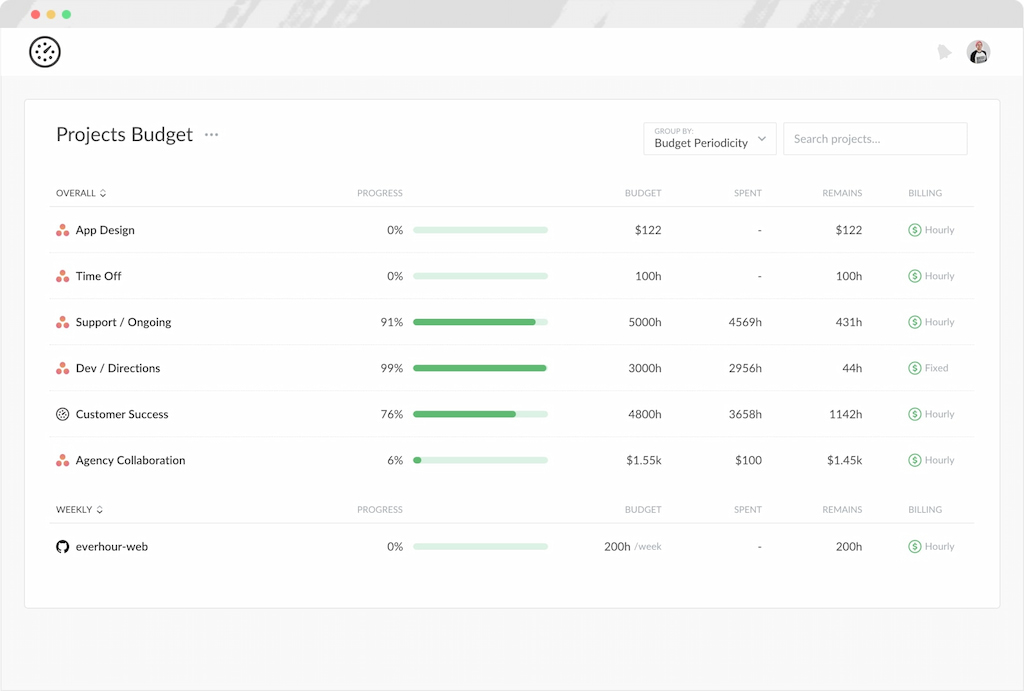
- Gain cross-project visibility – view time, effort, and cost across multiple projects and teams in a single, centralized dashboard.
- Customizable tracking categories – organize time entries by project, task type, or workflow stage for deeper insights.
- Seamless integrations – connects with other tools you already use, including Wrike time tracking integration, Asana, Notion, Monday.com, ClickUp, and more, giving flexibility without disrupting your existing workflow.
✍️ Who it’s best for:
- Teams that want accurate, actionable tracking without fully replacing their project management system.
- Managers who need clear visibility across projects and teams without manual reporting.
- Organizations that want to control budgets, timelines, and effort in a way that scales with their work.
Learn more in our Wrike vs Everhour comparison!
In short, Everhour acts as either a Wrike alternative or a powerful extension, giving teams the tracking and reporting capabilities they often wish Wrike offered natively.
Smartsheet: spreadsheet-style project management
Smartsheet is ideal for teams that prefer a grid-based, spreadsheet-like interface while still managing projects, timelines, and collaboration. It blends task tracking, automation, and reporting in a familiar layout for users comfortable with Excel.
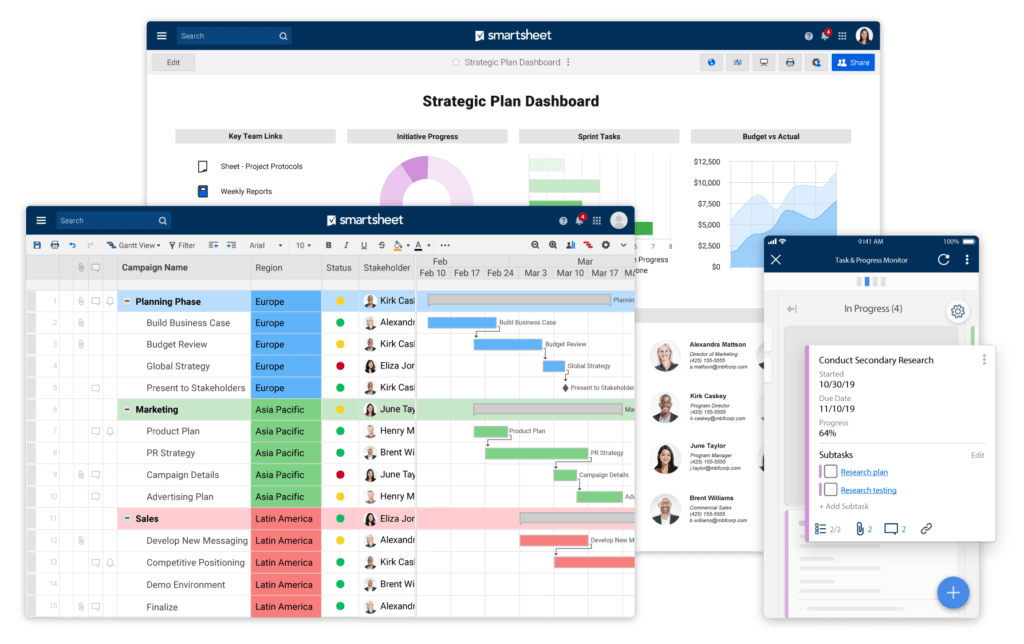
🔎 Key benefits:
- Grid, Gantt, and card views – switch between spreadsheet, timeline, or Kanban layouts.
- Automated workflows – notifications, approvals, and reminders help keep projects on track.
- Collaboration and sharing – easily share sheets with teammates or external stakeholders.
- Dashboards and reporting – visualize progress and key metrics across projects.
Smartsheet is best for teams that love structured, table-style planning but still need flexibility to track projects, tasks, and deadlines in one place.
Monday: visual project management
Monday is built for teams that prefer a highly visual, customizable interface to manage projects, tasks, and workflows. Its Monday boards and flexible layouts make it easy to see progress at a glance.
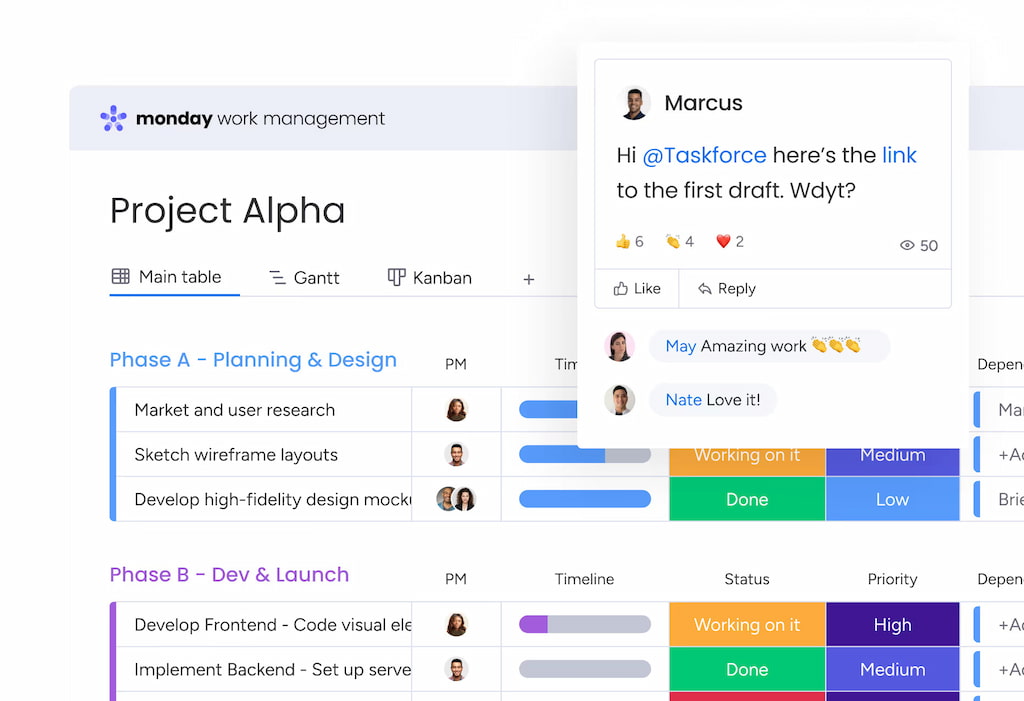
🔎 Key benefits:
- Custom boards and workflows – adapt boards to any project type or team.
- Timeline and calendar views – track deadlines and plan work visually.
- Integrations with popular tools – connect Slack, Teams, Google Drive, Everhour (for Monday time tracking), and more.
- Automations and notifications – reduce repetitive work and keep teams aligned.
Monday is best for teams that want flexibility and visual clarity while managing tasks and projects without complex setup.
ClickUp: all-in-one project management
ClickUp positions itself as an all-in-one platform for teams that need project management, task tracking, and collaboration in a single tool. It’s highly customizable, allowing teams to adapt workflows to their unique needs.
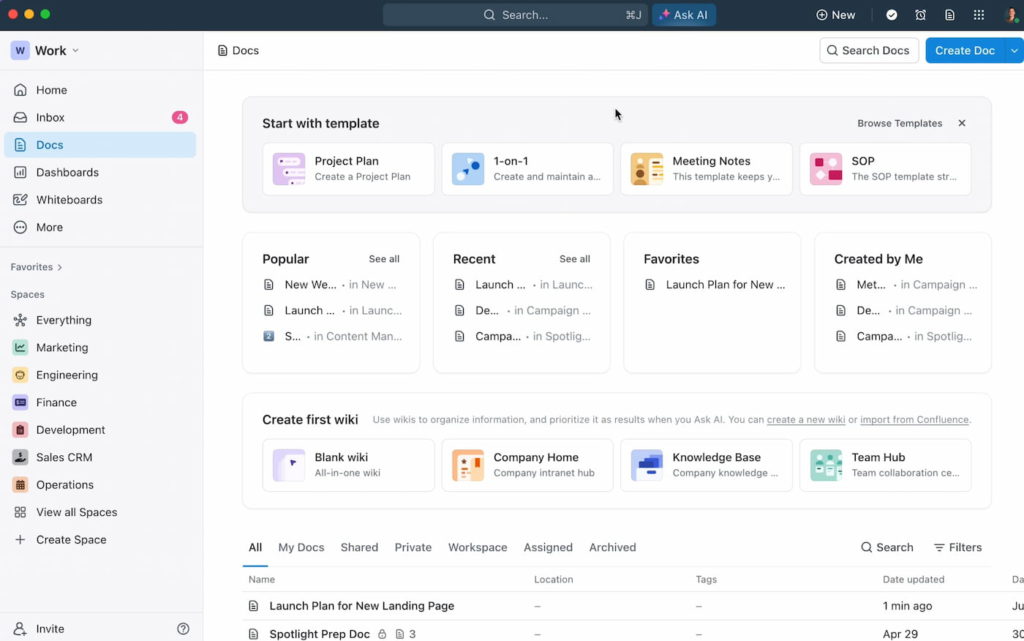
🔎 Key benefits:
- Multiple work views – List, Board, Calendar, Gantt, and more for different project perspectives.
- Task hierarchies and dependencies – organize complex projects with subtasks, checklists, and dependencies.
- Custom statuses and ClickUp templates – tailor processes for any team or project type.
- Native time tracking and reporting – track work hours and generate progress reports without extra tools (check out more about it in our article on ClickUp time tracking)
ClickUp is ideal for teams that want flexibility and centralized project management, but may require some setup time to unlock its full potential.
Asana: streamlined task management
Asana focuses on simplifying task and project management for teams of all sizes. It’s built for clarity, helping teams stay organized without overwhelming them with too many features.
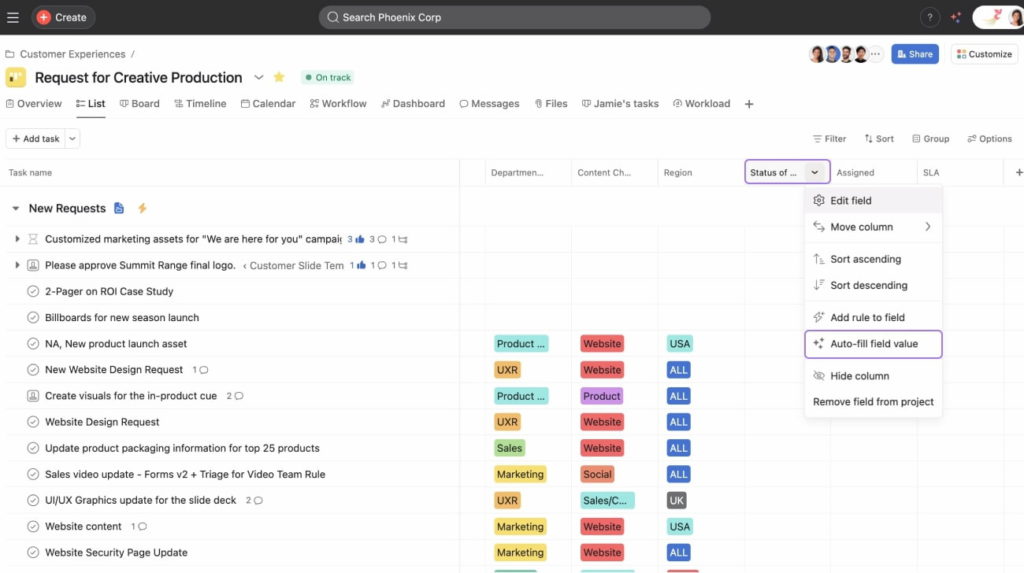
🔎 Key benefits:
- Task lists and boards – easily organize and visualize work in lists or Kanban boards.
- Timeline view – track project schedules and dependencies at a glance.
- Custom fields and rules – adapt workflows and automate routine actions.
- Basic reporting – track task completion and project progress efficiently.
Asana works best for teams that prioritize simplicity and ease of use over highly detailed reporting or advanced budgeting features.
Check out our breakdown of Wrike vs Asana for more details!
Jira: alternative for agile teams
Jira is designed for software development and agile project management, offering powerful tracking for sprints, issues, and releases.
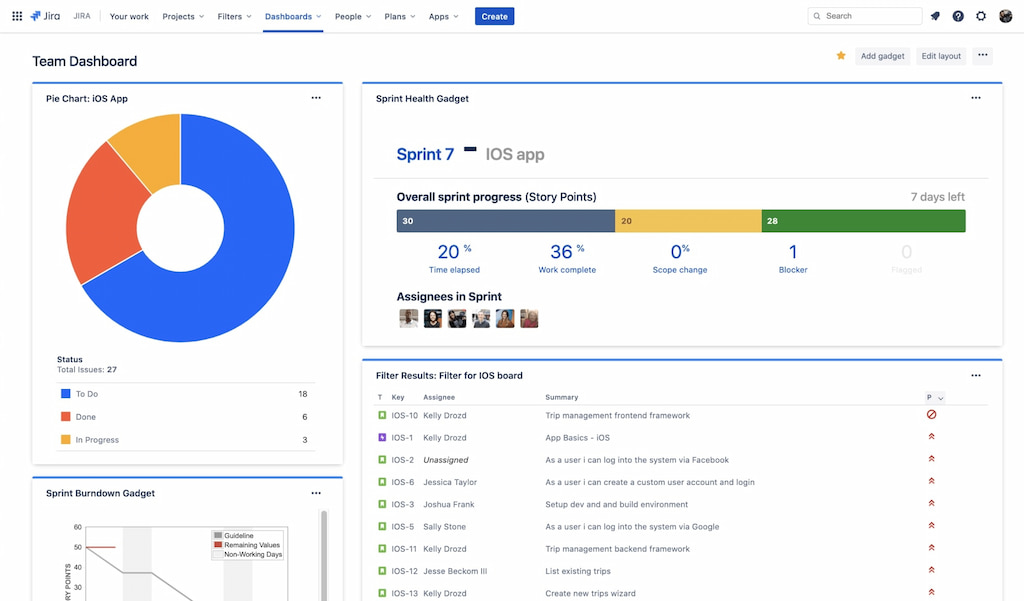
🔎 Key benefits:
- Agile boards – Kanban and Scrum boards for managing workflows.
- Advanced reporting – burndown charts, velocity charts, and progress tracking.
- Custom workflows – highly configurable to match team processes.
- Issue tracking – detailed tracking of tasks, bugs, and user stories.
Jira works best for technical teams, but it may be too complex for smaller, non-technical teams.
Trello: visual task management
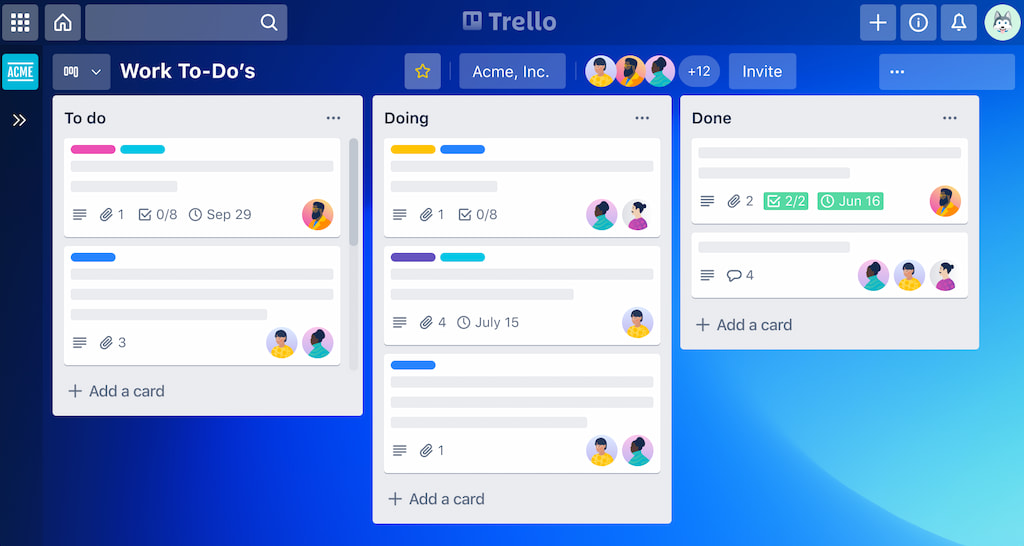
Trello is a simple, board-based project management tool that uses cards and lists to organize tasks and projects.
🔎 Key benefits:
- Visual workflow – easy-to-understand Kanban boards for tasks and projects.
- Customizable cards – add due dates, attachments, labels, and comments.
- Collaboration made easy – drag-and-drop interface for teams to track progress.
- Integration-friendly – connects with tools like Slack, Google Drive, Everhour (for Trello time tracking), and more.
Trello is ideal for small teams or projects that need a lightweight, visual approach, but it may lack advanced reporting, budgeting, and time tracking compared to Wrike.
Notion: flexible workspaces
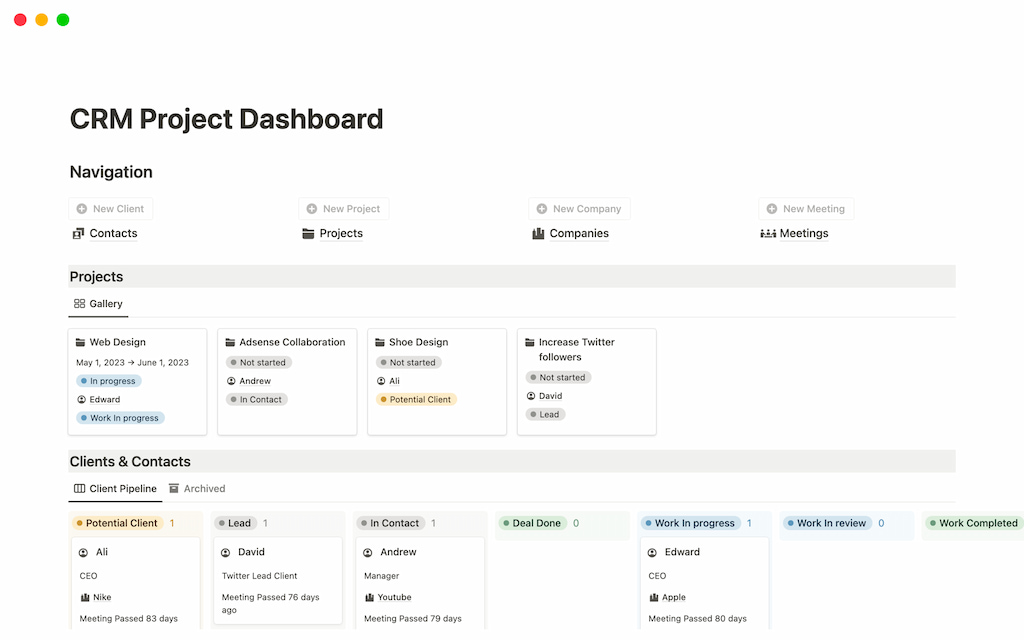
Notion is a flexible all-in-one workspace that combines notes, databases, and project management tools.
🔎 Key benefits:
- Customizable workflows – create boards, tables, calendars, and lists to fit your team’s needs. Use Notion templates for quicker setups
- Centralized knowledge base – keep documentation, project plans, and tasks all in one place.
- Collaboration-focused – real-time editing, comments, and mentions keep teams aligned.
- Integration options – connects with Slack, Google Drive, Everhour (for Notion time tracking), and other popular tools.
Notion works well for teams that value flexibility and content organization. However, it may require manual setup for advanced reporting, time tracking, or budgeting, which tools like Wrike or Everhour handle more natively.
💡 Wrike Alternatives Compared
| Tool | Core Purpose | Key Strengths | Time Tracking | Ease of Use |
|---|---|---|---|---|
| Everhour | Time tracking & Wrike integration | Track time inside Wrike tasks, estimates vs actuals, budgeting, cost visibility | Yes, inside Wrike & standalone | Easy for Wrike users |
| Smartsheet | Work management & spreadsheets | Spreadsheet-style project planning, automation, dashboards | Limited native | Moderate |
| Monday.com | Work OS & project management | Visual boards, flexible workflows, automations | Yes | Very user-friendly |
| ClickUp | All-in-one productivity | Tasks, docs, goals, native time tracking | Yes, native | Moderate |
| Asana | Task & project management | Task lists, timelines, workflow automation | Limited | Very easy |
| Jira | Agile project management | Scrum & Kanban boards, issue tracking | Limited native | Moderate to complex |
| Trello | Kanban-style task management | Simple visual boards, lightweight collaboration | Limited | Very easy |
| Notion | Workspace & documentation | Notes, databases, lightweight project tracking | No native | Easy |
⚠️ Why Many Teams Don’t Actually Replace Wrike
Even when looking for alternatives, many teams stick with Wrike because fully replacing it comes with significant challenges:
- Migration cost and risk – moving projects, tasks, and files can be time-consuming and error-prone.
- Retraining teams – learning a new tool disrupts workflows and can slow productivity.
- Rebuilding workflows and reports – custom dashboards, automations, and project structures often need to be recreated from scratch.
- Losing historical data – past projects, time entries, and reporting history may not transfer cleanly.
For many teams, Wrike still works well — they just need better visibility around execution to manage projects more effectively.
⏱️ Wrike With Everhour: A Practical Alternative To Switching
🔥 For teams that want more control without replacing Wrike, Everhour acts as a powerful companion, extending project management with enhanced time tracking, budgeting, and reporting.
❓ Why teams add Everhour to Wrike
- Track time directly inside Wrike tasks – timers and manual entries appear right where work happens.
- Compare estimates vs actuals – quickly spot overruns and track progress.
- Set project budgets and monitor costs – keep projects on track financially.
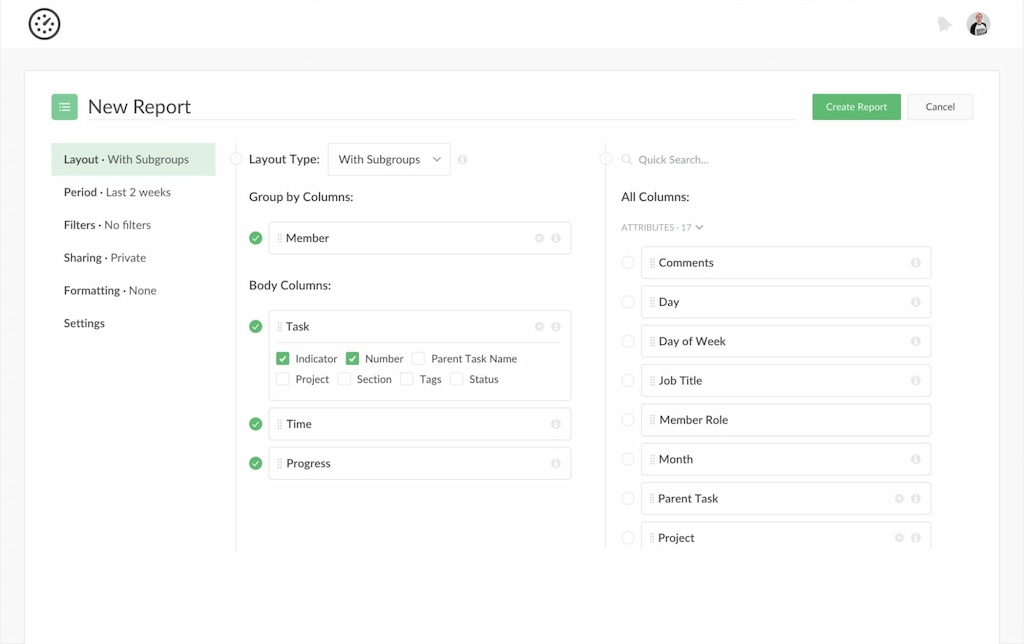
- Get clear reports without spreadsheets – dive into detailed insights with less manual work.
❓ What changes with Everhour
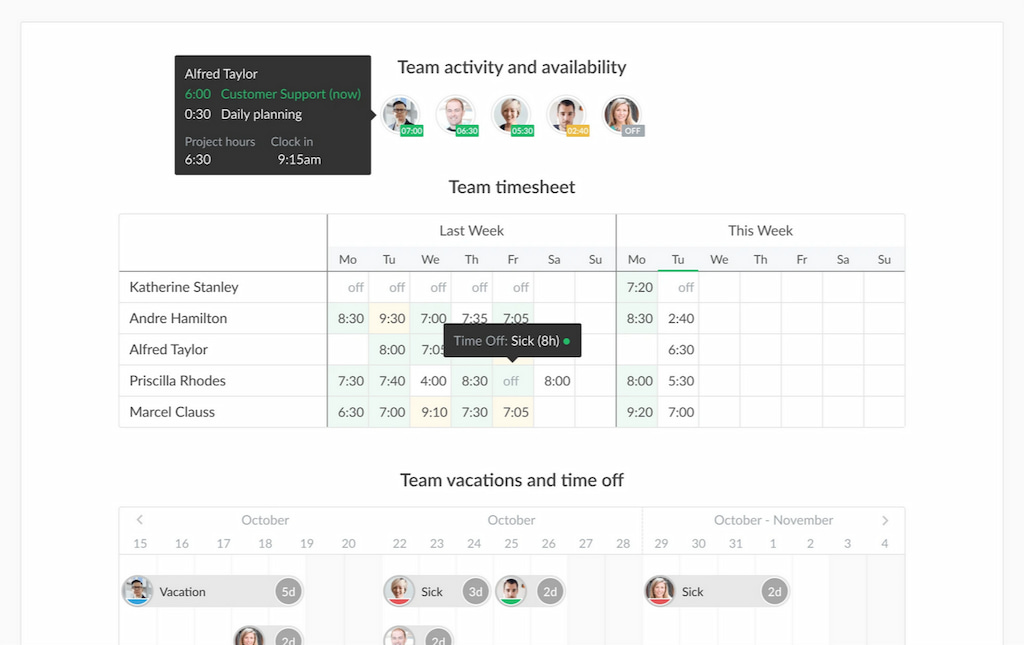
- Better project performance visibility – see how projects and teams are performing at a glance.
- Clearer accountability across teams – everyone knows who is working on what and how time is spent.
- Fewer tools and less context switching – everything happens inside the familiar Wrike interface.
⚖️ Wrike Alternatives: How To Decide
Choosing whether to switch from Wrike or extend it with integrations like Everhour depends on your team’s needs, complexity, and priorities.
☝️ When switching tools makes sense
- Your current workflows no longer fit your project management style.
- Reporting, visibility, or budgeting needs cannot be met even with integrations.
- The cost of training and adapting to a new tool is outweighed by long-term gains.
👀 When extending Wrike with Everhour is the better move
- Wrike already handles your project planning effectively.
- You need enhanced time tracking, budgeting, and reporting without changing how your team works.
- Minimizing context switching and keeping historical data intact is a priority.
✅ Quick checklist for teams
- Do we need more robust time tracking and reporting?
- Are budgets and cost visibility a pain point?
- Can we achieve our goals by adding a Wrike integration instead of replacing it?
- Would switching tools create unnecessary disruption or training overhead?
By running through these points, teams can make a practical, informed choice: either adopt a Wrike alternative or supercharge Wrike with Everhour.
🔎 Conclusion
Wrike is a powerful project management platform, but as teams grow, gaps in time tracking, reporting, and cost visibility can emerge. While some organizations explore switching to alternatives like Smartsheet, Monday, or ClickUp, many teams find that extending Wrike with Everhour provides a simpler, low-disruption solution.
With Everhour, you can track time directly inside Wrike tasks, compare estimates versus actuals, set project budgets, and generate clear reports. By combining Wrike’s planning capabilities with Everhour’s execution visibility, teams gain better control, clearer accountability, and fewer tools to manage.
Learn what Wrike is, its core features, pros and cons, and how to use it for your benefit!

Maria
A dedicated content enthusiast with extensive experience in international teams and projects of all sizes. Maria thrives on creativity and attention to detail, fueled by a love for fantasy novels, music, classic black-and-white films, and always finding ways to make things better.