


What Is Notion? A Complete Guide to the Workspace App
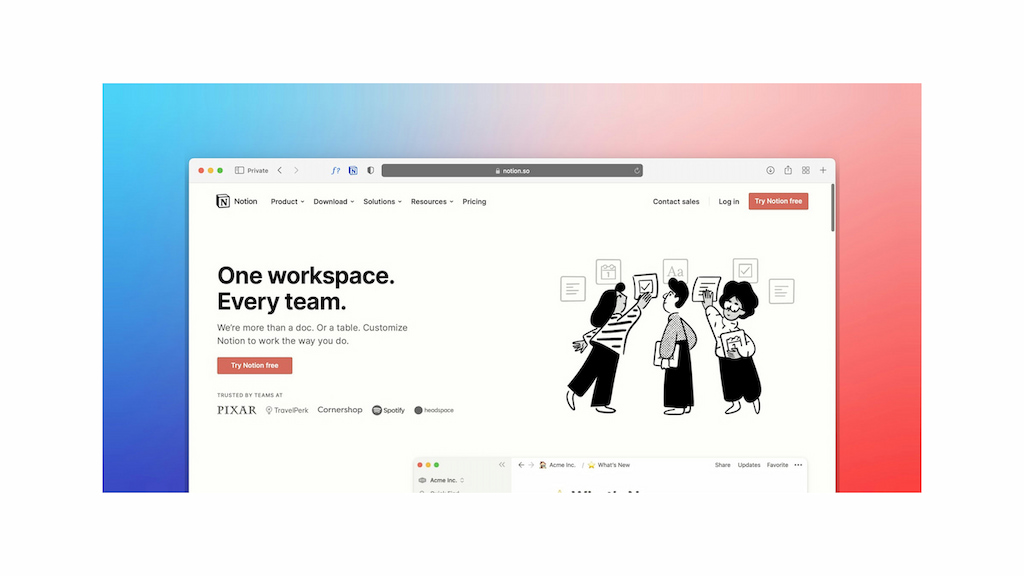
Notion is an all-in-one workspace that combines notes, documents, databases, project management, and team collaboration in one place. Individuals use it to organize personal information and projects, while teams use it for tasks, documentation, knowledge management, and collaboration.
Unlike traditional note-taking apps, Notion lets you build flexible pages and databases that can be adapted to different workflows. This makes it possible to use Notion as a personal planner, company wiki, project workspace, or a combination of several tools.
What Is Notion?
Notion is a workspace app for creating, organizing, and sharing information. Its main building blocks are pages, blocks, and databases, which users can combine to create customized workspaces.
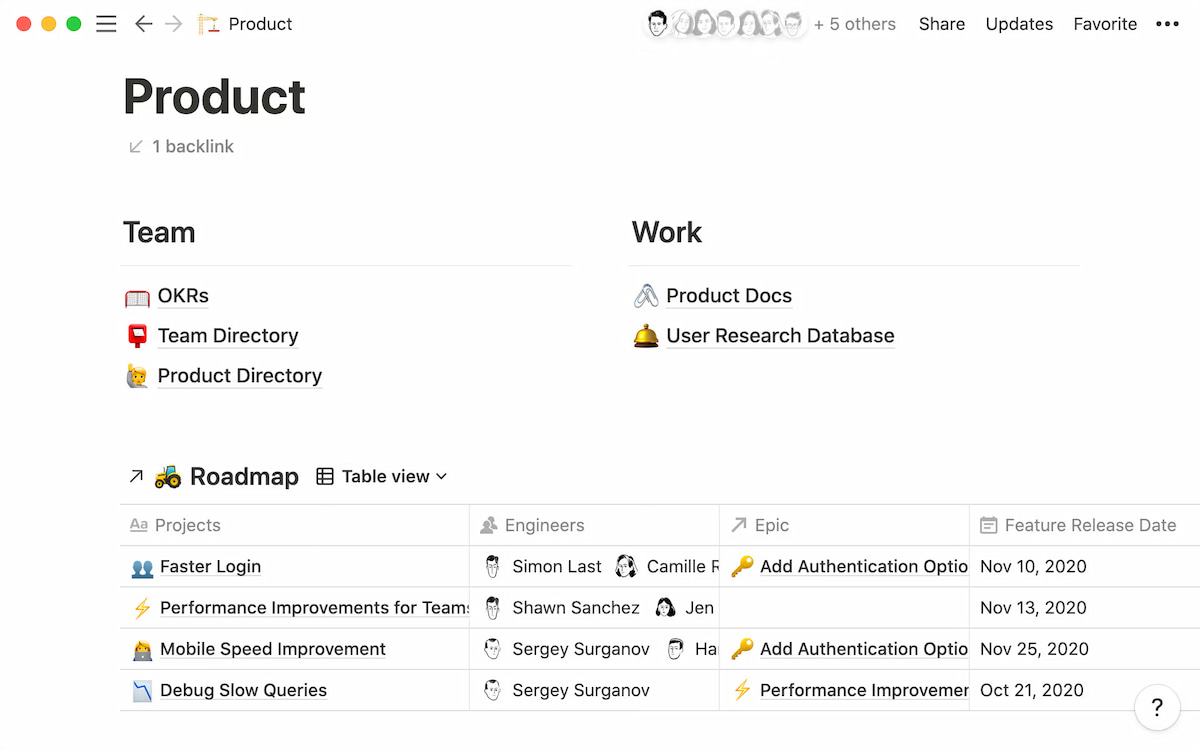
A Notion page can contain text, checklists, images, tables, files, databases, and other types of content. Pages can also be nested inside other pages, making it possible to organize large amounts of information in one workspace.
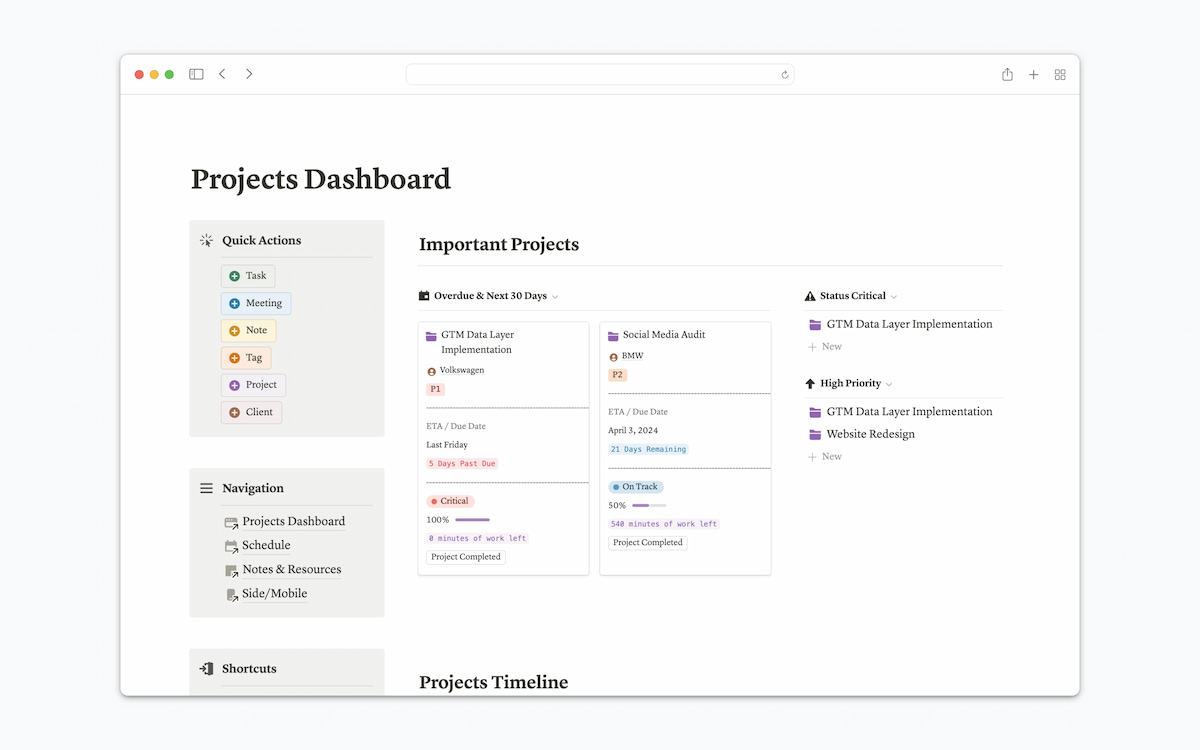
Notion is used for both personal and team workflows. For example, an individual might use it to manage notes and personal projects, while a company might use it for project planning, internal documentation, meeting notes, and a company wiki.
How Notion Works
Notion is built around a few core concepts:
- Pages: The main spaces where you create and organize content.
- Blocks: Individual pieces of content, such as paragraphs, headings, checklists, images, and tables.
- Databases: Structured collections of information that can be displayed in different views.
- Templates: Pre-built page and database structures that help you get started quickly.
- Workspace: The shared environment where personal or team content is organized.
These elements can be combined in different ways. For example, a project page might contain a project brief, meeting notes, a task database, and related documentation in the same place.
Notion is therefore less about following one predefined workflow and more about building a workspace around the way you work.
What Is Notion Used For?
Notion can be used for many types of work because its pages and databases can be customized to different workflows. Common uses include:
| Use case | How people use Notion |
|---|---|
| Note-taking | Personal notes, meeting notes, and research |
| Project management | Tasks, projects, deadlines, and workflows |
| Knowledge management | Company wikis, documentation, and internal knowledge |
| Content planning | Editorial calendars, content briefs, and publishing plans |
| Team collaboration | Shared documents, project information, and feedback |
| Personal organization | Goals, habits, planning, and personal databases |
The same workspace can combine several of these uses. For example, a marketing team might manage its content calendar in a database, store content guidelines on related pages, and keep meeting notes in the same workspace.
Key Notion Features
Notion’s flexibility comes from combining several types of content in one workspace.
Pages and blocks
Pages are the basic building blocks of a Notion workspace. You can add text, headings, checklists, images, files, tables, and other content to a page.
Each piece of content is a block, which can be moved, rearranged, or converted into another type of block. This makes it easy to create pages for different purposes without starting with a fixed layout.
Databases
Notion databases let you organize structured information such as tasks, projects, contacts, or content.
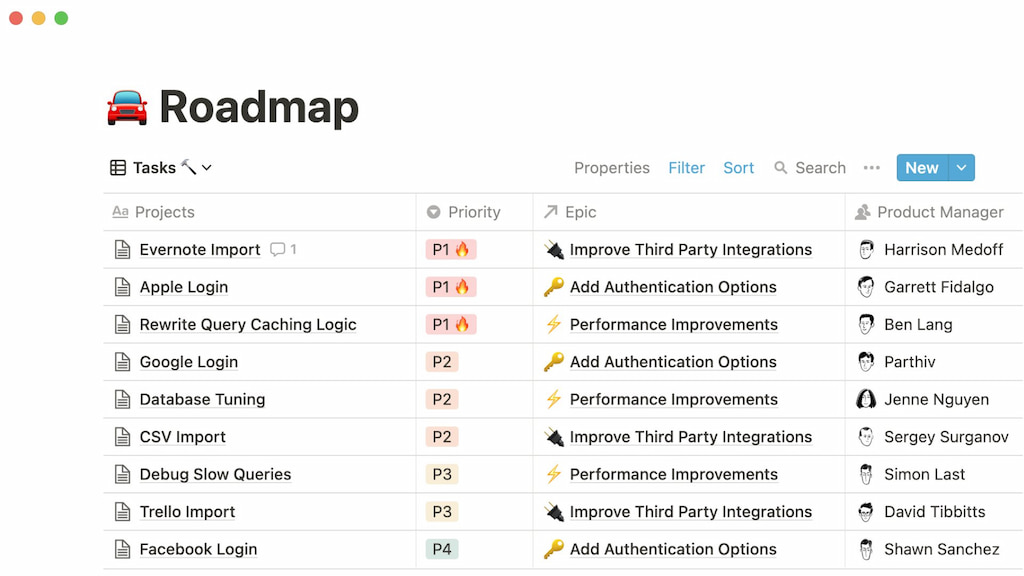
You can add properties such as status, assignee, date, priority, or category, then filter and sort the information. The same database can also be displayed in different views, such as a table, board, calendar, or list.
Templates
Templates provide pre-built structures for common workflows. Instead of creating a project tracker, meeting notes page, or content calendar from scratch, you can start with a Notion template and customize it.
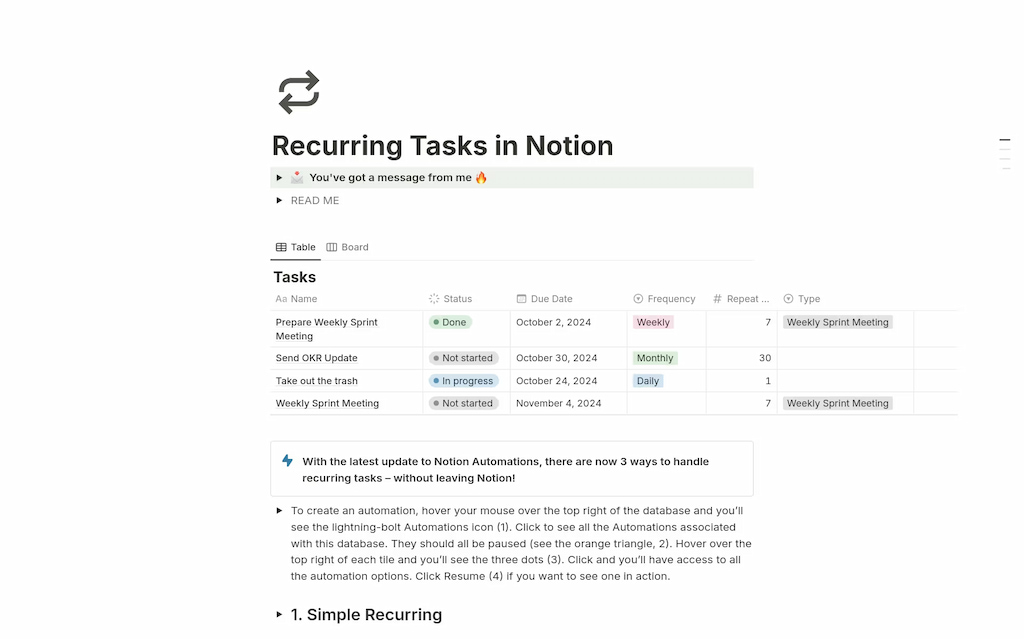
This can make Notion easier to set up, particularly for teams that want a consistent structure across projects or documents.
Collaboration
Notion supports team collaboration through shared workspaces, comments, mentions, and collaborative editing.
Teams can keep project information and documentation together instead of maintaining separate files for every part of a workflow.
Notion AI
Notion AI adds AI-powered features to the workspace, helping users work with information stored in Notion. Depending on the setup, it can be used to generate or edit content, summarize information, and work with existing workspace content.
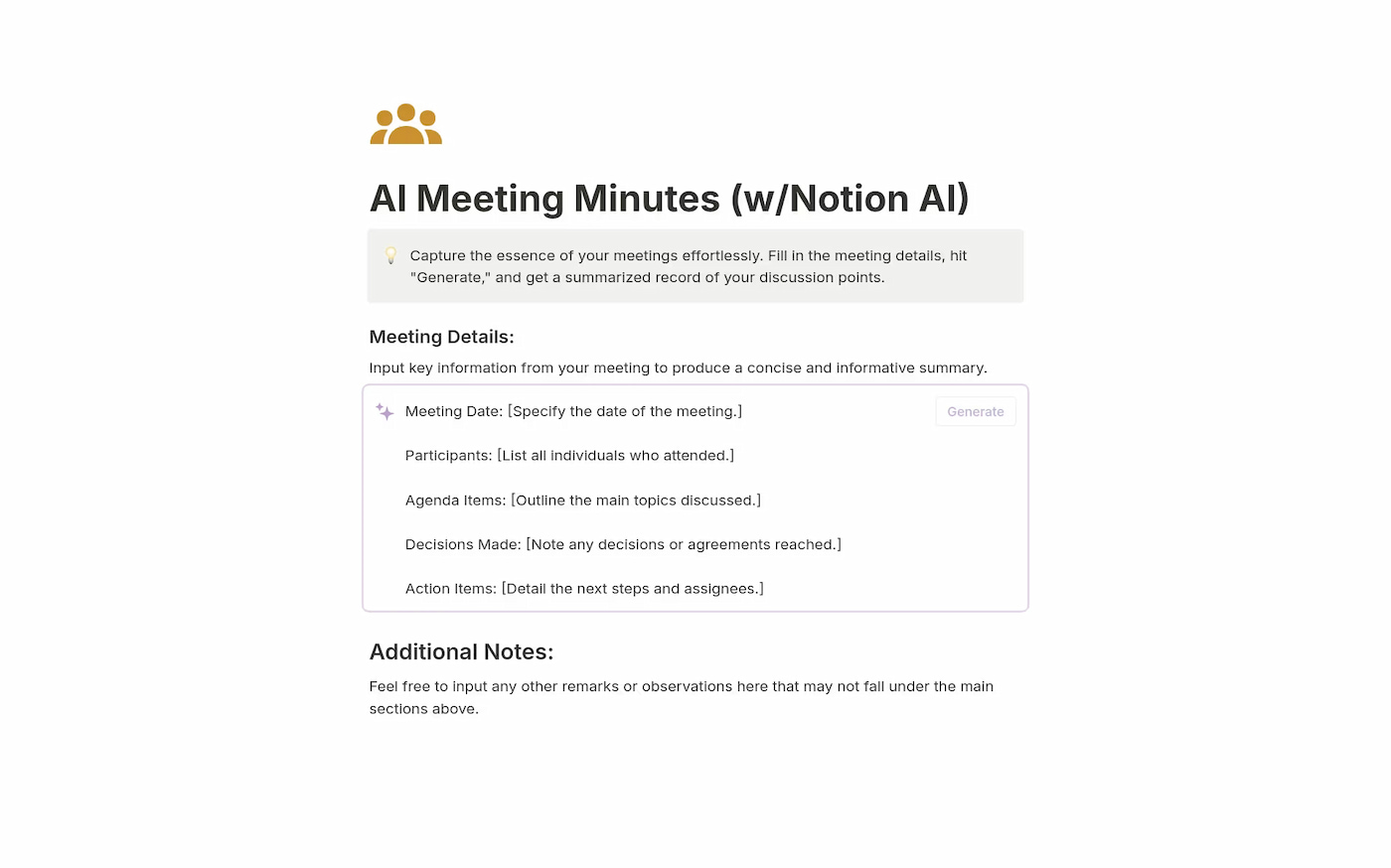
It is an additional layer on top of the core workspace rather than what defines Notion itself.
Notion Databases vs. Spreadsheets
Notion databases and spreadsheets can both organize structured information, but they are designed for different purposes.
| Notion database | Spreadsheet |
|---|---|
| Stores structured pages and records | Primarily stores data in cells |
| Supports multiple database views | Primarily uses a grid |
| Combines data with rich page content | Stronger focus on calculations and data analysis |
| Uses properties such as status, dates, and tags | Uses columns, formulas, and cells |
| Useful for workflows and knowledge management | Useful for calculations and complex data manipulation |
For example, a content team could use a Notion database to manage articles, with each entry linking to a page containing the brief, research, and notes. A spreadsheet may be more suitable for analyzing numerical data, building complex formulas, or working with large datasets. Notion can replace a spreadsheet for some workflows, but it isn’t intended to replace spreadsheet software for every type of data analysis.
Notion for Project Management
It can be used as a project management workspace for teams that need to organize tasks, projects, deadlines, and related information.
A project database can include properties such as:
- Task: What needs to be done
- Assignee: Who is responsible
- Status: Current stage of the task
- Priority: Relative importance
- Due date: When the work is expected
- Project: Which project the task belongs to
The same information can then be displayed in different views. A board can show work by status, while a calendar can show upcoming deadlines.
Notion is particularly useful when project management and documentation need to live together. A project page can contain the task database alongside the project brief, meeting notes, requirements, and other relevant information.
However, teams may need specialized tools when they require more advanced project management features, such as detailed time tracking, workload management, or reporting.
Notion for Team Knowledge Management
Notion is also widely used to create a central place for team knowledge and documentation.
A company workspace might contain:
- Company policies and procedures
- Standard operating procedures (SOPs)
- Product documentation
- Meeting notes
- Onboarding materials
- Internal guides
- Team wikis
Because pages can be linked and organized into a hierarchy, teams can keep related information together and make it easier for employees to find what they need.
For example, a new employee could use a Notion workspace to find onboarding instructions, company policies, team documentation, and links to relevant project information without searching through separate folders or documents.
This makes knowledge management one of Notion’s strongest use cases, particularly for teams that want documentation and day-to-day work in the same workspace.
Does Notion Have Time Tracking?
Notion can help you organize projects and tasks, but managing tasks isn’t the same as tracking how much time work takes. Teams that need accurate work-hour records, billable hours, or project budgets may need a dedicated time-tracking tool.
You can create a Notion database to record time entries manually, including task names, dates, and hours worked. However, maintaining these records manually can become cumbersome when you need detailed reports or track time across multiple projects.
Everhour integrates with Notion to let teams track time spent on tasks. Instead of relying solely on manually entered hours, teams can record actual work time and use a time tracker for reporting and project management.
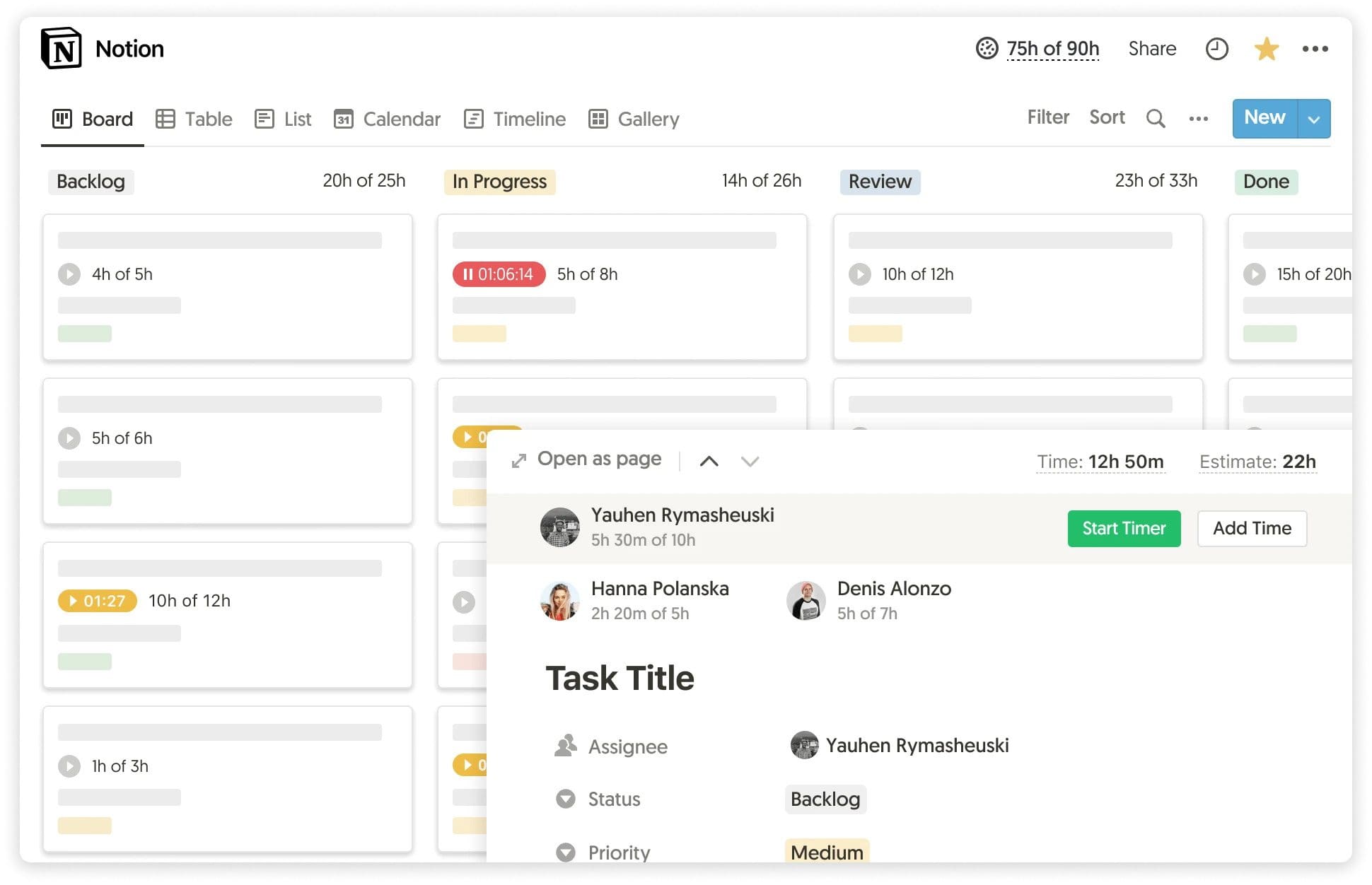
Notion time tracking can help answer questions such as:
- How much time does each task or project take?
- Are projects staying within their estimated budgets?
- How many hours are spent on billable work?
- Where do estimates differ from actual working time?
Notion helps organize the work, while dedicated time-tracking software adds visibility into the time spent completing it. This combination can be useful for teams that manage projects in Notion but also need time reports, budget tracking, or client billing.
How to Get Started With Notion
You don’t need to build a complex workspace from the beginning. Start with one clear use case and expand as your needs change.
- Decide what you want to organize. Choose a specific goal, such as managing tasks, taking meeting notes, or creating a team wiki.
- Start with a page or template. Use a simple page for notes and documentation, or a template if you need a predefined structure.
- Create a database if needed. Use a database when you need to organize multiple items with properties such as status, owner, category, or due date.
- Customize the layout. Add views, filters, and properties that help you find and manage information.
- Connect related information. Link project pages, tasks, notes, and documentation so the information is easier to navigate.
- Invite collaborators. If you’re working with a team, decide which pages should be shared and who can access them.
- Add Notion integrations when necessary. Connect other tools when your workflow requires capabilities that Notion doesn’t provide on its own.
The main thing is to avoid overbuilding. A simple workspace that people actually use is more valuable than a complicated system that requires constant maintenance.
Who Is Notion Best For?
Notion works particularly well for people and teams that want to organize different types of information in one flexible workspace.
| User | Why Notion may be useful |
|---|---|
| Individuals | Organize notes, goals, tasks, and personal projects |
| Small teams | Combine shared documents, tasks, and project information |
| Startups | Centralize internal documentation and lightweight workflows |
| Content teams | Manage editorial calendars, briefs, and content guidelines |
| Remote teams | Maintain shared documentation and team knowledge |
| Project teams | Connect tasks with project plans, meeting notes, and documentation |
Notion may be less suitable for users who want a ready-made, highly specialized system without much setup. Teams that rely on advanced project scheduling, complex calculations, or detailed time tracking may also need complementary tools.
Frequently Asked Questions
Notion is used to organize notes, documents, databases, tasks, projects, and team knowledge in one workspace.
Notion offers a free plan, as well as paid plans with additional features and capabilities. Check Notion’s current pricing page for the latest plan limits and details.
Yes. Notion can be used for project management through task databases, status properties, deadlines, assignees, and different views. Teams with more specialized project management requirements may need additional software.
Notion can store manually entered time records in a database, but teams that need dedicated timers, detailed time reports, or billable-hour tracking may prefer a time-tracking integration such as Everhour.
Notion includes database functionality, but it isn’t only a database tool. Its databases work alongside pages, documents, and other content, allowing users to combine structured information with detailed notes and documentation.
They serve overlapping but different purposes. Google Docs focuses on creating and collaborating on documents, while Notion combines documents with databases, linked pages, and customizable workflows. The better option depends on what you need to manage.
Notion can handle many lightweight project management workflows, including task boards and project databases. However, Trello and Asana offer their own workflow and project management capabilities, so whether Notion can replace them depends on the team’s requirements.
Notion can be useful for teams that want shared documentation, project information, meeting notes, and task management in one workspace. Its effectiveness depends on how well the workspace is structured and maintained.
Basic pages and notes are relatively straightforward to use. More advanced workspaces involving databases, relations, formulas, and complex workflows take longer to learn and maintain.
Notion is the workspace used to organize information and manage workflows. Notion AI adds AI-powered capabilities that help users create, edit, summarize, and work with information.
Conclusion
Notion is an all-in-one workspace that combines notes, documents, databases, and lightweight project management. Its biggest strength is flexibility: individuals and teams can build a workspace around their needs instead of relying on a single predefined workflow.
That flexibility also requires some planning. Notion works best when the structure stays simple and users add features as their needs grow. Teams that need specialized capabilities, such as detailed time tracking, project budgeting, or advanced reporting, can complement Notion with dedicated tools like Everhour.
Ultimately, Notion is a strong option for bringing information and everyday work together. The right setup depends on what you want to organize and which workflows require more specialized support.

Maria
A dedicated content enthusiast with extensive experience in international teams and projects of all sizes. Maria thrives on creativity and attention to detail, fueled by a love for fantasy novels, music, classic black-and-white films, and always finding ways to make things better.