


Best Software for Tracking Employee Productivity & Time

Employee productivity tracking software helps businesses understand how employees spend their working time, manage workloads, and identify inefficiencies. Depending on the tool, this can involve simple time tracking, task and project reporting, or more detailed monitoring of app and website activity.
The best option depends on what you actually need to measure. If you want to understand how long projects take, a time tracking tool may be enough. If you need insights into computer activity, idle time, or app usage, employee monitoring software may be more appropriate.
In this guide, we compare 10 employee productivity tracking tools and explain what each is best for.
How We Evaluated These Tools
We evaluated each tool based on time tracking capabilities, productivity monitoring features, reporting depth, integrations, pricing, and suitability for different team types. Pricing was verified directly on each vendor’s website as of August 2026. We also reviewed user feedback on G2 and Capterra to make sure our assessments reflect real-world experience.
Disclosure: Everhour is our product and appears first on this list. We’ve aimed to give every other tool here an honest writeup including real limitations.
What Is Employee Productivity Tracking Software?
Employee productivity tracking software helps organizations see how work gets done—covering hours, tasks, and efficiency. It gives managers insights to:
- Log hours worked and tasks completed
- Understand how employees spend their time
- Spot bottlenecks and improve workflows
- Ensure accountability without micromanaging
- Stay compliant with labor regulations
Generally, these tools fall into two categories:
- Time tracking software – Focused on recording hours spent on tasks and projects. Useful for payroll, billing, and accurate budgeting.
- Employee monitoring software – Tracks apps used, websites visited, and sometimes screenshots. Offers detailed analytics on productivity patterns.
In this article, we’ll highlight tools that strike a balance—helping teams track time and tasks effectively, while still respecting privacy and employee autonomy.
Quick Overview
Best for project-based teams: Everhour
Best for simple freelance tracking: Toggl Track
Best for remote workforce monitoring: Hubstaff
Best for distraction and accountability monitoring: Time Doctor
Best for deep productivity analytics: ActivTrak
Best for resource planning and budgeting: ClickTime
Best for freelancers who bill clients: Harvest
Best for personal productivity insights: RescueTime
Best for automatic tracking and invoicing: TimeCamp
Best for free unlimited time tracking: Clockify
Comparison Table
| Software | Best for | Time tracking | Activity monitoring | Screenshots | Project/task tracking |
|---|---|---|---|---|---|
| Everhour | Project-based teams | Yes | No | No | Yes |
| Toggl Track | Simple time tracking | Yes | No | No | Yes |
| Hubstaff | Remote and field teams | Yes | Yes | Optional | Yes |
| Time Doctor | Detailed employee monitoring | Yes | Yes | Yes | Yes |
| ActivTrak | Productivity analytics | Limited | Yes | No/limited | No |
| ClickTime | Professional services | Yes | No | No | Yes |
| Harvest | Client billing | Yes | No | No | Yes |
| RescueTime | Personal productivity | Automatic | Yes | No | Limited |
| TimeCamp | Combined tracking and monitoring | Yes | Yes | No | Yes |
| Clockify | Free time tracking | Yes | Limited | No | Yes |
Everhour
Best for: Teams that need time tracking connected to project management.
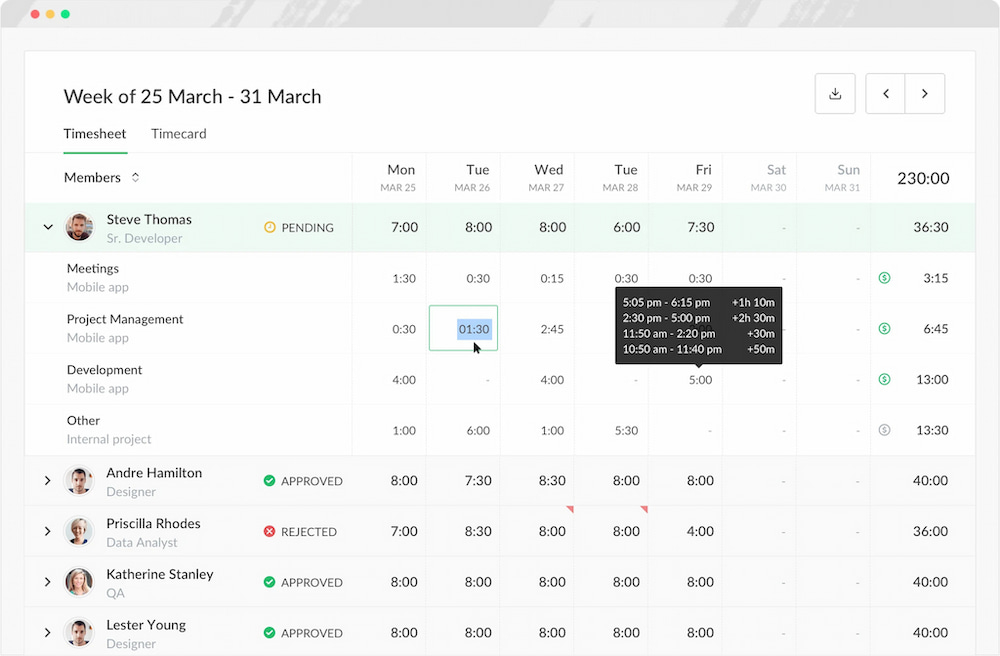
Everhour is primarily a time tracking and project budgeting tool, rather than an employee monitoring platform. It lets teams track time against projects and tasks inside tools such as Asana, ClickUp, Trello, Jira, GitHub, and Notion.
Employee productivity tracking features:
- Time tracking: Record time with timers or manual entries and associate it with specific tasks and projects.
- Estimates and budgets: Compare estimated time with actual hours to identify projects or tasks that are taking longer than expected.
- Reports: Analyze time by project, task, client, or team member.
- Timesheet approvals: Review and approve employee time entries.
- Attendance and time off: Track attendance, PTO, and other non-working time.
- Integrations: Track time directly within supported project management tools.
What it doesn’t track: Everhour does not monitor websites or applications, measure keyboard and mouse activity, or take employee screenshots.
Best suited to: Agencies, consulting firms, software teams, and other project-based organizations that want visibility into how work time is allocated without intrusive employee monitoring.
Toggl Track
Best for: Simple time tracking and productivity reporting.
Toggl Track focuses on recording time spent on projects, tasks, and clients. Employees can use timers or manually enter their hours, while managers can use reports to understand how time is distributed across projects and activities.
![11+ timesheet apps for any need [updated for 2021]](https://everhour.com/blog/wp-content/uploads/2021/06/toggl-timesheet-app.png)
Employee productivity tracking features:
- Time tracking: Record time with timers or manual entries.
- Project tracking: Organize time by project, task, client, or team member.
- Reports: Review tracked hours and identify where time is being spent.
- Estimates and budgets: Compare planned time with actual time.
- Integrations: Connect time tracking with project management and other workplace tools.
What it doesn’t track: Toggl Track is not designed for detailed employee surveillance such as screenshots or continuous app and website monitoring.
Best suited to: Freelancers, consultants, and small teams that want straightforward time tracking without extensive employee monitoring.
Hubstaff
Best for: Remote teams that need time tracking combined with employee activity monitoring.
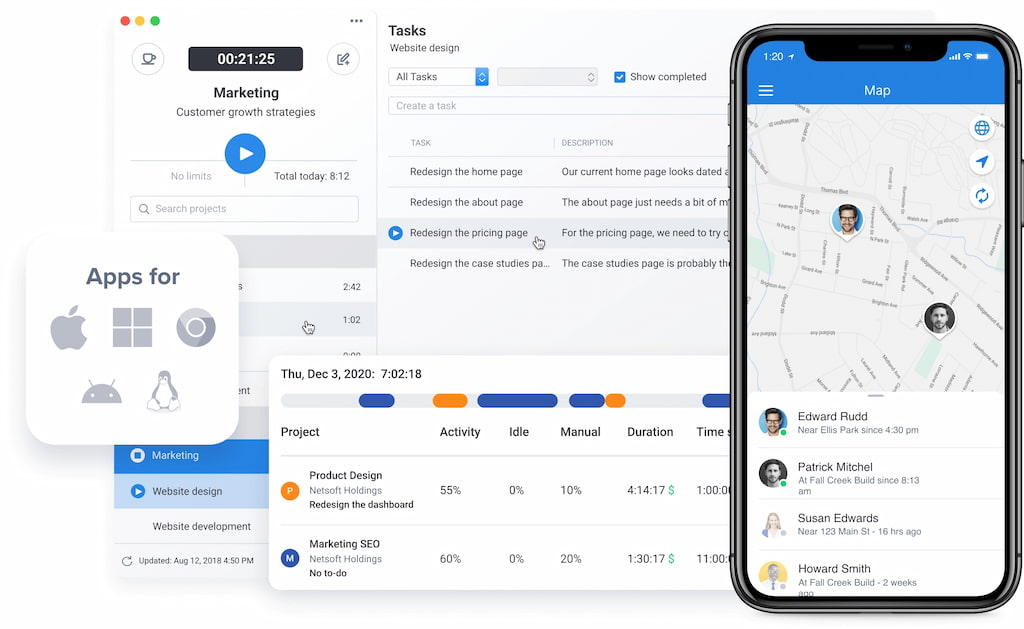
Hubstaff combines traditional time tracking with more detailed employee monitoring features. Depending on the plan and configuration, managers can track activity levels, applications, websites, screenshots, and employee locations.
Employee productivity tracking features:
- Time tracking: Record hours across projects and tasks.
- Activity monitoring: Measure keyboard and mouse activity during tracked time.
- Screenshots: Capture periodic screenshots for additional visibility into work activity.
- App and URL tracking: See which applications and websites employees use.
- GPS tracking: Track employee locations and routes for field-based work.
- Productivity reports: Analyze activity and time data across employees and projects.
What to consider: Monitoring features such as screenshots, activity levels, and location tracking can raise privacy concerns and may require clear policies and employee communication.
Best suited to: Remote teams, field service businesses, and organizations that need more detailed activity monitoring than conventional time tracking provides.
Time Doctor
Best for: Businesses that want time tracking with detailed employee monitoring.
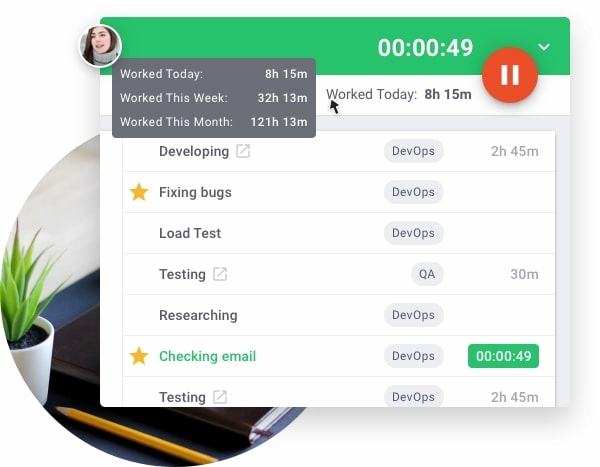
Time Doctor combines timesheets and task tracking with employee monitoring features. It can track applications and websites, capture screenshots, and provide productivity reports.
Employee productivity tracking features:
- Time tracking: Record time across tasks, projects, and clients.
- Screenshots: Capture screenshots during tracked work.
- App and website tracking: Monitor applications and websites used during work.
- Distraction alerts: Help employees identify potentially distracting websites and activities.
- Productivity reports: Analyze time and activity data by employee, project, or department.
- Payroll and invoicing: Use tracked time for payroll and client billing workflows.
What to consider: Because Time Doctor provides more detailed monitoring than a standard timesheet tool, organizations should establish clear policies around what is tracked and how the data is used.
Best suited to: Remote teams, agencies, call centers, and businesses that need detailed visibility into employee activity.
ActivTrak
Best for: Workforce analytics and understanding how employees spend time on computers.
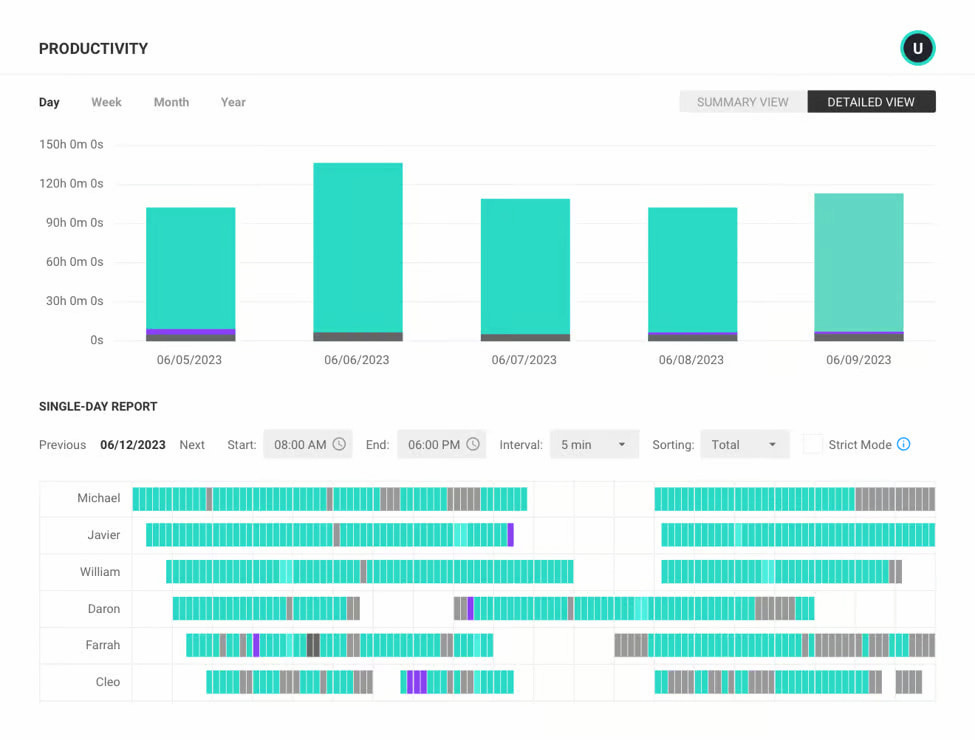
ActivTrak focuses on employee productivity analytics rather than project-based time tracking. It collects data about applications, websites, active time, and work patterns to help organizations understand how work is being performed.
Employee productivity tracking features:
- Activity tracking: Analyze application and website usage.
- Productivity categorization: Classify activities as productive, unproductive, or neutral.
- Workforce analytics: Identify productivity patterns across teams.
- Utilization insights: Understand how employee capacity is being used.
- Productivity reports: Analyze trends and compare activity across employees or groups.
- Coaching insights: Use analytics to identify potential workload or workflow issues.
What to consider: ActivTrak is more focused on workforce and activity analytics than task-level time tracking, project budgets, or invoicing.
Best suited to: Organizations that want to understand workforce productivity patterns and computer activity at scale.
ClickTime
Best for: Project-based organizations that need time tracking, budgeting, and resource planning.
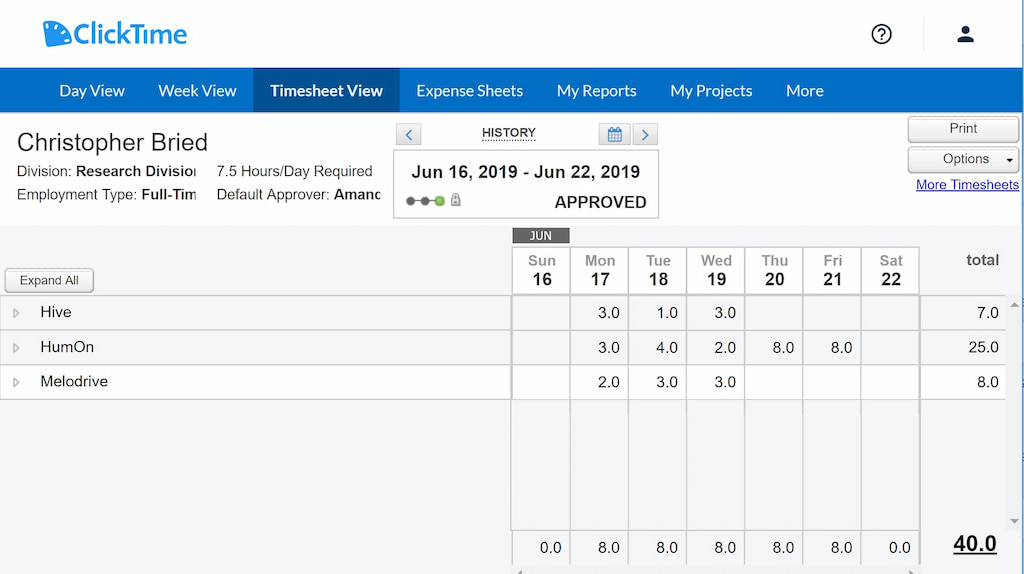
ClickTime combines employee timesheets with project budgeting, expense tracking, and resource planning. It is particularly useful when productivity tracking is closely connected to project costs and employee capacity.
Employee productivity tracking features:
- Timesheets: Track hours against projects and tasks.
- Project budgets: Compare actual hours with planned budgets.
- Resource planning: Monitor employee capacity and allocation.
- Utilization reporting: Analyze how employees spend their available time.
- Expense tracking: Connect employee expenses with projects.
- Dashboards: Monitor project and workforce performance.
What it doesn’t focus on: ClickTime is not primarily an employee surveillance tool and does not provide the same level of computer activity monitoring as products such as Hubstaff or Time Doctor.
Best suited to: Consulting firms, agencies, nonprofits, and other project-based organizations managing employee capacity and project costs.
Harvest
Best for: Time tracking, project budgeting, and invoicing.
Harvest is a time tracking and invoicing platform that helps teams understand how much time employees spend on projects and whether work stays within budget.
![11+ timesheet apps for any need [updated for 2021]](https://everhour.com/blog/wp-content/uploads/2021/06/harvest-timesheet-app.png)
Employee productivity tracking features:
- Time tracking: Record hours against projects and tasks.
- Project budgets: Monitor actual time against planned hours.
- Reports: Analyze time by employee, project, client, or task.
- Expenses: Track project-related expenses.
- Invoicing: Convert tracked billable time into invoices.
- Integrations: Connect time tracking with other workplace tools.
What it doesn’t track: Harvest is not designed for employee surveillance and does not provide features such as screenshots or detailed application and website monitoring.
Best suited to: Freelancers, agencies, professional services firms, and teams that need time tracking tied to billing and project budgets.
RescueTime
Best for: Automatically understanding how employees or individuals spend computer time.
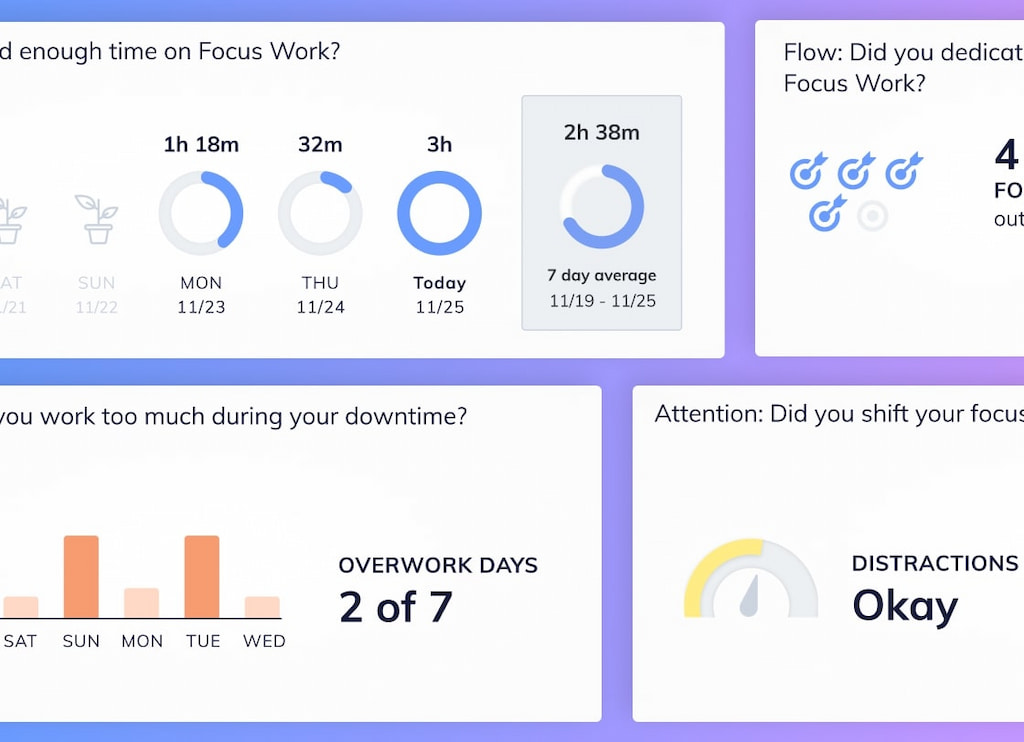
RescueTime takes a different approach to productivity tracking by automatically recording activity across applications and websites rather than requiring users to start a timer for every task.
Employee productivity tracking features:
- Automatic tracking: Record time spent in applications and websites.
- Productivity scoring: Categorize activities based on their productivity level.
- Activity reports: Review daily, weekly, and longer-term patterns.
- Focus sessions: Help users reduce distractions during focused work.
- Goals and alerts: Set productivity goals and receive notifications about activity patterns.
What it doesn’t focus on: RescueTime is less suited to project-level time tracking, client billing, and detailed project budgeting.
Best suited to: Individuals and teams that want automatic insights into digital work habits and productivity patterns.
TimeCamp
Best for: Affordable time tracking with productivity and attendance features.
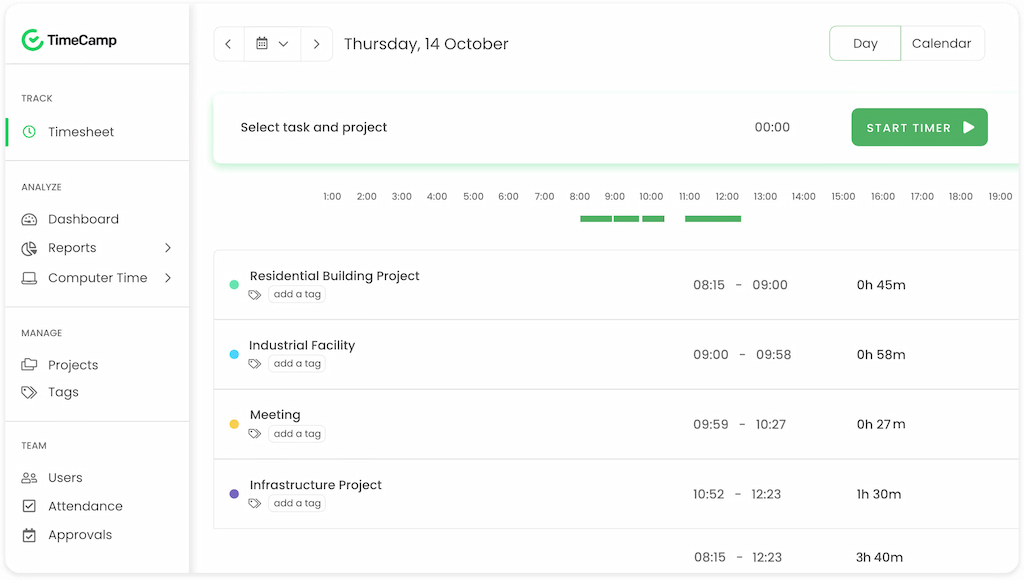
TimeCamp combines time tracking with project management, attendance tracking, productivity monitoring, and reporting. It can help managers understand both how much time employees work and how that time is distributed.
Employee productivity tracking features:
- Time tracking: Record time using timers or manual entries.
- Automatic tracking: Track activity across applications and websites.
- Productivity monitoring: Analyze productive and unproductive activity.
- Attendance tracking: Record working hours, absences, and attendance.
- Reports: Analyze timesheets, budgets, profitability, and productivity.
- Integrations: Connect with project management and workplace tools.
What to consider: TimeCamp provides a broader mix of time and activity monitoring, so teams should determine which monitoring features are appropriate for their workplace.
Best suited to: Small and mid-sized teams that want time tracking, attendance, and productivity monitoring in one platform.
Clockify
Best for: Free and flexible time tracking.
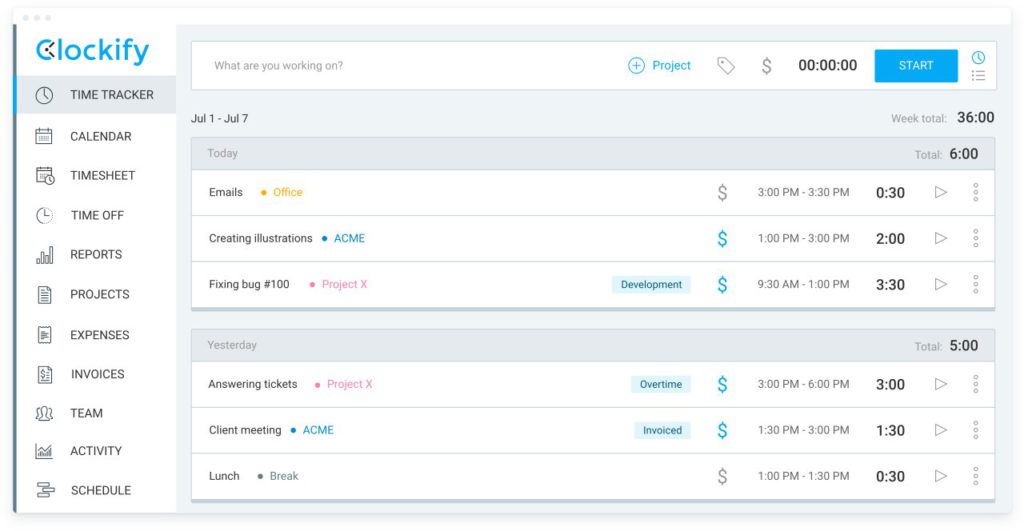
Clockify is primarily a time tracking platform. Its free plan makes it an accessible option for teams that want to start recording employee hours without investing in a more comprehensive workforce management system.
Employee productivity tracking features:
- Time tracking: Record hours using timers or timesheets.
- Project tracking: Organize time by projects, tasks, and clients.
- Reports: Analyze tracked hours and employee activity.
- Timesheet approvals: Review employee time entries.
- Scheduling: Plan employee work and compare schedules with actual hours.
- GPS tracking: Track locations through supported mobile functionality.
What it doesn’t focus on: Clockify is primarily a time tracking tool rather than a deep employee productivity analytics platform. It does not offer the same breadth of computer activity monitoring as tools such as ActivTrak or Time Doctor.
Best suited to: Teams that need affordable time tracking, reporting, and basic workforce visibility.
How Everhour Fits Into Employee Productivity Tracking
Everhour works as a standalone time tracker or alongside tools like Asana, ClickUp, and Trello. It helps teams track time accurately and manage productivity efficiently.
Key features:
- Integrations: Track time directly within tasks on Asana, ClickUp, Trello, and other apps.
- Estimates & budgets: Compare estimated vs. actual time to prevent overruns.
- Reports & dashboards: Detailed breakdowns by task, project, client, or team member. Dashboards show where effort goes.
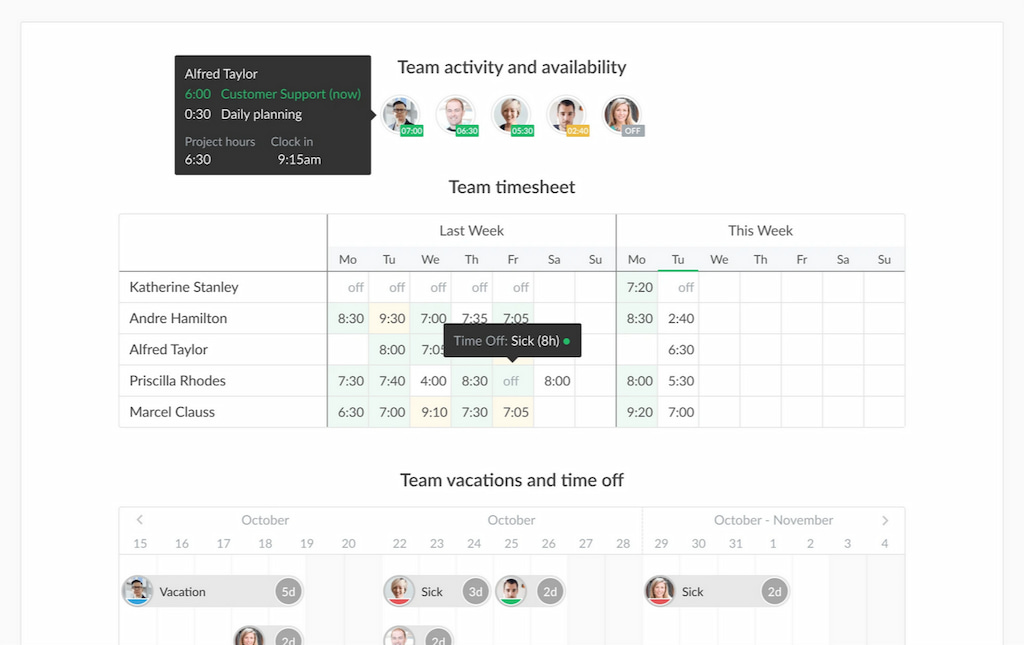
- Timesheet approvals: Managers can approve or edit entries for accountability.
- Invoices & payroll: Generate invoices and export timesheets. Works with QuickBooks, Xero, and other accounting software.
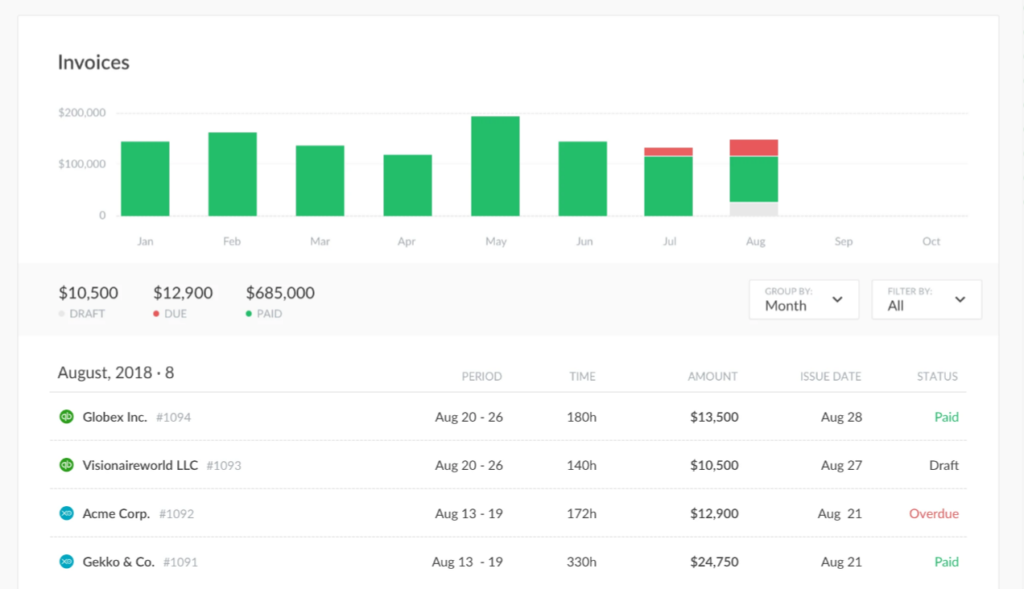
- Flexible logging: Employees can log time via timers or manual entries.
💡 Use case example:
A digital agency manages tasks in Asana for designers and developers. Everhour adds timers to each task so staff track time directly in Asana. Reports highlight projects exceeding budgets, allowing managers to adjust plans or bill clients accurately. Result: improved profitability and no more guesswork on hours.
FAQ
It depends on the tool. Focus on time and task tracking rather than invasive monitoring, and be transparent with your team.
Not always. Time tracking is enough for billing or budgeting. Activity monitoring helps with workflow insights or compliance.
Everhour integrates with project management tools and offers budgets and reports. Toggl is simple and works standalone.
Hubstaff and Time Doctor provide activity monitoring, screenshots, GPS, and time tracking for accountability. Everhour works well with project management apps for remote teams.
Time tracking measures how long tasks take. Productivity monitoring tracks activities (apps, websites) to gauge efficiency. Together, they give a full picture.
Yes. Tools like Everhour, Hubstaff, and Time Doctor can export timesheets to payroll or accounting software.
Free plans are useful for testing but often limit users or projects. Upgrade for advanced features.
Everhour is best if you want time tracking integrated into project apps. ClickTime adds resource planning and expense tracking for better budgeting.
No. Everhour focuses on time tracking, budgeting, and reporting—it doesn’t monitor websites or take screenshots.
Laws vary by region. Inform employees of the monitoring activity. Time tracking for payroll is usually legal; more invasive monitoring often requires consent.
Best Software for Tracking Employee Productivity: Final Thoughts
Productivity and time tracking tools help businesses see where time goes, balance workloads, and work more efficiently. If you’re not the one going for employee productivity formulas, you may want to try out these tools. There are many good options depending on your needs:
- Everhour: Best for teams using project management tools. Offers reports, budgets, and invoicing.
- Toggl: Simple tracker ideal for freelancers.
- Hubstaff & Time Doctor: Time tracking with monitoring features—useful for remote teams needing accountability.
- ActivTrak: Focused on analytics, showing how apps and websites are used.
- ClickTime, Harvest, TimeCamp, Clockify: Flexible choices combining tracking with expenses, resource planning, or invoicing.
The best productivity time tracking software should make work easier, not harder. Used responsibly, time tracking builds transparency and supports better teamwork. If you already manage projects with apps like Asana, Trello, or Todoist, Everhour adds seamless time tracking and reporting. Start with a free plan, test what works for your team, and grow from there.

Maria
A dedicated content enthusiast with extensive experience in international teams and projects of all sizes. Maria thrives on creativity and attention to detail, fueled by a love for fantasy novels, music, classic black-and-white films, and always finding ways to make things better.