


Best Productivity Time Tracking Software (Ranked & Compared)

Productivity time tracking software helps businesses understand how employees and teams spend their working time. Depending on the tool, it can track time spent on projects and tasks, monitor app and website usage, identify productivity patterns, and provide reports on workloads and work habits.
These tools vary considerably. Some focus on project and billable time tracking, while others automatically monitor computer activity or provide employee productivity analytics. Below, we compare the best productivity time tracking tools and explain which type is best for different teams and use cases.
What Is Productivity Time Tracking Software?
Productivity time tracking software records how people spend their working time and turns that data into insights about projects, workloads, and productivity. Depending on the tool, it can track everything from hours spent on specific tasks to application usage, website activity, and idle time.
Unlike a basic time clock, productivity time tracking software can help teams understand where work time goes, how long projects actually take, and where time or capacity may be getting lost.
What does productivity time tracking software track?
The specific data collected varies by tool, but common capabilities include:
- Time spent on tasks and projects — records how long employees or freelancers work on specific activities.
- Billable and non-billable hours — separates client work from internal work for billing and profitability analysis.
- App and website activity — shows which applications and websites employees use during working hours.
- Idle time — identifies periods when there is little or no computer activity.
- Work patterns and productivity trends — helps identify recurring patterns in how teams spend their time.
- Workload and capacity — shows how much time employees are spending on projects and whether workloads are becoming uneven.
- Project budgets and estimates — compares tracked time with planned hours or budgets to identify projects that are at risk of going over.
Not every productivity time tracking tool offers all of these features. Project-based time tracking software typically focuses on tasks, projects, billable hours, budgets, and workloads.
Employee monitoring software may additionally track applications, websites, screenshots, keyboard or mouse activity, and other computer activity.
This distinction matters when choosing a tool: a team that wants better project visibility may need a very different type of productivity time tracking software than a company looking for employee activity monitoring.
Productivity Tracking vs. Time Tracking vs. Employee Monitoring
These terms overlap, but they focus on different types of data:
| Type | What it tracks | Best for |
|---|---|---|
| Time tracking | Hours spent on tasks, projects, and clients | Billing, budgets, workload |
| Productivity tracking | Work patterns and, depending on the tool, app and website activity | Understanding productivity and workflows |
| Employee monitoring | Computer activity, screenshots, apps, websites, and other activity signals | Workforce oversight |
The categories aren’t mutually exclusive. A productivity tracking tool may include time tracking, while an employee monitoring tool may also offer timesheets and productivity reports. The key difference is the level and type of data collected.
If you mainly need project hours, budgets, or billing, look for time tracking. If you want to understand how work time is being used, look for productivity tracking. If you need visibility into employee computer activity, employee monitoring software and team productivity tracking software is the more relevant category.
Best Productivity Time Tracking Software
Here’s a side-by-side look at the leading tools:
| Software | Best for | Tracks time | Tracks apps/websites | Employee monitoring | Best fit |
|---|---|---|---|---|---|
| Everhour | Project-based teams | ✅ | ❌ | ❌ | Projects, budgets, workload |
| Toggl Track | Freelancers & small teams | ✅ | Limited | ❌ | Time & productivity reports |
| RescueTime | Personal productivity | ✅ | ✅ | ❌ | Focus & distraction insights |
| Hubstaff | Employee monitoring | ✅ | ✅ | ✅ | Activity & workforce oversight |
| Clockify | Affordable time tracking | ✅ | Limited | Limited | Teams & project tracking |
| Harvest | Agencies & professional services | ✅ | ❌ | ❌ | Utilization & profitability |
| Timely | Automatic tracking | ✅ | ✅ | ❌ | Automatic time capture |
Everhour
Everhour is best for teams that want to understand productivity through project and task data rather than monitor employees’ computer activity. It integrates with project management tools such as Asana, Trello, Jira, ClickUp, GitHub, and more, allowing teams to track time directly against the work they’re doing.
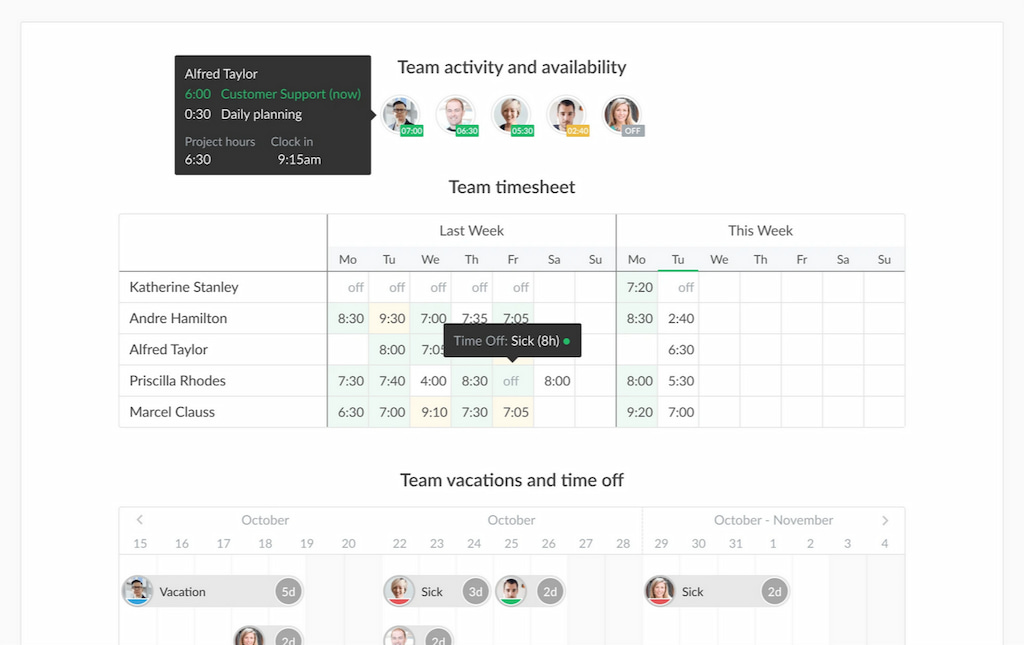
Key productivity-related features include:
- Task-level time tracking to see where working hours go
- Project budgets and estimates to compare planned and actual time
- Timesheets and reports to analyze time by project, client, or team member
- Workload visibility to identify overloaded or underutilized team members
- Billable vs. non-billable tracking for understanding how time contributes to revenue
Everhour doesn’t track screenshots, keystrokes, or app and website activity, making it a better fit for teams that want productivity insights without employee surveillance.
Best for: Agencies, professional services teams, and companies already using a project management platform.
Toggl Track
Toggl Track focuses on understanding how people spend their working hours without traditional employee surveillance. Employees can track time against projects and tasks, while managers can use reports to identify patterns in how time is allocated.
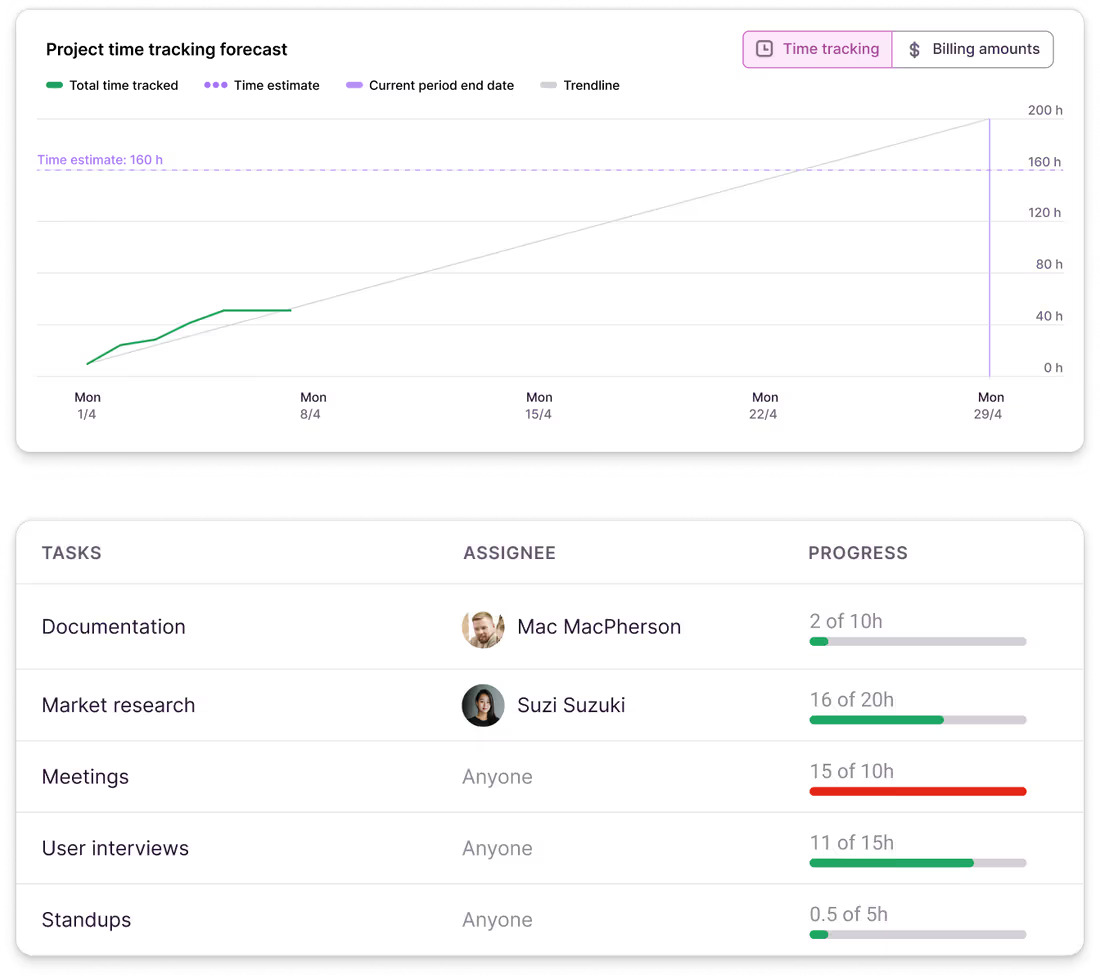
Key features include:
- Time tracking by project, task, and client
- Billable and non-billable hours
- Productivity and utilization reports
- Project estimates and budgets
- Calendar integrations and automated time tracking
Toggl Track is a good option for teams that want time-based productivity insights without screenshots or invasive activity monitoring.
Best for: Freelancers, consultants, and small teams that want straightforward time and productivity tracking.
RescueTime
RescueTime takes a different approach by automatically analyzing how you spend time on your computer and other devices. Rather than requiring users to start a timer for every task, it categorizes activity across applications and websites.
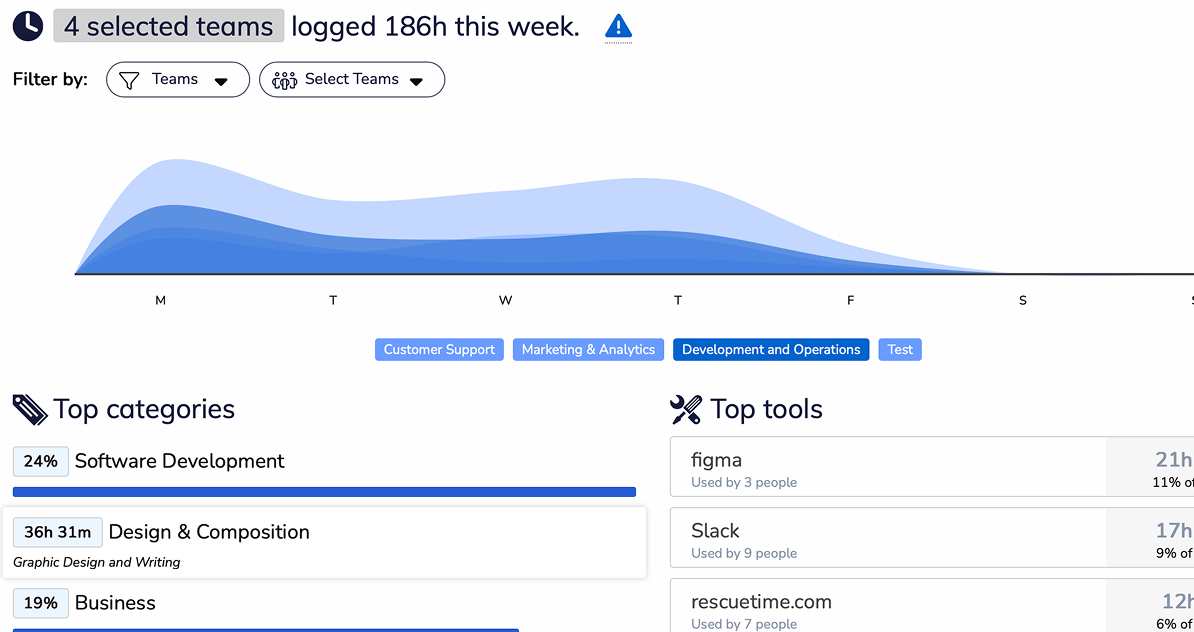
Key features include:
- Automatic time tracking
- App and website activity tracking
- Focus and distraction insights
- Productivity trends
- Goals and focus sessions
This makes RescueTime particularly useful for people who want to answer “Where does my workday actually go?” rather than track hours for client billing.
Best for: Individuals and knowledge workers focused on improving their own productivity.
Hubstaff
Hubstaff combines time tracking with employee monitoring features, making it more suitable for organizations that need visibility into employee activity as well as hours worked.
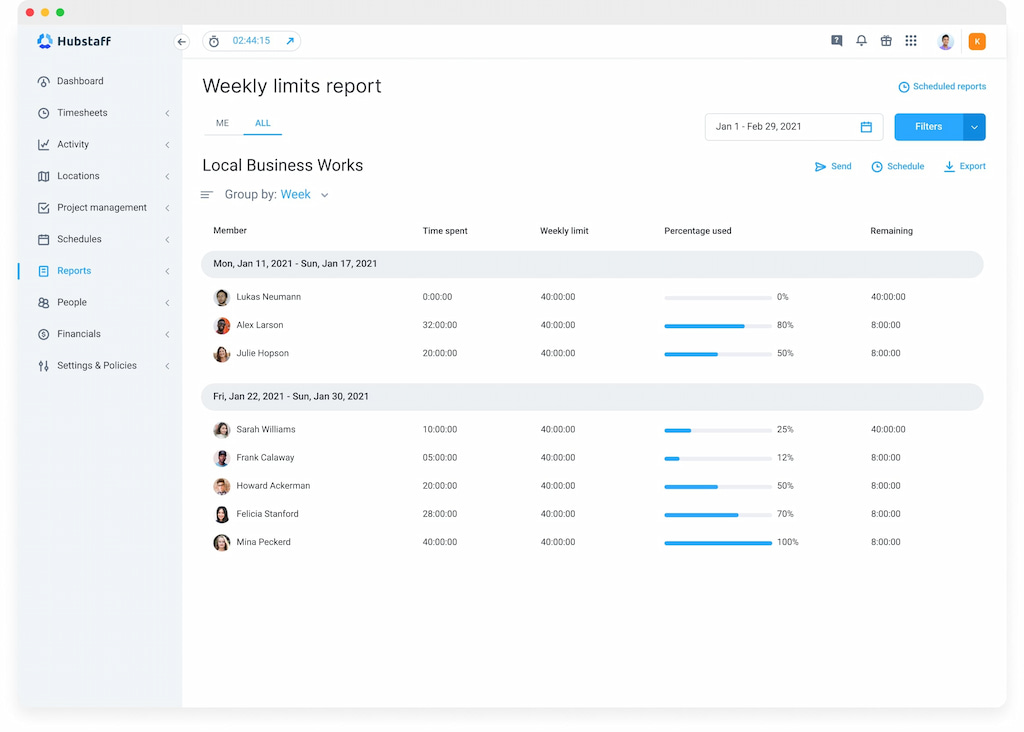
Depending on the plan and configuration, features include:
- Time tracking by project and task
- App and website usage
- Screenshots
- Activity levels
- GPS tracking
- Scheduling and attendance
- Payroll and invoicing
Because Hubstaff provides substantially more employee activity data than tools such as Everhour or Toggl Track, it’s better suited to workforce monitoring and oversight than simply understanding project productivity.
Best for: Remote, distributed, and field teams that need employee activity monitoring alongside time tracking.
Clockify
Clockify is primarily a time tracking platform, with reporting and productivity-related insights built around tracked hours rather than detailed employee monitoring.
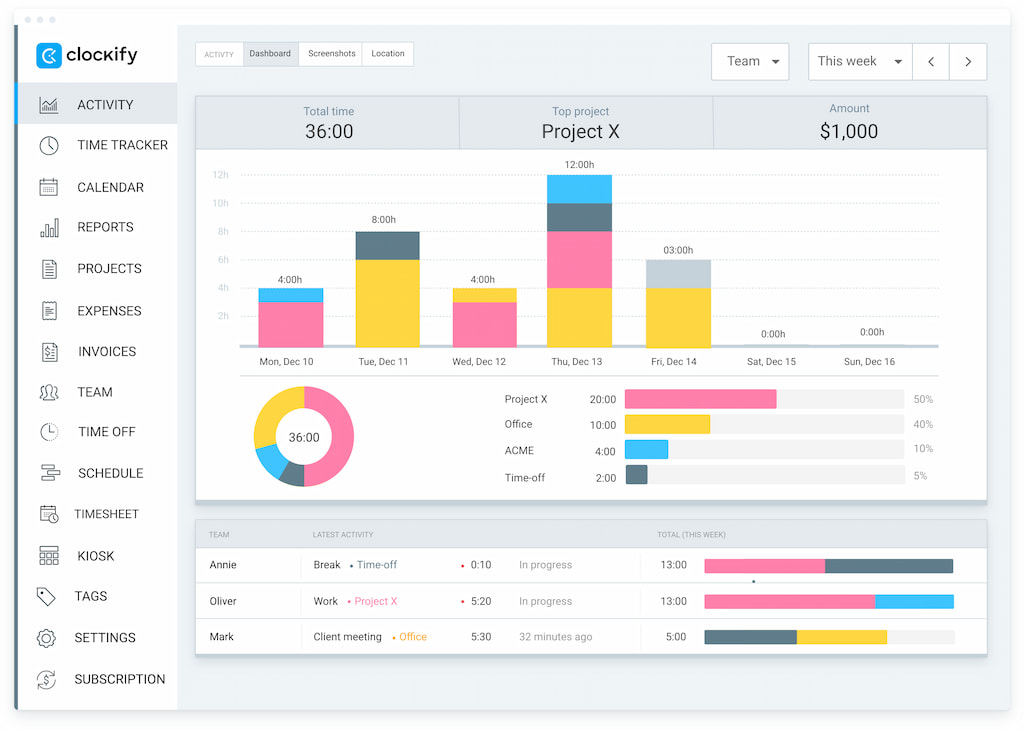
Key features include:
- Unlimited time tracking
- Timesheets
- Project and task tracking
- Billable hours
- Estimates and budgets
- Team and productivity reports
- Attendance tracking
It’s a good choice for teams that want basic visibility into where working hours go without paying for a more extensive employee monitoring platform.
Best for: Small businesses and teams looking for affordable time and productivity tracking.
Harvest
Harvest combines time tracking with project, expense, and billing data, making it particularly useful for teams whose definition of productivity is closely tied to project profitability and utilization.
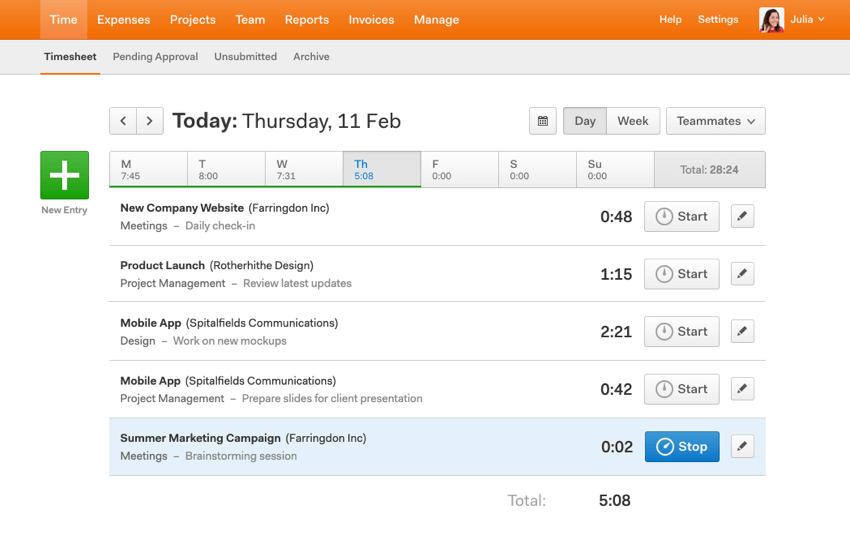
Key features include:
- Time tracking by project and client
- Billable and non-billable hours
- Project budgets
- Utilization and profitability reporting
- Expense tracking
- Invoicing
Harvest doesn’t focus on monitoring individual computer activity. Instead, it helps managers understand how much time teams spend on client work and whether projects are financially healthy.
Best for: Agencies, consultants, and professional services businesses.
Timely
Timely automatically records work activity and turns it into time entries, reducing the need for employees to manually start and stop timers.
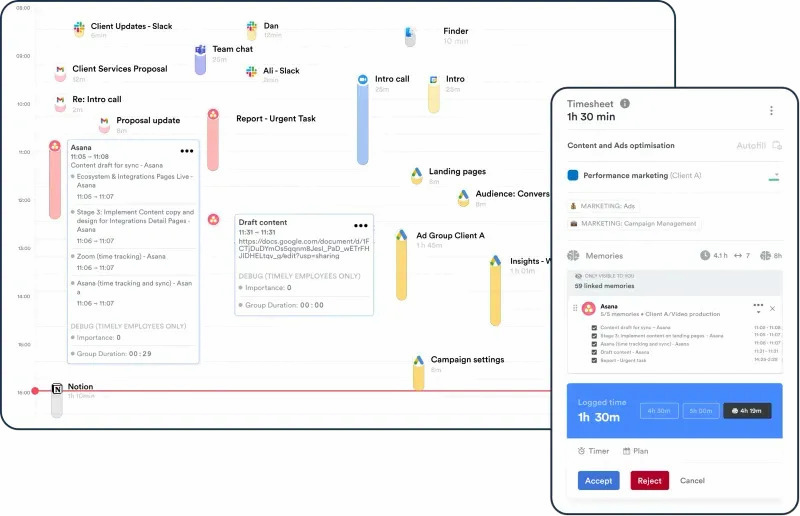
Key features include:
- Automatic time tracking
- App and website activity
- AI-assisted time categorization
- Project and task tracking
- Team utilization reports
- Productivity insights
Timely is useful for teams that want detailed time data without requiring employees to remember to track every activity manually.
Best for: Knowledge workers and teams that want automated productivity and time tracking.
Does Productivity Tracking Mean Employee Monitoring?
Not necessarily. Productivity tracking can range from simple time tracking to detailed employee activity monitoring, and different tools collect very different types of data.
For example:
- Time tracking records how much time someone spends on tasks, projects, or clients.
- Automatic tracking can categorize time based on the applications or websites being used.
- Activity monitoring can track application and website usage in more detail.
- Employee monitoring may also include screenshots, keyboard or mouse activity, or other measures of computer activity.
These approaches have different privacy and workplace implications. A team that wants to understand project workloads doesn’t necessarily need screenshots or application monitoring.
In many cases, productivity can be measured through project progress, time allocation, workload, utilization, and completed work rather than monitoring everything an employee does on their computer. The right approach depends on what you are trying to measure and how much visibility your team actually needs.
FAQ
It tracks how people spend their working time and helps teams understand time allocation, workloads, and productivity. Depending on the tool, it may also track apps, websites, or other activity.
Time tracking measures hours spent on tasks, projects, or clients. Productivity tracking can also analyze work patterns, app and website usage, workloads, and other productivity indicators.
Not necessarily. Some tools only track time, while others monitor apps, websites, activity levels, or screenshots.
Look for time and task tracking, productivity reports, workload insights, project budgets, and integrations with your existing tools. If you need employee monitoring, check which types of activity the software records.
Some tools can automatically track applications and websites, while others focus on time spent on tasks and projects.
Yes. It can help remote teams understand workloads, project progress, and time allocation without requiring employees to work in an office.
It depends on what you need to track. Everhour is a strong option for project-based teams, while tools such as RescueTime and Hubstaff focus more on activity and employee monitoring.
No. Productivity tracking can focus on time, workloads, and work patterns, while employee monitoring typically involves more detailed computer activity tracking.
Final Thoughts
Productivity time trackers can help teams understand where working time goes, identify workload issues, and improve project planning. But the right tool depends on what you actually want to measure.
- For task, project, and budget tracking, Everhour is a strong fit for teams working in project management tools.
- For personal productivity and app usage, RescueTime is better suited to individual focus insights.
- For employee activity monitoring, Hubstaff offers more detailed visibility into computer activity.
- For simple time tracking, tools like Toggl Track and Clockify keep things straightforward.
The goal isn’t necessarily to track more. Choose a tool that gives you the visibility you need without collecting data you don’t. For many project-based teams, tracking time against actual work is enough to understand productivity, manage workloads, and keep projects on budget.

Maria
A dedicated content enthusiast with extensive experience in international teams and projects of all sizes. Maria thrives on creativity and attention to detail, fueled by a love for fantasy novels, music, classic black-and-white films, and always finding ways to make things better.