


Best Remote Work Management Software for 2026

Remote work management software and time tracking software helps distributed teams stay organized by bringing together project management, time tracking, communication, documentation, and collaboration. While no single platform handles every aspect of remote work, the right combination of tools can improve visibility, reduce unnecessary meetings, and keep projects moving.
In this guide, we’ve compared the best remote work management software for different needs, including time tracking, task management, communication, knowledge sharing, and hybrid workplace management.
How We Evaluated These Tools
We evaluated each platform based on the features that matter most for managing remote and hybrid teams, including collaboration, task management, time tracking, reporting, integrations, mobile access, pricing, and overall ease of use. We also verified pricing and feature availability directly on each vendor’s website in July 2026 and considered user feedback from G2 and Capterra alongside our own testing.
Disclosure: Everhour is our product and appears in this guide. We’ve aimed to review every tool fairly, including where another platform may be a better fit depending on your team’s workflow.
Best Remote Work Management Stack
| Need | Best tool | Why it’s a good fit |
|---|---|---|
| Time tracking & reporting | Everhour | Tracks time, budgets, billable hours, and project profitability |
| Project management | ClickUp | Highly customizable workflows, docs, automations, and dashboards |
| Simple project management | Trello | Intuitive Kanban boards with almost no learning curve |
| Knowledge management | Notion | Centralized documentation, SOPs, and team wiki |
| Team communication | Slack | Organized channels, async collaboration, and app integrations |
| Hybrid office management | OfficeRnD | Desk booking, room scheduling, and workplace analytics |
Best Time Tracking Software for Remote Teams
Everhour
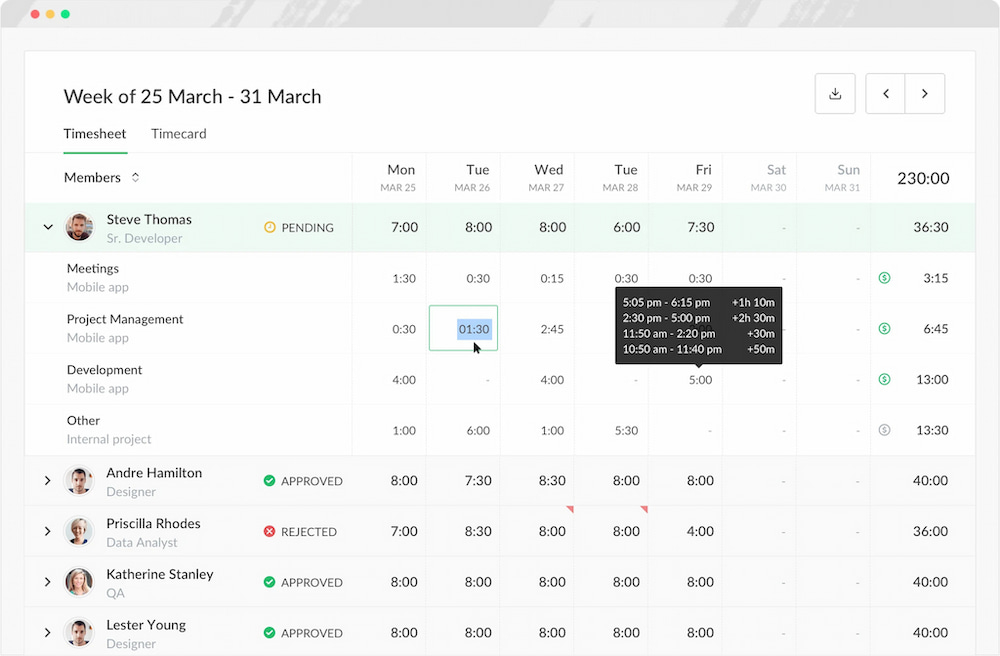
Everhour is a time tracker built for remote teams that need visibility into where time is spent without disrupting existing workflows. It combines time tracking, budgeting, reporting, timesheet approvals, and invoicing in one platform, helping teams stay on schedule and keep projects profitable.
Beyond basic time tracking, Everhour gives managers visibility into billable hours, project budgets, team capacity, and estimated versus actual time. It’s a strong choice for agencies, software companies, consultants, and other project-based businesses.
Key features
- Time tracking with timers and manual entries
- Integrates natively with Asana, ClickUp, Trello, Notion, and other project management tools
- Project budgets and profitability tracking
- Billable and non-billable hours
- Timesheet approvals
- Detailed reports and dashboards
- Invoicing and payroll exports
- Mobile apps for iOS and Android
Pricing
Free plan available. Paid plans start at $8.50 per user/month.
Works best if
- You manage client or internal projects
- You need budgeting and reporting
- You want approvals and invoicing
- You need visibility into team capacity
Consider another option if
- You only need a personal timer
- You don’t require reporting or project budgeting
Everhour offers a free plan for small teams and unlocks more features on the paid plan. Whether you’re a team of 5 or 200, it helps you track time, stay on budget, and avoid missed invoices—without the need to micromanage.
Best Project Management Software for Remote Teams
ClickUp
ClickUp is an all-in-one project management platform that helps remote teams organize work, automate processes, and collaborate across departments. It supports multiple project views, customizable workflows, built-in documents, dashboards, and reporting, making it suitable for teams with complex projects.
Its flexibility allows businesses to manage everything from daily tasks to company-wide objectives in a single workspace.

Key features
- Tasks, subtasks, and custom workflows
- Kanban boards, lists, calendars, and Gantt charts
- Built-in documents and whiteboards
- Dashboards and reporting
- Automations and recurring tasks
- Goal and workload management
- Mobile apps for iOS and Android
Pricing
Free plan available. Paid plans start at $10 per user/month.
Works best if
- You manage multiple projects or departments
- You need customizable workflows
- You want reporting and automation
- Your team is growing quickly
Consider another option if
- You prefer a simpler interface
- Your projects don’t require advanced customization
Trello
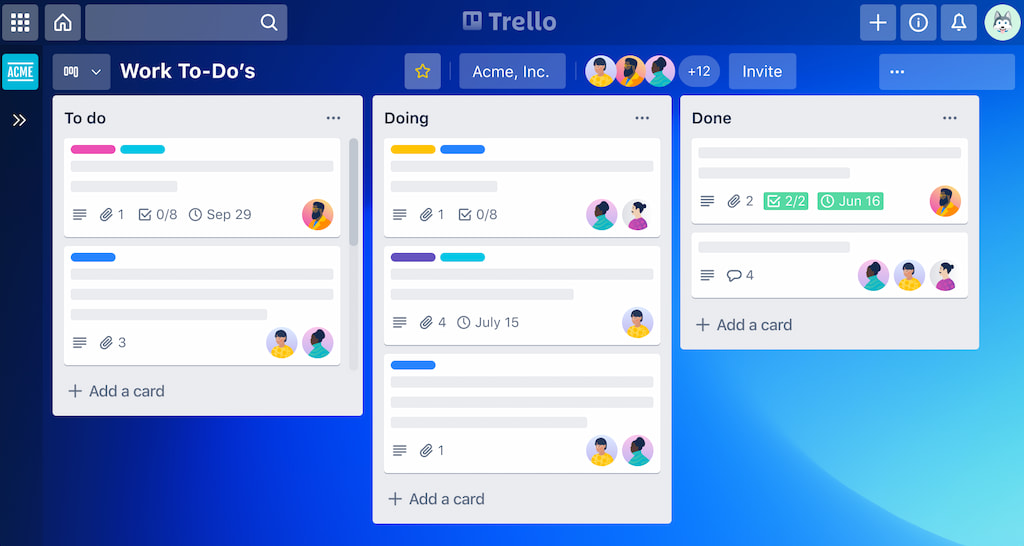
Trello is a lightweight project management tool built around Kanban boards. Its simple interface makes it easy for remote teams to organize tasks, collaborate on projects, and track progress without a steep learning curve.
Although less feature-rich than some competitors, Trello remains a popular choice for startups and smaller teams that value simplicity over complexity.
Key features
- Kanban boards
- Task cards with checklists and due dates
- Labels and custom fields
- Butler workflow automation
- Calendar and timeline views
- Power-Ups for additional functionality
- Mobile apps for iOS and Android
Pricing
Free plan available. Paid plans start at $5 per user/month.
Works best if
- You want simple task management
- Your team prefers Kanban boards
- You need an easy-to-learn platform
- You manage straightforward projects
Consider another option if
- You need advanced reporting
- You manage large, complex projects
- You require extensive workflow customization
Best Hybrid Office Management Software
OfficeRnD
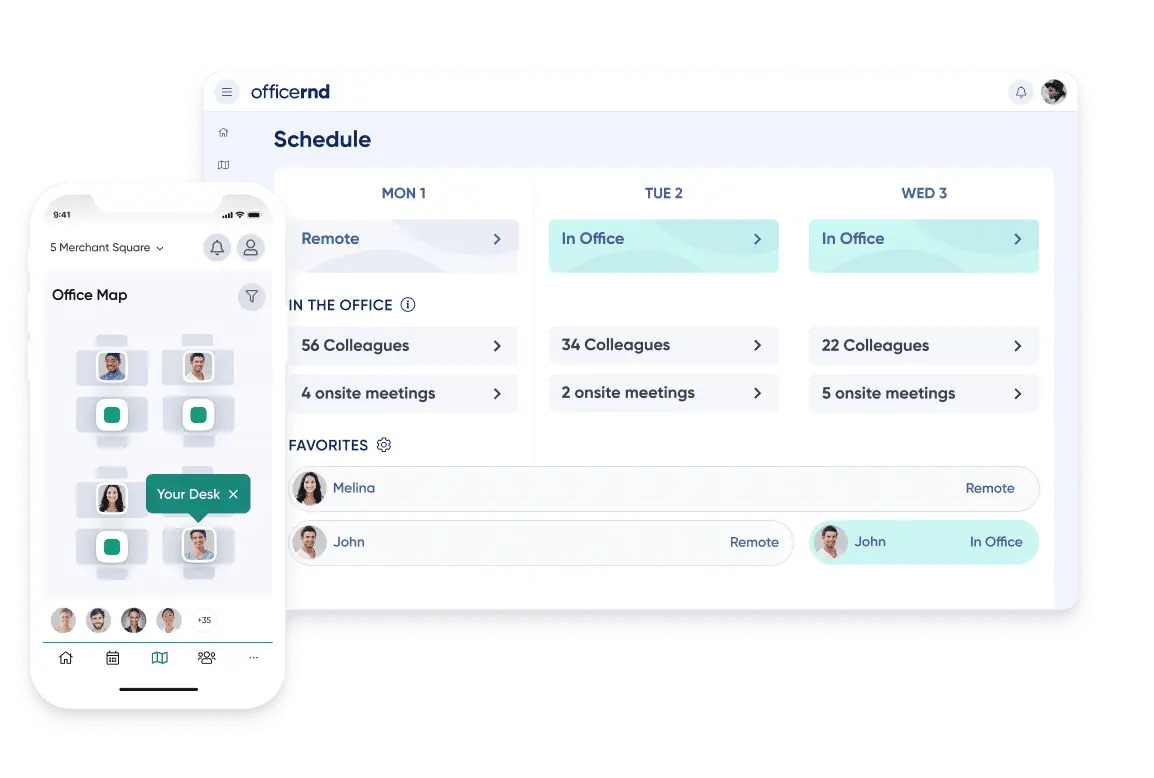
OfficeRnD is a workplace management platform that helps hybrid organizations manage desks, meeting rooms, office resources, and employee attendance. It gives employees the flexibility to reserve workspaces while providing managers with insights into office usage and capacity.
For companies balancing remote and in-office work, OfficeRnD helps create a smoother hybrid workplace experience without relying on manual booking systems.
Key features
- Desk and meeting room booking
- Workplace scheduling
- Office occupancy analytics
- Visitor management
- Interactive office maps
- Microsoft 365 and Google Workspace integrations
- Mobile apps for iOS and Android
Pricing
Custom pricing based on company size and requirements.
Works best if
- Your company follows a hybrid work model
- You manage shared office spaces
- You need desk reservation and occupancy tracking
- You want workplace analytics
Consider another option if
- Your team is fully remote
- You don’t maintain a physical office
- You only need basic room booking
Best Knowledge Management Software for Remote Teams
Notion
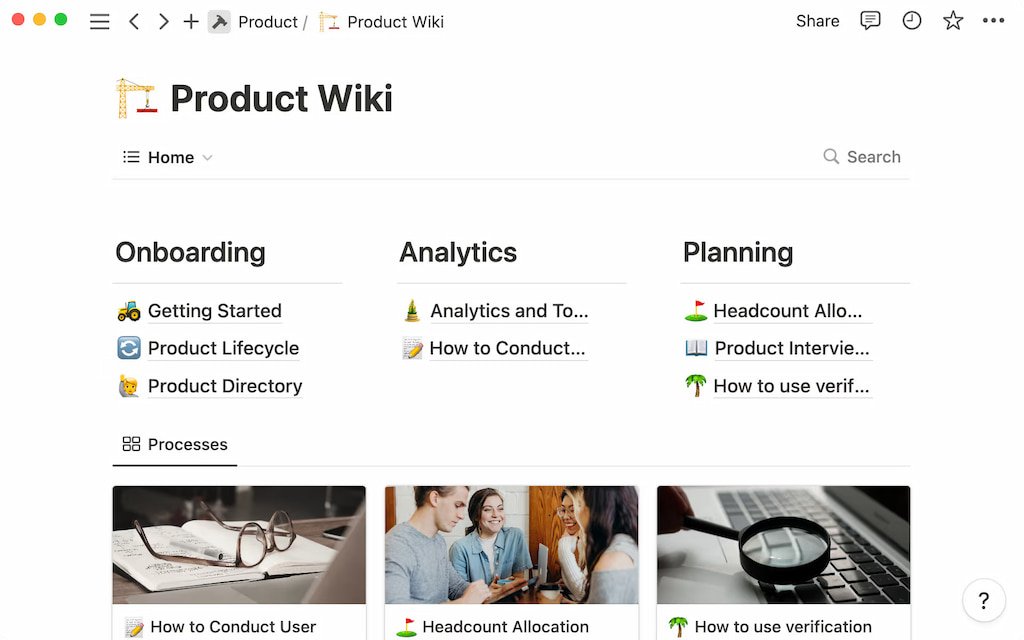
Notion combines documentation, note-taking, project management, and databases into a single workspace. Remote teams use it to build company wikis, document processes, manage meeting notes, and centralize information that’s easy to search and update.
Its flexible page structure allows teams to create everything from onboarding guides to product roadmaps without switching between multiple tools.
Key features
- Company wiki and documentation
- Collaborative editing
- Databases and custom views
- Meeting notes and templates
- Task management
- AI writing assistance
- Mobile apps for iOS and Android
Pricing
Free plan available. Paid plans start at $10 per user/month.
Works best if
- You want a central knowledge base
- Your team documents processes and SOPs
- You need flexible pages and databases
- You want lightweight project management alongside documentation
Consider another option if
- You need enterprise documentation workflows
- Your team primarily uses the Atlassian ecosystem
Best Communication Software for Remote Teams
Slack
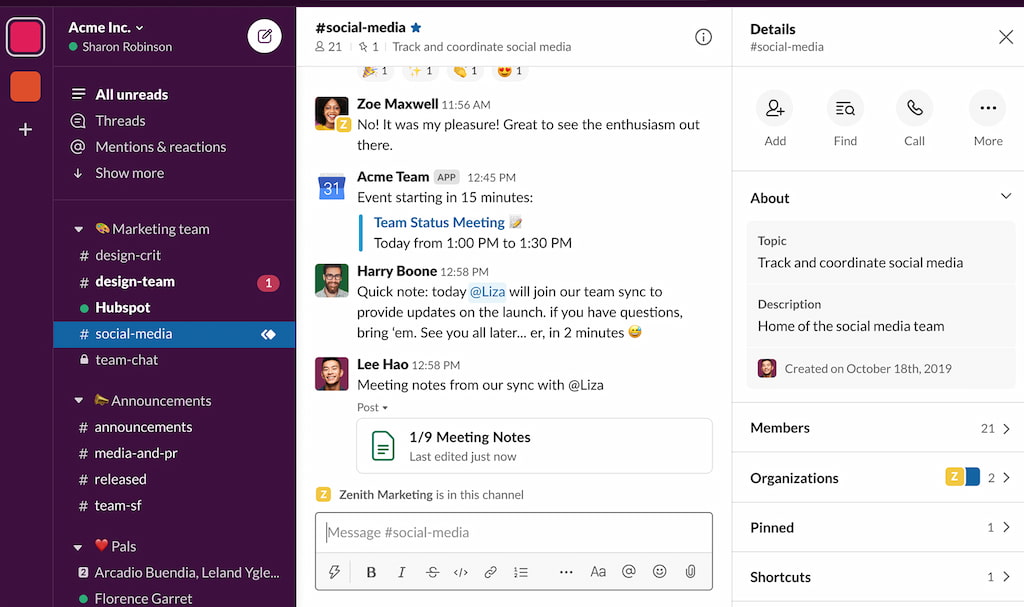
Slack is a business messaging platform designed to help remote teams communicate through channels, direct messages, and integrations with hundreds of workplace tools. Instead of relying on email or constant meetings, teams can organize conversations by project, department, or topic.
With searchable message history and workflow automation, Slack helps distributed teams collaborate more efficiently across different time zones.
Key features
- Channels and direct messaging
- Audio and video huddles
- File sharing
- Searchable message history
- Workflow automation
- Integrations with thousands of apps
- Mobile apps for iOS and Android
Pricing
Free plan available. Paid plans start at $8.75 per user/month.
Works best if
- Your team collaborates asynchronously
- You want organized project communication
- You rely on integrations with business tools
- You want to reduce internal email
Consider another option if
- You mainly need video conferencing
- Your team already uses Microsoft Teams
- Your communication needs are minimal
Building Your Remote Work Tech Stack
Most companies don’t rely on a single remote work management platform. Instead, they combine specialized tools for different parts of their workflow.
A typical setup might include:
- Everhour for time tracking and reporting
- ClickUp or Trello for project management
- Slack for team communication
- Notion for documentation
- OfficeRnD for hybrid office management
Choosing tools that integrate well with each other helps reduce context switching and keeps work organized as your team grows.
FAQs
Remote work management software helps distributed and hybrid teams collaborate, manage projects, track time, communicate, share documentation, and coordinate work from different locations. Many companies use several tools together rather than relying on a single platform.
Most remote teams benefit from a combination of tools for different purposes:
Time tracking: Everhour
Project management: ClickUp, Asana, or Trello
Documentation: Notion or Confluence
Communication: Slack, Loom, or Zoom
Hybrid office management: OfficeRnD or Skedda
The right stack depends on your team’s size, workflow, and whether you work fully remotely or follow a hybrid model.
Usually not. Most businesses combine specialized tools instead of looking for an all-in-one solution. For example, a team might use ClickUp for project management, Everhour for time tracking, Slack for communication, and Notion for documentation.
It depends on your workflow:
ClickUp — highly customizable workflows and automations
Asana — excellent for larger teams and structured projects
Trello — simple Kanban boards for smaller teams and straightforward workflows
If you need project budgets, reporting, approvals, and billable hours, Everhour is a strong choice. Toggl Track is ideal for freelancers and simple time tracking, while Clockify offers one of the most generous free plans for growing teams.
Successful remote teams typically combine:
– project management software
– time tracking
– shared documentation
– team communication
– regular reporting
Using tools that integrate with each other helps reduce context switching and keeps work visible across the team.
Look for software that offers:
– project and task management
– time tracking
– reporting
– integrations with your existing tools
– mobile apps
– collaboration features
– documentation or knowledge sharing
– scalability as your team grows
Hybrid teams often combine project management software with desk booking tools. OfficeRnD and Skedda help employees reserve desks and meeting rooms, while Everhour, ClickUp, Slack, and Notion cover day-to-day collaboration and project work.
Final Thoughts
There’s no single workload management software that manages every aspect of remote work. Most successful remote teams build a toolkit that combines project management, communication, documentation, and time tracking.
If your priority is understanding where time goes, keeping projects on budget, and improving reporting, a dedicated time tracking platform like Everhour is a valuable addition to your workflow. Pair it with a project management tool such as ClickUp or Trello, a communication platform like Slack, and a documentation tool like Notion to create a remote work stack that scales with your team.
The best solution is the one that fits your team’s size, workflow, and collaboration style—not necessarily the one with the longest feature list.
Check out other list of powerful time tracking software for remote employees!

Maria
A dedicated content enthusiast with extensive experience in international teams and projects of all sizes. Maria thrives on creativity and attention to detail, fueled by a love for fantasy novels, music, classic black-and-white films, and always finding ways to make things better.