


Wrike vs Notion: Managing Work As Teams Grow

Wrike and Notion are often mentioned together, but they serve different purposes. Teams usually compare them when figuring out how to organize work, share information, and keep projects moving without losing visibility. In this article, we’ll break down Wrike vs Notion in practical terms. You’ll see how each tool handles planning, collaboration, and reporting, where teams often hit limits, and which setup works best depending on how structured your projects are and how much execution visibility you need. For teams looking to track time, effort, and costs, integrations like Everhour’s time tracker can bring added clarity to either platform.
📌 What Wrike and Notion Are Built For
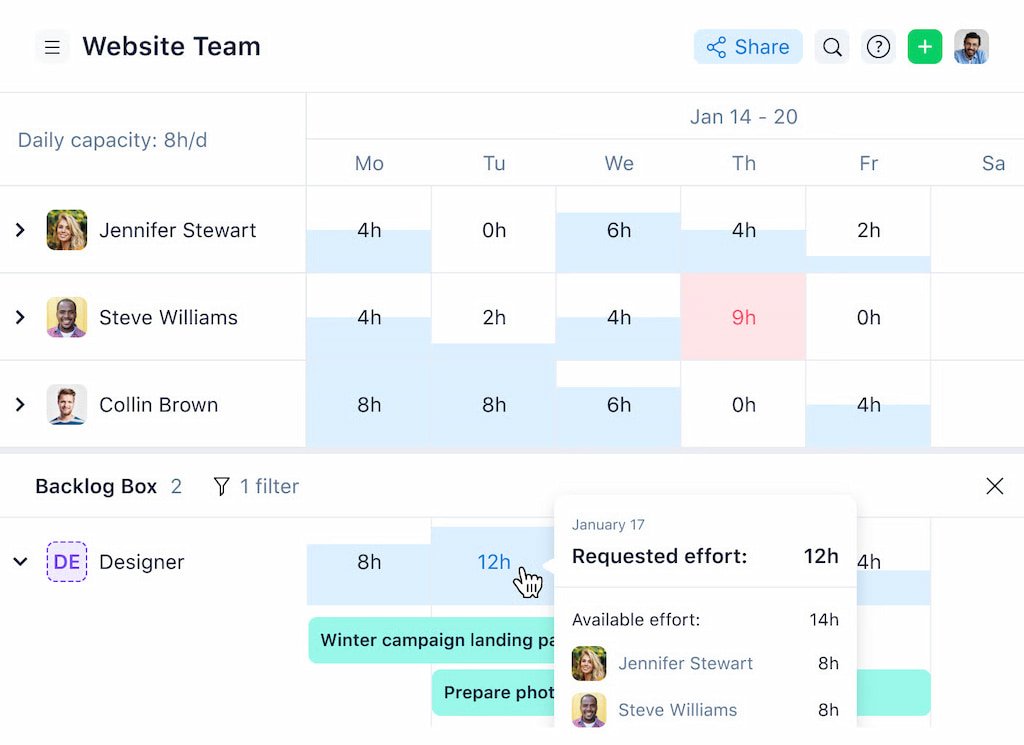
Wrike – structured project management
💡 Purpose: Designed for teams that need clear workflows, deadlines, and task dependencies.
✅ Strengths:
- Track progress across projects
- Manage complex tasks and cross-team collaboration
- Built-in reporting and visibility into time, effort, and project status
Notion – flexible workspace & knowledge base
💡 Purpose: Ideal for teams that want custom workflows, notes, and lightweight project tracking.
![how to use notion: guide to setup, productivity, and time tracking [2025]](https://everhour.com/blog/wp-content/uploads/2025/09/notion-habit-tracker-1-1024x640.jpg)
✅ Strengths:
- Organize documentation, databases, and task boards
- Create flexible, personalized workflows
- Supports collaboration without strict project structure
⚖️ Key difference
- Wrike: Focuses on structure, reporting, and project oversight
- Notion: Focuses on flexibility, customization, and knowledge management
🗓️ Planning and Task Management
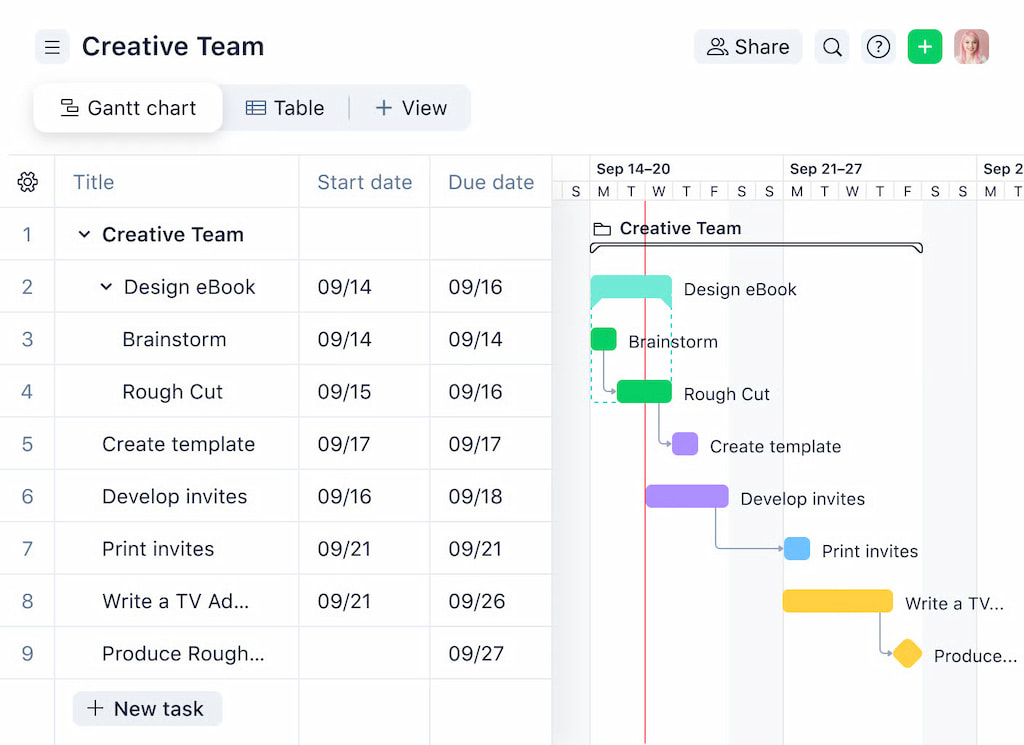
Wrike’s task hierarchy, folders, and dependencies
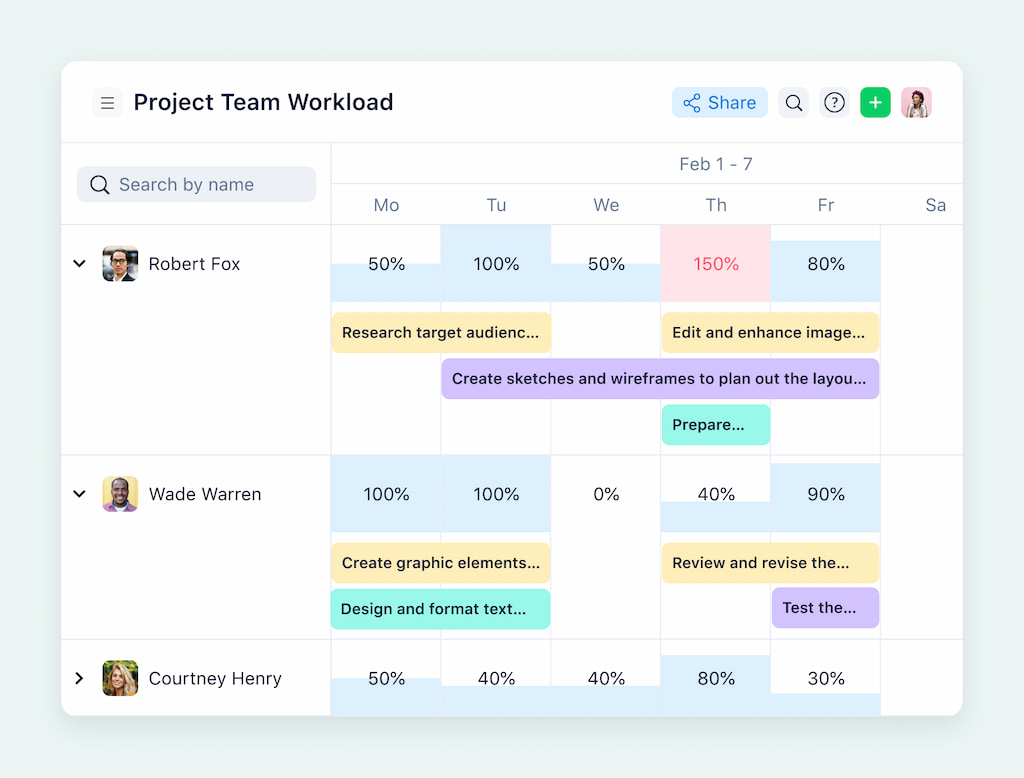
Wrike is designed for structured project management, giving teams a clear framework for planning work.
- Projects: top-level goals to organize work
- Folders: group related tasks together
- Tasks & subtasks: actionable items with clear ownership
- Dependencies: show which tasks must be completed first
✍️ Why teams love it:
- Ensures predictable workflows
- Reduces bottlenecks and missed steps
- Keeps teams accountable
Notion databases, pages, and custom views
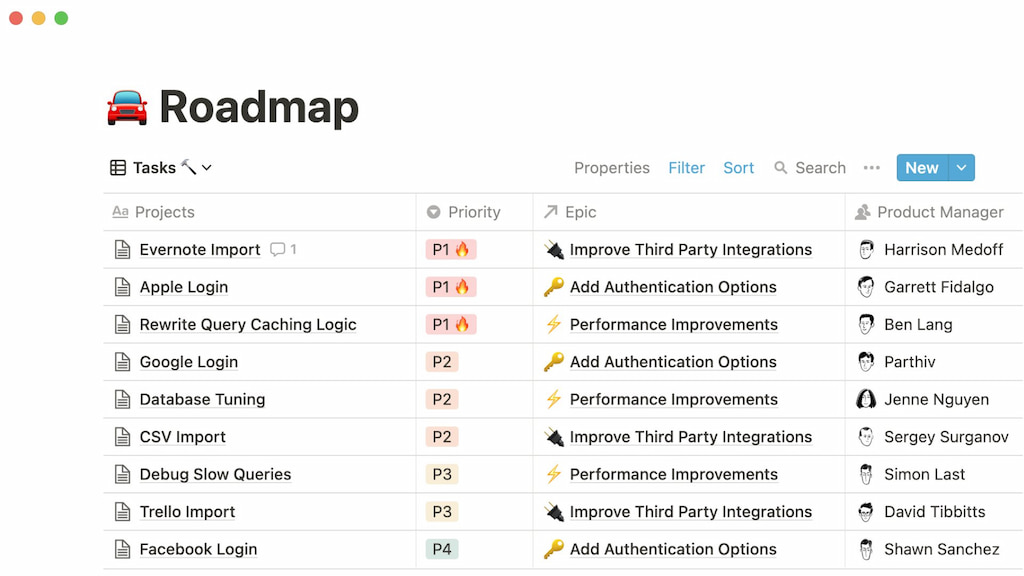
Notion focuses on flexibility and creativity, letting teams design workflows that fit their needs.
- Databases: track tasks, projects, or milestones
- Pages: embed tasks, notes, or checklists in one place
- Custom views: boards, calendars, tables, or lists
✍️ Why teams love it:
- Highly adaptable for different team styles
- Supports documentation-heavy workflows
- Tasks can be filtered, grouped, or sorted by priority, owner, or status
Teams that need predictable execution lean toward Wrike. Teams that value flexibility and customization lean toward Notion.
⚙️ Workflow Management
Wrike: structured workflows, statuses, and approvals
Wrike keeps teams on track with predictable, automated workflows.
- Custom workflows: define stages for tasks and projects
- Statuses: instantly see where each task stands
- Approvals: streamline sign-offs without endless emails
🤔 Why teams choose Wrike:
- Reduces bottlenecks and follow-ups
- Keeps everyone aligned and accountable
- Clear visibility across projects
Notion: templates, properties, and manual processes
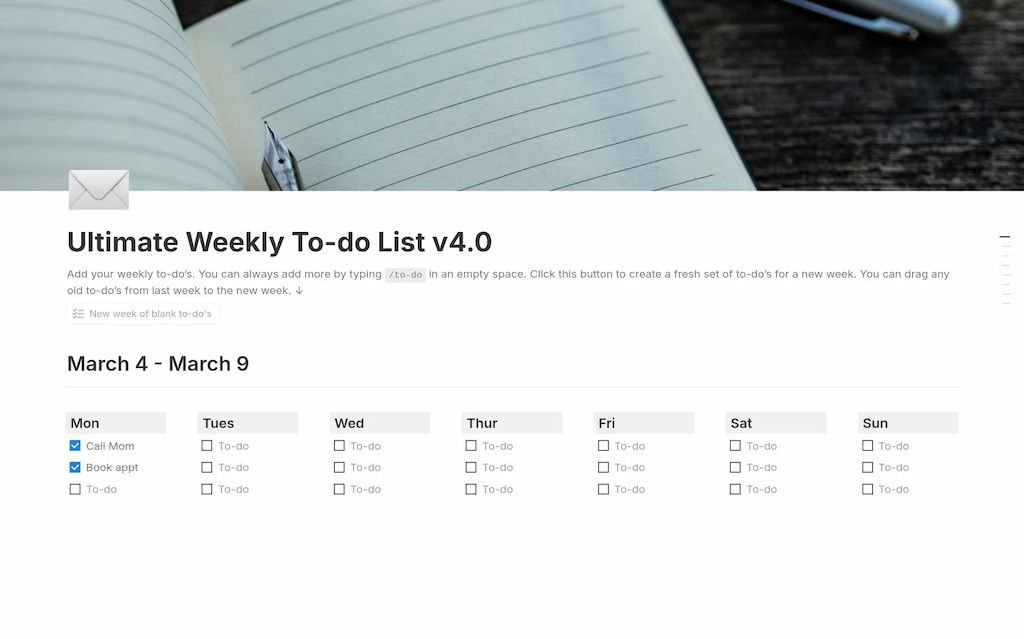
It gives teams freedom to design workflows their way:
- Notion templates: repeatable setups for recurring projects
- Properties: track task priority, owner, and status
- Manual processes: move tasks between stages as needed
🤔 Why teams choose Notion:
- Flexible for creative or documentation-heavy teams
- Adaptable views: board, list, calendar, or table
- Requires discipline to maintain consistency on larger projects
Control vs customization
When it comes to workflows:
- Wrike = control, automation, ideal for complex or approval-heavy projects
- Notion = customization, flexibility, ideal for creative teams or small projects
Use Wrike if execution visibility and automation matter most. Use Notion if flexibility and creative workflow design are your priority.
👥 Collaboration and Daily Work
Wrike: assigning and tracking work
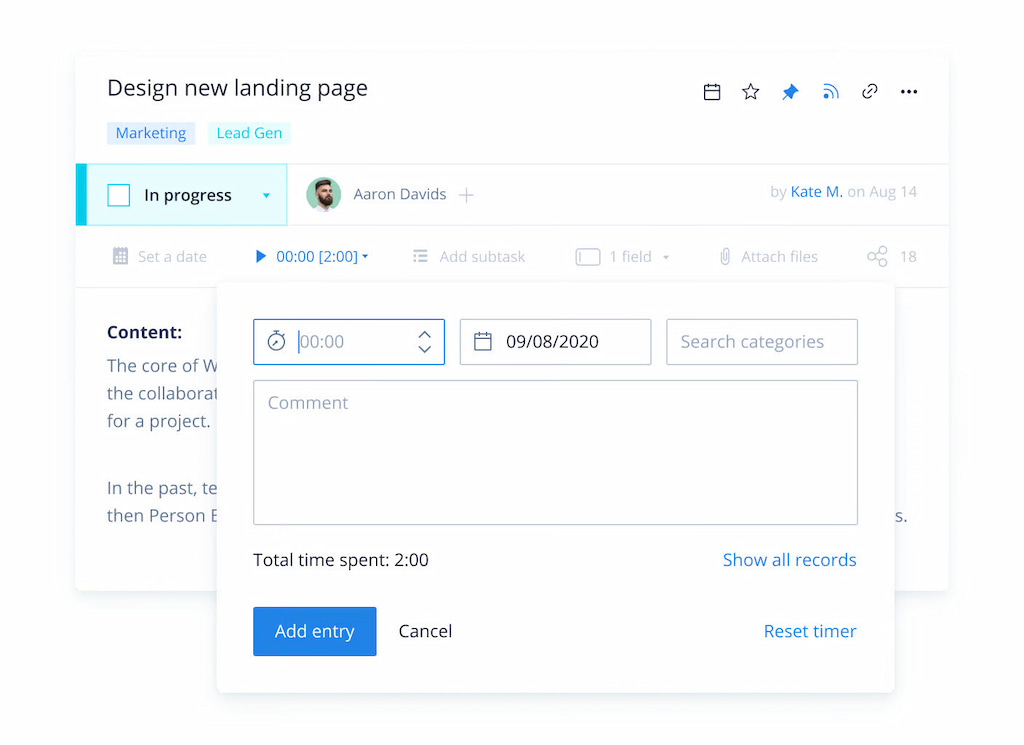
Wrike makes team collaboration structured and measurable.
- Task assignments: clearly assign work to individuals or teams
- Progress tracking: see updates and status in real time
- Notifications and alerts: keep everyone on the same page
⭐️ Why it works:
- Everyone knows their responsibilities
- Managers can track progress without constant check-ins
- Teams stay accountable and aligned
Notion: collaborating through pages, comments, and mentions
Notion focuses on flexible, context-rich collaboration:
- Pages: central place for notes, tasks, and project info
- Comments & mentions: give feedback and loop in team members
- Shared databases: allow multiple team members to contribute and update

⭐️ Why it works:
- Great for documentation-heavy teams
- Encourages discussion directly where work happens
- Less structured tracking—teams need discipline to stay on top of updates
Keeping teams aligned day to day
- Wrike = structured collaboration, clear accountability, ideal for deadline-driven or cross-functional teams
- Notion = flexible collaboration, rich context, ideal for creative projects and knowledge-sharing
Use Wrike if your team needs day-to-day task visibility and accountability. Use Notion if your team values context, discussion, and lightweight task tracking.
📈 Reporting and Visibility
Wrike: instant project insights
Wrike gives teams a clear, real-time view of project progress. Dashboards make it easy to see:
- task completion and deadlines
- workload across team members
- potential bottlenecks before they happen
Project reports highlight what’s on track and what needs attention, so managers can make data-driven decisions quickly.
Notion: flexible but hands-on
Notion’s reporting is customizable and creative, but it relies on manual effort:
- Rollups to summarize related tasks
- Formulas to calculate metrics
- Manual dashboards for tracking progress
It works best for small teams or documentation-heavy projects, where flexibility is more important than automated tracking.
Visibility as projects grow
- Wrike scales easily with dashboards and automated reporting, keeping complex projects under control.
- Notion can become harder to manage at scale, requiring careful updates to maintain visibility.
Choose Wrike for structured, scalable reporting and real-time insights. Use Notion for flexible, lightweight reporting when your team prioritizes creativity and context over automation.
⏱ Time, Effort, and Cost Tracking
Wrike: built-in tracking with Everhour integration
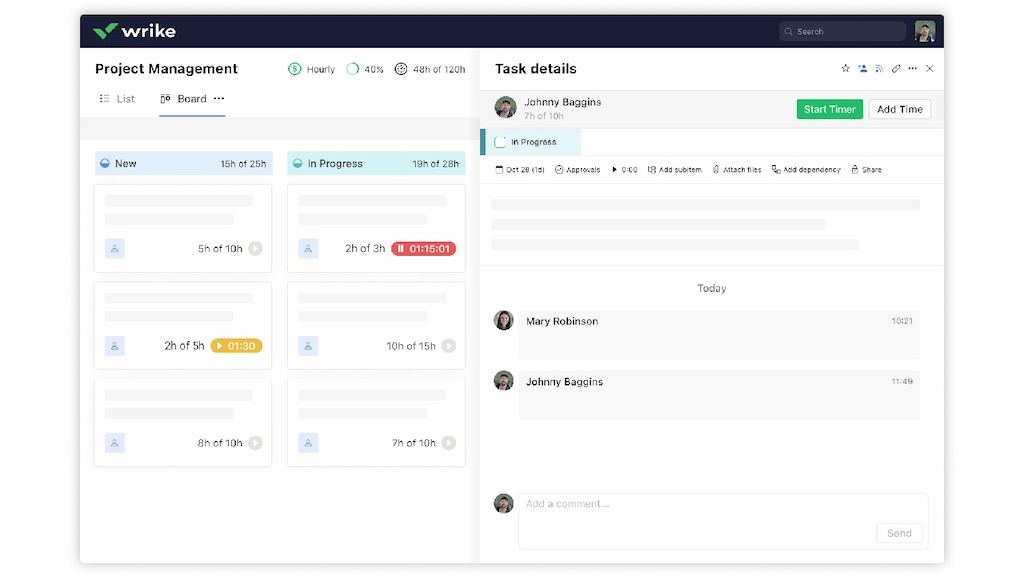
Wrike offers native tracking of time, effort, and costs. Tasks and projects can be monitored directly in the platform:
- Track time spent inside Wrike
- Manage resource allocation and deadlines
- Keep an eye on budgets and costs
Everhour’s Wrike time tracking integration adds an extra layer of execution visibility, giving teams detailed reporting, real-time dashboards, and automated cost tracking. This is especially useful for teams managing multiple projects or complex workflows.
Notion: flexible tracking with Everhour
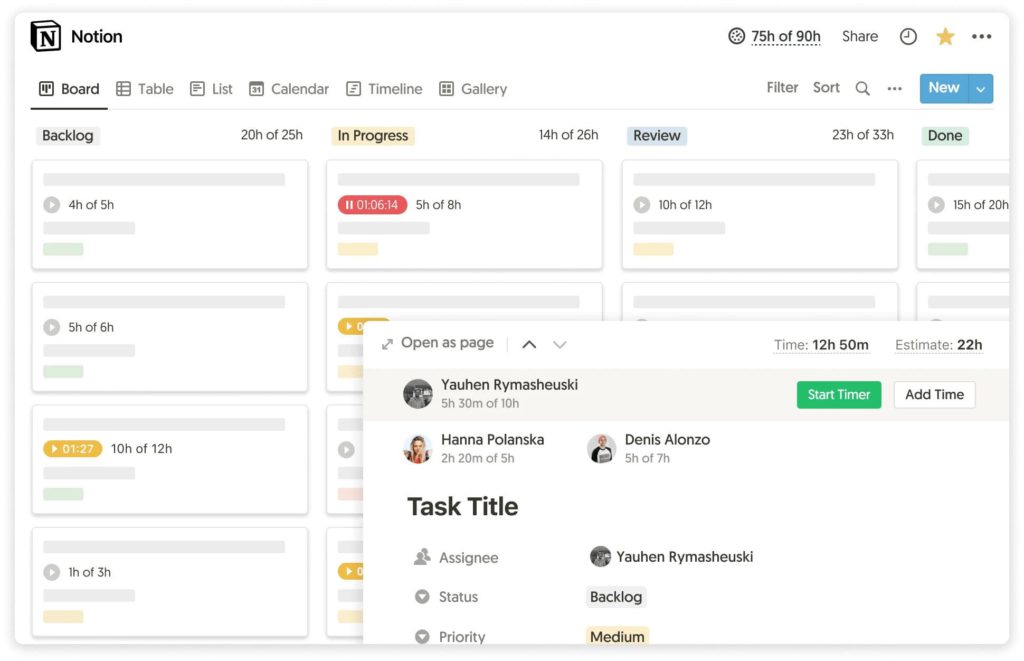
Notion doesn’t include native time or cost tracking. You can set up Notion time tracking via various Notion integrations, such as Everhour. With Everhour, you can:
- Track hours worked per task or project
- Monitor budgets and costs
- Gain visibility into team performance
This lets teams combine Notion’s flexible workflows with structured tracking, without losing context or requiring manual spreadsheets.
Why visibility matters
Without clear tracking:
- Teams risk project overruns in time and cost
- Managers lose insight into task-level execution
- Scaling projects becomes challenging
Use Wrike + Everhour for high-level native tracking with enhanced reporting. Use Notion + Everhour to combine flexible project workflows with structured time and cost tracking.
🔁 Integrations and Extensibility
Both Wrike and Notion shine when connected to other platforms, but they do so in different ways.
Wrike comes with native Wrike integrations that make cross-team collaboration seamless. You can link Slack or Teams for instant updates, connect cloud storage like Google Drive or Dropbox for easy file access, and integrate CRM systems to keep project and client data synchronized.
Notion, on the other hand, thrives on flexible, API-driven integrations. Zapier or Make can connect Notion to hundreds of apps, turning your workspace into a central hub. Calendar sync keeps deadlines in check, while Slack or Teams notifications ensure the team never misses an update.
Think of integrations as the glue that connects your workflow. Wrike gives you ready-made structure, Notion lets you craft it yourself—Everhour enhances both.
❓When Wrike Makes More Sense
Wrike shines for teams that need structure, visibility, and control. It’s ideal when projects are complex or approval-heavy.
- ⚡ Complex projects: multiple tasks, dependencies, and deadlines
- 🔗 Cross-functional collaboration: different teams working together
- ✅ Approval-heavy workflows: clear sign-offs without extra emails
Wrike keeps everyone on track when execution visibility and predictable workflows matter most.
❓ When Notion Makes More Sense
Notion works best for teams that value flexibility, creativity, and documentation.
- 📝 Knowledge management: central hub for notes, docs, and wikis
- ⚡ Lightweight task tracking: small projects or personal workflows
- 👥 Small teams or solo workflows: easy to customize without rigid structure
Notion is perfect for teams that prioritize custom workflows and adaptable project planning, even if reporting and approvals are more manual.
⭐️ Wrike vs Notion: Key Differences at a Glance
| Feature | Wrike | Notion |
|---|---|---|
| Project structure | Structured hierarchy with projects, folders, tasks, and subtasks | Flexible pages and databases; customizable views like board, table, or calendar |
| Reporting approach | Native dashboards, automated reports, real-time tracking | Rollups, formulas, and manual reporting; relies on integrations for full visibility |
| Scalability | Scales well for complex, cross-functional projects | Best for small teams or lightweight projects; manual upkeep needed as projects grow |
| Flexibility vs control | High control, predictable workflows, approval processes | High flexibility, customizable workflows, creative and documentation-focused |
🔎 Final Thoughts: Wrike vs Notion
Choosing the right tool depends on team size, project complexity, and workflow style.
- Wrike excels for teams that need structured project management, automated reporting, and clear execution visibility. It’s ideal for complex projects, cross-functional collaboration, and approval-heavy workflows.
- Notion works best for teams that value flexibility, creativity, and documentation. Lightweight task tracking, knowledge management, and customizable workflows make it perfect for small teams or solo projects.
Instead of thinking in terms of replacing one tool with the other, consider whether your team would benefit more from extending Wrike’s structure or enhancing Notion’s flexibility.
For teams looking to add time, effort, and cost tracking, integrations like Everhour can enhance visibility on either platform.
Make sure to check out all of our Wrike and Notion comparisons:

Maria
A dedicated content enthusiast with extensive experience in international teams and projects of all sizes. Maria thrives on creativity and attention to detail, fueled by a love for fantasy novels, music, classic black-and-white films, and always finding ways to make things better.