


Best Project Cost Management Software in 2026 (Free & Online Options)

Project cost management software helps businesses estimate, track, and control project costs throughout the project lifecycle. It combines budgeting, expense tracking, labour costs, resource allocation, forecasting, and reporting to help teams stay on budget and improve profitability. In this guide, we compare the best project cost management software for agencies, construction companies, small businesses, professional services, and other project-based teams.
How We Evaluated These Tools
We evaluated each platform based on the features businesses need to estimate, track, and control project costs effectively. Our assessment included budgeting, expense tracking, labour cost management, forecasting, reporting, integrations, ease of use, pricing, and overall value for different types of businesses. Pricing and feature availability were verified on each vendor’s website in July 2026. We also considered user feedback from G2 and Capterra alongside our own product research.
Disclosure: Everhour is our product and appears first on this list. We’ve aimed to review every tool fairly, including where another platform may be a better fit depending on your business needs.
What Is Project Cost Management Software?
Project cost management software helps businesses stay on top of project budgets from planning through completion. It combines budgeting, expense tracking, labour costs, forecasting, and reporting in one place, giving teams a clearer picture of where money is being spent—and where projects risk going over budget.
Core features typically include:
- Budget planning and cost estimation
- Expense tracking
- Cost forecasting
- Budget vs. actual reporting
- Time and labour cost tracking
- Resource allocation
- Profitability reporting
- Integrations with project management software
Who Needs Project Cost Management Software?
Project cost management software is useful for any business that delivers work through projects, helping teams control costs, improve profitability, and make better budgeting decisions. It’s especially valuable for:
- Agencies managing billable hours, client budgets, and project profitability.
- Construction companies tracking labour, materials, subcontractors, and change orders.
- IT and software teams estimating development costs, allocating resources, and monitoring project budgets.
- Engineering and consulting firms billing clients by time while keeping projects within budget.
- Small businesses replacing spreadsheets with automated budgeting, reporting, and expense tracking.
- Professional service businesses that rely on accurate forecasting, invoicing, and resource planning to maximize margins.
While every organization has different requirements, the goal is the same: gain clear visibility into project costs, identify budget risks early, and understand where project money is being spent before costs get out of control.
Breakdown of the Best Project Cost Management Software
The platforms below serve different types of businesses. Some focus on project budgeting and labour costs, while others specialize in resource planning or construction cost management.
| Need | Best software | Why |
|---|---|---|
| Agencies | Everhour | Time tracking + project budgets |
| Resource planning | Runn | Forecasting and capacity planning |
| Small businesses | Zoho Projects | Affordable budgeting |
| All-in-one PM | ClickUp | Custom dashboards and cost tracking |
| Marketing teams | Monday.com | Workflow automation |
| Residential construction | Buildertrend | Estimates and budgeting |
| Enterprise construction | Procore | Financial management and change orders |
Free plans available
Several tools in this comparison offer free plans or free trials:
- Everhour — Free plan for individuals and small teams.
- ClickUp — Free Forever plan.
- Zoho Projects — Free for up to five users.
- Runn — Free plan for small teams.
Best Project Cost Management Tools
Everhour
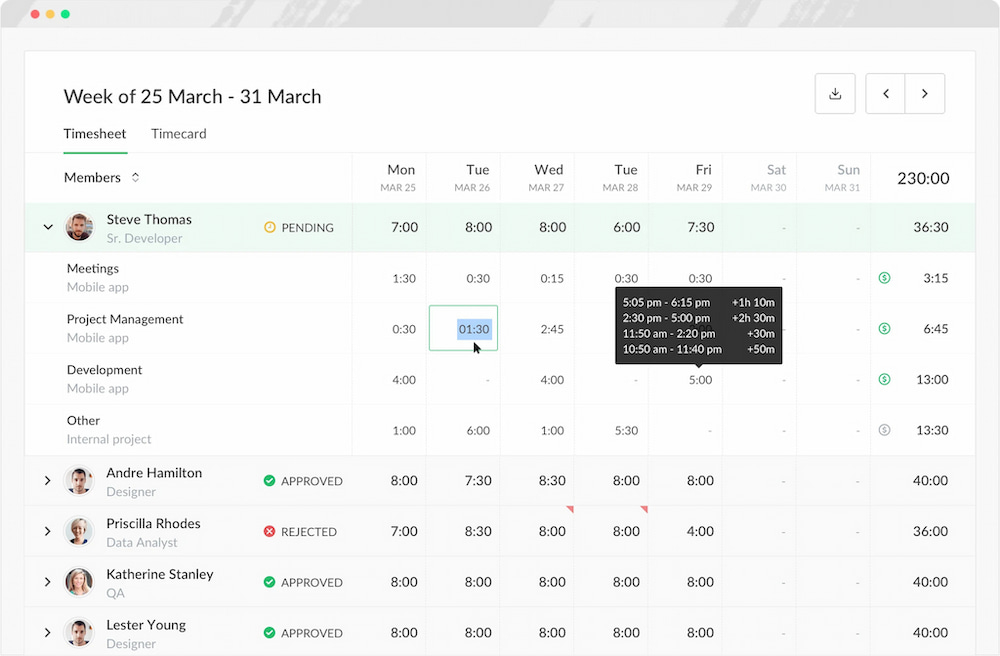
Everhour is a time tracker that helps businesses track project costs by combining time tracking, budgeting, and reporting in one platform. Teams can monitor labour costs, compare estimated versus actual budgets, and understand project profitability without leaving their project management software. With native integrations for tools like Asana, ClickUp, Jira, Notion, and Monday.com, it’s particularly well suited to agencies, consultants, software teams, and other project-based businesses.
Best for: Agencies, professional services, and remote teams
Key features
- Time and labour cost tracking
- Budget vs. actual costs
- Billable rates and invoicing
- Project profitability reports
- PM integrations
Pricing
- Free plan: Available for individuals and small teams.
- Team plan: $8.50 per user/month (billed annually).
Runn
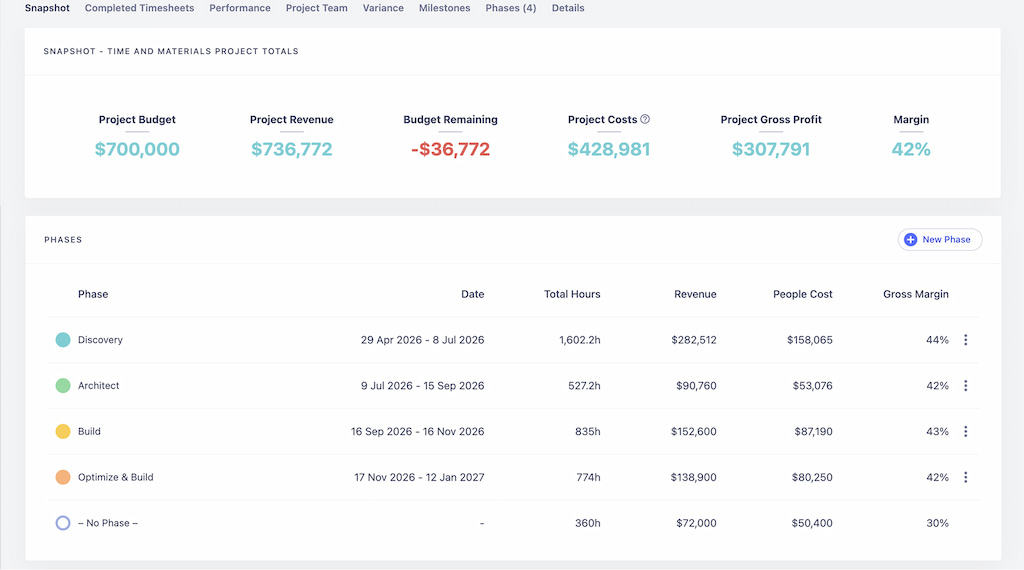
Runn specializes in resource planning and project forecasting, helping businesses allocate people efficiently while keeping project costs under control. It helps teams forecast workloads, estimate project costs, monitor capacity, and improve project profitability before work begins.
Best for: Resource planning and project cost forecasting
Key features
- Resource planning
- Capacity management
- Project budgeting
- Cost forecasting
- Profitability reporting
- Timesheet integration
Pricing
- Free plan: Available for small teams.
- Pro plan: Starts at $7 per user/month.
Zoho Projects
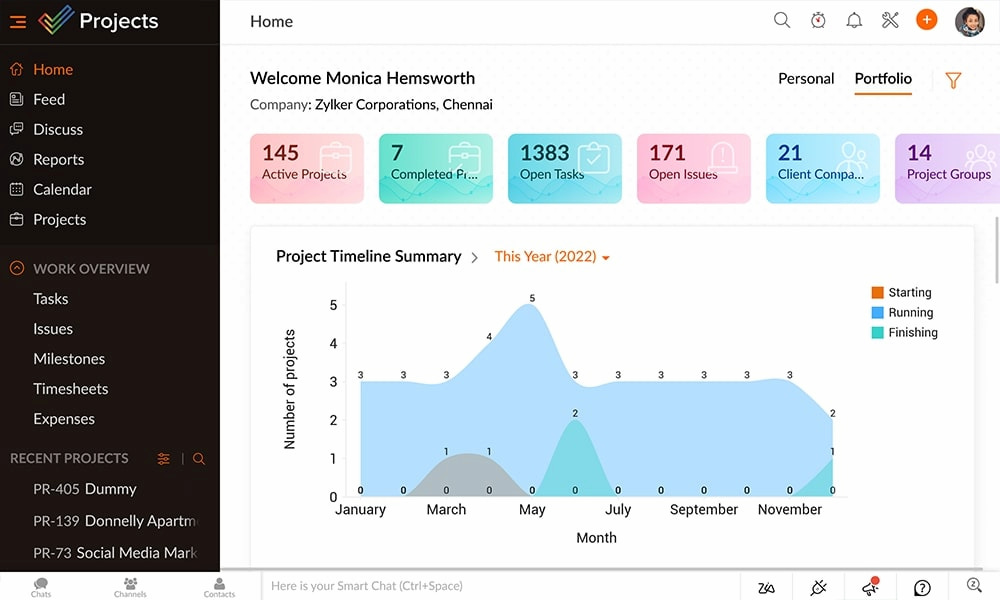
Zoho Projects combines project management with budgeting and cost tracking, making it a practical option for small businesses looking for an affordable all-in-one solution. Teams can manage tasks, monitor project budgets, track billable hours, and generate reports without investing in enterprise software.
Best for: Small businesses and cost-conscious teams
Key features
- Project budgeting
- Time tracking
- Expense tracking
- Task management
- Reporting dashboards
Pricing
- Free plan: Up to 5 users.
- Premium: £4 per user/month.
- Enterprise: £9 per user/month.
ClickUp
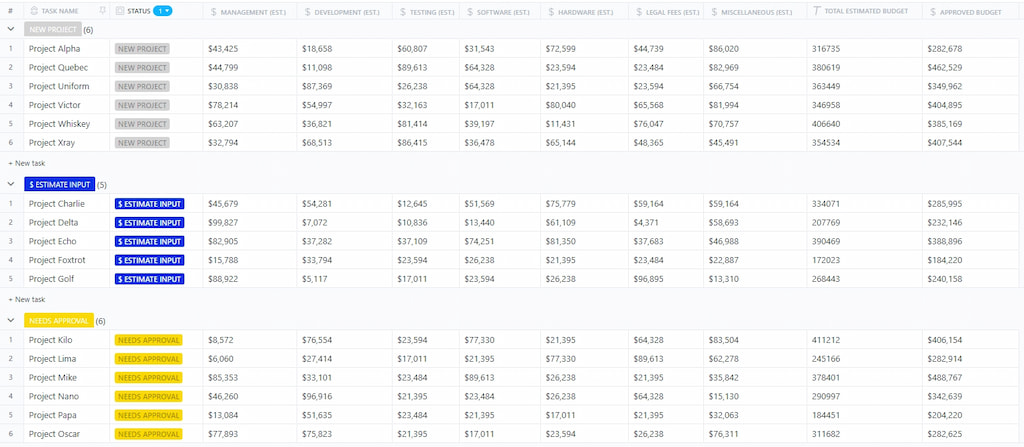
ClickUp is an all-in-one work management platform that supports project budgeting through custom fields, dashboards, and built-in time tracking. While it’s not dedicated cost management software, its flexibility allows teams to build customized budget tracking workflows alongside project management.
Best for: Businesses wanting an all-in-one project management platform
Key features
- Custom budget tracking
- Time tracking
- Dashboards and reporting
- Project management
- Workflow automation
Pricing
- Free Forever: Available.
- Unlimited: $7 per user/month.
- Business: $12 per user/month.
Monday.com
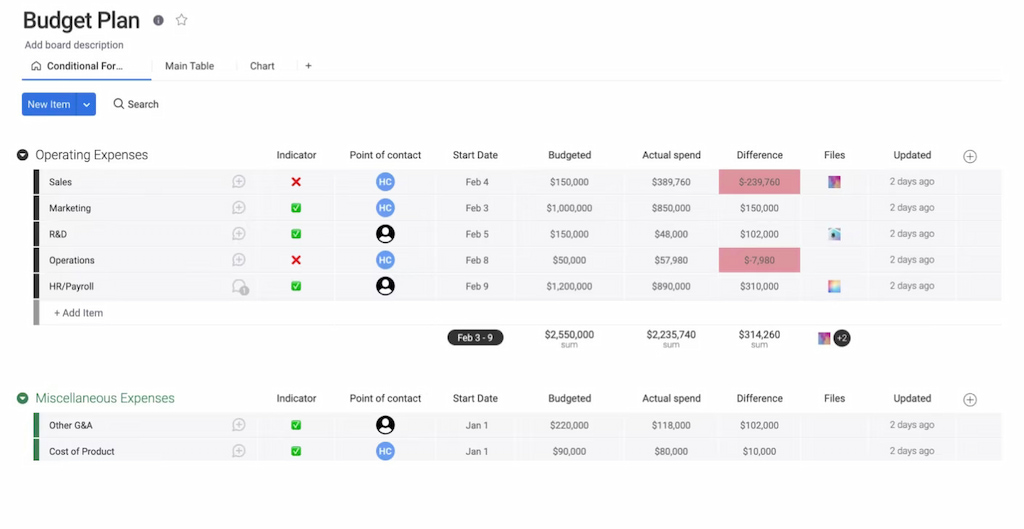
Monday.com helps teams monitor project budgets alongside tasks, resources, and workflows. Its customizable boards, dashboards, and automations allow businesses to build cost tracking processes that fit their existing operations, making it a popular choice for marketing, operations, and cross-functional teams.
Best for: Marketing and operations teams
Key features
- Budget dashboards
- Workflow automation
- Resource planning
- Time tracking integrations
- Project reporting
Pricing
- Free plan: Available for up to 2 users.
- Basic: Starts at £9 per seat/month.
- Standard: Starts at £12 per seat/month.
- Pro: Starts at £19 per seat/month.
Buildertrend
Construction businesses often need more than standard project management software. In addition to budgets and time tracking, they typically manage materials, subcontractors, purchase orders, change orders, and progress billing. The following platforms are designed specifically for construction cost management.
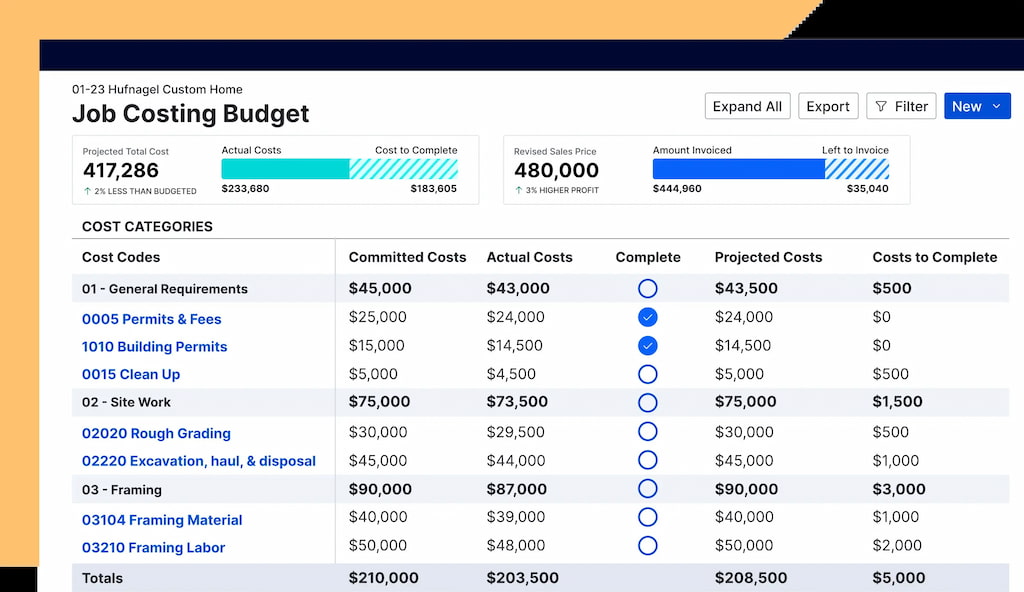
Buildertrend is designed for residential builders, remodelers, and specialty contractors who need to manage project costs alongside scheduling and client communication. It combines estimating, budgeting, change orders, invoicing, and project management in a single platform, helping construction businesses stay on top of project profitability from quote to completion.
Best for: Residential construction
Key features
- Cost estimating and budgeting
- Change order management
- Client portal
- Scheduling and task management
- Financial reporting
- Invoicing and payments
Pricing
Custom
Procore
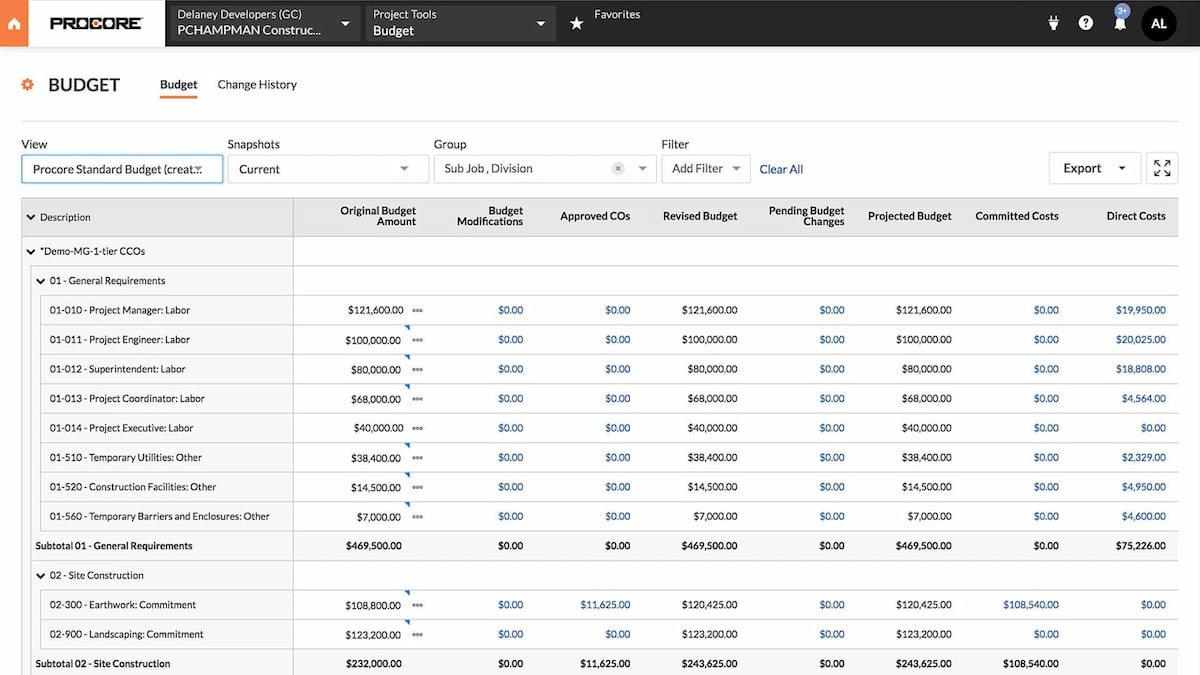
Procore is an enterprise construction management platform with advanced financial management capabilities. It helps contractors manage budgets, subcontractors, purchase orders, change orders, invoices, and project financials across large, complex construction projects.
Best for: Enterprise construction companies
Key features
- Construction budgeting
- Cost control
- Change order management
- Vendor and subcontractor management
- Financial reporting
Pricing
Custom
FAQs
Project cost management software helps businesses estimate, track, and control project costs from planning through completion. It combines budgeting, expense tracking, labour cost tracking, forecasting, reporting, and resource management to help teams stay on budget and improve project profitability.
Project cost management software is useful for any business that manages projects with budgets and deadlines. It’s commonly used by agencies, construction companies, engineering firms, consultants, IT teams, professional service businesses, and small businesses that want better visibility into project costs and profitability.
Look for software that offers budget planning, expense tracking, labour cost management, budget vs. actual reporting, resource allocation, forecasting, profitability reporting, and integrations with project management and accounting tools.
Yes. Several providers offer free plans or free trials. Everhour, ClickUp, and Zoho Projects all provide free options for smaller teams, while many other platforms let you test premium features before committing to a paid subscription.
Small businesses often benefit from tools that combine budgeting, time tracking, and reporting without the complexity of enterprise software. Everhour, Zoho Projects, and ClickUp are popular choices because they offer affordable pricing, straightforward setup, and features that scale as businesses grow.
Construction companies typically need advanced budgeting, change order management, subcontractor tracking, and financial reporting. Buildertrend is well suited to residential construction projects, while Procore is designed for larger commercial and enterprise construction businesses.
Yes. Most project cost management platforms allow businesses to calculate labour costs using employee hours, billable rates, or internal cost rates. This helps teams compare planned and actual project costs while monitoring profitability throughout the project lifecycle.
Project management software focuses on planning, assigning, and tracking work, while project cost management software focuses on budgeting, expenses, labour costs, forecasting, and profitability. Many modern platforms combine both capabilities, allowing businesses to manage projects and monitor costs from a single system.
Final Word
If you’re looking for an easy way to combine time tracking, project budgeting, labour cost tracking, and profitability reporting, Everhour is a strong place to start. It integrates with popular project management tools, helping teams gain better visibility into project costs without changing the way they already work.

Maria
A dedicated content enthusiast with extensive experience in international teams and projects of all sizes. Maria thrives on creativity and attention to detail, fueled by a love for fantasy novels, music, classic black-and-white films, and always finding ways to make things better.