


Monday CRM vs Salesforce: A Strategic Analysis for Enterprise CRM Decision-Making
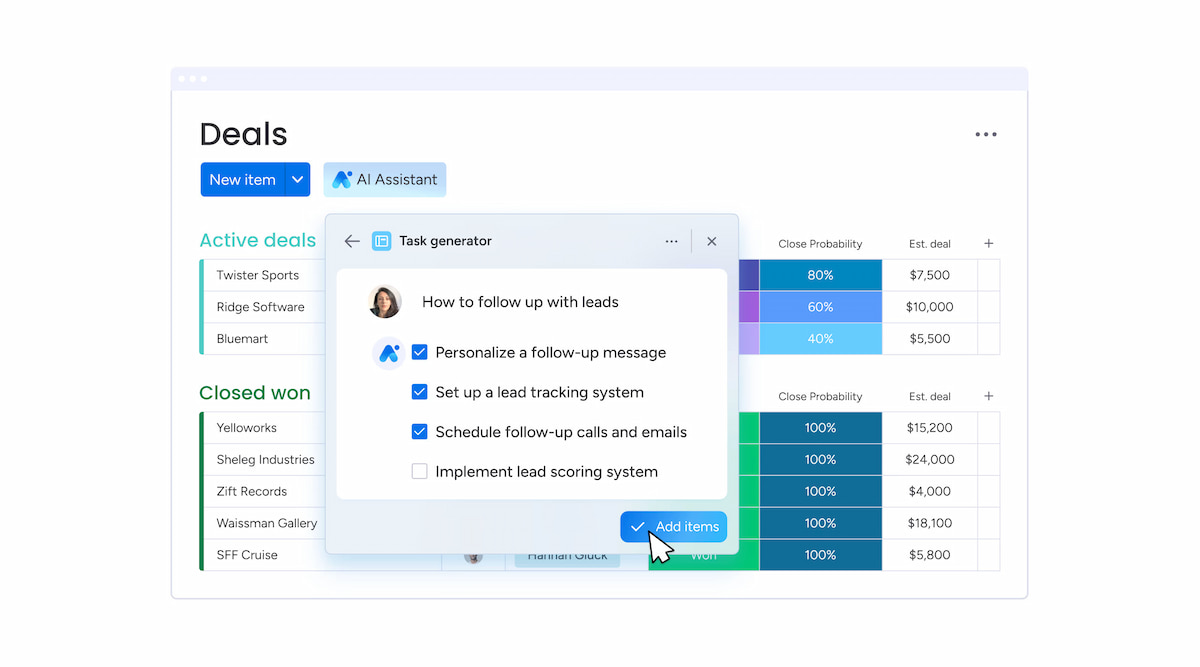
Choosing a CRM isn’t just about features — it’s about finding one that fits your company’s size, structure, and team needs. This article compares two popular options: Monday CRM vs Salesforce.
Salesforce is a leading CRM for large companies, offering advanced automation, strong security, and wide industry integrations. In contrast, Monday.com CRM is built for small and medium businesses, focusing on flexibility, ease of use, and project management features.
This guide will highlight the main differences and help you choose the right fit for your business.
🚀 Comparative Overview of Monday CRM and Salesforce
| ⚙️ Feature | 🧩 Salesforce CRM | 🧩 Monday CRM |
|---|---|---|
| Launch year | 1999 | 2017 |
| Core market | Enterprise, multi-vertical B2B/B2C | SMBs, agile ops teams |
| Onboarding cost | High (custom setup + integrations) | Low (self-service setup) |
| Automation scope | Full pipeline + marketing + service | Task-level and board-based only |
| AI/Analytics | Einstein AI, forecasting, deep reporting | Basic KPIs, manual dashboards |
| Integration stack | Native to ERP, CPQ, BI, HRIS systems | Zapier, REST API, app marketplace |
Salesforce is a full-featured enterprise CRM. Monday CRM is a good choice for companies that need simple integrations and easy-to-use visual workflows.
⚠️ Deployment Alignment: Organizational Use Cases
✅ Salesforce is best for:
- Complex workflows across sales, service, and marketing
- Regulated industries that need audit trails and compliance
- Companies that need to connect with ERP systems
✅ Monday CRM is better if:
- You want flexible task boards with basic CRM features
- Your sales process is simple or handled by agile teams
- You already use Monday Work OS
🔧 Functional Breakdown Across Domains
Marketing automation & demand generation
| 🧩 Capability | Salesforce | Monday CRM |
|---|---|---|
| SEO Tooling | Integrated via Marketing Cloud | Not applicable |
| Email Lifecycle | Segmentation, triggers, ABM-ready | Manual campaigns, templates only |
| Attribution | Full-funnel, multi-touch | Basic click attribution |
| Social Media | Native publishing, listening | No native support |
Salesforce supports full digital marketing. Monday CRM handles basic outbound tasks only.
Check out our list of the best time tracking tool for marketing agencies!
Revenue operations and pipeline management
| 🧩 Capability | Salesforce | Monday CRM |
|---|---|---|
| Forecast Accuracy | Weighted models + AI | Manual probability input |
| Lead Lifecycle | Lead > MQL > SQL > Opportunity | Custom board columns only |
| Quoting / CPQ | Native + AppExchange CPQ tools | External app required |
| Pipeline Visuals | Kanban + reports + matrix views | Visual board, non-relational |
Salesforce manages the entire revenue process. Monday CRM shows simple lead progress visually.
Customer success and case resolution
| 🧩 Capability | Salesforce | Monday CRM |
|---|---|---|
| Ticket Routing | Skills-based + escalation | Manual board tracking |
| SLA Management | Rule-based enforcement + time metrics | Limited to due dates |
| Service Channels | Email, chat, phone, social, bots | Email/forms only |
| Support Analytics | Case resolution time, NPS dashboards | Basic board metrics |
Salesforce supports growing teams with multiple support channels. Monday CRM works best for small teams with low support needs.
Commerce enablement and fulfillment
| 🧩 Capability | Salesforce | Monday CRM |
|---|---|---|
| Product Hierarchy | Native SKU tree with variants | Flat product tables |
| Inventory Logic | API-enabled ERP sync | External inventory app |
| Order Management | Native OMS or AppExchange | Spreadsheet-style updates |
| Personalization | AI-Driven (Einstein Recommendations) | No native tooling |
For businesses focused on commerce, Salesforce is the better choice. Monday CRM isn’t built for managing product lifecycles.
🔁 Architecture, Integration, and Developer Surface
| 🔑 Attribute | Salesforce | Monday CRM |
|---|---|---|
| Data model | Relational, multi-object | Tabular, non-relational |
| Dev framework | Apex, Lightning, Visualforce | WorkOS API, GraphQL layer |
| Workflow design | Flow Builder, Process Builder | Board automations only |
| Security governance | Role-based, audit-ready | Basic user-level permissions |
Salesforce is an extensible platform engineering environment. Monday CRM is configuration-based with low-code options.
💰 Cost Structures and Scalability Trajectory
| 💲 Tier | Salesforce (est.) | Monday CRM |
|---|---|---|
| Entry | $25/user/month | $12/user/month |
| Mid-market | $75+/user/month | $17/user/month |
| Enterprise | $150–$300+/user/month | $28+/user/month |
| Add-ons | AppExchange + custom dev | Tiered feature unlocks |
Salesforce’s TCO rises with complexity but reflects scale-readiness. Monday CRM maintains predictable linear pricing but with capability ceilings.
🤔 Summary of Strategic Trade-Offs
💪 Salesforce: Strengths
- Complete CRM lifecycle management
- Industry-specific features and compliance support
- Powerful APIs for large operations
- Built-in AI and advanced analytics
😟 Salesforce: Weaknesses
- High cost and long setup time
- Too complex for small teams with simple workflows
💪 Monday CRM: Strengths
- Fast setup and easy to use
- Good for mixed project and CRM needs
- Affordable for new users
😟 Monday CRM: Weaknesses
- Limited data governance and marketing features
- Not built for complex ERP or fulfillment workflows
❓ FAQ
Is Monday CRM good for fast-growing SaaS companies?
Only for early stages. It doesn’t have built-in CPQ, MRR tracking, or advanced automation.
Can Salesforce be set up without enterprise IT help?
Not easily. Usually, you need experts or certified admins.
Does Monday CRM connect to ERP systems?
Only through middleware or manual setups—no direct ERP support.
Is Salesforce worth its cost for mid-sized teams?
Yes, if you need forecasting, omni-channel, and business intelligence features.
Do both have audit logs and role-based access?
Salesforce has full support. Monday CRM offers basic user permissions only.
🔎 Final Words: Monday CRM vs Salesforce
Salesforce works best for large companies with complex sales processes, strict compliance needs, and multiple departments. It’s strong, reliable, and good for scaling worldwide.
Monday CRM fits well with agile teams that focus on task management and need easy pipeline tracking. It’s better when CRM is just one part of the workflow.
The choice depends on your setup. Pick Salesforce for a solid, company-wide sales system. Pick Monday CRM for fast, simple team workflows.
To get the most out of your workflows, pair Monday.com or Salesforce with a powerful time tracker like Everhour. It offers seamless Monday time tracking and Salesforce time tracking, helping teams stay on top of hours, budgets, and productivity. All in one place. Learn how it can help with product management in Monday!
🔎 Check out real reviews from users about Everhour:
“I liked how I could quickly log hours directly from my project management tool, ensuring accurate time reports for all my tasks.” [Manon, Capterra]
“I like the flexibility and scalability potential of the tool which allows us to track many projects we manage all at once.” [Oyaro, Capterra]
“Everhour has made my life so much easier when it comes to tracking time and managing projects. The reporting capabilities are awesome. I can easily see where I am spending time and adjust if necessary.” [Daniel, G2]
Check out our Zoho CRM vs Monday CRM breakdown!

Maria
A dedicated content enthusiast with extensive experience in international teams and projects of all sizes. Maria thrives on creativity and attention to detail, fueled by a love for fantasy novels, music, classic black-and-white films, and always finding ways to make things better.