


Jira vs Freshservice: Compare Features, Pricing, and Team Fit
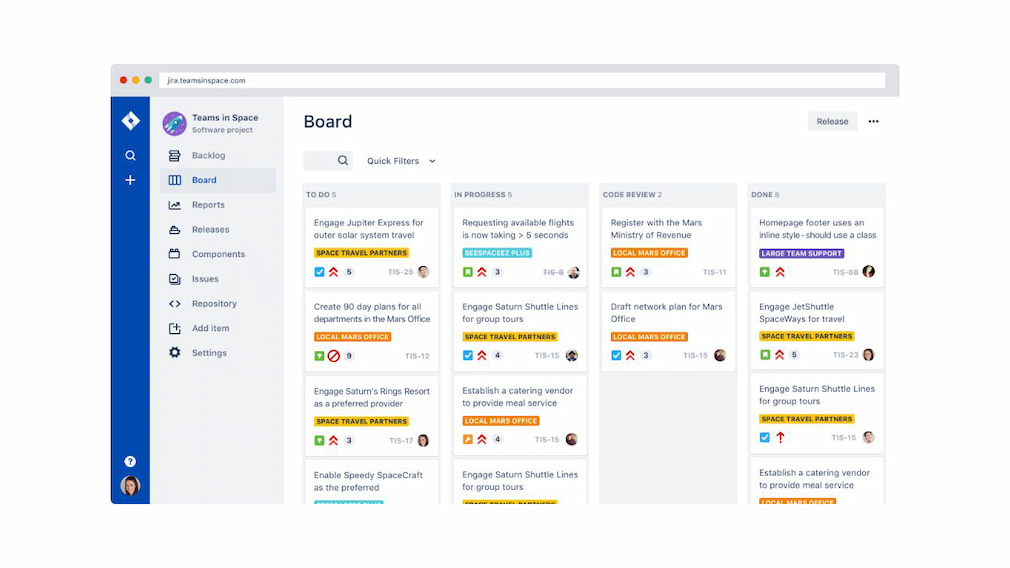
Jira and Freshservice are both popular tools, but they’re built for very different jobs. Jira is best known for project and issue tracking, especially for software and agile teams, while Freshservice focuses on IT service management and help desk workflows. If you’re deciding between Jira vs Freshservice, the choice usually comes down to how your team works day to day. In this comparison, we’ll break down what each tool does best, where they fall short, and which one makes more sense for your use case.
⚙️ What Is Jira?
Jira is a project management and issue-tracking tool developed by Atlassian, designed to help teams plan, track, and manage work through clearly defined tasks, issues, and workflows.
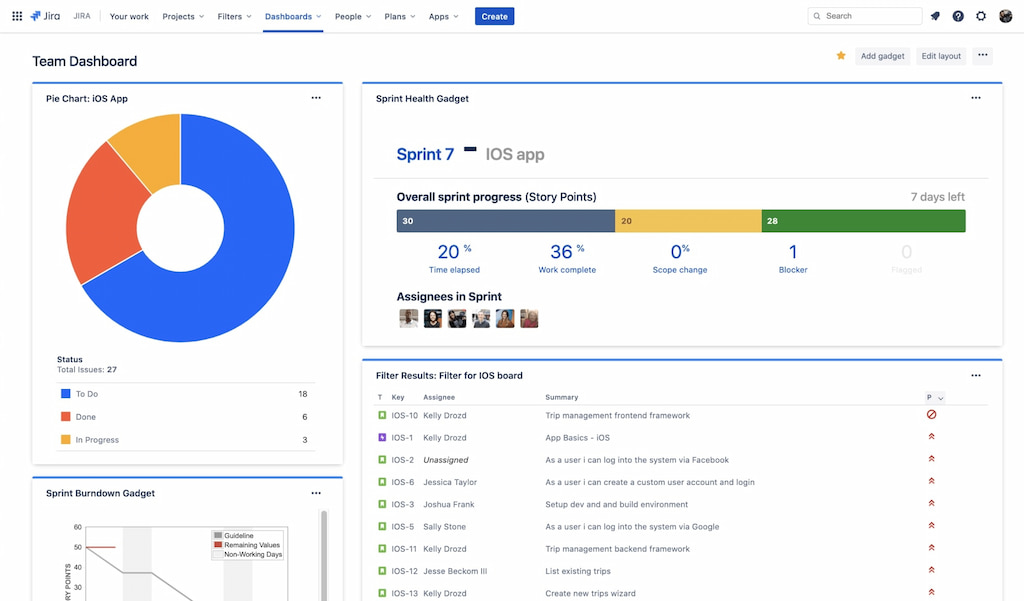
It’s especially popular among software development teams working with agile methodologies, and it’s commonly used for:
- Bug tracking – Identify, assign, and resolve issues quickly.
- Sprint planning – Organize tasks and goals for each development cycle.
- Backlog management – Prioritize and groom upcoming work efficiently.
- Release management – Track features, fixes, and deployment progress.
Jira stands out for its flexibility and scalability. Teams can fully customize workflows, issue types, statuses, and automation rules to match how they actually work. It supports both Scrum and Kanban boards, making it easy to visualize progress and manage work in progress.
Another key advantage is Jira integrations and plugin ecosystem. It connects with hundreds of tools, including version control systems, CI/CD platforms, time tracking software, and reporting tools. These integrations, along with built-in dashboards and reports, provide teams with better visibility, control, and adaptability for complex projects.
🔹 What Is Freshservice?
Freshservice is a cloud-based IT service management (ITSM) platform that helps IT teams and businesses streamline support, manage incidents, and automate workflows. Unlike Jira, which focuses on software development, Freshservice is tailored for IT operations, helpdesk management, and service delivery.
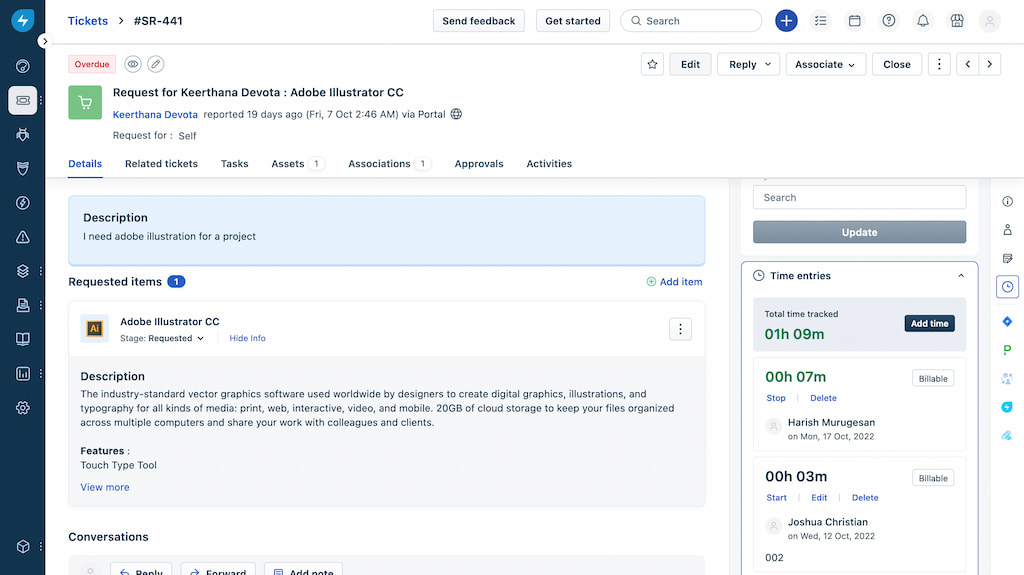
Key use cases:
- Incident management – Track, prioritize, and resolve IT issues quickly
- Service request management – Handle employee or customer requests efficiently
- Change management – Plan and implement IT changes with minimal disruption
- Asset management – Monitor IT assets, licenses, and configurations
Freshservice stands out for its user-friendly interface and automation capabilities. Teams can create rules to automatically route tickets, escalate issues, or trigger notifications, saving time and reducing manual effort.
🔍 Jira vs Freshservice: Feature Comparison
Choosing between Jira and Freshservice can be tricky because both excel in different areas. Here’s a side-by-side comparison of their key features to help you see which tool suits your team best.
🗂 Project management and task tracking
Jira
- Designed for software development teams.
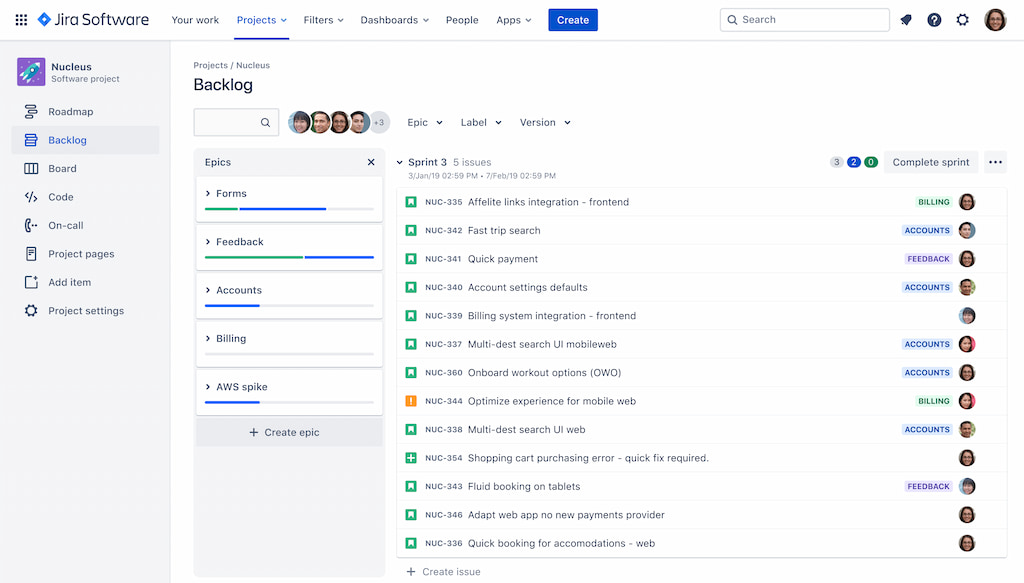
- Features Scrum and Kanban boards, backlog grooming, sprints, and story points.
- Advanced task tracking for complex projects.
Freshservice
- Focused on service desk workflows.
- Tracks tasks via tickets and requests with automation for routing and prioritization.
- Simple workflow for IT teams, no complex boards needed.
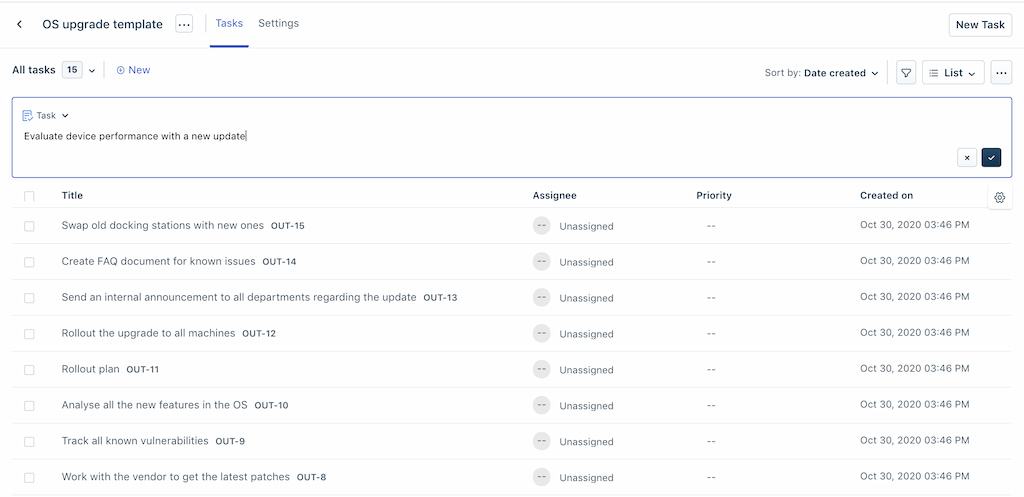
Takeaway: Jira excels at agile development; Freshservice is ideal for IT and service teams.
🖥 IT Service Management (ITSM) capabilities
Jira
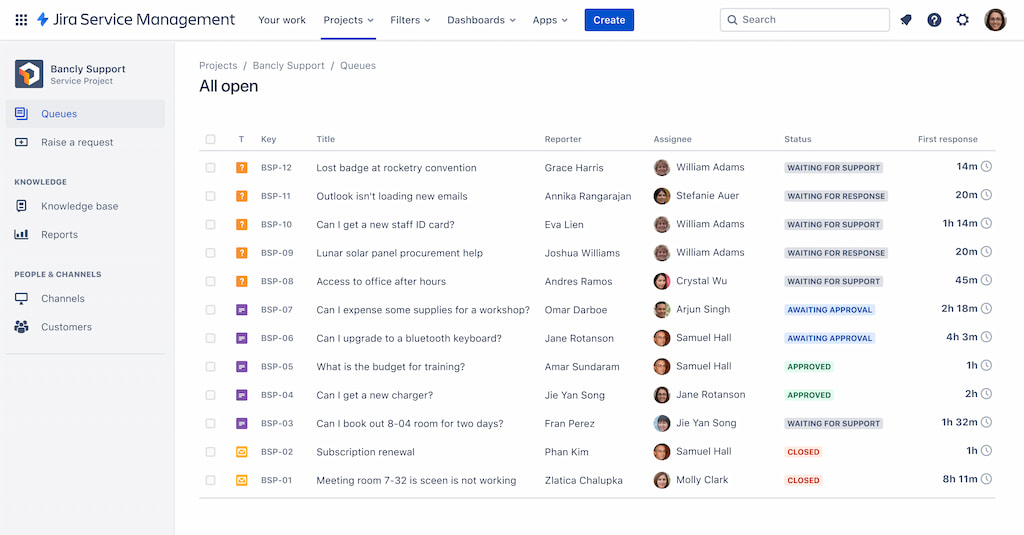
- Jira service management supports ITIL processes like incident, problem, change, and service request management.
- Highly flexible but requires setup to align with ITSM best practices.
Freshservice
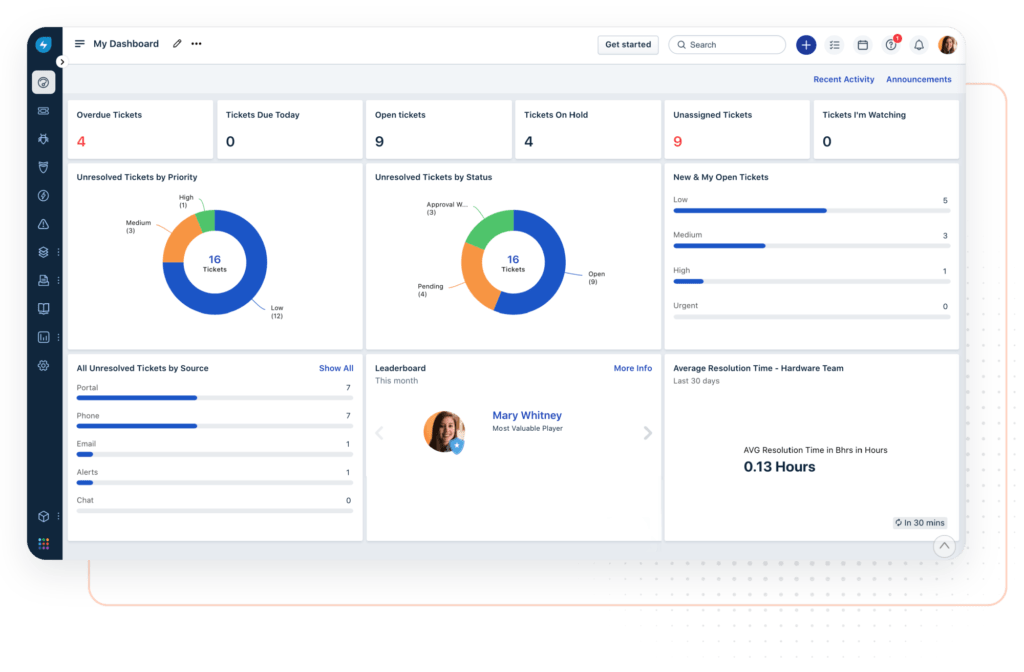
- Comes with built-in ITSM modules.
- Handles incidents, changes, assets, and service requests out of the box.
- Faster implementation for IT teams with ready-made templates.
⚡ Automation and workflows
Jira
- Offers rule-based automation triggered by events or conditions.
- Automate repetitive tasks like notifications, assignments, and status updates.
- Setup can require some technical knowledge.

Freshservice
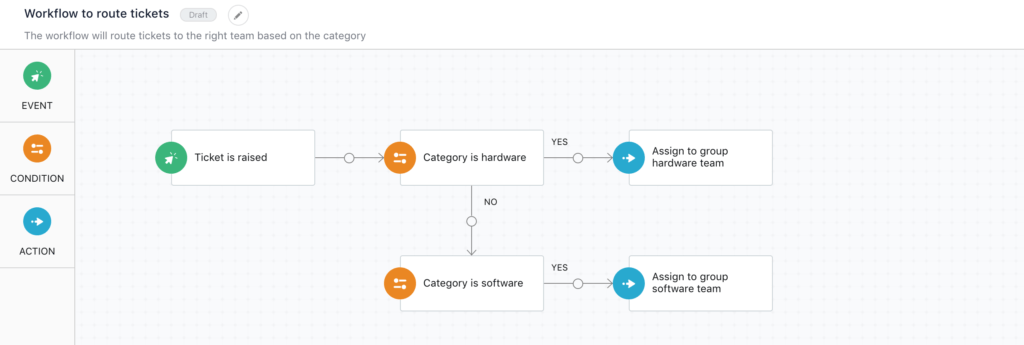
- Features a drag-and-drop workflow automator.
- Automate ticket routing, SLA escalations, and approvals without coding.
- Ideal for IT teams seeking simplicity and speed.
🔗 Integrations and ecosystem
Jira
- Extensive Atlassian ecosystem: Confluence, Bitbucket, Trello, Everhour (its Jira time tracking integration for Jira time tracking) and more.
- Third-party apps expand functionality across development, reporting, and collaboration.
Freshservice
- Integrates with Freshdesk, Slack, Microsoft Teams, and other productivity tools.
- Focused on IT operations and service delivery.
🎨 User experience and interface
Jira
- Highly customizable but complex for new users.
- Steeper learning curve, especially outside software development.
Freshservice
- Prioritizes user-friendliness.
- Intuitive interface for ticketing, asset management, and workflow automation.
- Easier adoption and faster onboarding.
📊 Reporting and analytics
Jira
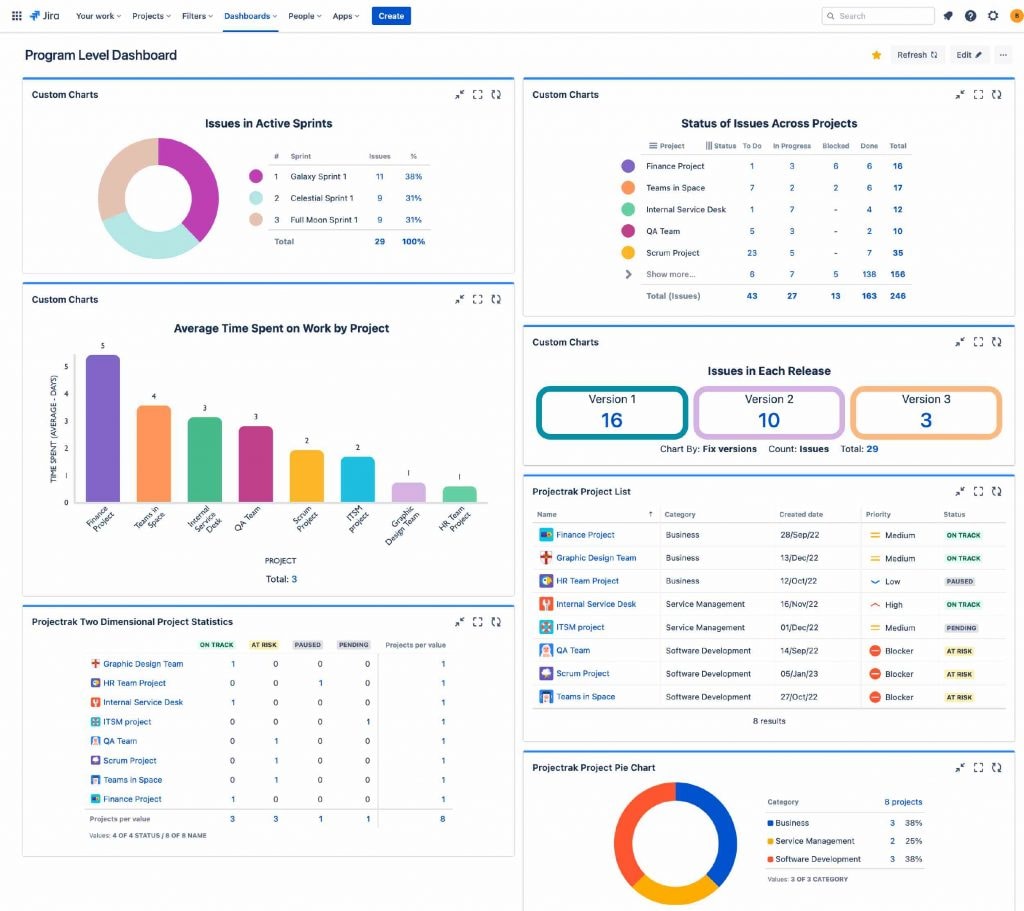
- Customizable dashboards, burn-down charts, and agile metrics.
- Great for tracking sprint progress and software development performance.
Freshservice
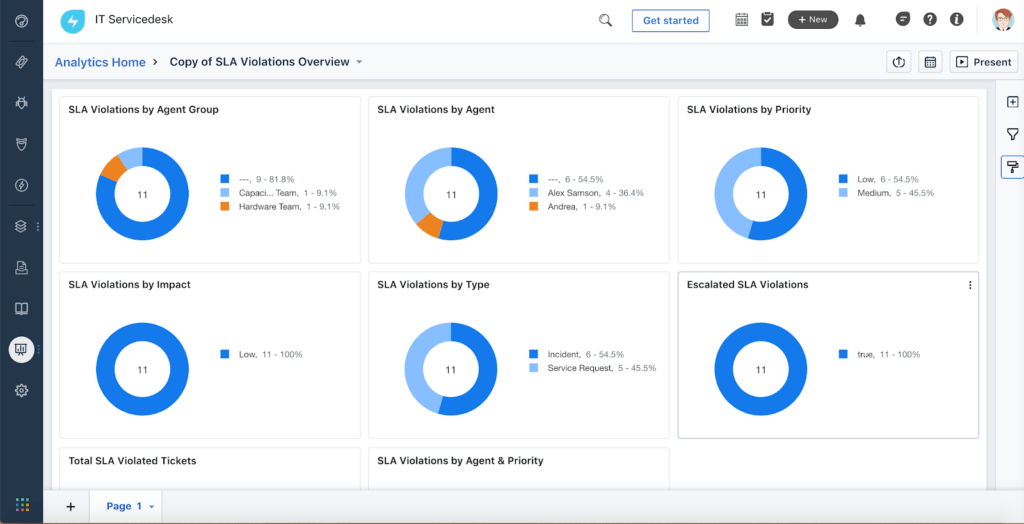
- SLA tracking, trend reports, and performance analytics.
- Focuses on IT KPIs like ticket resolution times and team efficiency.
🤝 Support and customer service
Jira
- Access to Atlassian community, detailed documentation, and enterprise support.
- Smaller teams may find support less hands-on.
Freshservice
- Dedicated support channels with live chat and onboarding assistance.
- Ideal for IT teams needing practical guidance.
Bottom line:
Jira: Perfect for agile development teams that need powerful project and task management tools.
Freshservice: Best for IT service teams that value ease of use, automation, and ITSM capabilities.
💰 Pricing Comparison
| Plan | Jira | Freshservice | Best for |
|---|---|---|---|
| Entry | Free for up to 10 users | $19 / agent / month | Small teams starting out |
| Mid | $7.91–$14.54 / user / month | $49–$99 / agent / month | Growing teams needing more features and automation |
| Enterprise | Custom pricing | Custom pricing | Large organizations needing advanced analytics and security |
👍 Pros and Cons
Both tools have strong features, but they cater to different workflows. Here’s a breakdown of their advantages and limitations:
Jira
Pros:
- 💡 Designed for agile development teams, making sprint planning and bug tracking seamless
- ⚙️ Highly customizable, with options for workflows, boards, and dashboards
- 🔗 Extensive ecosystem of integrations with tools like Confluence, Bitbucket, Everhour’s time tracker, and Trello
Cons:
- 📈 Steeper learning curve, especially for teams new to project management software
- 😵 Can feel overwhelming for non-technical teams due to its complexity
Freshservice
Pros:
- 🌟 Intuitive interface that’s easy for IT teams and support staff to navigate
- 🔧 Robust ITSM capabilities, including automation for incidents, changes, and assets
- 🛎 Excellent customer support and onboarding guidance
Cons:
- 🏗 Less flexible for complex development workflows compared to Jira
- 🔌 Fewer third-party integrations, which may limit connectivity for some teams
🧠 Jira vs Freshservice: Which One Should You Choose?
Deciding between Jira and Freshservice comes down to your team’s needs, workflows, and technical expertise. Here’s a simple way to think about it:
- Best for IT and help desk teams: Freshservice offers intuitive ITSM tools, automation for incident and asset management, and strong support for service teams.
- Best for software and project management teams: Jira shines with agile boards, sprint planning, bug tracking, and advanced customization for development workflows.
✅ Tips for choosing:
- Consider your team size — larger or cross-functional teams may benefit from Jira’s flexibility.
- Think about your primary use case — IT support vs software/project management.
- Evaluate technical expertise — Freshservice is easier for non-technical teams, while Jira may require more onboarding.
Ultimately, the right choice aligns with your team’s workflow, complexity of projects, and the tools you already use.
✅ Jira vs Freshservice: Conclusion
Jira is best for software and project management teams, offering flexibility and advanced workflows. Freshservice is ideal for IT and help desk teams, with intuitive ITSM features and automation.
Integrating Jira with Everhour adds accurate time tracking and detailed reporting, helping teams optimize workflows and manage resources efficiently.
Choose the tool that fits your team’s size, expertise, and primary goals to boost productivity and streamline collaboration.
Check out our article on Jira Product Discovery that helps teams prioritise ideas and insights for better team and project management!

Maria
A dedicated content enthusiast with extensive experience in international teams and projects of all sizes. Maria thrives on creativity and attention to detail, fueled by a love for fantasy novels, music, classic black-and-white films, and always finding ways to make things better.