


Capacity Planning Tools: Features, Benefits & Top Picks

Capacity planning tools help teams understand how much work they can realistically take on — before deadlines slip or people burn out. Instead of guessing who has time or spreading work unevenly, these capacity and resource scheduling software tools make workload, availability, and future demand visible in one place.
As teams juggle more projects, shifting priorities, and tighter timelines, capacity planning becomes less about control and more about sustainability. In this article, we’ll break down what capacity planning tools are, how they work, and how to choose the right one for your team.
❓ What Are Capacity Planning Tools?
Capacity planning tools help teams know how much work they can realistically handle based on time, skills, and resources. They prevent overload, avoid missed deadlines, and make sure projects are properly staffed before work begins.
💡 Instead of reacting to bottlenecks after they happen, these tools give managers clear visibility into:
- team availability
- current workload
- future project demands
This makes planning proactive, data-driven, and efficient.
Capacity planning vs. resource planning
- Resource planning: assigns specific people to tasks (who does what).
- Capacity planning: looks at the bigger picture to see how much work can realistically be done (how much can be done).
By improving workload visibility, these tools help teams:
- balance resources
- improve forecasting accuracy
- reduce burnout
- spot conflicts early and adjust plans before deadlines are at risk
👀 Key points about capacity planning tools
- Workload visibility – See who is overbooked, underutilized, or at full capacity across projects.
- Resource allocation – Assign work based on availability, skills, and priorities.
- Forecasting and scenario planning – Plan future work, test different staffing scenarios, and predict delivery timelines.
- Utilization tracking – Monitor how much of a team’s capacity is being used over time.
- Reporting and analytics – Generate insights on team performance, project load, and overall capacity trends.
🏆 Best Capacity Planning Tools
1️⃣ Shifts by Everhour
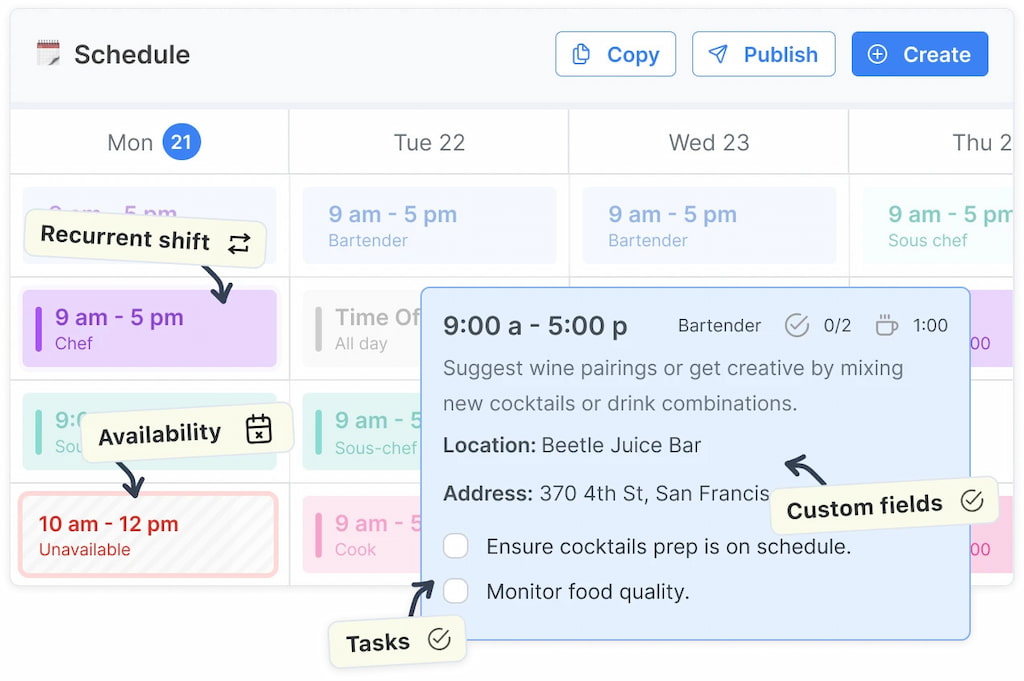
Shifts by Everhour is designed specifically for workload and capacity visibility. It gives teams a clear picture of who is available, who is overloaded, and how work is distributed across projects. Instead of guessing team bandwidth, managers can see capacity in hours and make adjustments before bottlenecks happen.
✅ What users like
- Clear workload view with real capacity in hours
- Easy reallocation of tasks to prevent overload with shift swaps available
- Automated scheduling with no learning curve
- Utilization tracking and forecasting features
❌ What users don’t like
- May feel limited for very complex enterprise resource planning
2️⃣ Kantata
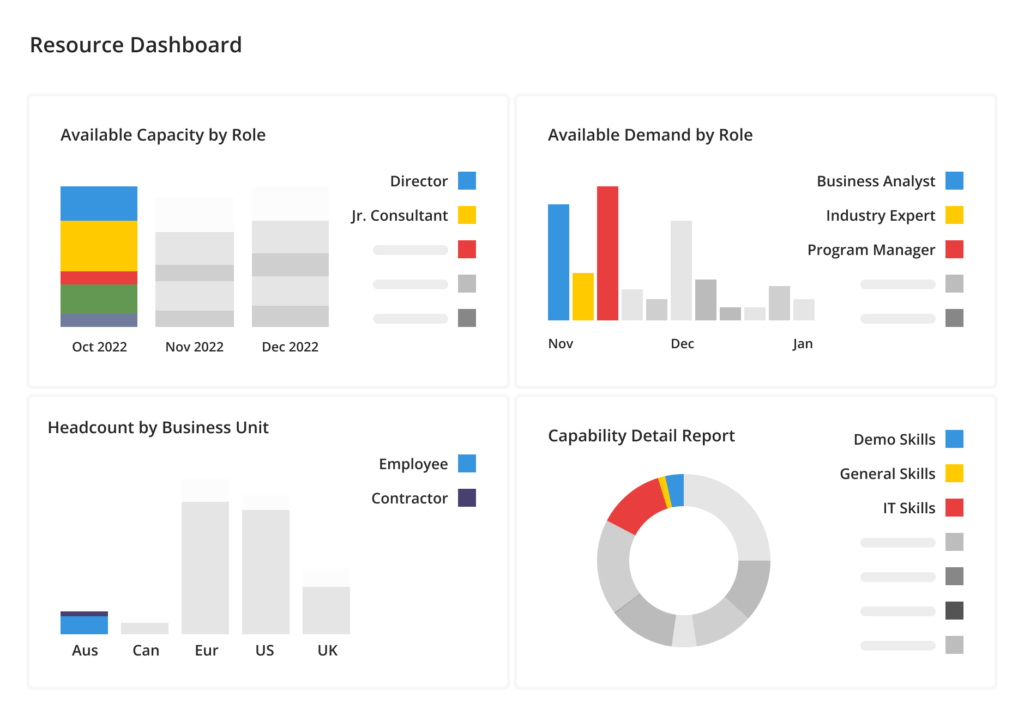
Kantata (formerly Mavenlink) is built for professional services teams that need deep capacity planning tied to financials. It links resource availability, project budgets, and time data to provide accurate forecasting and staffing decisions.
✅ What users like
- Strong financial and utilization tracking
- Advanced forecasting tools
- Built for professional services environments
❌ What users don’t like
- Enterprise-level complexity
- Pricing may not suit smaller teams
3️⃣ Float
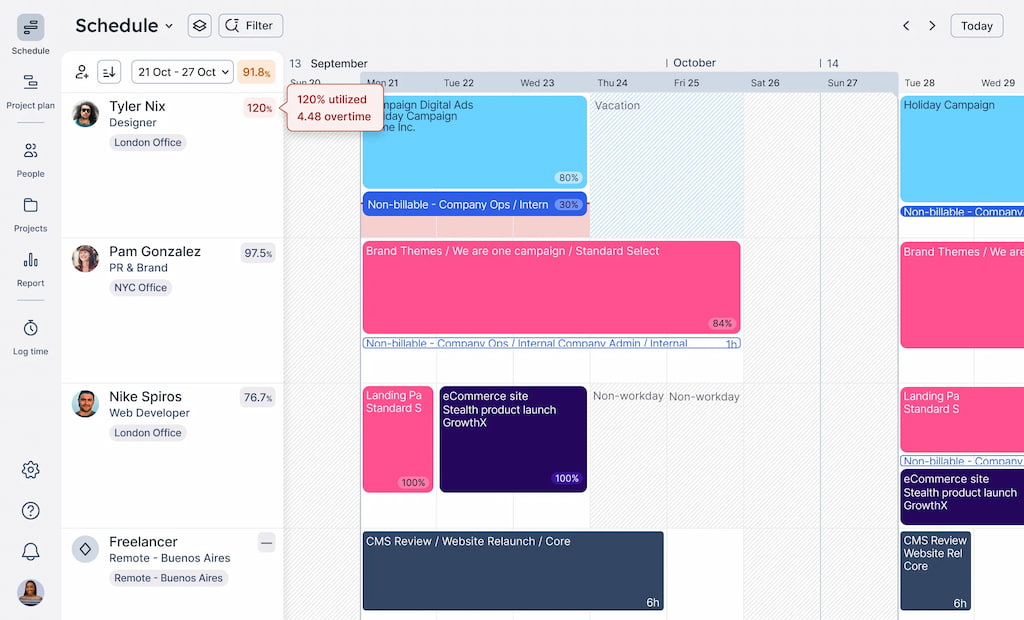
Float focuses on visual resource scheduling and forecasting. Its drag-and-drop interface makes reallocating work fast and intuitive. Teams can plan capacity weeks or months in advance and adjust assignments as priorities shift. It’s popular with creative agencies and product teams that need flexible scheduling without complexity.
✅ What users like
- Visual, easy-to-use scheduling board
- Strong forecasting and scenario planning
- Quick adjustments to workload distribution
❌ What users don’t like
- Limited built-in task management
- Advanced reporting requires higher plans
4️⃣ ClickUp
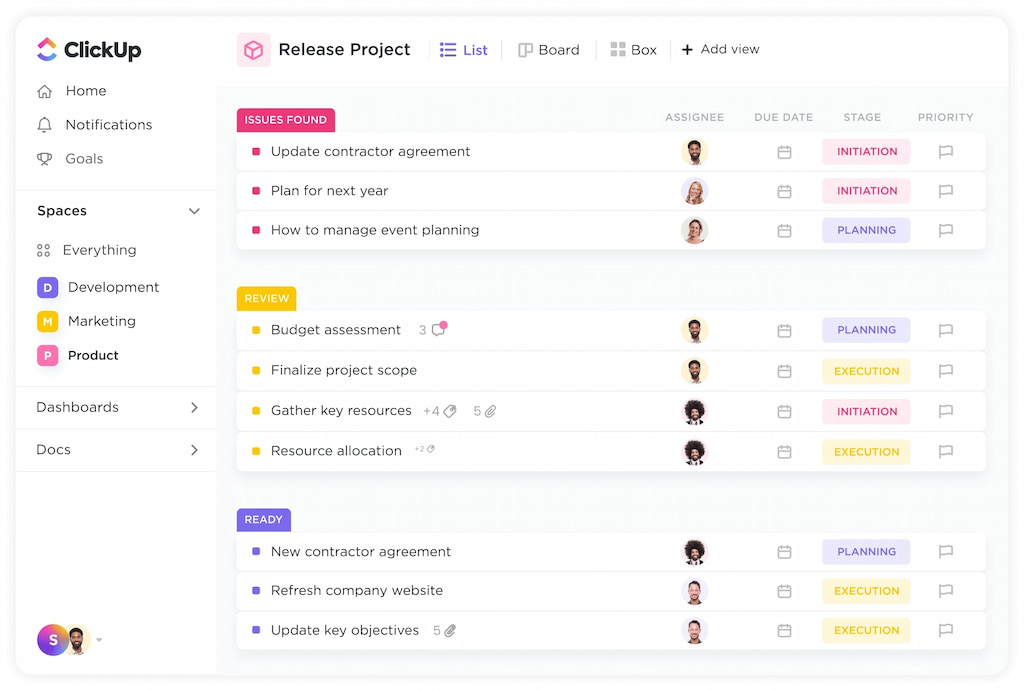
ClickUp combines task management with workload and capacity views. Teams can assign time estimates to tasks and monitor who is over or under capacity. Dashboards provide insight into utilization trends, making it suitable for growing teams that want planning and execution in one tool.
✅ What users like
- All-in-one platform with workload tracking
- Customizable dashboards
- Flexible project views
❌ What users don’t like
- Can feel overwhelming due to feature depth
- Requires setup to get accurate capacity insights
5️⃣ Monday.com
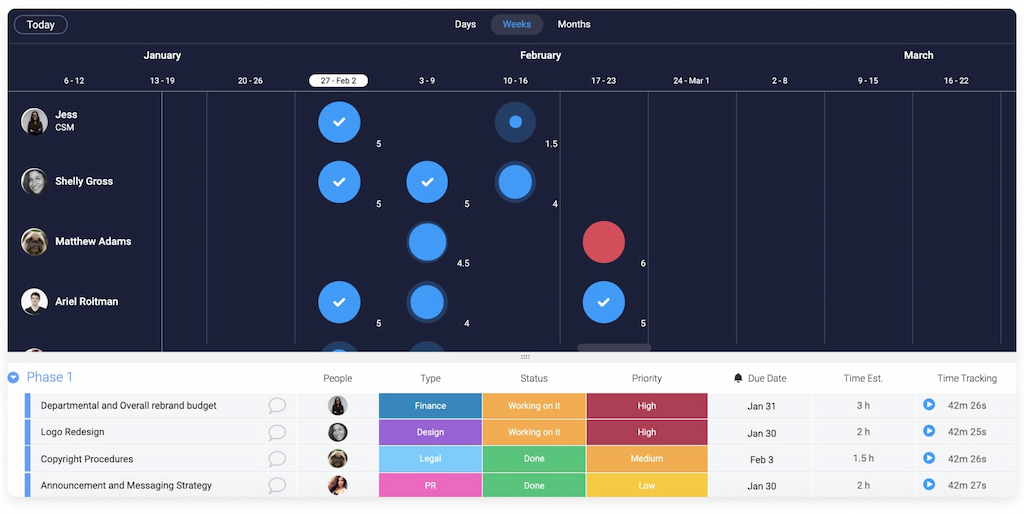
Monday.com includes workload views that show team availability and assignments in real time. Teams can set estimated effort, visualize capacity across Monday boards, and adjust staffing before issues arise. It works well for cross-functional teams that need visual planning tools.
✅ What users like
- Highly visual and customizable interface
- Workload and timeline views
- Automations and integration options
❌ What users don’t like
- Advanced capacity features locked behind higher plans
- Can become expensive for larger teams
6️⃣ Wrike
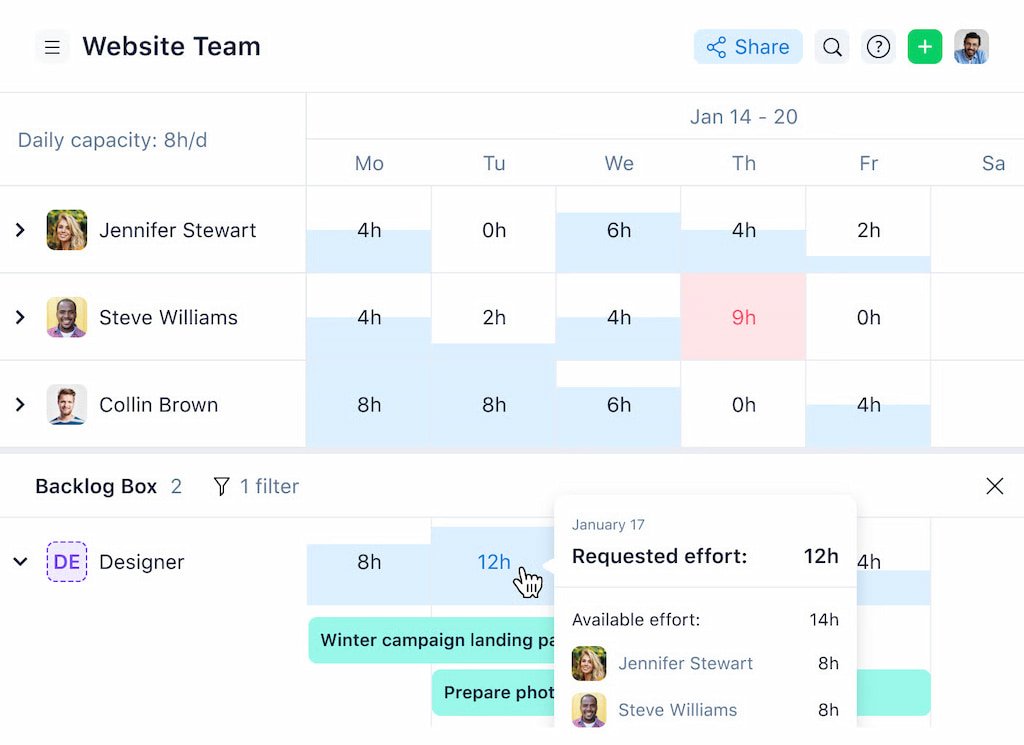
Wrike offers resource and capacity charts that compare planned work against available hours. It supports workload balancing across departments and integrates time tracking for better forecasting. It’s suited for mid-sized to large teams with structured workflows.
✅ What users like
- Detailed resource and capacity charts
- Strong reporting capabilities
- Enterprise-ready features
❌ What users don’t like
- Steeper learning curve
- Advanced features require premium plans
7️⃣ Smartsheet
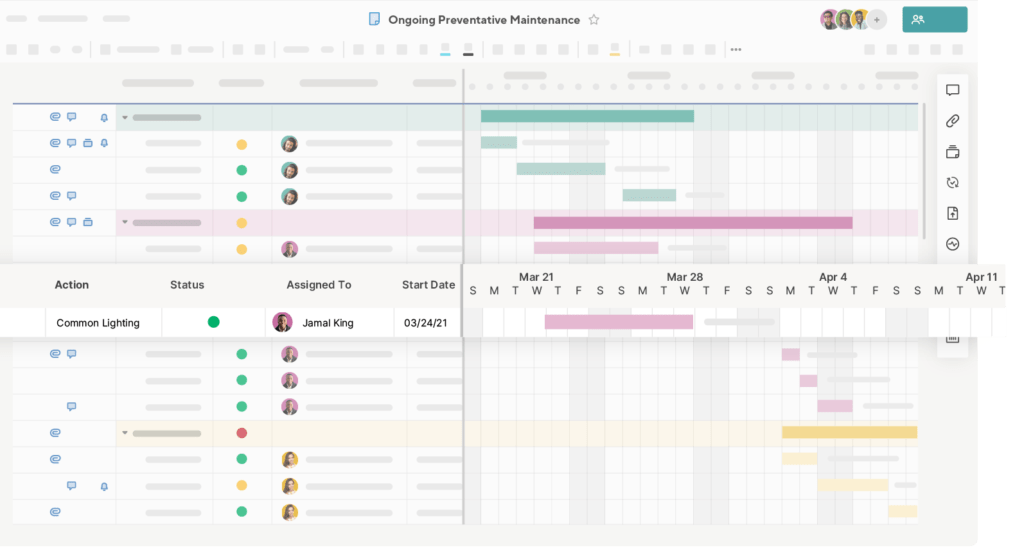
Smartsheet provides flexible resource management using spreadsheet-style planning combined with automation and dashboards. Teams can build customized capacity planning sheets and visualize allocation through reports and calendars.
✅ What users like
- Highly customizable planning structure
- Strong reporting and dashboards
- Good for complex organizational setups
❌ What users don’t like
- Less intuitive for non-spreadsheet users
- Setup can be time-consuming
8️⃣ Teamwork
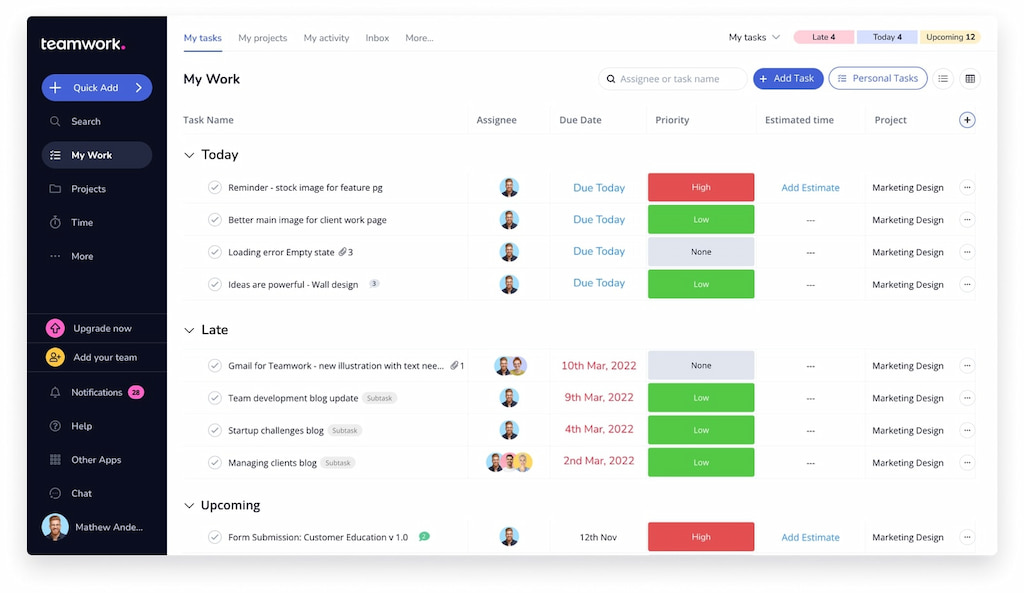
Teamwork includes built-in resource allocation and utilization tracking. It allows teams to plan capacity across multiple projects while tracking time and billable hours.
✅ What users like
- Built-in time tracking
- Utilization and profitability insights
- Clear project-based planning
❌ What users don’t like
- Interface can feel busy
- Advanced reporting requires higher tiers
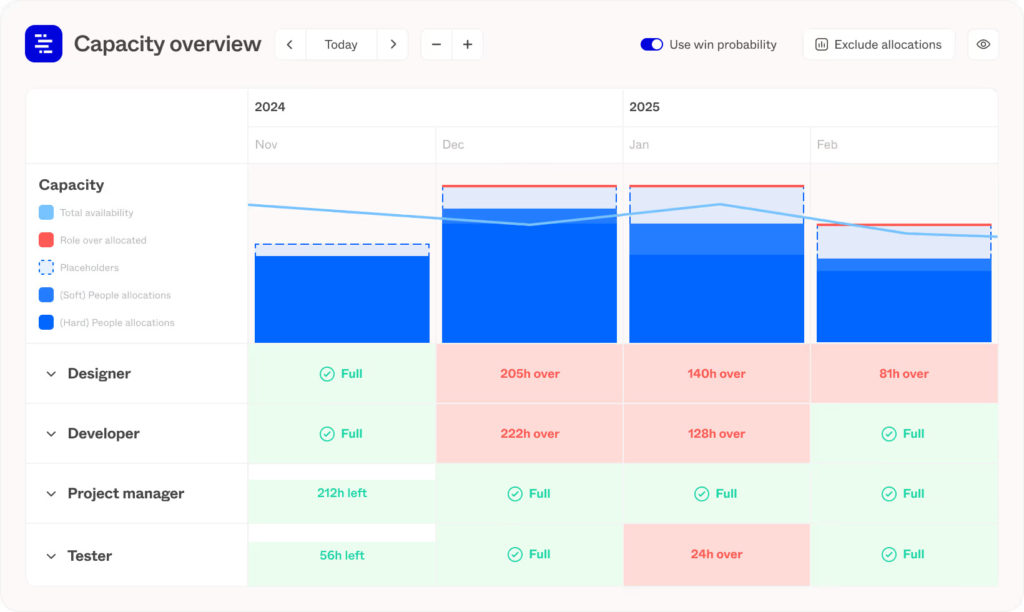
9️⃣ Forecast
Forecast uses automation and AI to predict future capacity needs based on historical project data. It connects scheduling, budgeting, and resource allocation to improve forecasting accuracy. It’s ideal for data-driven teams that want predictive insights.
✅ What users like
- AI-driven forecasting
- Strong analytics and utilization tracking
- End-to-end project visibility
❌ What users don’t like
- Higher price point
- May be too advanced for small teams
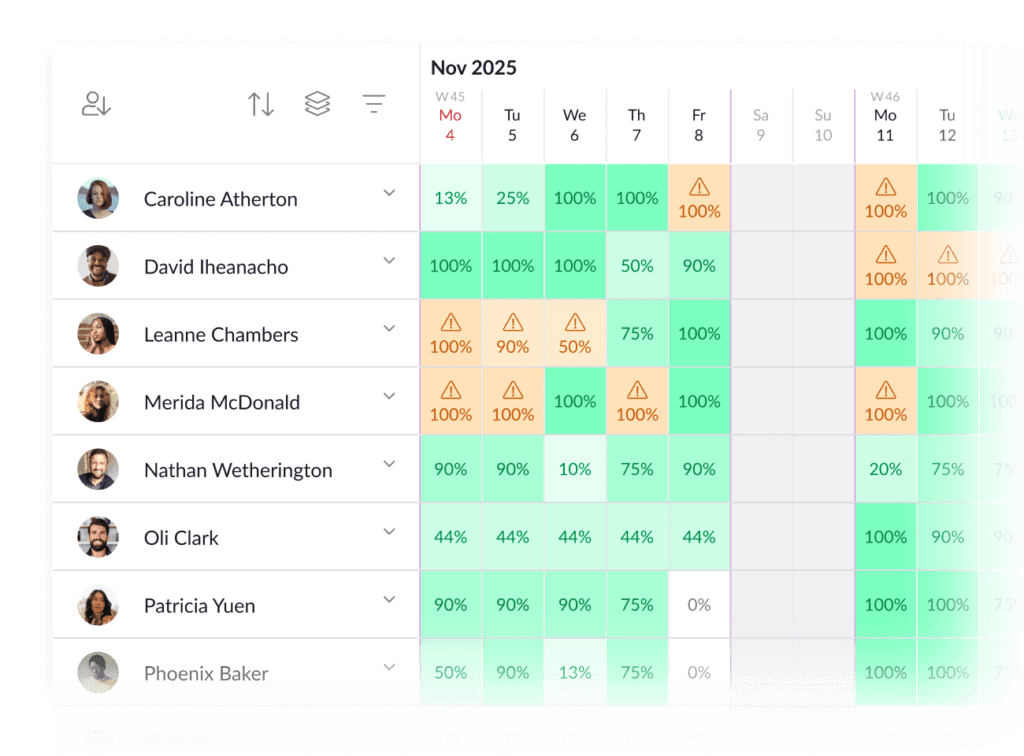
🔟 Resource Guru
Resource Guru is a dedicated resource scheduling and capacity planning tool built for clarity and simplicity. It provides a centralized calendar view where teams can manage bookings, availability, and utilization. With conflict detection and leave management built in, it helps prevent double booking and overcommitment. It’s especially useful for agencies and service-based teams managing multiple clients.
✅ What users like
- Clean and intuitive scheduling interface
- Strong conflict and availability management
- Leave tracking and utilization reporting
- Quick setup and easy adoption
❌ What users don’t like
- Limited advanced project management features
- Reporting customization can be basic
🛠 Practical Examples of Capacity Planning
Capacity planning tools aren’t just about tracking numbers, they help teams make smarter, more proactive decisions. Here are some real-world ways they’re used:
- Planning a sprint or project – Estimate how much work your team can realistically handle in a given sprint or project timeline. This prevents overloading team members and helps set achievable deadlines.
- Allocating resources across multiple projects – When multiple initiatives run simultaneously, capacity planning shows who has availability and ensures tasks are assigned to the right people with the right skills.
- Predicting hiring or training needs – By analyzing current workload and upcoming projects, managers can identify gaps and determine if additional staff or training is needed.
- Scenario planning for peak workloads – Test “what-if” scenarios for busy periods, such as product launches or seasonal demand, to make sure your team can handle spikes without burnout.
🧩 How to Choose the Right Capacity Planning Tool
Choosing the right capacity planning tool doesn’t have to be complicated. A clear process helps you find a solution that fits your team and workflow.
Consider your team size and structure
- Small teams: Simple tools with basic scheduling and workload visibility may be enough.
- Large or distributed teams: Look for tools with cross-project views, scenario planning, and detailed capacity tracking.
Check integration with your existing tools
- Ensure the tool syncs with project management platforms like Jira, Asana, or Trello.
- Seamless integrations reduce manual work, errors, and time spent transferring data.
Evaluate reporting and analytics
- Decide whether you need basic dashboards or advanced forecasting, utilization tracking, and scenario simulations.
- Robust analytics help managers anticipate bottlenecks and allocate resources effectively.
Factor in budget and pricing
- Compare features against cost to avoid overpaying.
- Some tools offer free tiers or affordable plans for small teams, while enterprise-grade solutions provide automation, advanced reporting, and scalable support.
If you follow these steps, you’ll select a capacity planning tool that gives your team visibility, predictability, and control over workload, making projects easier to plan and deliver.
❓ Capacity Planning Tools FAQ
What are capacity planning tools used for?
Capacity planning tools help teams understand how much work they can handle based on available resources, skills, and time. They prevent overloading, improve forecasting, and make project planning more efficient.
How do capacity planning tools differ from resource planning tools?
- Resource planning focuses on assigning specific people to tasks.
- Capacity planning looks at the bigger picture: how much total work a team or individual can realistically take on in a given timeframe.
Can small teams benefit from capacity planning tools?
Yes. Even small teams gain visibility into workload, avoid missed deadlines, and prioritize tasks effectively with the right tool.
What features should I look for in a capacity planning tool?
Key features include:
- Workload visibility and allocation
- Scenario planning and forecasting
- Reporting and analytics
- Integration with existing project management tools
Do capacity planning tools integrate with other software?
Most modern capacity planning tools integrate with project management, time tracking, and collaboration tools like Jira, Trello, Asana, and Everhour, allowing seamless data flow and accurate planning.
How can capacity planning tools reduce burnout?
By showing who is overbooked or underutilized, these tools help managers balance workloads, avoid overloading team members, and prevent stress and burnout.
✅ Conclusion
Capacity planning tools give teams clarity, control, and predictability over their workload. By tracking availability, allocating resources effectively, and forecasting future demands, these tools help managers avoid bottlenecks, reduce burnout, and deliver projects on time.
The right tool depends on your team size, workflow, reporting needs, and integrations. Solutions like Shifts by Everhour connect seamlessly with project management tools, making it easier to track time, plan capacity, and manage team performance.
Using a good capacity planning tool isn’t just about numbers. It’s about planning smarter and making confident decisions that keep your projects on track.

Maria
A dedicated content enthusiast with extensive experience in international teams and projects of all sizes. Maria thrives on creativity and attention to detail, fueled by a love for fantasy novels, music, classic black-and-white films, and always finding ways to make things better.