


Jira Integrations That Streamline Work and Improve Collaboration

Jira is powerful on its own, but most teams don’t use it in isolation. As projects grow and workflows become more complex, teams often need Jira to connect with other tools they already rely on. This is where Jira integrations come in. In this article, we’ll break down the main categories of Jira integrations, explain what each type is best used for (including our own Jira time tracking integration), and help you understand how to choose integrations that actually improve your workflows rather than complicate them.
🔗 What Are Jira Integrations?
Jira integrations connect Jira with the tools your team already uses, allowing information to flow automatically between systems. Instead of switching apps or updating the same data in multiple places, integrations help keep everything in sync.
At their best, integrations make Jira feel like part of a larger workflow, not a standalone tool you constantly have to manage.
⚙️ How Jira integrations work
Most Jira integrations are built to do one or more of the following:
- sync data such as issues, statuses, comments, or time entries
- automate actions like creating tasks, updating fields, or sending notifications
- surface Jira data in other tools through dashboards, reports, or alerts
The result is less manual work and fewer chances for errors.
🧩 Native integrations vs. Marketplace apps
Jira offers two main integration paths, each with different strengths.
Native Atlassian integrations
These are built into the Atlassian ecosystem and work seamlessly with tools like Confluence, Bitbucket, and Trello. They’re usually quick to set up and require minimal ongoing maintenance.
Atlassian Marketplace apps
Marketplace apps are third-party integrations that extend Jira beyond its core features. They cover areas like Jira project management, time tracking, reporting, automation, IT support, and analytics. While more flexible, they need clearer ownership and configuration.
⚖️ When integrations add value — and when they add complexity
| When integrations add value | When integrations add complexity |
|---|---|
| eliminate repetitive manual work | are added “just in case” without a clear use case |
| improve visibility across teams and tools | overlap with existing features |
| support how teams already work | increase setup and maintenance effort without real benefits |
A good rule of thumb: fewer, well-chosen integrations beat a long list of underused ones every time.
📂 Best Jira Integrations
Jira integrations help teams streamline workflows, improve collaboration, and get more value from their projects. Here’s a breakdown of the main categories with notable integrations for each.
📋 Project management integrations
Everhour
Everhour brings advanced time tracking and project management insights directly into Jira, making it easier for teams to stay on schedule and on budget. Its time tracker is perfect for teams that need to track work accurately, manage budgets, and monitor workloads without leaving Jira.
- Time tracking inside Jira: Log hours on issues and tasks in real time, or enter time manually for accuracy.
- Compare estimates vs. actuals: Instantly see how tasks and projects are performing against initial estimates, helping teams plan better.
- Budget management: Track project budgets and spot overages before they become a problem.
- Workload monitoring: Visualize each team member’s capacity to prevent overbooking and optimize resource allocation.
- Reporting and analytics: Generate customizable reports on time, budgets, and productivity for better decision-making.
- Seamless Jira integration: Everhour works inside Jira’s interface, reducing the need to switch between multiple tools.
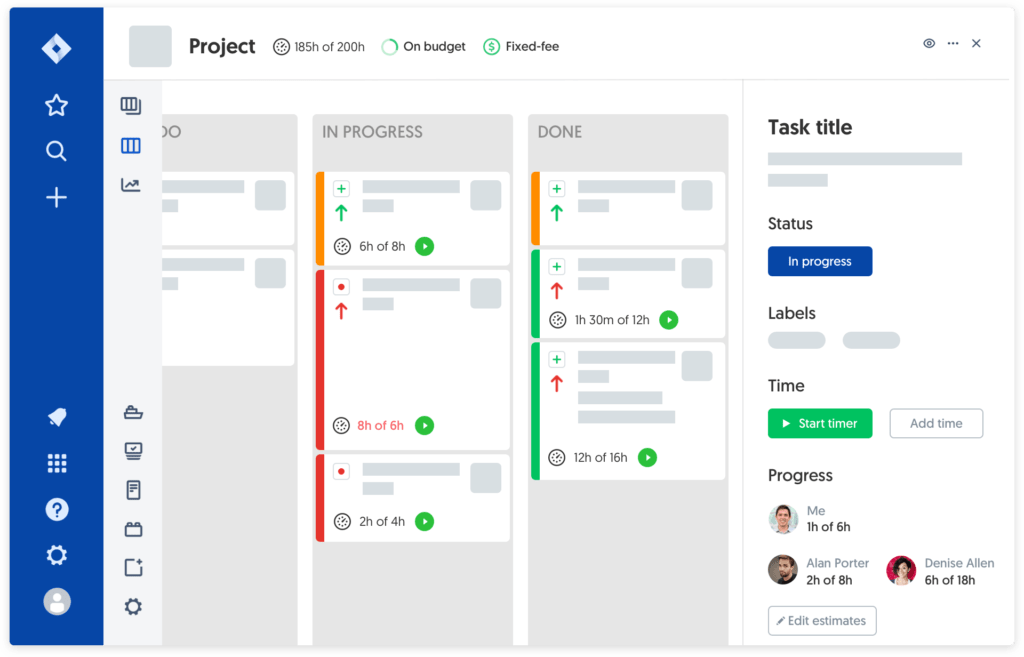
👀 Why teams love it: Everhour simplifies time tracking and project oversight while keeping Jira as the single source of truth, helping managers and teams work smarter, not harder.
Activity Timeline
Visualize team availability, project timelines, and workload with this powerful Jira add-on. Activity Timeline helps managers balance resources, identify bottlenecks, and track time across multiple projects, ensuring deadlines are met without overloading team members.
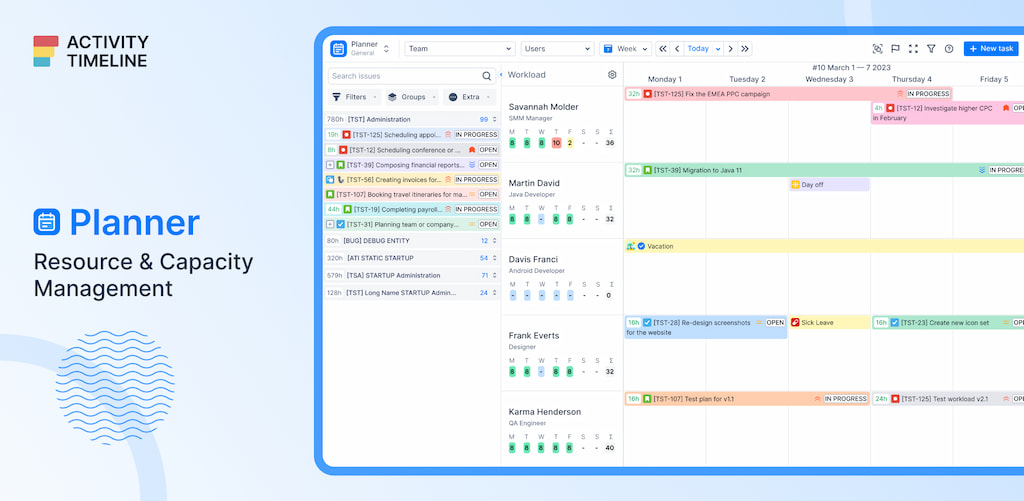
- see who’s available, who’s overbooked, and allocate work efficiently.
- monitor actual vs. planned hours to improve forecasting and productivity.
- manage multiple projects in one unified timeline, making it easier to spot conflicts and dependencies.
BigPicture
BigPicture takes Jira portfolio management to the next level, combining project planning, roadmapping, and resource management in one tool. It’s ideal for teams that need a high-level view of multiple projects while keeping track of individual tasks and team capacity.
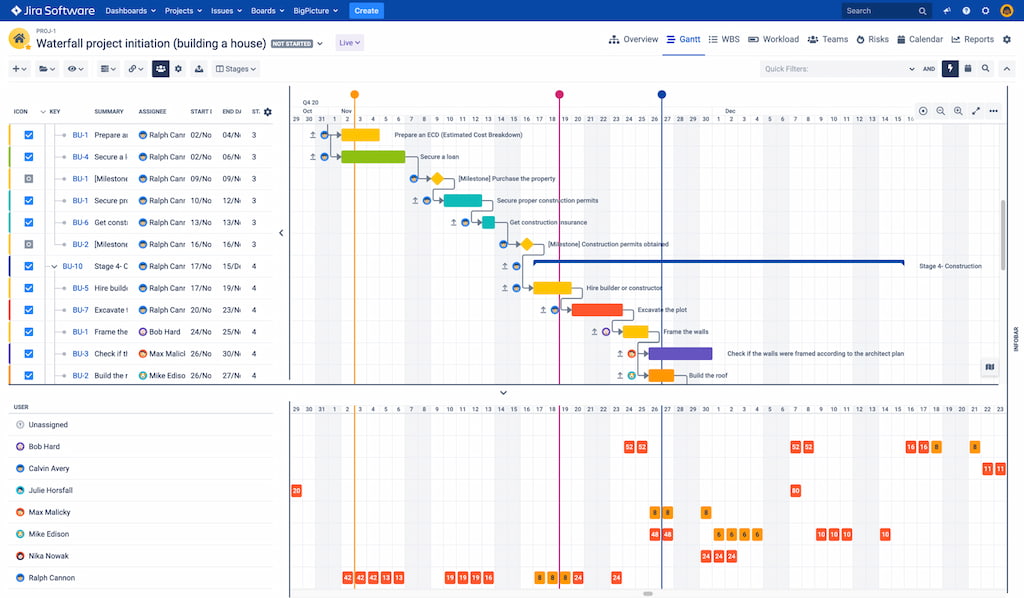
- plan and track multiple projects from a single dashboard.
- assign tasks based on availability, skills, and priorities.
- visualize timelines, dependencies, and progress to make informed decisions.
🛠️ Administrative and management tools
User Management for Jira
User Management for Jira is designed to simplify how teams handle access, permissions, and governance across Jira instances. It’s especially useful for enterprise teams and organizations with complex role structures or frequent onboarding and offboarding.
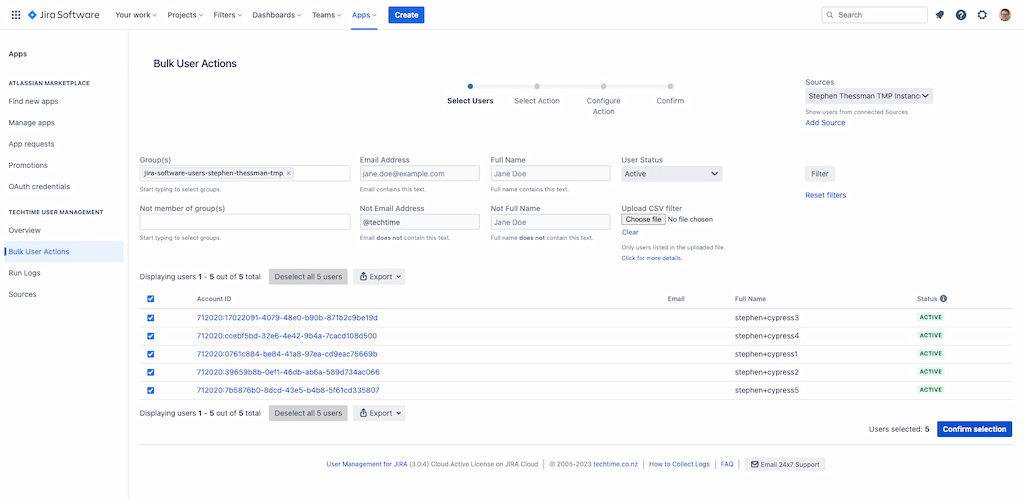
- add, remove, and update users in bulk
- manage roles, groups, and permission schemes more efficiently
- monitor user activity and access changes for better oversight
ScriptRunner for Jira
ScriptRunner for Jira extends Jira’s built-in functionality with powerful automation and customization options. It’s commonly used by admins and advanced teams that need more flexibility than standard Jira workflows allow.
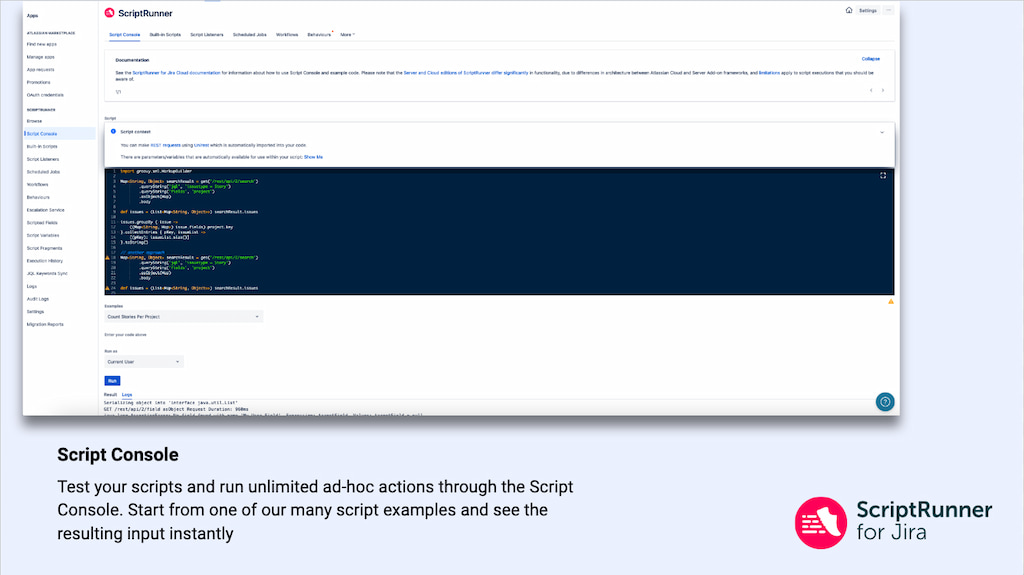
- automate repetitive administrative and workflow tasks
- create custom conditions, validators, and post-functions
- enforce consistent rules and behaviors across projects
💬 Content and communication integrations
AURA content formatting macros for Confluence
AURA content formatting macros extend Confluence’s native capabilities, making it easier to structure and present complex content. It’s particularly useful for teams managing large knowledge bases or technical documentation.
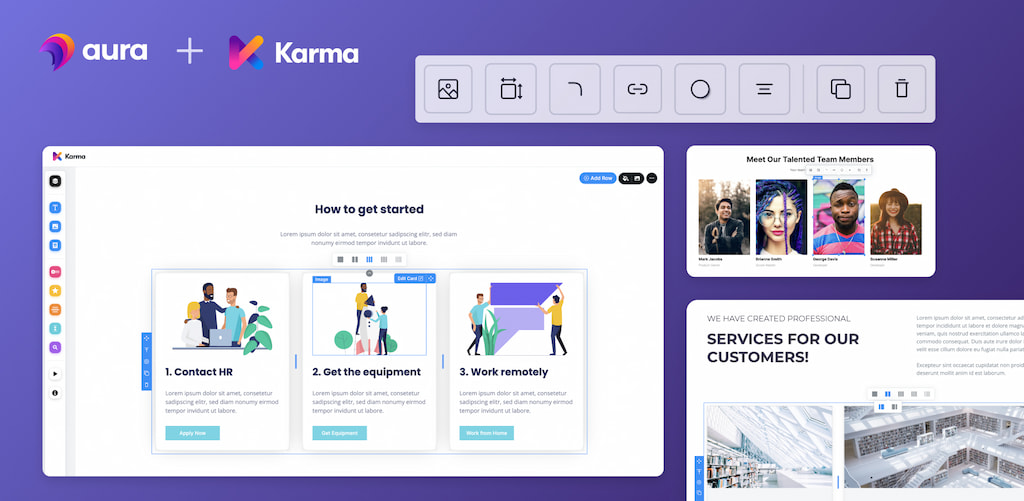
- format content using tabs, panels, and expandable sections
- add advanced elements like LaTeX and HTML
- improve clarity and navigation on long pages
Slack for Jira
Slack for Jira connects Jira activity directly to Slack, so teams can stay up to date without constantly switching tools. It works well for teams that rely on quick communication and need visibility into issue progress as it happens.
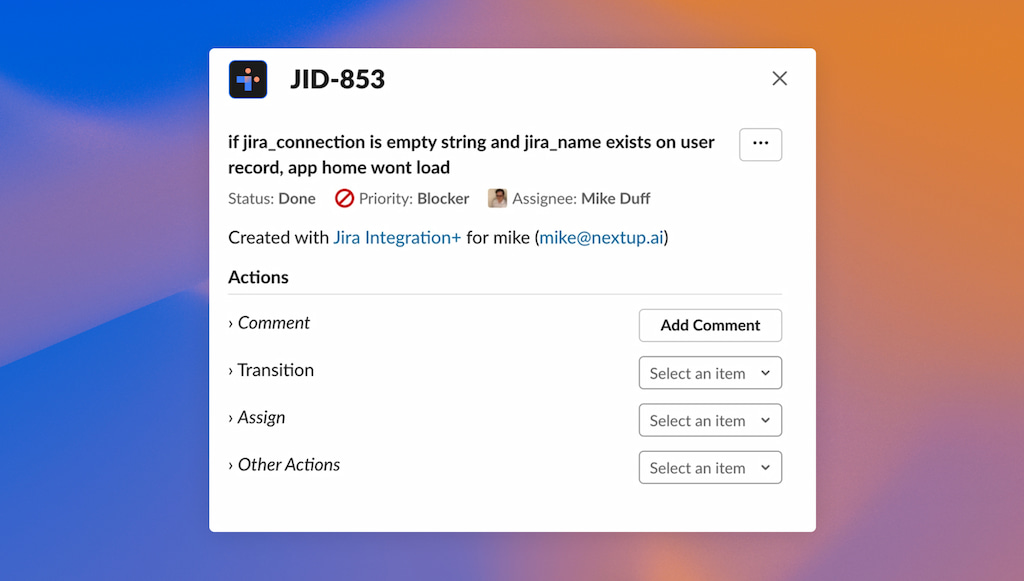
- receive real-time notifications for issue updates, transitions, and comments
- share Jira issues in Slack channels with previews and context
- comment on and interact with issues directly from Slack
📊 Data and analytics integrations
eazyBI
eazyBI is an advanced reporting and analytics tool designed for teams that need deeper insight into Jira data than standard reports can provide. It’s commonly used by managers, PMs, and analysts who want to track performance, delivery trends, and workload patterns across projects.
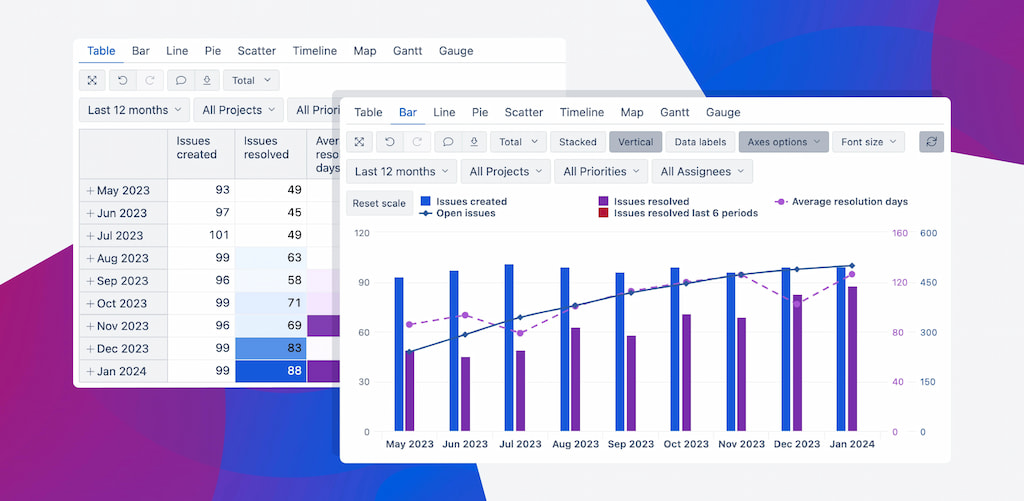
- build custom dashboards with charts, tables, and calculated metrics
- analyze historical Jira data to spot trends and bottlenecks
- combine data from multiple Jira projects or instances
- create shareable reports for stakeholders and leadership
eazyBI is especially useful for teams that rely on data-driven decisions and need flexible, customizable reporting beyond Jira’s native capabilities.
Better PDF Exporter for Jira
Better PDF Exporter for Jira allows teams to convert Jira issues, dashboards, and reports into professional, shareable PDF documents. It’s ideal for managers, clients, and stakeholders who need snapshots of project progress, timelines, or issue details outside Jira.
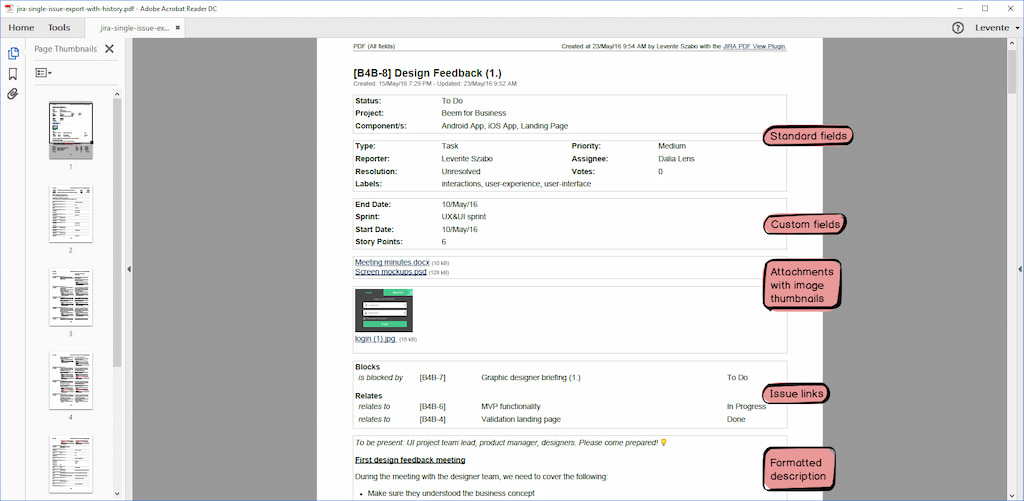
- export single issues, multiple issues, or entire dashboards as PDFs
- customize layouts, templates, and branding for reports
- include charts, tables, and attachments for comprehensive reporting
- automate exports to send regular reports to stakeholders
💻 Software development integrations
GitHub for Atlassian
GitHub for Jira connects your GitHub repositories directly to Jira, giving development teams full visibility into how code changes relate to project tasks. This integration is essential for software teams that want to maintain traceability and streamline collaboration between development and project management.
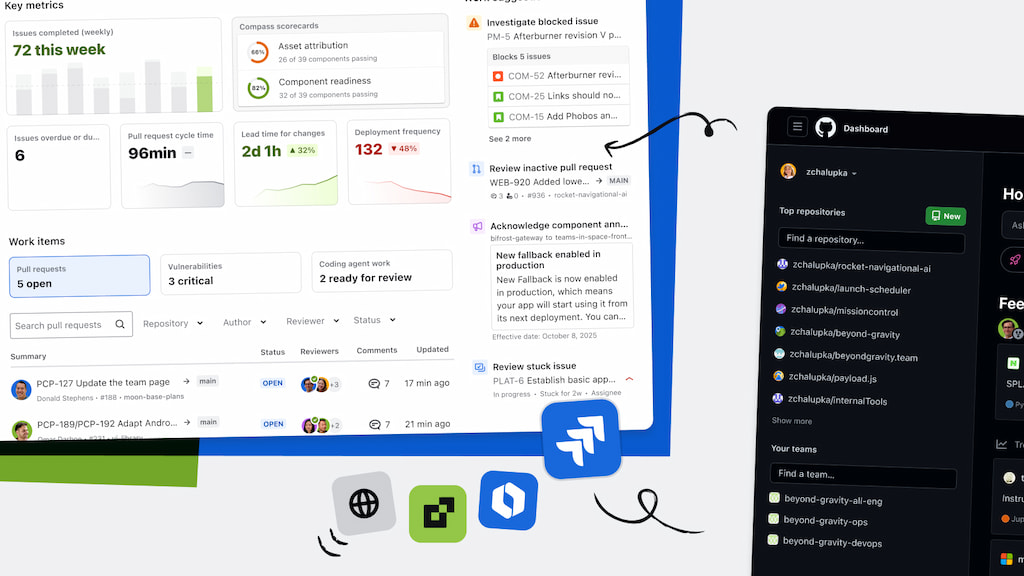
- link pull requests, commits, and branches to Jira issues automatically
- track code changes and see their impact on project progress in real time
- enable developers and managers to review work without leaving Jira
- improve accountability and simplify audits by keeping code and tasks connected
Aha! Roadmaps for Jira
Aha! Roadmaps for Jira connects high-level product planning with day-to-day execution in Jira. It’s designed for product managers and leadership teams who need a clear roadmap view while keeping development work aligned with strategic goals.
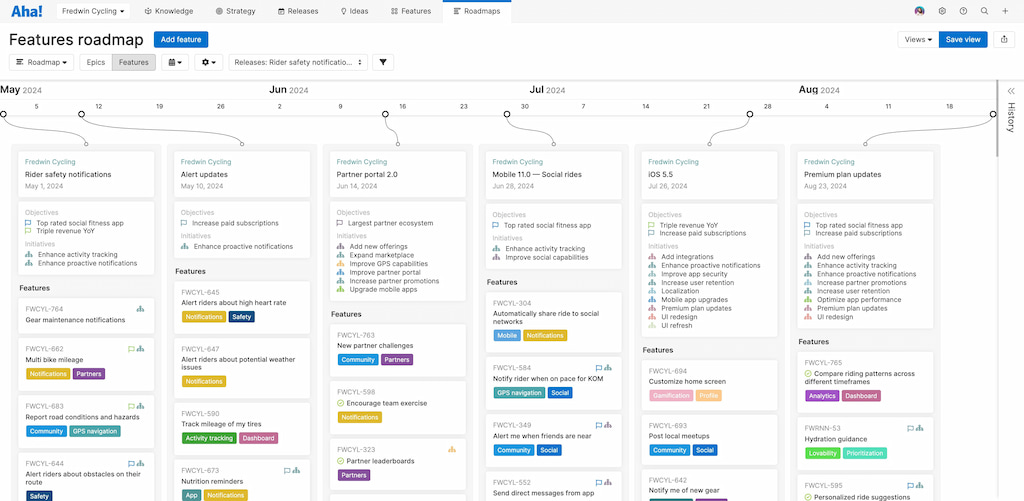
- create and manage product roadmaps with timelines, initiatives, and dependencies
- link product ideas, features, and goals directly to Jira issues
- keep stakeholders aligned with a shared, high-level view of progress
- sync updates automatically so plans and execution stay connected
🖥️ IT Support and service integrations
Freshservice
Freshservice integrates with Jira Service Management to connect IT support workflows with issue tracking. It helps teams link service desk tickets to Jira issues, making collaboration between support and technical teams more efficient.
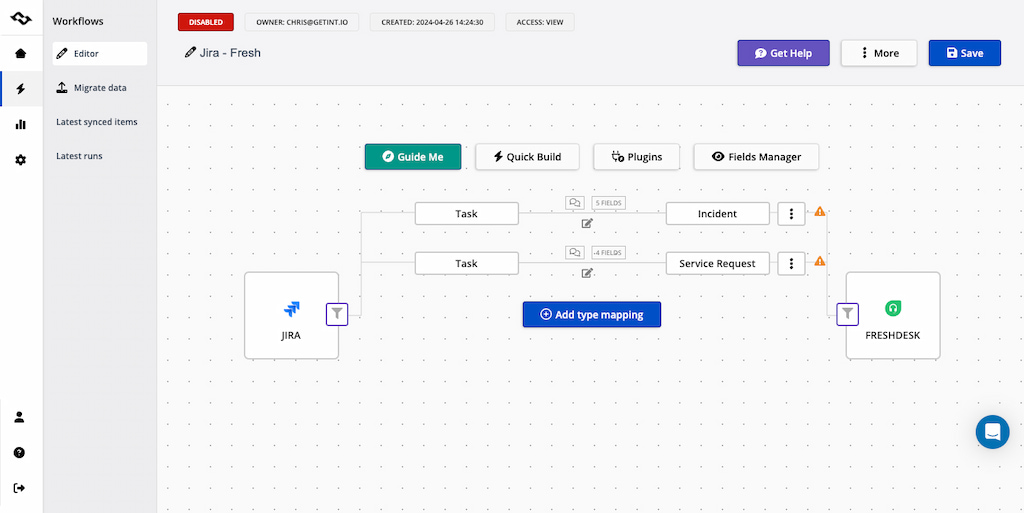
The integration supports automated routing, approvals, and status updates, reducing manual handoffs and delays. With added visibility into assets and service impact, teams can resolve incidents faster while maintaining consistent ITSM processes.
Opsgenie
Opsgenie integrates with Jira to help IT and operations teams respond to incidents faster and more reliably. It connects Jira issues with alerting and on-call schedules, ensuring the right people are notified when problems occur.
With automated alerts and escalation rules, Opsgenie reduces response times and improves incident ownership. Teams gain clearer visibility into who is on call and how incidents are handled, making it easier to manage outages and critical issues without manual coordination.
🎨 Design and diagramming integrations
Miro for Jira
Miro for Jira connects visual collaboration with issue tracking, allowing teams to embed boards, diagrams, and brainstorming sessions directly into Jira. It’s useful for planning workflows, mapping ideas, and aligning teams visually before work moves into execution.
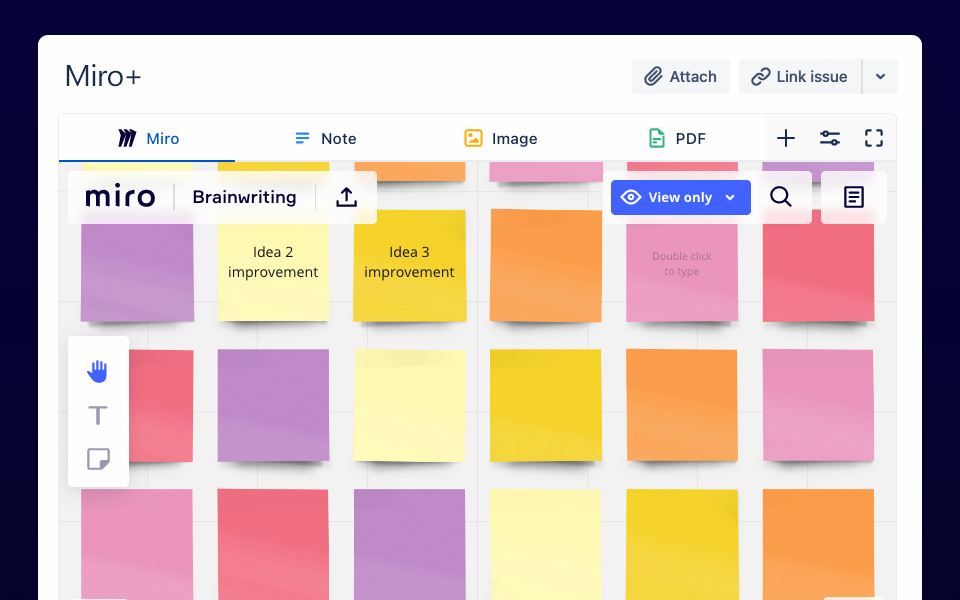
By keeping visual context linked to Jira issues, teams can collaborate more effectively without switching between tools or losing important design discussions.
Lucidchart
Lucidchart integrates diagrams and process flows directly with Jira issues, making it easier to plan, document, and communicate complex workflows. Teams can link flowcharts, system diagrams, and architecture visuals to tasks for better clarity and alignment.
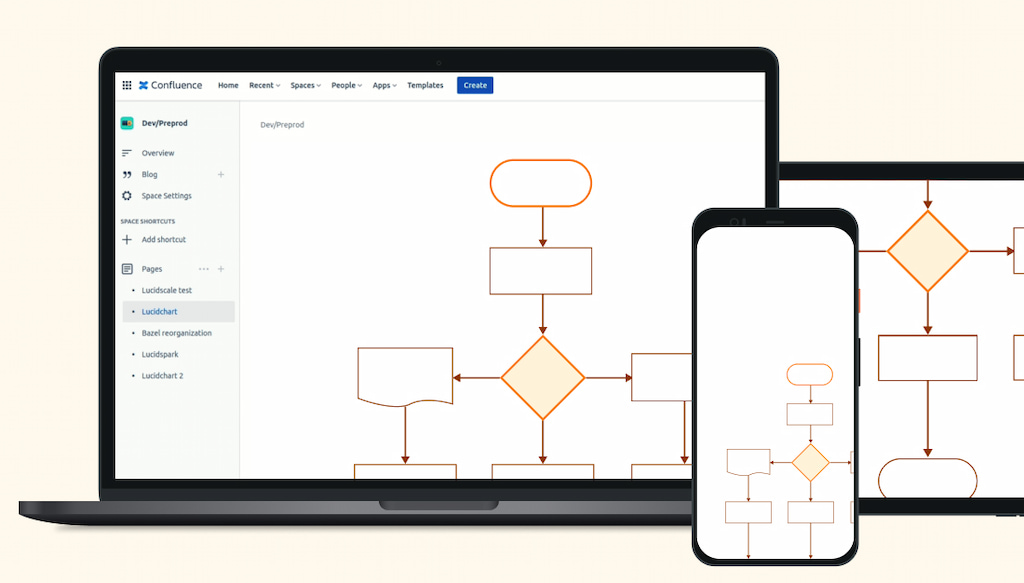
This integration helps ensure that planning and documentation stay connected to the work being done in Jira, reducing misunderstandings and rework.
🔐 Security and compliance integrations
Snyk Security in Jira Cloud
Snyk Security integrates vulnerability scanning directly into Jira Cloud, helping teams identify and manage security issues alongside development work. It connects security findings to Jira issues so teams can track, prioritize, and resolve vulnerabilities as part of their normal workflows.
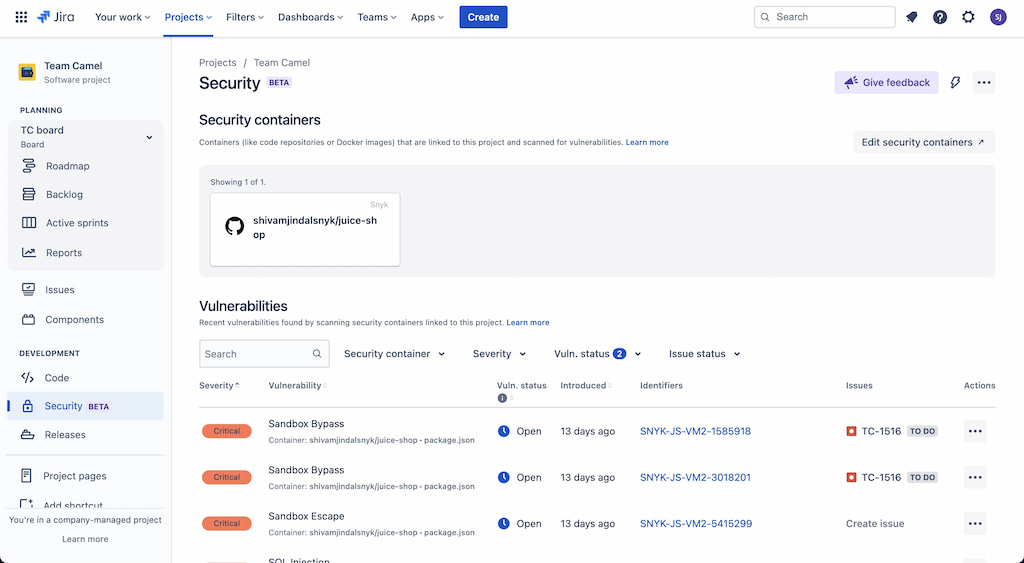
By surfacing security risks early and linking them to actionable tasks, this integration supports more secure development practices without requiring separate security tools or processes.
SAML SSO Single Sign-On for Confluence
SAML SSO Single Sign-On for Confluence simplifies authentication by allowing users to access Confluence through a centralized identity provider using SSO and OAuth. It helps organizations manage user access more securely while reducing login friction.
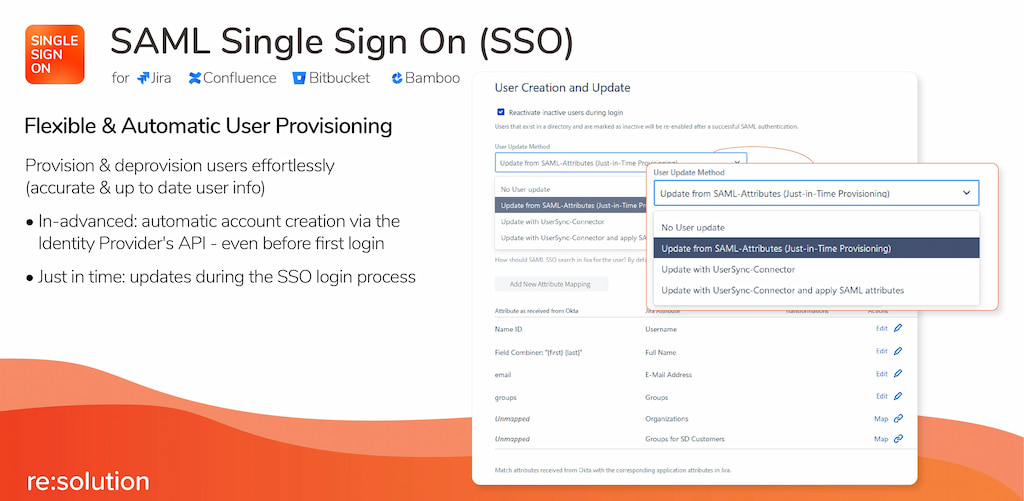
With automatic user synchronization and centralized access control, this integration supports stronger security, easier onboarding, and better compliance—especially for teams operating in regulated or enterprise environments.
👥 HR and team-building integrations
Oboard: OKR board, KPI reporting, and check-ins for Jira
Oboard helps teams manage objectives, key results, and performance tracking directly in Jira. It connects strategic goals with day-to-day work, making it easier to see how tasks and projects contribute to larger outcomes.
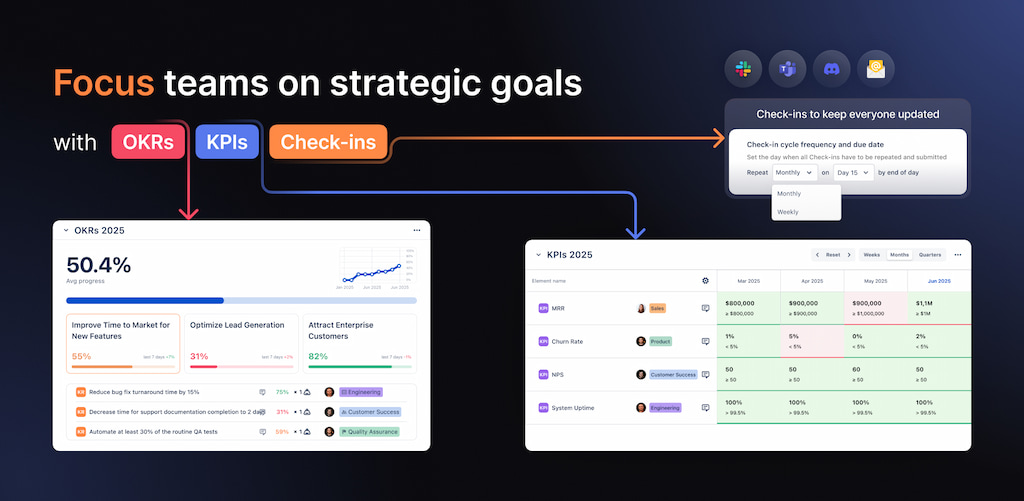
With built-in OKR boards, KPI reporting, and regular check-ins, teams can track progress, surface blockers, and keep goals visible across the organization. This integration is especially useful for teams that want to align execution in Jira with measurable business objectives.
Vacation manager for Jira
Vacation manager for Jira simplifies time-off tracking by bringing leave requests and approvals into Jira. It allows teams to manage vacations, sick leave, and absences without relying on separate HR tools or spreadsheets.
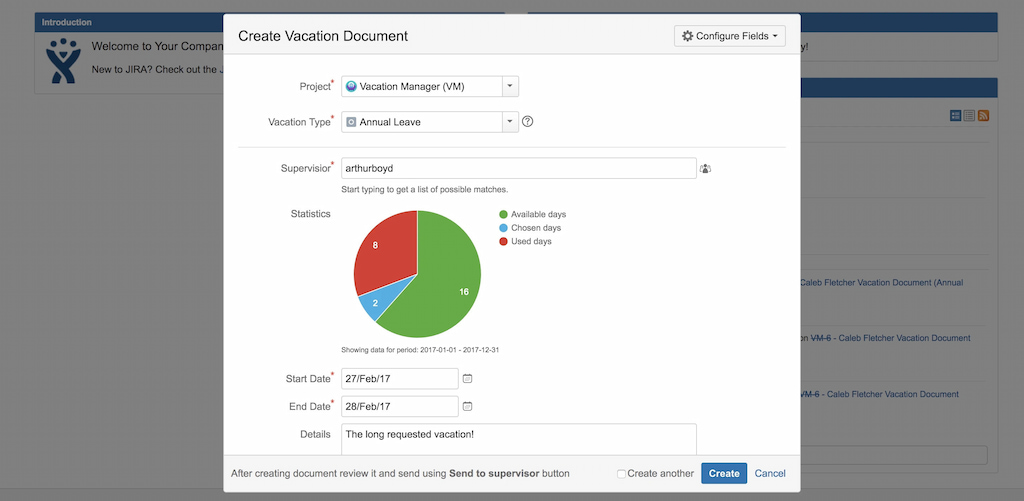
By keeping availability information visible inside Jira, the integration helps managers plan workloads more accurately and avoid scheduling conflicts, especially in teams where capacity planning is critical.
🤝 Sales and customer relationship integrations
Mria CRM: CRM for Jira teams
Mria CRM brings customer relationship management directly into Jira, allowing teams to manage leads, contacts, and deals alongside their project work. It’s designed for teams that want to keep customer data closely tied to delivery tasks without switching between systems.
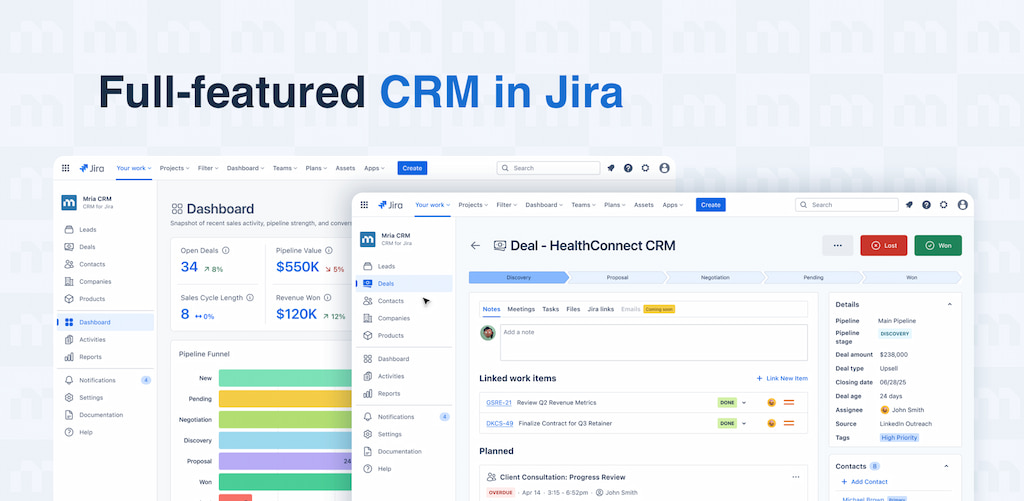
By linking CRM records to Jira issues, teams can track customer requests, sales activities, and follow-ups in one place. This integration helps improve visibility and coordination between sales, support, and delivery teams working in Jira.
Connector for Salesforce & Jira
The Salesforce–Jira connector synchronizes data between sales and delivery teams by linking Salesforce records with Jira issues. It helps teams track customer requests, bugs, and feature work without manual updates or duplicate entries.
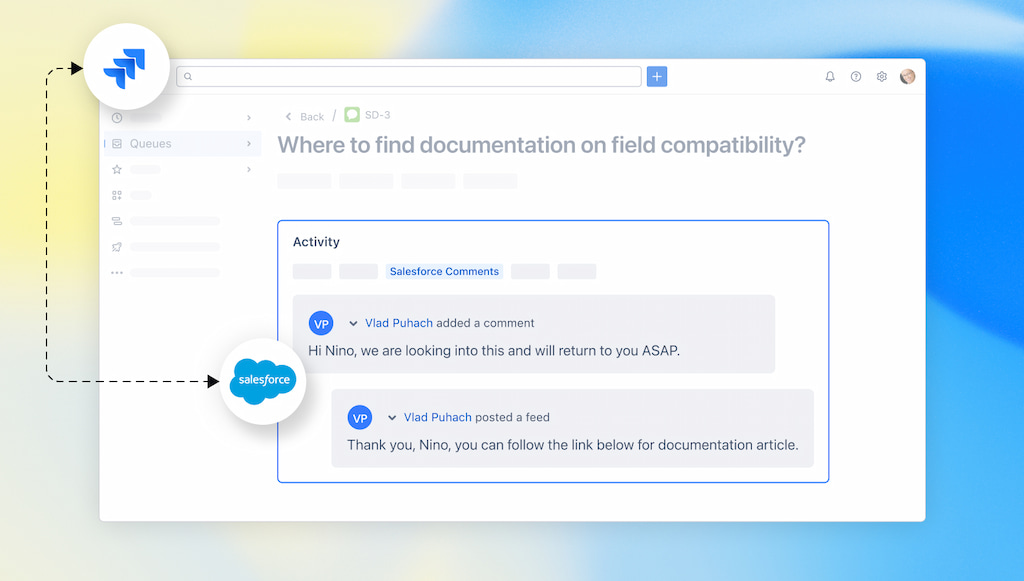
With shared visibility into deal status, support cases, and development progress, this integration improves collaboration and reduces misalignment between sales, support, and engineering teams.
⚙️ How to Choose the Right Jira Integrations
Choosing the right Jira integrations can boost productivity, but the wrong ones create clutter. Here’s how to make smart choices:
🎯 Align with team goals and workflows
- Only add integrations that directly support your team’s objectives.
- Example: Everhour helps track time and monitor workloads—perfect for project management teams.
- Avoid tools that don’t solve a real problem; they just add noise.
🚫 Avoid overlap and integration overload
- Too many apps can slow Jira and confuse your team.
- Check if an integration duplicates functionality you already have.
- Focus on a few high-impact tools rather than a long list.
❓ Ask the right questions before installing
- Does this integration solve a real problem?
- How much setup and ongoing maintenance will it require?
- Will it work well with other tools we already use?
- Can it scale as our team grows?
Tip: Fewer, well-chosen integrations usually outperform a long list of underused apps. Keep it simple, purposeful, and aligned with your workflows.
✅ Conclusion
Jira integrations can transform how your team works—streamlining processes, improving collaboration, and unlocking valuable insights.
The key is choosing integrations based on real needs, not just features. Focus on tools that solve actual workflow challenges, eliminate repetitive work, and enhance visibility across teams.
Start with a few well-chosen apps, monitor how they impact your processes, and scale gradually. This approach ensures a sustainable, efficient Jira setup that keeps your team productive without overwhelming them.
Learn how to benefit from Jira fully following the Jira best practices!
Check out our article on Jira Product Discovery that helps teams prioritise ideas and insights for better team and project management!

Maria
A dedicated content enthusiast with extensive experience in international teams and projects of all sizes. Maria thrives on creativity and attention to detail, fueled by a love for fantasy novels, music, classic black-and-white films, and always finding ways to make things better.