Signs You Are Being Monitored at Work: 8 Things to Look For
Maria,
March 12, 2026
Employees today often work in hybrid or remote environments, making it easier for managers to keep an eye on productivity through digital tools. While some level of oversight helps ensure projects stay on track and teams meet deadlines, there’s a fine line between visibility and invasive monitoring.
In this article, we’ll explore common signs employees can notice when they’re being monitored at work, why companies use these tools, and how transparency can improve productivity and trust. We’ll also highlight time tracking tools that focus on tracking work rather than monitoring people, showing that visibility doesn’t have to mean surveillance.
One of the clearest signs of workplace monitoring is new software appearing on your computer that you didn’t install yourself. Companies often deploy monitoring tools remotely through their IT systems.
You might notice:
new apps or icons in your taskbar
background processes you don’t recognize
software installed after a system update
These programs can include time tracking tools, monitoring agents, or IT management software that allow administrators to manage devices and collect activity data.
2. Changes in computer behavior
Monitoring or remote management tools can sometimes affect how your computer behaves.
Possible signs include:
slower performance than usual
automatic restarts or updates
background processes running when the device is idle
These changes may indicate that remote management software or monitoring agents are running in the background.
3. Restricted websites or filtered internet
If certain websites suddenly don’t load or pages are unusually slow, your network activity might be monitored. Companies often use firewalls, traffic controls, or content filters to regulate online access.
Examples of what this looks like:
sites you used regularly are now blocked
internet speed slows down on specific platforms
automatic redirects to company login pages
4. Activity and time tracking
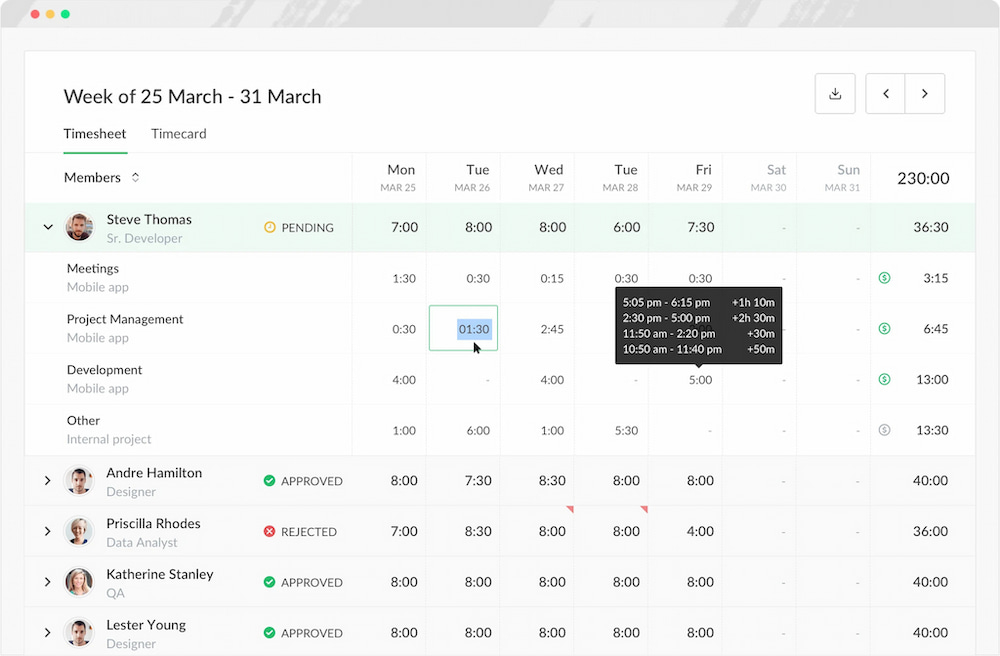
Your work hours and daily activity may be logged if your team uses time tracking or productivity software. These tools can track project time, app usage, and general workflow patterns.
Indicators include:
optional activity snapshots or logs
task or project timers running automatically
dashboards summarizing work completed
However, tools like Everhour‘s time tracker provide this kind of tracking but in a way that focuses on transparency, giving employees insights into their own productivity rather than invasive oversight. Ethical time tracking shifts the focus from monitoring individuals to understanding workflow and project progress.
Track time, stay on budget, analyze reports and automate payroll
We also embed our controls into the most popular project management apps for less tab switching.
Some companies keep track of messages sent through corporate emails or workplace chat apps. Monitoring is usually automated and focused on trends, not individual private content.
You might notice:
unusual delays or flags when sending messages
alerts or notifications from monitoring tools
reports summarizing communication frequency or flagged keywords
6. Screen capture or screenshot tools
Certain roles or remote teams may have periodic screenshots or screen recording enabled to provide managers with workflow visibility.
Signs it’s in use:
software quietly captures your screen at intervals
desktop activity appears logged in reports or dashboards
notifications or settings that indicate screen monitoring
7. Location tracking
Employees using company devices, especially in the field, may have location tracked via GPS or geofencing. This is often tied to attendance, clock-ins, or operational oversight.
What it might look like:
automatic updates of your location in company apps
location-triggered check-ins for work hours
alerts when entering or leaving designated zones
8. Office access or security monitoring
Many workplaces track movement through keycard systems, badges, or cameras in shared areas. These systems record entry and exit without monitoring personal activity.
Typical indicators:
badge scans required for doors or secure rooms
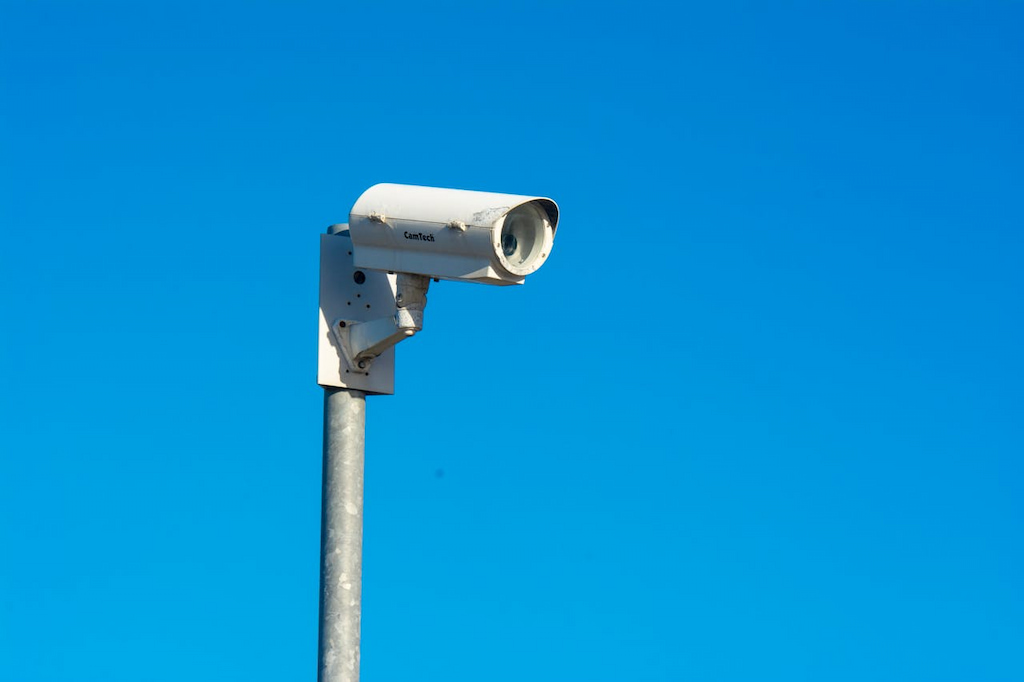
security cameras in hallways, lobbies, or common spaces
automated logs of office access times
What Employers Can Actually Monitor
Workplace monitoring usually applies to company devices, corporate accounts, and internal networks, not your personal phone or laptop. Most organizations track only the data needed to protect company systems, understand workflows, and meet compliance requirements. Here are the most common types of information employers may monitor.
App and website usage
Companies can see which apps and websites are used on work devices during working hours. This helps IT teams detect security risks, block unsafe websites, and understand which tools employees rely on most.
Monitoring at this level is typically used to:
identify potentially risky downloads
detect suspicious browsing activity
understand which tools teams actually use
In many companies, the goal is security and efficiency, not reviewing every individual click.
Work hours and activity levels
Many organizations track when employees start work, how long tasks take, and how time is distributed across projects. This usually happens through timesheets or time tracking software.
This kind of tracking helps teams:
understand how long projects take
balance workloads across team members
identify bottlenecks in workflows
Emails sent from company accounts
Corporate email systems may also be monitored. In most cases this means archiving messages, scanning for suspicious activity, or detecting sensitive data being shared externally.
Monitoring usually focuses on:
unusual login activity
suspicious attachments or links
compliance with company policies
It’s rarely about reading individual conversations and more about protecting company data.
Files accessed on company devices
Companies can track when files are opened, edited, downloaded, or shared on work computers. This is especially important for businesses that manage confidential information or intellectual property.
File monitoring helps organizations:
prevent accidental data leaks
detect unauthorized file transfers
protect sensitive company documents
Location data on company devices
Employees using company phones or field devices may have location tracking enabled through GPS or geofencing.
This is common in roles such as:
logistics
field service
delivery operations
on-site technical work
Location tracking helps confirm job locations, automate clock-ins, and improve coordination for teams working across multiple sites.
What usually isn’t monitored
In most workplaces, monitoring does not extend to personal devices or private accounts. Activity outside work hours or on personal hardware generally remains outside company oversight.
Why Companies Monitor Employees
📊 Productivity insights Managers track how time is spent to identify bottlenecks, see who’s overloaded, and provide support where it’s needed. This isn’t about micromanaging, it’s about helping teams work smarter.
🔒 Security and data protection Monitoring apps, files, and network activity helps protect sensitive company information and prevent security breaches.
📜 Compliance requirements Certain industries need activity tracking to meet legal and regulatory standards, like GDPR, HIPAA, or financial compliance. Monitoring ensures businesses stay compliant and avoid penalties.
🗂 Resource planning and workload visibility Monitoring tools give managers a clear view of team workloads, making it easier to assign tasks, allocate resources efficiently, and plan projects effectively.
When done ethically, monitoring focuses on workflow optimization and asset protection, not invading personal privacy.
When Monitoring Becomes a Problem
While monitoring can help companies stay productive and secure, poorly implemented oversight can create stress, tension, and distrust. There’s a fine line between helpful guidance and excessive surveillance.
⚠️ Lack of transparency Employees who aren’t informed about what’s being tracked can feel anxious or suspicious. Not knowing what data is collected or how it’s used reduces engagement and can fuel rumors. Clear communication about monitoring policies is essential for trust.
👀 Excessive surveillance Some organizations go beyond simple time tracking, using frequent screenshots, keystroke logging, or continuous activity tracking. What’s meant to improve efficiency can instead feel invasive and increase workplace stress.
💔 Impact on trust and morale Feeling constantly watched can hurt motivation and creativity. A culture of surveillance can lead to burnout, high turnover, and low satisfaction, especially if monitoring feels punitive rather than supportive.
📄 Unclear monitoring policies Without written guidelines, employees often wonder: “Am I being watched all the time?” or “Which activity is private?” Clear policies that explain what tools are used, what data is collected, and why help prevent confusion and fear.
How to Find Out If Your Workplace Uses Monitoring
Understanding monitoring practices is essential for employees to protect their privacy while remaining compliant. Here are practical steps:
Review company policies – Start with IT, security, or remote work policies. These often outline the scope of monitoring, what devices are tracked, and how data is handled.
Check installed software – Look for unusual apps, icons, or background processes on your computer. These could include monitoring agents, time tracking software, or IT management tools.
Ask HR or IT – It’s reasonable to ask for clarification about monitoring practices. Most companies have a policy for transparency.
Understand company devices – Remember that company-issued laptops, phones, and accounts are generally subject to monitoring. Using these devices for personal activities can inadvertently expose private information.
Tips for Employees Working on Monitored Devices
Working on monitored devices doesn’t have to feel stressful. Following simple best practices can help protect your privacy and keep work efficient:
Assume company devices are for work only – Treat laptops, phones, and software as professional tools.
Avoid storing personal data – Don’t save private files, passwords, or financial information on company devices.
Separate personal and work accounts – Use personal devices for personal communications, email, and apps.
Follow IT policies – Adhere to company guidelines for acceptable use, app installation, and internet activity.
Additionally, when using time tracking or activity tools at work, opt for platforms that respect privacy. For example, Everhour allows teams to track time and productivity without intrusive monitoring like constant screenshots, giving employees insight into their own work while keeping sensitive data private. This demonstrates that productivity tracking doesn’t have to feel like surveillance.
FAQs About Workplace Monitoring
Is employee monitoring legal?
Yes, in most regions, companies are allowed to monitor work activity on company-owned devices if employees are informed. Laws vary by location, so transparency and consent are key.
Can companies monitor personal devices?
Typically no. Monitoring usually applies to devices provided by the company or connected to corporate networks. Personal devices remain private unless voluntarily enrolled in company programs.
Can employers see everything on a work computer?
Not usually. Monitoring tends to focus on work-related activities, apps, files, and usage during work hours, rather than personal content.
Do time tracking tools record screens?
Some do, but many modern platforms like Everhour focus on productivity data, such as tracking hours worked, project activity, and task progress, without capturing sensitive information. This provides transparency and accountability without infringing on privacy.
Conclusion
Monitoring is increasingly common in modern workplaces, but it only works when handled responsibly. Ethical, transparent practices foster trust, reduce stress, and help employees understand expectations.
For employees, knowing what can be monitored and following best practices ensures privacy while staying productive. For managers, choosing tools that respect privacy helps create a culture focused on outcomes rather than surveillance.
Ultimately, the goal of workplace monitoring should be to support productivity, safeguard data, and provide insight, not to control or intimidate.
Track time, stay on budget, analyze reports and automate payroll.
✔️ Track time from the apps you already use ✔️ Know where your team’s time is going ✔️ Keep projects on budget ✔️ Increase transparency ✔️ Make your workflow more efficient
Track time, stay on budget, analyze reports and automate payroll.
✔️ Track time from the apps you already use ✔️ Know where your team’s time is going ✔️ Keep projects on budget ✔️ Increase transparency ✔️ Make your workflow more efficient
A dedicated content enthusiast with extensive experience in international teams and projects of all sizes. Maria thrives on creativity and attention to detail, fueled by a love for fantasy novels, music, classic black-and-white films, and always finding ways to make things better.