


Monday.com vs Teamwork Projects: Which Tool Is Best for You?
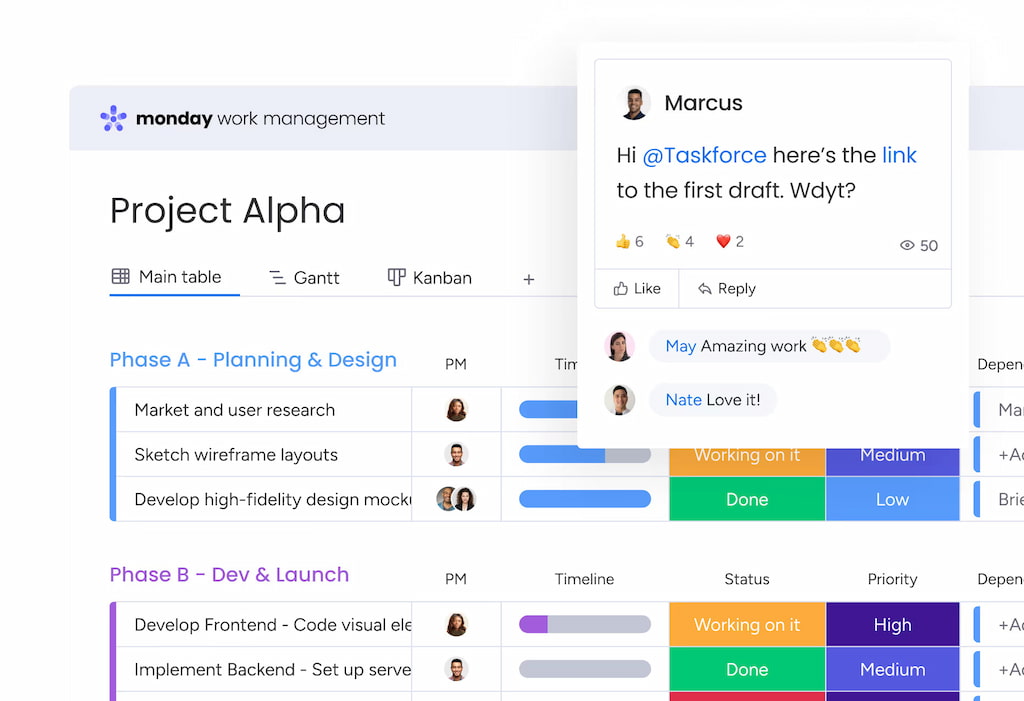
Choosing the right project management software can make or break your team’s productivity and scalability. In this in-depth guide, we compare Monday.com vs Teamwork Projects, two powerful platforms built to streamline collaboration, improve task management, and boost project delivery. While both tools serve similar goals, they offer distinct advantages depending on whether you’re managing internal workflows or delivering client projects.
Let’s explore what makes each one unique—and which platform will serve your team best.
🧰 What Is Monday.com?
Monday.com is a modern, visual work operating system (Work OS) that helps teams manage every aspect of their work, from planning to execution. With its user-friendly interface, drag-and-drop boards, and automation capabilities, it’s a go-to platform for marketers, HR teams, product teams, and cross-functional departments.
Top features
- Customizable visual boards (Kanban, Gantt, Calendar, Timeline)
- Automation builder for recurring tasks and processes
- Monday time tracking (via Everhour’s Monday time tracking integration)
- Team collaboration with embedded docs, updates, and mentions
- Centralized dashboards and reporting widgets
- 200+ Monday integrations (Slack, Zoom, Google Drive, Outlook, Everhour)
- Mobile apps for iOS and Android for on-the-go project updates
Monday.com is known for flexibility. You can build anything from a content calendar to a hiring pipeline or product launch roadmap.
🛠 What Is Teamwork Projects?
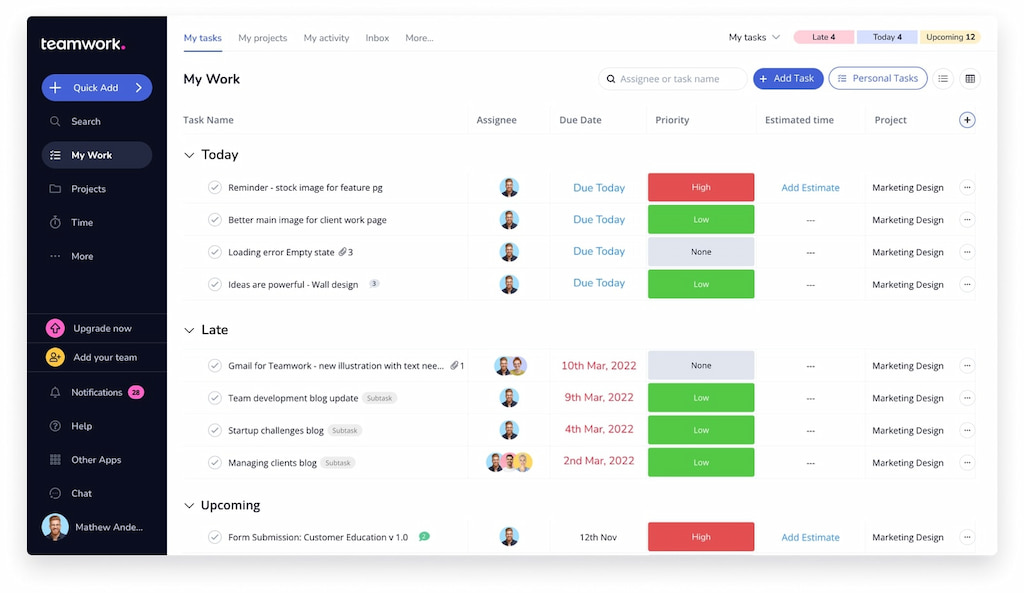
Teamwork Projects is a robust project management platform built for client service businesses like marketing agencies, consultancies, and freelancers. In addition to project tracking, it includes advanced features for billing, invoicing, and client communication.
Top features
- Task lists, Gantt charts, and milestone tracking
- Native time tracking with productivity and billable hours breakdowns (however, you can use our Teamwork Project time tracking integration for simplicity)
- Built-in invoicing and budget forecasting tools
- Client portals with role-based permissions
- Utilization reporting and resource scheduling
- Templates for repeatable workflows and processes
- Built-in chat and file sharing for seamless team communication
If your work revolves around billable hours, resource allocation, and client accountability, Teamwork is tailored for you.
⚖️ Monday vs Teamwork: Feature-by-Feature Comparison
| 🧩 Feature | 📘 Monday.com | 🟣 Teamwork Projects |
|---|---|---|
| Task & project management | ✅ Visual boards and timelines | ✅ Lists, Gantt charts, milestones |
| Time tracking | ⚠️ Via integrations (e.g., Everhour) | ✅ Built-in with reporting |
| Budgeting & billing | ❌ Not native | ✅ Invoicing, expenses, billing |
| Client access | ✅ Permission settings | ✅ Dedicated client portals |
| Automation | ✅ Advanced and visual | ✅ Moderate rule-based automation |
| Templates | ✅ Custom board templates | ✅ Pre-built, repeatable templates |
| Integrations | ✅ 200+ integrations | ✅ 100+ integrations |
| Collaboration tools | ✅ Docs, updates, mentions | ✅ Comments, file sharing |
| Mobile app | ✅ iOS/Android | ✅ iOS/Android |
| Ideal for | Internal teams and departments | Agencies, consultants, service teams |
💵 Monday vs Teamwork Pricing
| 💼 Plan Tier | 📘 Monday.com Price* | 🟣 Teamwork Projects Price* |
|---|---|---|
| Free Plan | ✅ Yes (up to 2 users) | ✅ Yes (up to 5 users) |
| Basic-Standard / Deliver | $9–$12/user/mo | $10.99/user/mo |
| Pro / Grow | $19/user/mo | $19.99/user/mo |
| Enterprise / Scale | Custom pricing | Custom pricing |
💰 Prices reflect annual billing rates as of 2026. Visit official sites for the latest updates and feature tiers.
🔄 Time Tracking Integration: Everhour
If your team needs detailed time tracking, cost monitoring, or automated payroll-ready exports, Everhour’s time tracker integrates smoothly with both platforms.
![track time like a pro with the best employee time tracking app [21 tools]](https://everhour.com/blog/wp-content/uploads/2024/10/primary-screen-everhour.jpg)
🚀 With Everhour you can:
- ✅ Track time directly from Monday or Teamwork dashboards
- 📄 Build client-ready timesheets and export detailed reports
- 📊 Monitor project budgets and track team performance in real time
- 💸 Generate payroll summaries and automate invoicing or billing
- 🕒 Assign billable/non-billable hours by user or specific task
- 🚨 Set alerts for budget overruns and time estimate breaches
🔎 Discover what real users have to say about Everhour:
“The tool has a user-friendly interface making it easy to schedule and create invoice” [Otieno, Capterra]
“Ease of integrations with our existing software. Great UX/UI. Easy to create custom reports and monitor budgets on each project we are working on. Simple to introduce to new team members.” [Sarah, G2]
“Took a few days to get used to. Very easy to integrate and helps so much with time tracking.” [Kaden, Capterra]
Everhour’s real-time sync means your time data is always accurate—no double entry or guesswork needed.
💼 Use Case Scenarios
📘 Use Monday.com for
- Planning and launching marketing or product campaigns
- Automating internal workflows with drag-and-drop logic
- Managing remote teams and async collaboration
- Integrating with Zoom, Slack, Google Drive, and other cloud tools
🟣 Use Teamwork Projects for
- Managing billable client projects from start to invoice
- Assigning internal vs client-visible tasks
- Tracking time, budget, and profitability in one place
- Creating white-labeled dashboards and reporting for clients
🧠 Pro Tip: Boost Either Tool with Everhour
Whether you’re running in-house operations or client campaigns, combining your project tool with Everhour ensures:
- ⏱️ Accurate time tracking and real-time task progress
- 🧾 Easy payroll or invoice generation
- 📊 Budget forecasting and alerts before overages occur
- 👀 Improved visibility and accountability across your team
Everhour makes time management visible—so your team can work smarter, not harder.
✅ Final Verdict: Which Project Tool Should You Choose?
📘 Choose Monday.com if:
- You’re focused on internal team collaboration
- You want flexible views and task automations
- You’re looking for visual dashboards and a wide app ecosystem
🟣 Choose Teamwork Projects if you:
- Run a service agency or bill clients directly
- Need native time tracking and budgeting
- Want to streamline project delivery and invoicing
Both platforms remain top contenders. The right choice depends on how your business operates—and how much built-in structure you need.
📌 Need time tracking with either tool? Everhour integrates seamlessly with both Monday and Teamwork to help you stay on time and on budget.
🆓 Start your free trial of Everhour and see how it transforms project management into precise, data-backed execution.

Maria
A dedicated content enthusiast with extensive experience in international teams and projects of all sizes. Maria thrives on creativity and attention to detail, fueled by a love for fantasy novels, music, classic black-and-white films, and always finding ways to make things better.