


Digital Time Clocks for Employees: Features & Best Tools

A digital time clock helps businesses record when employees start and finish work, track breaks and attendance, and create accurate records for payroll and workforce management. Depending on the system, employees may clock in from a computer, mobile app, tablet, or kiosk, while managers can review timesheets, monitor overtime, and manage schedules.
The best digital time clock depends on how and where your team works. Office-based teams may only need simple clock-in and clock-out functionality, while remote or field teams may benefit from mobile access, GPS tracking, geofencing, scheduling, or project-based time tracking.
This guide compares six digital time clocks for employees and explains what each tool is best for, its key capabilities, and the type of business it may suit.
Key Features to Consider in Digital Time Clock Software
When comparing digital time clocks, look for features that match your workforce and payroll process.
Clock-in and attendance tracking
At a minimum, employees should be able to clock in and out, record breaks, and submit accurate timesheets. Some systems also support kiosk-based clock-ins, biometric verification, or restrictions that prevent employees from clocking in outside approved times.
Mobile and remote access
For remote, mobile, or field-based employees, mobile clock-ins can be essential. GPS tracking and geofencing may also help verify that employees clock in from an approved work location.
Overtime and compliance tools
A digital time clock can help managers identify overtime, missed punches, and attendance issues. Depending on the tool and location, businesses may also need configurable overtime rules and records that support payroll and compliance requirements.
Payroll and software integrations
Integrations can reduce manual data entry by transferring approved timesheet data to payroll, accounting, HR, or project management software.
Scheduling and time off
Some digital time clocks include employee scheduling, shift management, time-off requests, and availability tracking. These features can be useful for shift-based businesses.
Reporting
Look for reports that show hours worked, attendance patterns, overtime, labor costs, or time spent on projects, depending on your needs.
Ease of use
A time clock only improves accuracy if employees actually use it consistently. Consider how easily employees can clock in, correct mistakes, submit timesheets, and access the system from the devices they use.
Best Digital Time Clocks for Employees
| Tool | Best for | Clock-in options | Mobile app | GPS/geofencing | Scheduling | Project time tracking |
|---|---|---|---|---|---|---|
| Everhour | Project-based teams | Web, integrated timer | Yes | No | Limited | Yes |
| Buddy Punch | Shift-based teams | Web, mobile, kiosk | Yes | Yes | Yes | Limited |
| OnTheClock | Small businesses | Web, mobile | Yes | Yes | Yes | Limited |
| QuickBooks Time | Payroll and mobile teams | Web, mobile, kiosk | Yes | Yes | Yes | Yes |
| Hubstaff | Remote and field teams | Desktop, web, mobile | Yes | Yes | Limited | Yes |
| ClockShark | Construction and field service | Web, mobile, kiosk | Yes | Yes | Yes | Yes |
Top 6 Digital Time Clocks for Employees
Everhour
Best for: project-based teams that need employee time tracking connected to tasks, projects, and budgets.
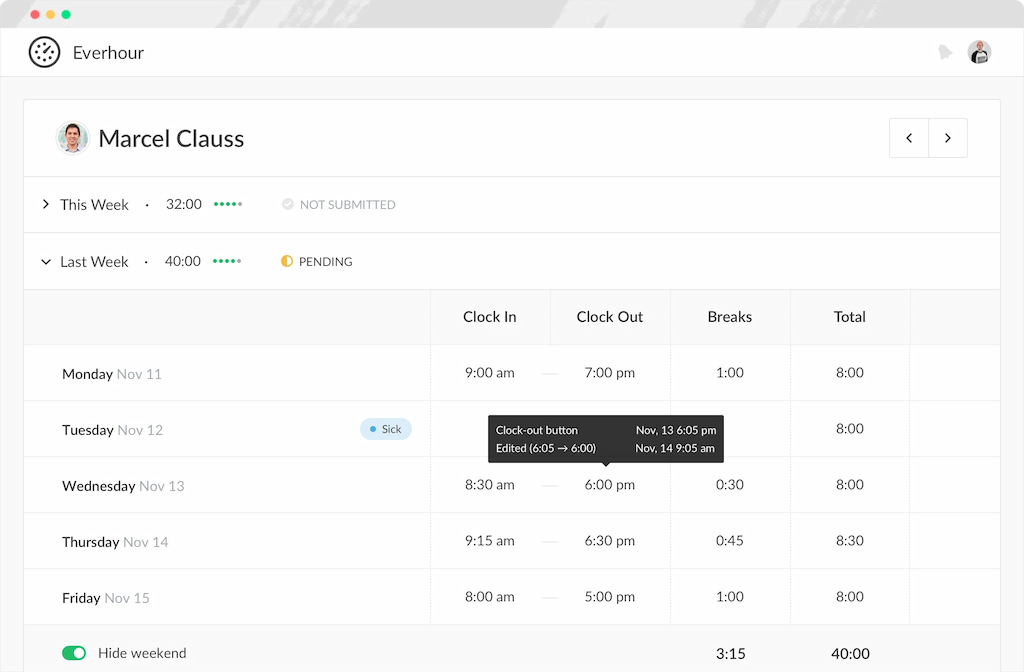
Everhour combines employee time tracking with project management workflows, allowing teams to record work hours directly against tasks and compare actual time with estimates and budgets. It’s particularly useful for agencies, consultancies, and other project-based businesses that need attendance and project time data in the same workflow.
Key features
- Time clock with manual and timer-based entry inside PM tools such as Asana, Trello, Notion, Jira, ClickUp, GitHub
- Project budgeting with real-time alerts
- Billable and non-billable hour tracking
- Timesheet approvals and payroll export
- Native invoice generation from tracked time
- Reporting by project, client, or team member
Pricing
Free plan for up to five users. Team plan $8.50/user/month (minimum five users).
Buddy Punch
Best for: shift-based businesses that need scheduling and employee attendance tracking
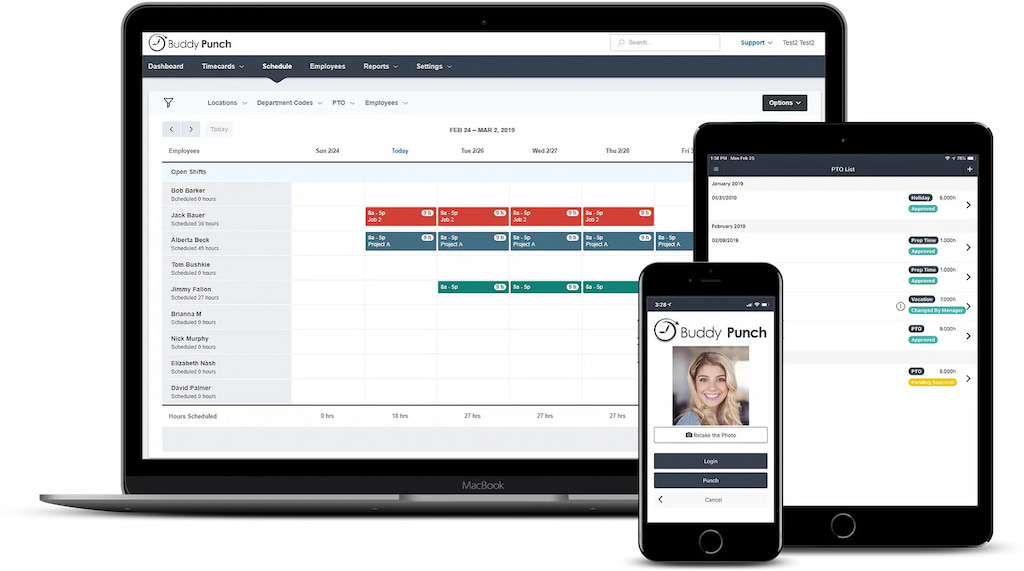
Buddy Punch covers the full employee time management cycle — clock-in via mobile, PIN, QR code, or facial recognition, shift scheduling, PTO management, and direct payroll integrations with QuickBooks, Gusto, and ADP. GPS tracking and geofencing add location verification for teams working across multiple sites. For SMBs that need time clocking to flow cleanly into payroll without manual data transfer, it covers that end-to-end workflow well.
Key features
- Clock-in via mobile app, PIN, QR code, or facial recognition
- GPS tracking and geofencing for location verification
- Shift scheduling with drag-and-drop planner
- PTO management with automatic accruals and approval workflows
- Payroll integrations with QuickBooks, Gusto, and ADP
- Overtime calculations and timesheet approvals
Pricing
Starter $4.99/user/month. Pro $6.99/user/month. Enterprise custom pricing. Free trial available.
OnTheClock
Best for: Small businesses that want a simple, affordable digital time clock
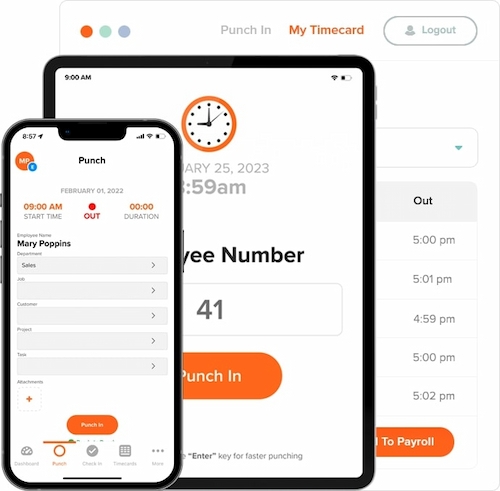
OnTheClock has been around since 2004 and focuses on doing the basics well — clocking in and out, tracking PTO, calculating overtime, and integrating with payroll — without the overhead of a full workforce management platform. For small businesses with hourly employees who just need a reliable digital time clock at a low price point, it covers the core workflow without complexity. The free plan for up to two employees is enough to evaluate the tool properly before committing.
Key features
- Clock in and out via web, mobile app, or kiosk
- PTO tracking with accruals and approvals
- Overtime calculations based on labor law and company policy
- Geofencing to restrict clock-ins to designated locations
- Payroll integrations with QuickBooks and Gusto
- Scheduling and shift management
Pricing
Free plan for up to two employees. Paid plans from approximately $2.50/user/month.
Quickbooks Time
Best for: Businesses already running payroll through QuickBooks
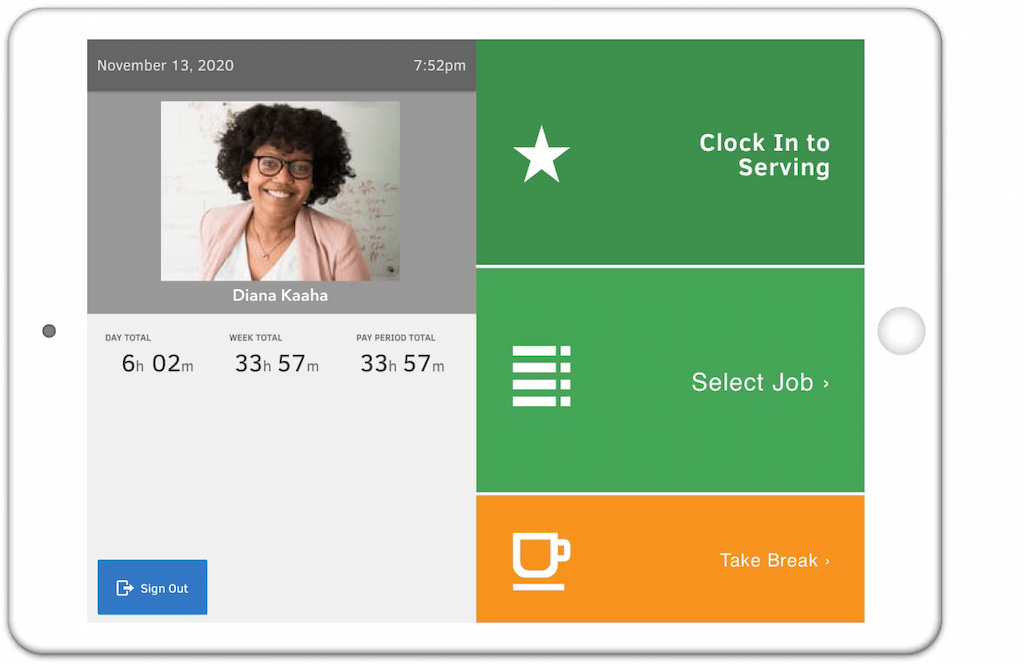
QuickBooks Time’s main value is the direct sync with QuickBooks Online and QuickBooks Payroll — tracked and approved hours flow straight into payroll without manual export or re-entry. For businesses already in the QuickBooks ecosystem, that removes a significant source of payroll errors. Outside of that integration, it’s a capable time clock platform with GPS tracking, geofencing, and shift scheduling for field teams, and job costing tied to tracked hours.
Key features
- Direct sync with QuickBooks Online and Payroll
- GPS tracking and geofencing for field teams
- Mobile clock-in and clock-out
- Shift scheduling and overtime calculations
- Job costing and labor reports
- Timesheet approvals and payroll exports
Pricing
No free plan. Premium $20/month base fee plus $10/user/month. Elite $40/month base fee plus $12/user/month. Free trial available.
Hubstaff
Best for: Remote and field teams that need time tracking with activity monitoring
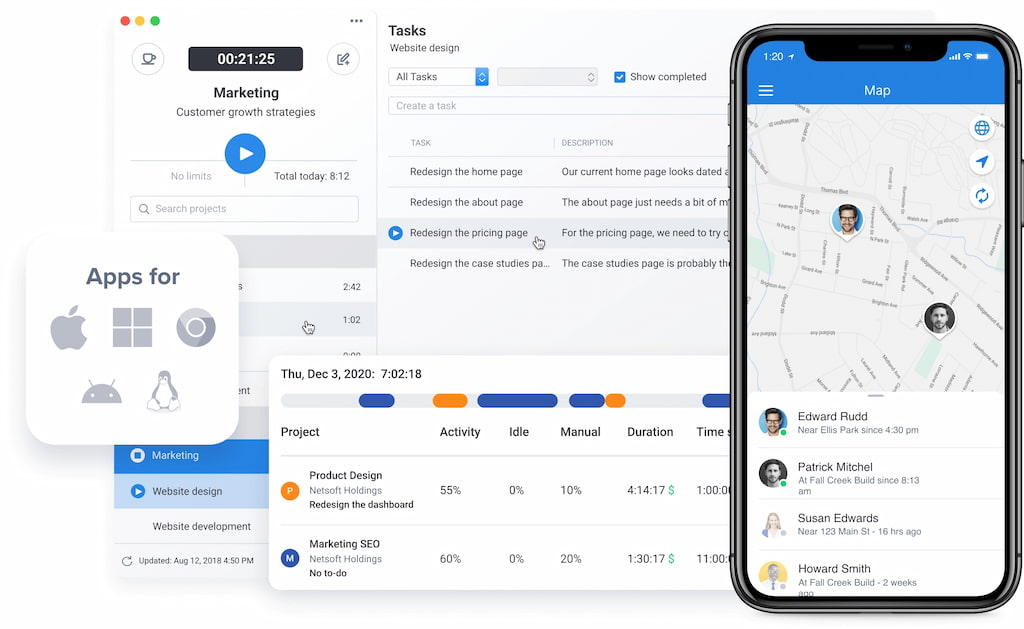
Hubstaff sits at the more monitoring-heavy end of the digital time clock spectrum. It tracks hours worked but also goes further — GPS confirms where field employees are clocking in from, activity monitoring measures keyboard and mouse usage, and optional screenshots capture what’s on screen during work sessions. For businesses managing large distributed workforces or field teams where accountability is genuinely difficult to maintain, that data is useful. For teams built on trust, it may create more friction than value.
Key features
- Time tracking via desktop, mobile, or browser
- GPS tracking and geofencing for field teams
- Activity monitoring with optional screenshot capture
- Shift scheduling and overtime management
- Payroll processing and integrations
- Detailed productivity and attendance reports
Pricing
Starter $4.99/user/month. Grow $7.50/user/month. Team $10/user/month. Enterprise $25/user/month. No permanent free plan.
ClockShark
Best for: Construction and field service businesses that need mobile time tracking
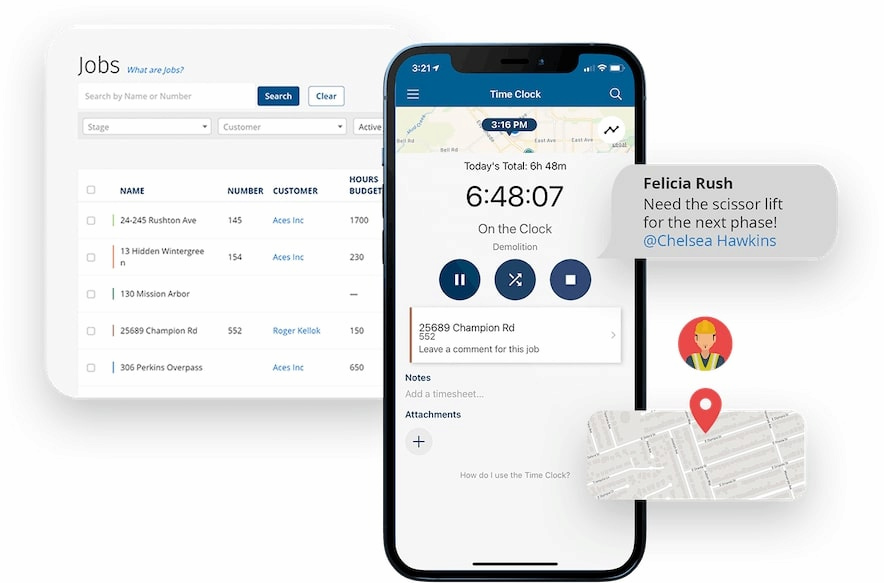
ClockShark is built specifically for construction, field service, and other mobile workforces where employees work across multiple job sites and need to clock in from their phones rather than a desktop. GPS and geofencing verify that employees are at the right location when they clock in, and job and task tracking connects hours to specific projects for accurate billing. It’s the most specialized tool on this list for field-based work.
Key features
- Mobile time tracking via iOS and Android
- GPS tracking and geofencing for job site verification
- Job and task tracking for project-based billing
- Time-off management and approval workflows
- Shift scheduling and crew management
- Detailed reporting on hours, labor costs, and project progress
Pricing
Plans start at $20 per user per month
FAQ
A digital time clock primarily records when employees start and finish work and may track breaks, attendance, and overtime. Time tracking software can go further by recording how employees spend those hours across projects, tasks, or clients.
The best option depends on how employees work. Small businesses with shift-based staff may prefer a simple attendance-focused tool, while project-based businesses may benefit from a system such as Everhour that connects employee hours with projects, tasks, and budgets.
Many digital time clocks offer mobile apps that allow employees to clock in and out from a smartphone. Some also support GPS tracking or geofencing to verify the location of mobile clock-ins.
Many systems can identify or calculate overtime based on configured work rules. Businesses should verify that the tool supports the overtime rules and requirements relevant to their location and workforce.
Yes. Employees can record work hours digitally, while managers can review, correct, approve, and export timesheet data for payroll or reporting.
Project-based teams should look for a tool that connects employee hours with projects and tasks. Everhour, for example, allows teams to track time within project management workflows and compare actual time against estimates and budgets.
In Summary
Choose Everhour for digital time tracking connected to project management tools with budgeting and invoicing
Choose Buddy Punch for shift-based teams that need flexible clock-in options with direct payroll integration
Choose OnTheClock for a simple, affordable digital time clock for small businesses with hourly employees
Choose QuickBooks Time if your payroll and accounting already run through QuickBooks
Choose Hubstaff for remote and field teams that need GPS tracking and activity monitoring alongside time clocking
Choose ClockShark for construction and field service businesses that need mobile time tracking across job sites

Maria
A dedicated content enthusiast with extensive experience in international teams and projects of all sizes. Maria thrives on creativity and attention to detail, fueled by a love for fantasy novels, music, classic black-and-white films, and always finding ways to make things better.