


Best Developer Productivity Tools: Level Up Your Coding Game

Developer productivity matters more than ever. With hybrid work, complex tech stacks, and constant deadlines, teams need better ways to stay focused and deliver fast. Developer productivity tools include AI coding assistants, workflow automation, collaboration platforms, and a time tracker like Everhour — all designed to support engineering managers and product teams.
In this guide, we’ll look at the best developer productivity tools. From software development time tracking and automation to AI development tools and coding environments, these picks help teams work faster, stay organized, and deliver real results.
How We Evaluated These Tools
We evaluated each developer productivity tool based on the features that have the greatest impact on software development teams. Our assessment considered developer workflow support, integrations, collaboration features, automation capabilities, AI assistance, reporting, ease of use, pricing, and overall value. Pricing and feature availability were verified on each vendor’s website in July 2026. We also reviewed user feedback from G2 and Capterra alongside our own product research.
Disclosure: Everhour is our product and appears first on this list. We’ve aimed to review every tool fairly, including where another platform may be a better fit depending on your team’s needs.
What Are Developer Productivity Tools?
Developer productivity tools help software teams write, test, review, deploy, and manage code more efficiently. Rather than focusing on a single activity, they reduce friction throughout the development lifecycle by automating repetitive work, improving collaboration, tracking engineering effort, and providing better visibility into project progress.
Unlike traditional productivity software, developer productivity tools are designed specifically for software engineering workflows.
They integrate with IDEs, repositories, issue trackers, CI/CD pipelines, and project management platforms to reduce manual work, improve collaboration, and give engineering teams better visibility into delivery.
How to Choose Developer Productivity Tools?
The right developer productivity stack depends on your team’s size, development workflow, and engineering goals. Rather than relying on a single platform, most software teams combine several specialized tools.
For example:
- AI coding assistants speed up writing, debugging, and documenting code.
- Time tracking tools provide visibility into engineering effort and project budgets.
- Project management platforms help teams plan sprints, prioritize work, and collaborate.
- Developer analytics tools reveal coding patterns and engineering trends.
- Productivity utilities reduce repetitive tasks and context switching.
The best combination should integrate with your existing development workflow instead of introducing unnecessary complexity.
Best Developer Productivity Tools at a Glance
The best developer productivity tool depends on your team’s workflow. Some platforms focus on AI-assisted coding, while others improve project visibility, collaboration, engineering analytics, or workflow automation. The table below compares the best tools for the most common development needs.
| Need | Best tool | Why it’s a good fit |
|---|---|---|
| Time tracking | Everhour | Tracks engineering time, project budgets, and team workload. |
| AI coding | GitHub Copilot | Generates code suggestions and boilerplate. |
| Enterprise AI | Tabnine | AI-powered code completion across multiple languages. |
| AI code editor | Cursor | AI-first development |
| Issue tracking | Linear | Fast issue tracking for modern software teams. |
| Enterprise Agile | Jira | Scalable Agile planning and project management. |
| Work management | ClickUp | Flexible task, documentation, and roadmap management. |
| Coding analytics | WakaTime | Automatically tracks coding activity and developer habits. |
| Mac productivity | Raycast | Workflow automation and productivity shortcuts. |
Time Tracking and Project Visibility Tools
Everhour
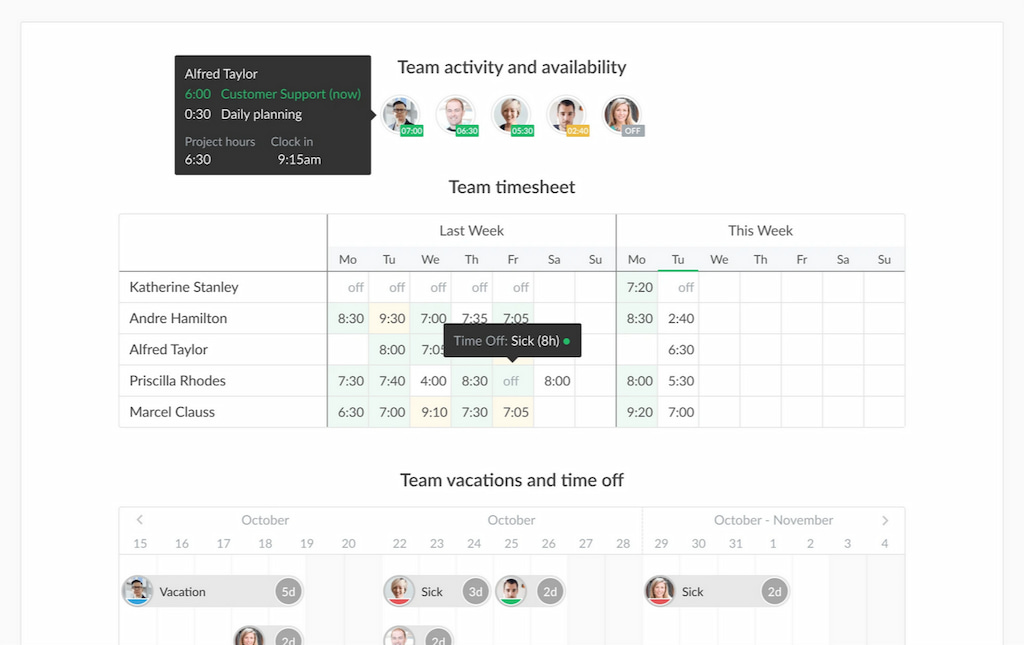
Everhour is a top developer app combining time tracking, budgeting, and reporting in one platform. Developers can track time directly inside tools like GitHub, ClickUp, Asana, Jira, Trello, Notion, while engineering managers gain real-time visibility into project progress, team capacity, and engineering effort. Instead of monitoring activity, Everhour focuses on helping teams estimate work accurately, balance workloads, and deliver projects on schedule.
Best for: Engineering teams, software agencies, and remote development teams
Key features
- Time tracking inside project management tools
- Project budgeting and estimates
- Team workload reporting
- Billable and non-billable hours
- Timesheets and reporting
- Integrations with Jira, GitHub, ClickUp, Asana, Notion, Trello, and many more
- Workload planning
- Engineering capacity
- Sprint planning
Pricing
- Free plan available
- Team plan: Starts at $8.50 per user/month (billed annually)
If you need actionable insights tied to developer activity — not just abstract hours — Everhour offers unmatched flexibility for tech teams.
AI Coding Assistants
GitHub Copilot
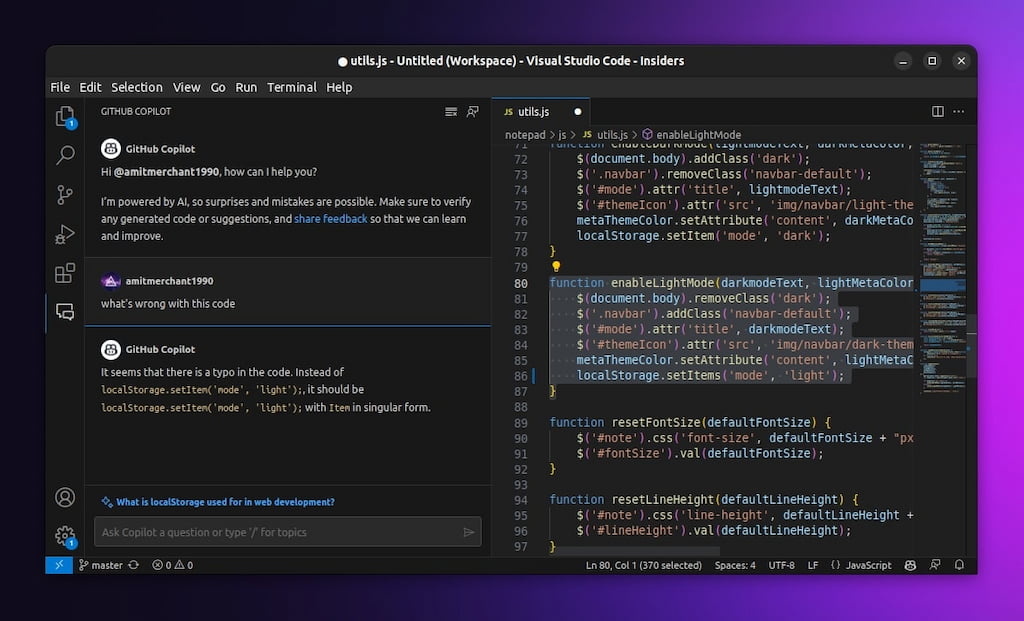
GitHub Copilot is an AI-powered coding assistant that helps developers write code faster by generating functions, completing code, suggesting tests, and assisting with documentation. It integrates directly into popular IDEs and supports dozens of programming languages, making it one of the most widely adopted AI tools for developers.
Best for: AI-assisted software development
Key features
- AI code generation
- Intelligent code completion
- Test and documentation suggestions
- Support for multiple programming languages
- IDE integrations
Pricing
- Free plan available
- Pro: Starts at $10/month
- Pro+: Starts at $39/user/month
- Max: Starts at $100/user/month
Tabnine
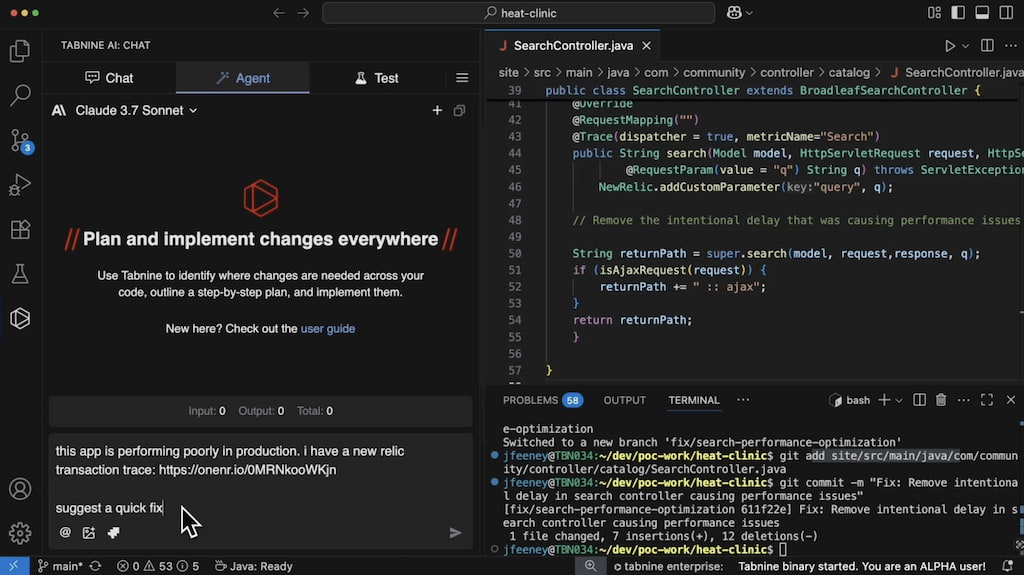
Tabnine uses AI to speed up coding by providing intelligent code completions across multiple programming languages and development environments. It supports both cloud-based and self-hosted deployments, making it suitable for organizations that need greater control over security and privacy.
Best for: AI-powered code completion across multiple languages
Key features
- AI code completion
- Support for multiple IDEs
- Team models
- Private deployment options
- Personalized suggestions
Pricing
- Developer: Free plan available.
- Code Assistant Platform: Starts at $39 per user/month (billed annually).
- Agentic Platform: Starts at $59 per user/month (billed annually).
- Enterprise deployment: Custom pricing available for on-premises, VPC, and air-gapped environments.
Cursor
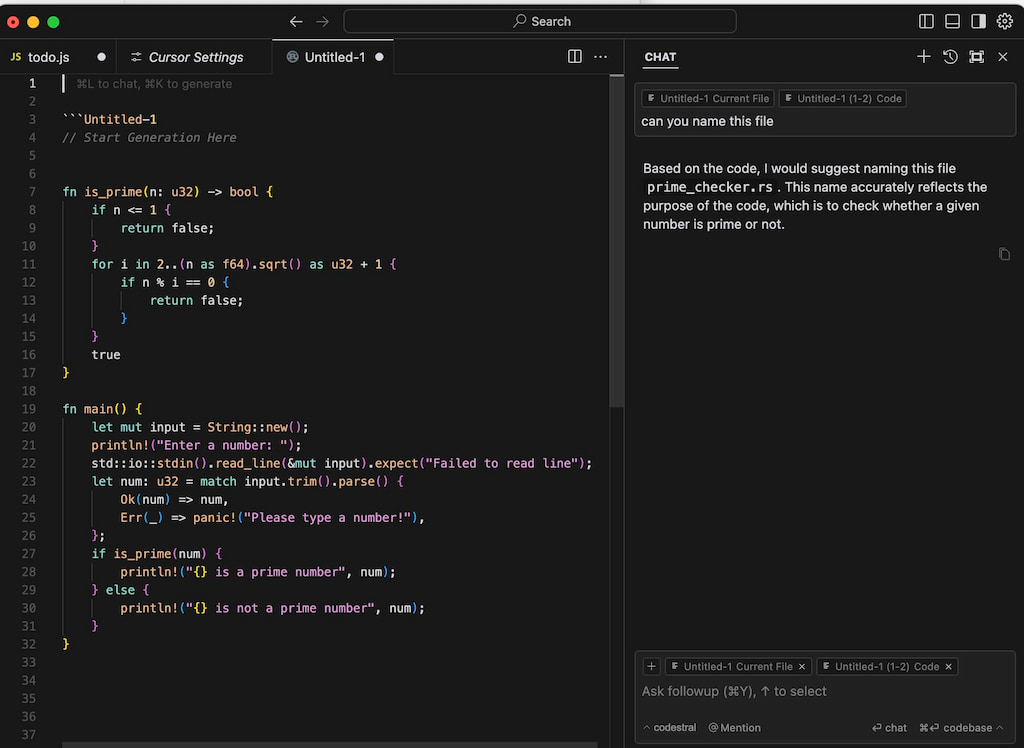
Cursor is an AI-powered code editor built on top of Visual Studio Code that helps developers write, understand, and modify code faster. It uses AI models to provide code suggestions, explain existing code, generate new features, and help with debugging directly inside the editor. It’s particularly useful for developers who want an AI assistant integrated into their everyday coding workflow.
Best for: AI-assisted coding and faster software development
Key features
- AI pair programming
- Codebase-aware chat and search
- Code explanations and debugging help
- Multi-file editing
- VS Code extension compatibility
- AI-powered autocomplete
Pricing
- Hobby tier: Free
- Invidivual: $20/month
- Teams: $40/user/month
Project Management and Collaboration for Development Teams
Linear
Linear is a modern issue tracking platform built specifically for software teams. It combines speed, clean design, and powerful integrations with GitHub, Slack, and other development tools to simplify sprint planning, bug tracking, and product development.
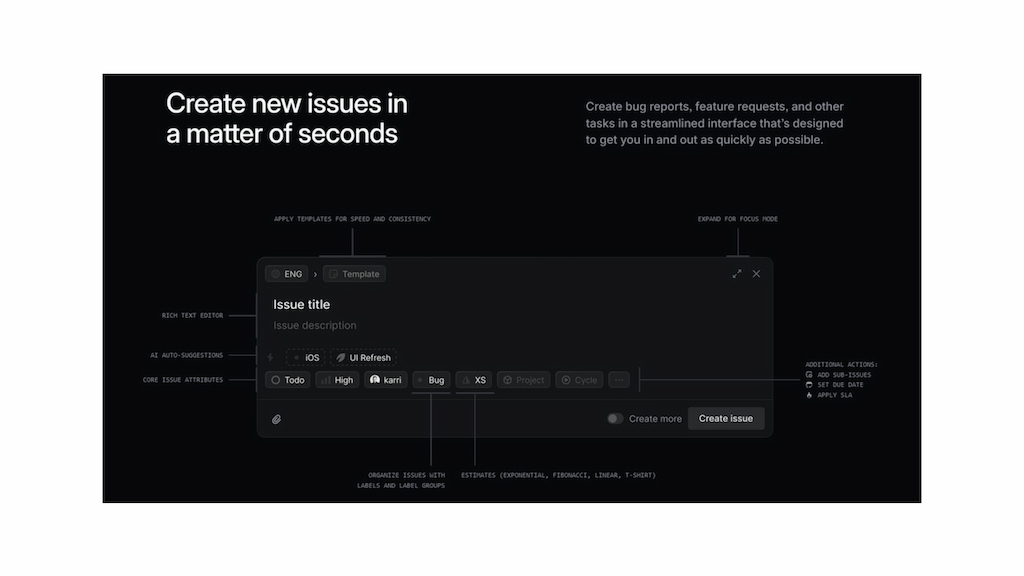
Best for: Modern software development teams
Key features
- Issue tracking
- Sprint planning
- Product roadmaps
- GitHub integration
- Keyboard-first workflow
Pricing
- Free plan available
- Basic: Starts at $10/user/month
- Business: Starts at $16/user/month
➡️ Learn how to use Linear and more about Linear project management in our guides.
Jira
Jira remains one of the most widely used Agile project management platforms for software development. It supports Scrum and Kanban workflows, sprint planning, backlog management, release tracking, and advanced reporting, making it well suited to enterprise engineering organizations.
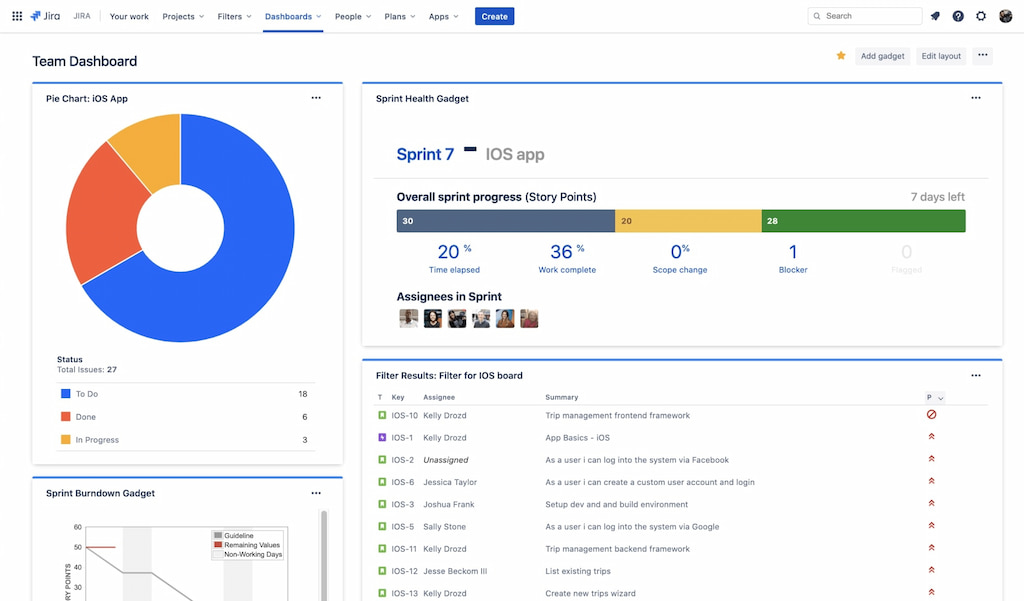
Best for: Enterprise Agile software development
Key features
- Scrum and Kanban boards
- Sprint planning
- Backlog management
- Agile reporting
- Workflow automation
- Extensive integrations
Pricing
- Free for up to 10 users
- Standard: Starts at around $7.91/user/month
- Premium: Starts at around $14.54/user/month
Learn more about how Jira can be used for developers from one of our guides:
ClickUp
ClickUp combines project management, documentation, sprint planning, dashboards, and workflow automation in a single platform. Development teams can customize workflows, manage engineering projects, collaborate across departments, and integrate with developer tools from one workspace.
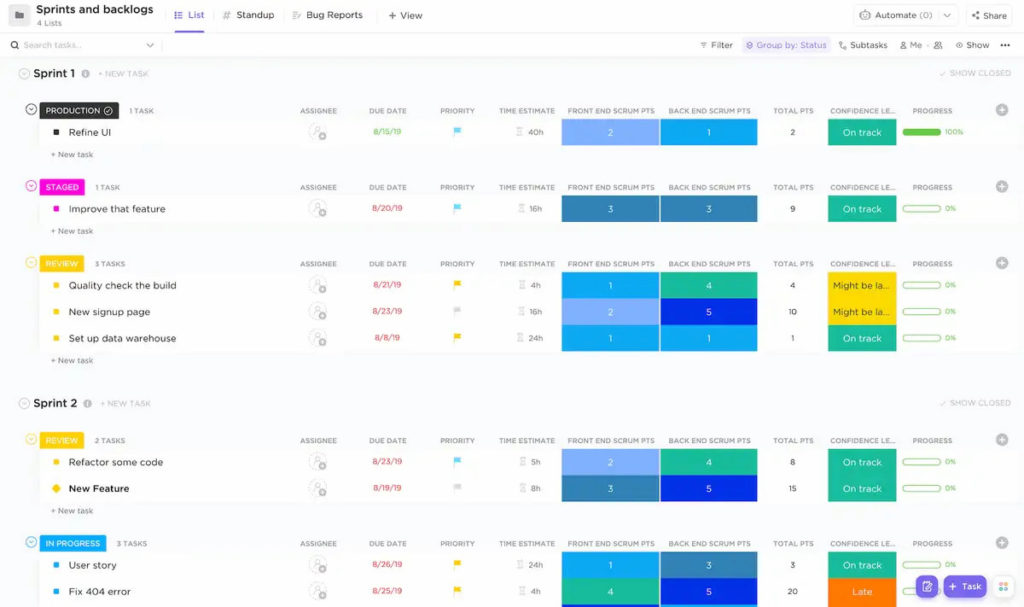
Best for: Teams looking for an all-in-one work management platform
Key features
- Sprint management
- Task and project management
- Documentation
- Dashboards and reporting
- Workflow automation
- Integrates directly with Everhour for ClickUp time tracking
Pricing
- Free Forever plan
- Unlimited: Starts at $7/user/month
- Business: Starts at $12/user/month
Developer Analytics Tools
WakaTime
WakaTime automatically tracks coding activity across editors and IDEs, helping developers understand how they spend their time. Engineering managers can use team dashboards to identify trends, while individual developers gain insights into programming languages, projects, and coding habits without manually tracking time.
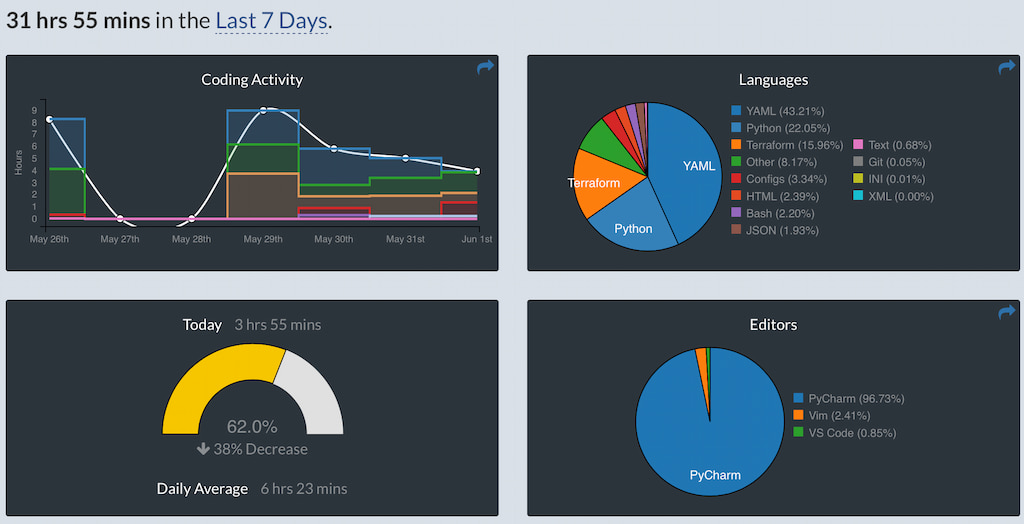
Best for: Coding analytics and developer insights
Key features
- Automatic coding tracking
- Programming language analytics
- Project insights
- Team dashboards
- Productivity reports
Pricing
- Free plan
- Basic: $9/month
- Premium: $14/month
Productivity Utilities
Raycast
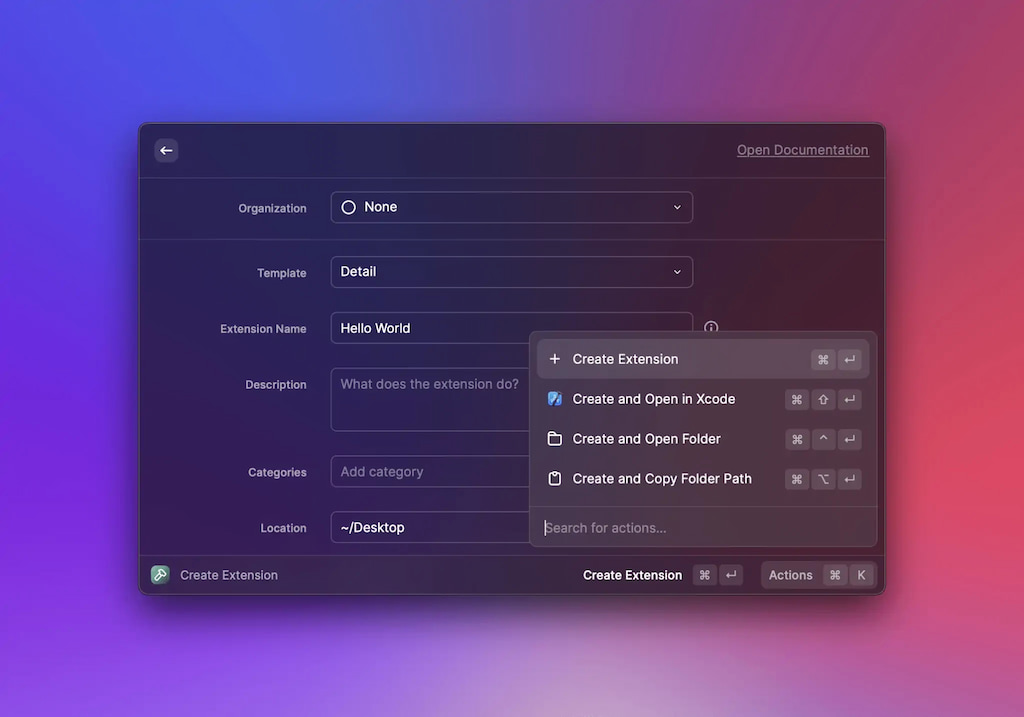
Raycast is a productivity launcher for macOS that helps developers automate repetitive tasks, search files, run scripts, control applications, and access AI features without leaving the keyboard. Its extension ecosystem and workflow automation capabilities make it a popular productivity tool for Mac-based engineering teams.
Best for: macOS developers and engineering workflows
Key features
- Keyboard launcher
- Workflow automation
- AI commands
- Script support
- Extension marketplace
- Clipboard history and snippets
Pricing
- Free plan available
- Pro: $8/month
- Pro+ Advanced AI: $16/month
Developer Productivity Metrics
Measuring developer productivity isn’t about counting lines of code or commits. Modern engineering teams focus on metrics that reflect software quality, delivery speed, collaboration, and business outcomes. The right developer productivity tools help collect these insights automatically, giving engineering managers better visibility into team performance without disrupting developers’ workflows.
Common developer productivity metrics include:
- Deployment frequency: How often code is successfully released to production.
- Lead time for changes: The time between writing code and deploying it.
- Cycle time: How long it takes a task or feature to move from development to completion.
- Sprint velocity: The amount of work completed during a sprint.
- Engineering capacity: How much work the team can realistically deliver based on available resources.
- Time allocation: How developers divide their time between feature development, bug fixes, meetings, and maintenance.
- Code review turnaround: How quickly pull requests are reviewed and merged.
- Project delivery: Whether projects are completed on schedule and within budget.
The most effective teams use these metrics to identify bottlenecks, improve planning, and support continuous improvement—not to measure individual performance in isolation.
FAQs
Developer productivity tools help software teams write, manage, test, and deliver code more efficiently. They include AI coding assistants, project management platforms, time tracking software, developer analytics tools, and workflow automation solutions that reduce repetitive work and improve collaboration.
These tools help engineering teams automate repetitive tasks, improve collaboration, monitor project progress, and gain better visibility into development workflows. By reducing manual work and identifying bottlenecks, they allow developers to focus on building high-quality software.
The best tool depends on your team’s needs. Everhour is well suited to tracking engineering time and project visibility, GitHub Copilot and Cursor accelerate coding with AI, Linear and Jira simplify project management, while WakaTime provides coding analytics.
Many modern developer tools include AI features. GitHub Copilot generates code and documentation, Cursor acts as an AI-powered code editor, and Tabnine provides AI-assisted code completion across multiple programming languages.
Engineering teams typically measure productivity using metrics such as deployment frequency, lead time for changes, cycle time, sprint velocity, project delivery, engineering capacity, code review turnaround, and time allocation. These metrics provide a more complete picture than simply counting commits or lines of code.
Not necessarily. Most developer productivity tools are designed to improve planning, collaboration, and workflow visibility rather than monitor individual employees. Time tracking, project analytics, and engineering metrics are generally used to identify bottlenecks, balance workloads, and improve team performance.
GitHub Copilot is an AI coding assistant that works inside existing IDEs to generate code suggestions and documentation. Cursor is a complete AI-powered code editor built on Visual Studio Code, offering code generation, AI chat, debugging assistance, and codebase-aware editing in one environment.
Yes. Small teams often benefit the most because developer productivity tools reduce manual work, improve project organization, automate repetitive tasks, and provide visibility into workloads without requiring complex engineering processes. Many platforms also offer free plans or affordable pricing for startups and growing teams.
Final Thoughts
No single tool improves developer productivity on its own. High-performing engineering teams typically combine AI coding assistants, project management software, developer analytics, and time tracking to build an efficient development workflow. The right mix depends on your team’s size, engineering processes, and collaboration needs.
If your dev team uses Asana, Jira, ClickUp, or GitHub, Everhour slides right in. Lots of product teams trust it to track time, manage budgets, and plan work with less guesswork. Check it out to see how clear time tracking helps teams deliver better, stay healthier, and work together smoothly every sprint.
➡️ Read up on our list of ChatGPT prompts for project management!

Maria
A dedicated content enthusiast with extensive experience in international teams and projects of all sizes. Maria thrives on creativity and attention to detail, fueled by a love for fantasy novels, music, classic black-and-white films, and always finding ways to make things better.