


6 Best Cloud-Based Timesheet Software Solutions to Scale Your Business

Cloud-based timesheet software lets employees track work hours online from any device while giving managers real-time visibility into projects, payroll, and billable hours. Unlike desktop or spreadsheet-based timesheets, cloud solutions automatically sync data across teams, simplify approvals, and integrate with project management and accounting software. We compared the leading cloud-based timesheet tools to help you choose the right solution for your business.
How We Evaluated Cloud-Based Timesheet Software
We tested each tool by creating an account, logging time across sample projects, reviewing reporting and export options, and verifying pricing directly on each vendor’s site as of June 2026. We also reviewed user feedback on G2 and Capterra to make sure our assessments reflect real-world experience rather than just feature lists.
A disclosure: Everhour is our product and appears first on this list. We’ve aimed to give every other tool here an honest writeup including real limitations. If Everhour isn’t the right fit for your workflow, Paymo, MyHours, and ClickTime are all strong alternatives depending on your needs, and we say so below.
Quick Overview: Best Cloud-Based Timesheet Software
Best overall for project-based teams: Everhour
Best for freelancers with invoicing needs: Paymo
Best for remote workforce monitoring: Hubstaff
Best for simple client billing: MyHours
Best for productivity monitoring: Time Doctor
Best for resource management: ClickTime
Top Cloud-Based Timesheet Software Breakdown
| Tool | Free trial | Standout feature | Pricing |
| Everhour | Yes | Accurate time tracking and project management | Free; $8.50/user/mo |
| Paymo | Yes | Invoicing and client access portals | Free; Paid plans start at $4.95/user/mo |
| Hubstaff | Yes | Project management integration and advanced reporting | Starts at $4.99/user/mo |
| My Hours | Free plan available | Comprehensive reporting and invoicing | Starts at $8/user/mo |
| Time Doctor | Yes | Productivity monitoring and project management | Starts at $7/user/mo |
| ClickTime | Yes | Resource management and expense tracking integration | Starts at $10/user/mo |
6 Best Cloud-Based Timesheet Software
Everhour
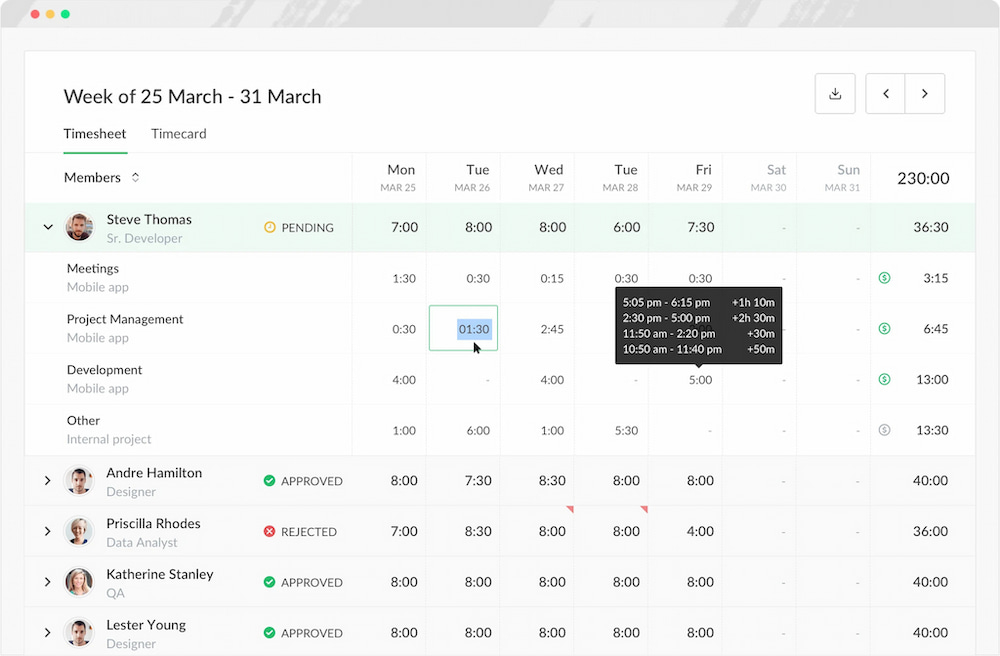
Everhour is a comprehensive cloud-based time tracker and timesheet app designed to streamline time management and project tracking for businesses of all sizes. It enables precise time tracking, efficient project management, and seamless client billing through its easy-to-follow interface and powerful features.
Key features
- Time tracking: Capture billable hours and track time spent on tasks and projects in real-time, use it’s free project timesheet for quick time tracking.
- Project management integration: Seamlessly integrate Everhour with popular project management tools like Asana, ClickUp, and Notion, allowing users to track time directly within their existing workflows on those platforms (and many others).
- Budgeting and reporting: Set project budgets and receive alerts when nearing limits. Generate detailed reports to analyze time spent, project progress, and resource allocation.
- Invoicing: Create professional invoices based on tracked time, expenses, and project milestones, streamlining the billing process for clients.
- Team collaboration: Collaborate with team members by assigning tasks, sharing project progress, and tracking time collaboratively.
Pricing
- Free plan: Everhour offers a free plan with basic time tracking features for small teams.
- Team plan: For larger teams or advanced features, Everhour’s Team Plan starts at $8.50 per user per month. This plan includes advanced reporting, project budgeting, and integrations with popular project management tools.
✅ When it works best
- You manage projects inside Asana, ClickUp, Trello, Jira, or Notion
- You need budgeting, invoicing, and timesheets in one place
- You bill clients by the hour
- You want detailed project and profitability reporting
❌ When to avoid it
- You only need a simple personal timer
- You prefer automatic background tracking
- You don’t need project management integrations
Paymo
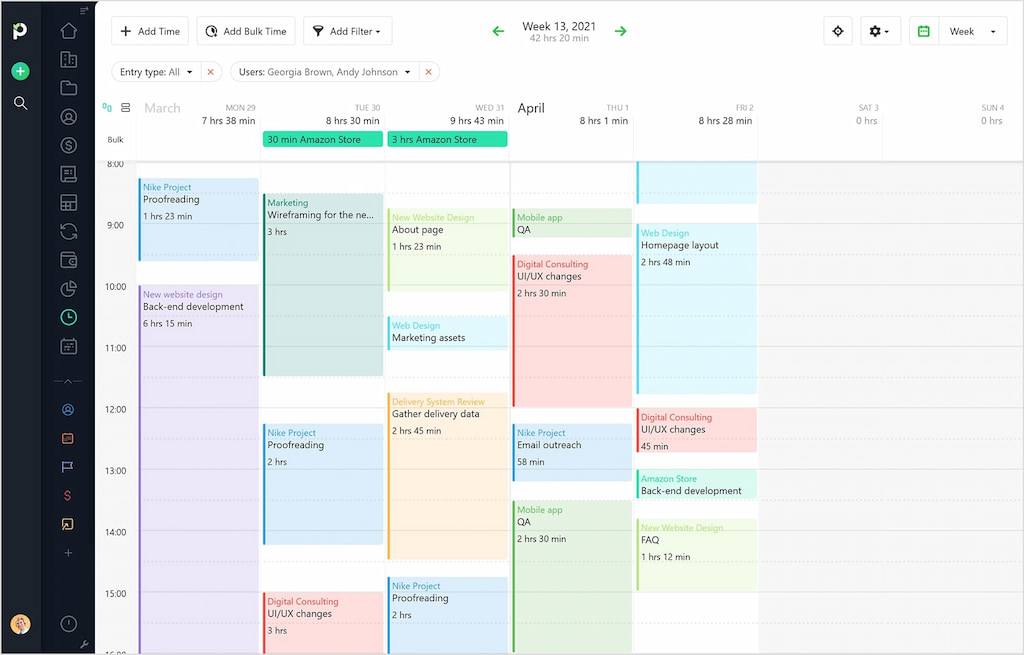
Paymo presents a comprehensive cloud-based solution for time tracking and project management, empowering teams to streamline workflows and elevate productivity levels. Sporting a plethora of features, Paymo simplifies task management, fosters collaboration, and offers detailed insights into project progress.
Key features
- Task and project management: Beyond time tracking, Paymo provides robust task and project management features, allowing you to plan, collaborate, and execute your work efficiently.
- Detailed reporting: Gain insights into your time allocation and productivity with Paymo’s detailed reporting. Customize reports to suit your needs and make informed decisions.
- Client portals: Impress your clients by providing them access to their portals where they can view project progress, invoices, and communication related to their projects.
- Expense tracking: Keep an eye on your expenses alongside your tracked time. This feature is valuable for tracking project-related costs and staying within budget.
- Integration capabilities: Paymo integrates seamlessly with popular tools like Slack, Google Workspace, and more, ensuring a cohesive workflow.
Pricing
- Free plan: Free
- Starter plan: $4.95 per user per month
- Small office plan: $9.95 per user per month
- Business plan: $20.49 per user per month
✅ When it works best
- You run an agency or consulting business
- You want project management and timesheets together
- You invoice clients regularly
- You collaborate directly with clients
❌ When to avoid it
- You only need a lightweight time tracker
- You already use another project management platform
- You want extensive workforce monitoring
Hubstaff
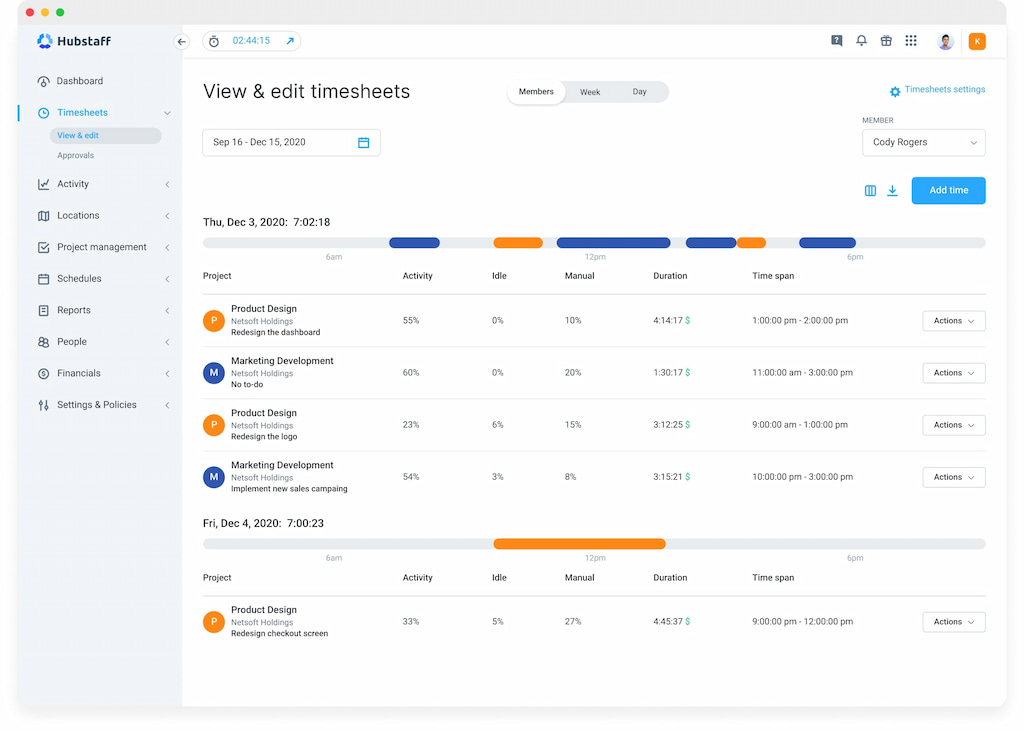
Hubstaff is a versatile cloud-based time tracking and project management software engineered to enhance productivity and streamline workflows for teams of all sizes. Boasting precise time tracking features and comprehensive reporting capabilities, Hubstaff enables businesses to monitor employee activity, track project progress, and make informed, data-driven decisions.
Key features
- Precise time tracking: Hubstaff offers accurate time tracking through a variety of methods, including manual entry, GPS tracking, and desktop screenshots.
- Project management integration: It integrates with popular project management tools, allowing users to link time tracking directly to specific projects and tasks.
- Advanced reporting: Hubstaff’s reports offer insights into employee productivity, project progress, and resource allocation, empowering businesses to make informed decisions based on comprehensive data.
- Location services: Incorporates GPS location tracking and geofencing, ensuring comprehensive insights into employee movements.
- Productivity monitoring: Utilizes activity tracking functionalities to monitor employee productivity and analyze work patterns.
- Alerts and reminders: Configurable alerts help prevent overtime, while timely reminders encourage breaks for enhanced employee well-being.
Pricing
- Starter: $4.99 per user per month
- Grow: $7.50 per user per month
- Team: $10 per user per month
- Enterprise: $25 per user per month
✅ When it works best
- You manage remote or field employees
- You need GPS tracking
- You want workforce visibility
- You process payroll based on tracked time
❌ When to avoid it
- Employee monitoring isn’t appropriate for your team
- You primarily need project budgeting
- You want built-in invoicing
MyHours
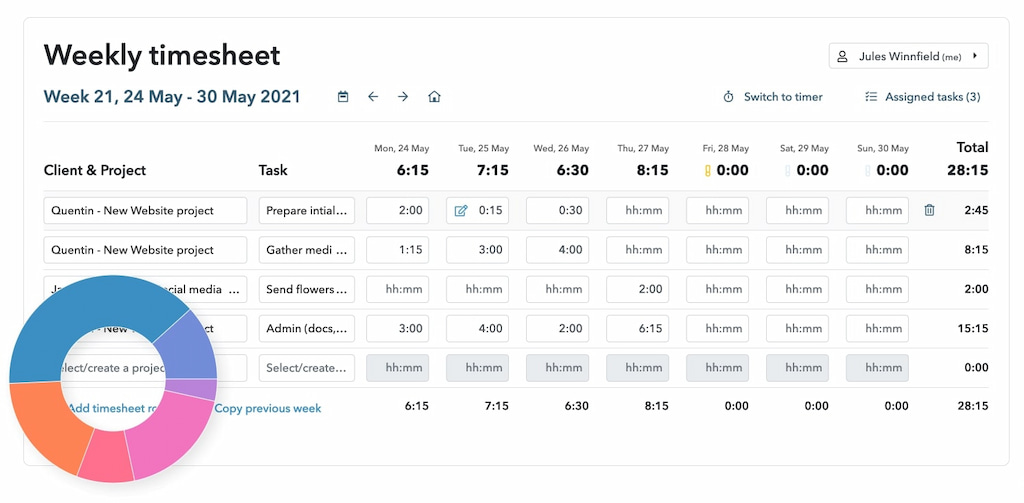
My Hours streamlines time management and billing for individuals and teams, simplifying time tracking and ensuring prompt payments.
Key features
- Comprehensive reporting: Gain valuable insights into your time allocation and productivity with My Hours’ detailed reporting. Customize reports to fit your specific needs and make data-driven decisions.
- Invoicing: Simplify the invoicing process by converting your tracked time into professional invoices. My Hours streamlines billing, ensuring you get paid promptly.
- Client access: Impress your clients by granting them access to their dedicated portals. They can view project progress, invoices, and communications related to their projects, fostering transparency.
- Expense tracking: Stay on top of project-related expenses alongside your tracked time. My Hours helps you manage costs effectively.
- Integration capabilities: Seamlessly integrates with popular tools like Trello, Asana, and more, enhancing your workflow and productivity.
Pricing
My Hours offers a free plan with fundamental time-tracking features. The paid plans start at $8 per month
✅ When it works best
- You bill clients based on tracked hours
- Reporting is a priority
- You manage multiple projects simultaneously
- You want simple invoicing
❌ When to avoid it
- You need workforce monitoring
- You need deep project management
- You require payroll-focused features
Time Doctor
Time Doctor is a leading cloud-based time tracking and productivity monitoring software designed to optimize workflows and improve team efficiency. With its accurate time tracking features and comprehensive productivity monitoring capabilities, Time Doctor empowers businesses to maximize productivity and achieve their goals.

Key features
- Accurate time tracking: Time Doctor excels in precisely tracking the time spent on tasks and projects.
- Productivity monitoring: Gain insights into your team’s productivity with Time Doctor’s comprehensive monitoring features. Analyze applications, utilize various templates, and review website usage during work periods.
- Project & task management: Beyond time tracking, Time Doctor offers robust project and task management features, allowing users to allocate time to specific tasks within projects.
- Website and app usage tracking: Monitor websites and applications used during work hours to gain transparency into employee activities and deter time-wasting behaviors.
- Integration with popular tools: Seamlessly integrates with various project management, accounting, and payment systems, streamlining workflows and reducing manual data entry.
Pricing
- Basic: $7 per user per month
- Standard: $10 per user per month
- Premium: $20 per user per month
✅ When it works best
- Productivity reporting is important
- You manage distributed teams
- You want detailed work activity insights
- You need accurate timesheets for payroll
❌ When to avoid it
- You don’t want employee monitoring
- You primarily need project budgeting
- You want a simpler interface
ClickTime
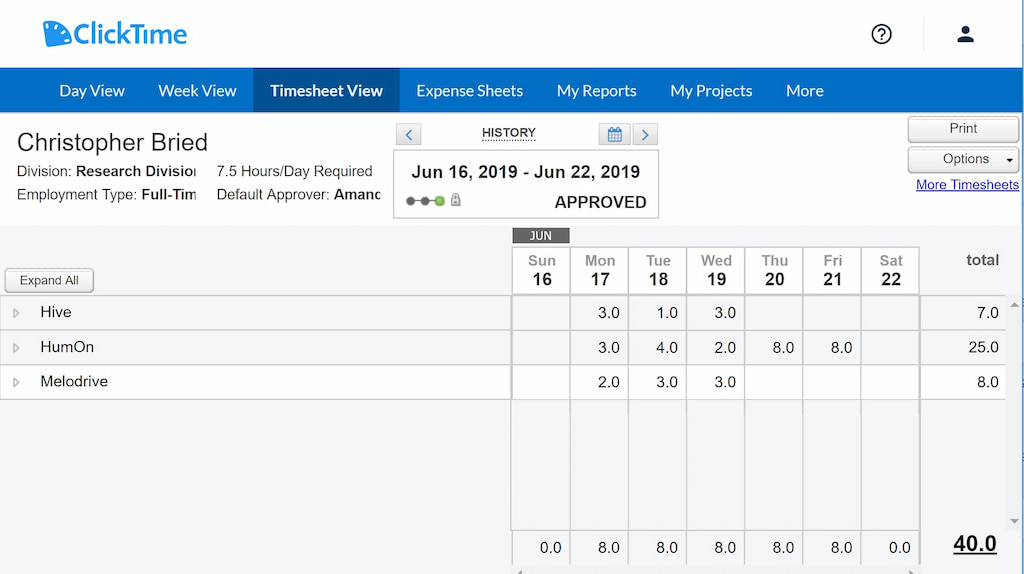
ClickTime offers a comprehensive cloud-based solution tailored to optimize time tracking and project management processes.
Key features
- Resource management: Efficiently allocate and manage resources, ensuring optimal workforce utilization for enhanced project outcomes.
- Expense tracking integration: Seamlessly track project-related expenses alongside time entries, streamlining the entire project financial tracking process.
- Project budgeting and forecasting: Set project budgets, track expenses, and receive real-time insights into project financial health for proactive decision-making.
- Visual analytics dashboard: ClickTime introduces a visual analytics dashboard, providing an intuitive and graphical representation of key metrics.
Pricing
Starting at $10 per user per month
✅ When it works best
- You manage multiple teams or departments
- Resource planning is a priority
- You monitor project budgets closely
- You need forecasting alongside timesheets
❌ When to avoid it
- You only need basic time tracking
- You want a free plan
- You prioritize project management integrations over resource management
FAQ
Cloud-based timesheet software records work hours digitally and stores data online rather than on local devices. This means teams can log time from any device, managers can review and approve timesheets remotely, and data is accessible without installing or maintaining local software.
It depends on your workflow. Everhour is well suited to project-based small businesses that need budgeting and invoicing alongside timesheets. MyHours is a strong free option for freelancers and small teams. Paymo works well for agencies that want project management and client billing in one place.
Yes. Everhour has a free plan for up to five users. MyHours offers a free plan with unlimited members and projects. Paymo has a free plan for one user. Clockify, while not on this list, also offers a free plan with unlimited users.
Some tools support payroll exports or direct payroll integrations. Hubstaff has built-in payroll processing. Everhour supports payroll exports from approved timesheets. Most other tools on this list generate timesheet reports that can be exported for use in a separate payroll system.
A timesheet app records how long employees spend on tasks and projects, typically based on timers or manual entries. Productivity monitoring software goes further — tracking websites visited, applications used, and sometimes capturing screenshots during work hours. Time Doctor and Hubstaff both offer monitoring features; the other tools on this list focus on timesheet recording without activity monitoring.
Yes. All six tools on this list are cloud-based and accessible from any device with an internet connection. Hubstaff and MyHours are particularly well suited to remote teams, with GPS tracking and flexible clock-in options respectively.
In Summary
Choose Everhour for project-based timesheets with budgeting, invoicing, and PM tool integrations
Choose Paymo for freelancer and agency workflows combining project management, time tracking, and client billing
Choose Hubstaff for remote or field team monitoring with GPS tracking and payroll
Choose MyHours for a simple, generous free plan for freelancers and small teams
Choose Time Doctor for detailed productivity monitoring and remote workforce visibility
Choose ClickTime for resource planning, expense tracking, and compliance reporting in professional services

Maria
A dedicated content enthusiast with extensive experience in international teams and projects of all sizes. Maria thrives on creativity and attention to detail, fueled by a love for fantasy novels, music, classic black-and-white films, and always finding ways to make things better.