


How to Have Employees Clock In and Out for Payroll and Tracking
Tracking when employees start and end their workday sounds simple, but in practice it often breaks down. Missed entries, inconsistent logs, and unclear processes quickly turn basic attendance tracking into unreliable data. That’s why clocking in and out is more than just marking time. It’s the foundation for accurate payroll, clear accountability, and understanding how work actually happens across your team.
Today, most businesses have moved beyond paper timesheets and manual tracking. Digital tools make it easier to record time in real time, standardize processes, and reduce errors, but only if the system is set up correctly.
This article breaks down how employee clock-in and clock-out apps and systems work, the different ways teams track time, and how to set up a process that stays accurate as your team grows.
What “Clocking In and Out” Actually Means
Clocking in and out records the exact moment an employee starts and finishes work. Most teams now use digital systems instead of physical punch clocks, but the purpose stays the same: capturing working hours accurately and consistently.
At its core, clocking in and out answers a simple question — when did someone work? In practice, it becomes the base layer for payroll, planning, and operational decisions.
Attendance tracking vs time tracking
These two terms often get mixed, but they serve different purposes.
Attendance tracking focuses on presence
- when an employee starts and ends a shift
- whether they arrive on time or leave early
- whether they are absent or late
Time tracking focuses on work
- how much time someone actually spends working
- how that time splits across tasks, projects, or clients
- how work hours translate into output, cost, or productivity
Clocking in and out sits between the two. It records raw working hours, which later feed into both attendance records and deeper time analysis.
Why clock-in data matters
Clock-in data feeds directly into core business operations:
- payroll calculations based on hours worked and overtime
- compliance with labor laws and working time regulations
- visibility into team capacity, workload, and availability
Without a reliable clock-in system, teams lose consistency in how they record and interpret working hours.
Common Ways Employees Clock In and Out
There are two main ways employees record their working hours: manual methods and digital systems. The difference comes down to how time is captured, stored, and later used.
Manual methods
Manual tracking is the most basic approach. It relies on employees recording their time themselves, usually without automation or real-time validation.
Common examples include:
- paper timesheets — employees write down start and end times by hand, typically submitted weekly
- spreadsheets — similar to paper, but managed in tools like Excel or Google Sheets
- physical punch clocks — employees use a card or badge to stamp their start and end times on a machine
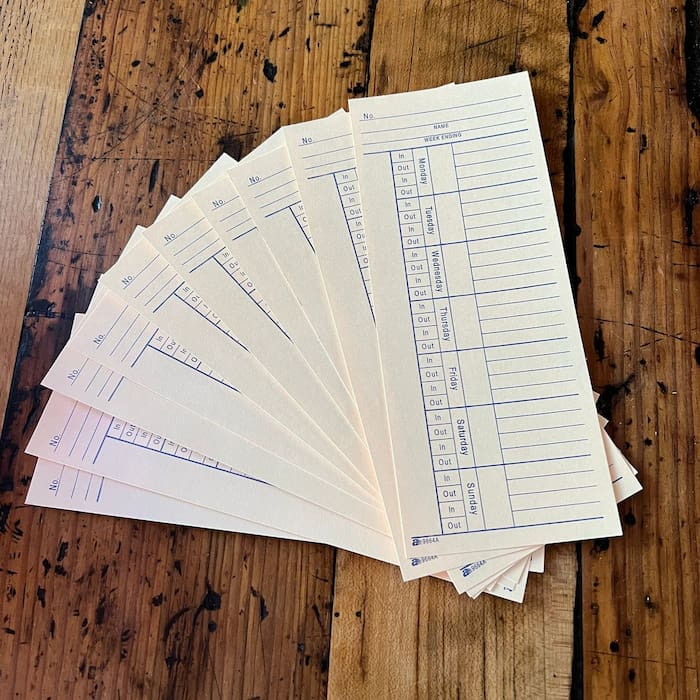
These methods are simple to set up, but they depend heavily on accuracy and consistency. Data often needs to be reviewed, corrected, and transferred into other systems before it can be used.
Digital methods
Digital clock-in systems automate how time is recorded and stored. Instead of writing hours manually, employees log time through software that tracks entries in real time.
Common approaches include:
- web-based timers for work — employees clock in and out through a browser, often tied to their account
- mobile apps — used by remote or field teams, sometimes with GPS tracking for location-based clock-ins
- kiosk systems — shared devices (tablet or terminal) where employees clock in on-site
- desktop trackers — apps running on a computer that allow users to start and stop their work time
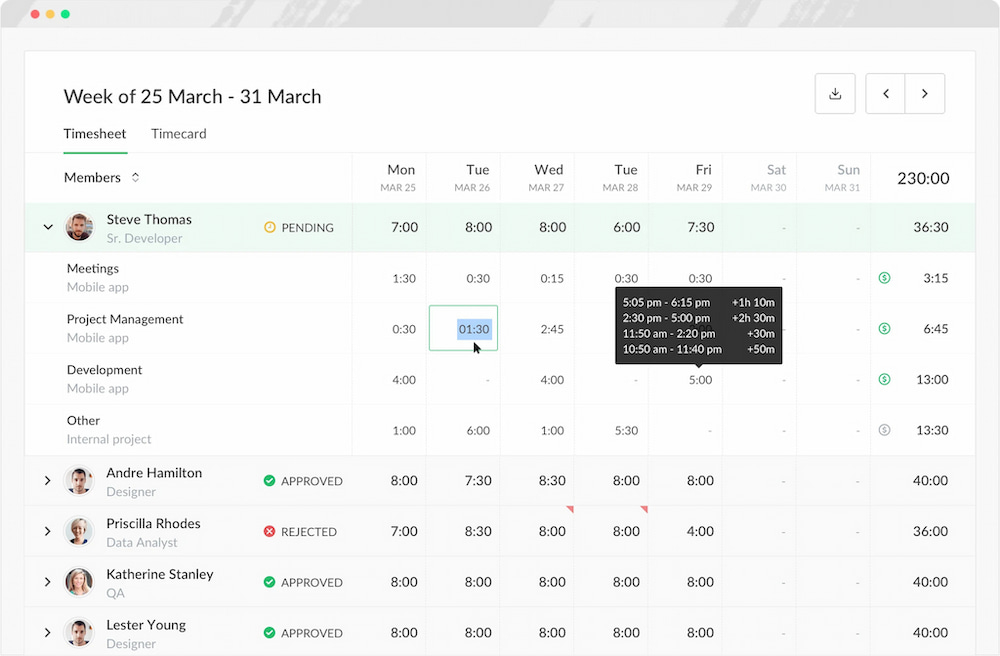
Digital systems reduce manual work and make time data immediately available for payroll, reporting, and analysis. They also make it easier to standardize how employees track their time across the organization.
How Clock-In Systems Work in Practice
Most clock-in systems follow a simple structure, but the way data is captured and handled behind the scenes is what makes the difference.
Employee starts shift (clock in)
At the beginning of the workday, the employee records their start time. This can be done by:
- clicking a “clock in” button in an app or browser
- scanning a badge or using a kiosk
- starting a timer on a desktop or mobile device
The system records a timestamp and associates it with the employee’s profile. In more advanced setups, additional data can also be captured, such as location or device used.
Breaks and pauses
During the day, employees may need to pause tracking for breaks. This is typically handled by:
- clocking out and back in
- using a dedicated “break” or “pause” button
These entries create separate time blocks, which helps distinguish between paid work time and unpaid breaks. Depending on the system, break policies can be enforced automatically or left to manual input.
Shift end (clock out)
At the end of the workday, the employee clocks out. This records the final timestamp for the shift and allows the system to calculate:
- total hours worked
- break duration
- overtime, if applicable
If an employee forgets to clock out, some systems allow manual correction or automatic rules to close the shift.
How data is stored and used
All clock-in and clock-out actions are stored as time entries. From there, the system processes the data into structured records such as:
- daily work hours per employee
- weekly or monthly timesheets
- overtime calculations
This data is then used for:
- payroll processing
- compliance and audit records
- reporting on team availability and workload
In more advanced systems, time data can also be integrated with project tracking, budgeting, or performance analysis.
Key Features to Look For in a Clock-In System
Not all clock-in systems are built the same. The difference usually comes down to how well they handle time data once it starts being used in real operations like payroll, reporting, and workforce planning.
Real-time tracking
A good system should record work hours as they happen, not only after the fact.
This usually includes:
- live clock-in and clock-out functionality
- timers that update in real time
- immediate visibility of who is working
Real-time tracking reduces guesswork and makes it easier to keep time data accurate while work is still in progress.
Timesheets and approvals
Raw clock-in data is not enough on its own. It needs structure. A good system turns entries into clear timesheets that can be reviewed, corrected, and approved before they’re used anywhere else.
This is what makes time data reliable at scale, not just recorded.
Overtime tracking
Most teams need visibility into hours that go beyond standard working time. A solid system should:
- automatically calculate overtime based on rules
- distinguish between regular hours and extra hours
- support different policies per team or role
This is especially important for payroll accuracy and compliance.
Integrations with payroll and HR
Clock-in systems become significantly more useful when they connect to existing business tools.
Common integrations include:
- payroll systems for salary calculation
- HR platforms for employee records
- project or task tools for linking time to work
This reduces manual data transfer and helps keep time data consistent across systems.
Reporting and exports
Clock-in data only becomes useful when you can work with it. That means being able to break it down, filter it, and export it without rebuilding everything manually. Otherwise, even accurate data becomes difficult to use for planning or decisions.
How to Set Up a Reliable Clock-In Process
A clock-in system only works well when the process around it is clear and consistently followed. The tool matters, but the structure of how it’s used matters just as much.
Step 1: Define your policy
Before introducing any tool, the rules need to be clear.
This includes:
- when employees are expected to clock in and out
- how breaks should be recorded
- how overtime is defined and approved
Without this, even good systems produce inconsistent or incomplete data.
Step 2: Choose the right tool
The tool should match how the team actually works, not the other way around.
Different setups require different approaches:
- office teams usually need structured desktop or web tracking
- remote teams benefit from flexible timers and mobile access
- field teams often rely on mobile or kiosk-based clock-ins
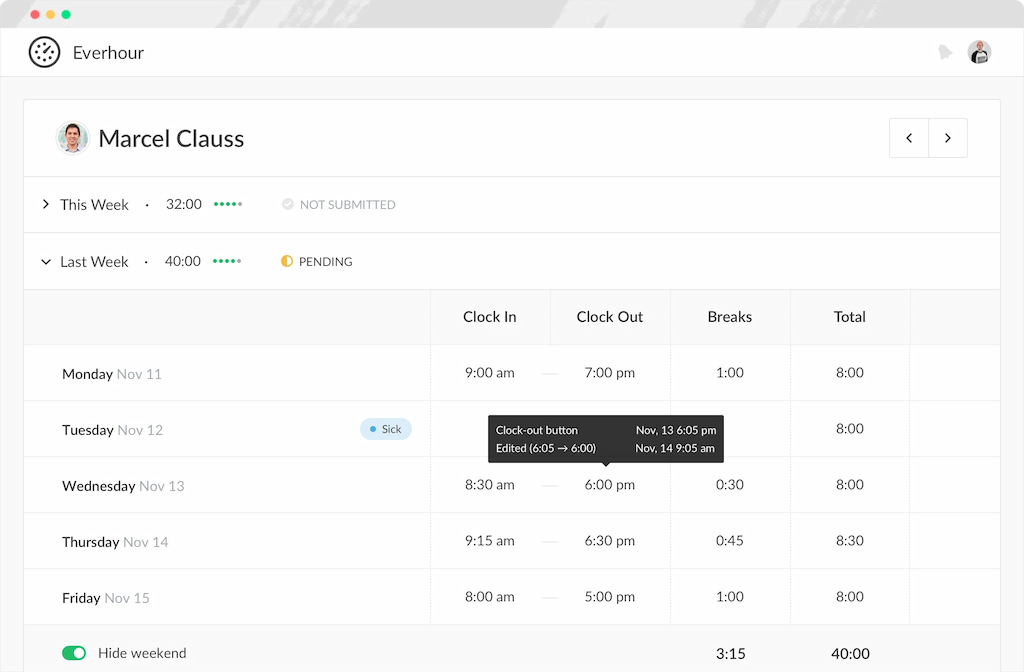
Tools and a time tracker like Everhour are typically used when clock-in data needs to sit directly inside existing workflows (for example, project or task systems), rather than being managed separately.
Step 3: Standardize usage
Once the tool is chosen, usage needs to be consistent across the team.
This usually means:
- clear instructions for when and how to clock in/out
- a single agreed workflow across all teams
- minimal variation in how time is recorded
The goal is to reduce interpretation differences, so time data stays comparable across employees and teams.
Step 4: Add approvals and review
Clock-in data becomes significantly more reliable when it is reviewed regularly.
Common practices include:
- weekly timesheet checks
- manager approval of logged hours
- correction of missing or inconsistent entries
This step turns raw clock-in data into verified records that can be safely used for payroll, reporting, and planning.
Clocking In For Different Team Types
Clock-in systems don’t look the same across all organizations. The setup usually depends on where and how people work, and each environment introduces different requirements for accuracy, access, and control.
Office teams
Office setups tend to be the most controlled. Teams usually rely on shared systems — desktop timers or kiosk-style check-ins — that make start and end times consistent across the team. Because everyone works in the same place, the focus is less on flexibility and more on standardization. operate in a controlled environment.

Remote teams
Remote teams need more flexible clock-in methods because work happens outside a single location. Typical tools include:
- web-based time tracking systems
- mobile apps for on-the-go logging
- browser timers integrated into daily work tools
Key considerations for remote setups:
- handling different time zones
- ensuring consistent logging habits across distributed teams
- avoiding gaps caused by switching devices or locations
In these environments, integrations with existing workflows (for example, tools like Everhour inside project systems) often become important to keep tracking connected to actual work.
Field teams
Field teams operate outside traditional office or home setups, often moving between job sites.
Common clock-in methods include:
- GPS-based mobile clock-ins
- geofenced check-ins at job locations
- job-site specific tracking apps

These systems focus on verifying presence at a physical location while still keeping time data centralized for payroll and reporting.
For field work especially, accuracy depends on automation and location validation, since manual entry is often unreliable in mobile environments.
FAQs
Clocking in and out records when a shift starts and ends. Time tracking goes further by showing how that time is spent (tasks, projects, clients). Many modern tools combine both, but they serve different purposes—attendance vs work breakdown.
Accuracy depends on the method:
manual systems rely heavily on employee input
timer-based systems improve consistency
automated or GPS-supported systems reduce errors further
Even with good tools, clear policies and consistent usage matter just as much.
Yes. Most digital systems export timesheets or integrate directly with payroll software. This allows worked hours, overtime, and absences to be calculated and processed more reliably.
Breaks are typically handled as pauses between clock-in and clock-out. Employees either log breaks manually or use dedicated “break” buttons. Some systems also enforce break rules automatically.
Yes. Most modern tools support mobile clock-ins, often with GPS or location tagging. This is especially useful for remote or field teams working outside a fixed office.
No. It depends on work structure. Shift-based roles (retail, hospitality, operations) usually need strict clock-in systems. Project-based teams (agencies, product, consulting) often rely more on task-level time tracking instead.
In most cases, yes. Approvals help catch mistakes, confirm hours worked, and create a clear record before payroll. Many tools include weekly timesheet reviews or manager sign-offs for this reason.
There isn’t a single “best” option—it depends on your setup.
simple teams → basic timers or spreadsheets may be enough
shift-based teams → dedicated clock-in/kiosk systems
project-based teams → tools like Everhour that connect time tracking with tasks, reporting, and payroll workflows
Conclusion
Clocking in and out is simple in theory, but becomes more complex once time data is used beyond attendance.
Basic methods can track hours, but they often fall short when you need accuracy, approvals, and reporting. That’s where structured systems make a difference.
Tools like Everhour help turn clock-in data into consistent timesheets and usable insights, so time isn’t just recorded, it’s actually reliable and actionable.

Maria
A dedicated content enthusiast with extensive experience in international teams and projects of all sizes. Maria thrives on creativity and attention to detail, fueled by a love for fantasy novels, music, classic black-and-white films, and always finding ways to make things better.