


Time Card Conversion: Convert Minutes to Decimal Hours
Tracking work hours seems straightforward – until you need to run payroll. That’s when the switch from hours and minutes to decimal time can get confusing. Time card conversion is simply the process of turning entries like 7:30 or 8:45 into 7.5 or 8.75. It’s a small shift, but it makes a big difference when calculating wages, overtime, and project costs accurately.
In this article, you’ll learn how time card conversion works, how to calculate it step by step, see how a free time card calculator works, and how to use simple charts and tools to make the process faster and more reliable.
What Is Time Card Conversion?
Time card conversion is the process of turning hours and minutes into decimal hours. Instead of recording time as 7 hours 30 minutes, it’s expressed as 7.5 hours. This makes calculations simpler, especially for payroll, invoicing, and project tracking.
How it works:
- 1 hour = 1.0
- 30 minutes = 0.5
- 15 minutes = 0.25
- 45 minutes = 0.75
For example, 8 hours and 45 minutes converts to 8.75 hours.
Why decimals are used:
Payroll systems prefer decimals because they:
- Make wage calculations more accurate
- Simplify overtime and hourly rate computations
- Allow easier integration with accounting and time tracking software
This conversion ensures that hours worked are tracked consistently and reduces errors compared to using hours and minutes in manual calculations.
The Basic Time Card Conversion Formula
Converting minutes into decimal hours is straightforward with a simple formula:
Decimal hours = Hours + (Minutes ÷ 60)
How it works:
- Divide the number of minutes by 60 to convert them into a fraction of an hour.
- Add this fraction to the total number of full hours worked.
Example:
If an employee worked 7 hours and 45 minutes:
- Convert minutes: 45 ÷ 60 = 0.75
- Add hours: 7 + 0.75 = 7.75 decimal hours
This formula can be used for payroll, project tracking, or any system that requires hours in decimal form.
How to Convert Time to Decimal (Step-by-Step)
Converting hours and minutes into decimal hours is easier than it seems. Follow these steps:
Step 1: Identify the minutes worked
Look at the time you want to convert. For example, in 7:15, the minutes portion is 15.
Step 2: Divide the minutes by 60
Convert the minutes into a fraction of an hour:
- 15 ÷ 60 = 0.25
Step 3: Add the decimal to the hour total
Combine the full hours with the decimal fraction:
- 7 + 0.25 = 7.25 decimal hours
Example walkthroughs:
- 7:15 → 7 + (15 ÷ 60) = 7.25
- 6:30 → 6 + (30 ÷ 60) = 6.5
- 8:45 → 8 + (45 ÷ 60) = 8.75
Time Card Conversion Chart (Minutes to Decimal)
| Minutes | Decimal Hours |
|---|---|
| 0 | 0.00 |
| 5 | 0.08 |
| 10 | 0.17 |
| 15 | 0.25 |
| 20 | 0.33 |
| 30 | 0.50 |
| 45 | 0.75 |
How to use the chart:
- Find the minutes portion of the time you need to convert.
- Match it to the corresponding decimal value in the chart.
- Add that decimal to the total hours to get the full decimal time.
For example, 8:20 would convert to 8 + 0.33 = 8.33 decimal hours. This makes payroll calculations faster and reduces the chance of mistakes when processing timesheets.
Converting Decimal Hours Back to Time
Sometimes, you may need to convert decimal hours back into the standard hours-and-minutes format, such as for reporting, scheduling, or updating timesheets.
How it works:
- Take the decimal number representing hours (e.g., 7.25 hours).
- Separate the whole number from the decimal (7 hours in this example).
- Multiply the decimal by 60 to get minutes (0.25 × 60 = 15 minutes).
- Combine the two for the final time: 7 hours and 15 minutes.
Examples:
- 6.5 → 6 hours 30 minutes
- 8.75 → 8 hours 45 minutes
- 5.2 → 5 hours 12 minutes
This conversion might be useful when you need to present time in a familiar format for employees or management while still using decimal hours for payroll calculations.
Free Time Card & Timesheet Calculator by Everhour
If you don’t want to deal with manual calculations at all, a time card calculator can handle the entire process for you. The Everhour time card & timesheet calculator is a simple way to log hours and get totals instantly—without converting time yourself.
You enter your time in, breaks, and time out, and the calculator automatically totals hours, including overtime and pay. It works as a weekly or bi-weekly timesheet, so you can quickly see how hours add up across multiple days.
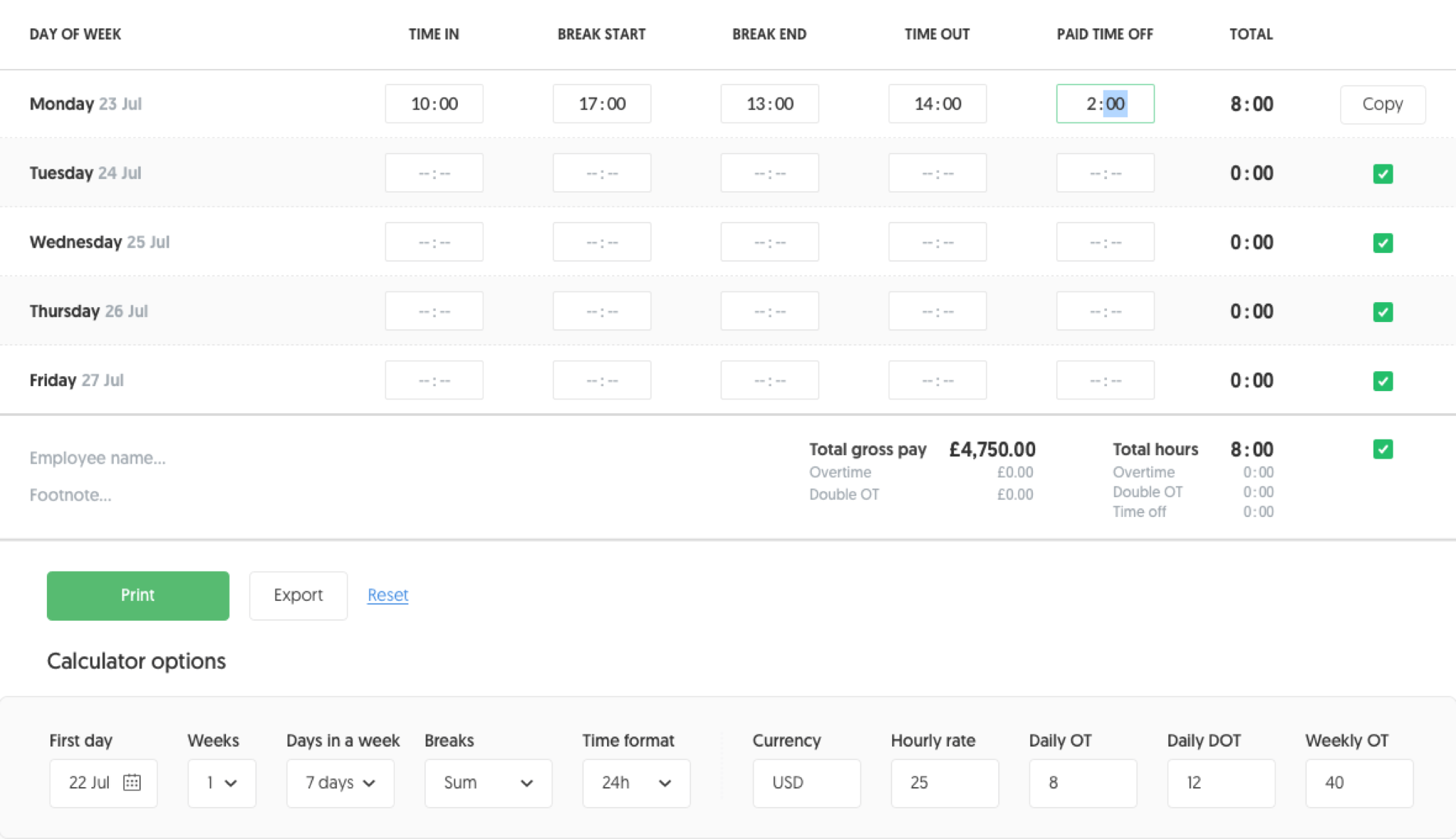
What makes it useful in the context of time card conversion:
- it calculates total worked hours automatically
- it handles overtime and double overtime without extra formulas
- it converts tracked time into values you can use for payroll
- it lets you export or print timesheets when you’re done
Instead of converting entries like 7:30 or 8:45 manually, time card apps like Everhour do it in the background as part of time tracking. This reduces errors and saves time, especially if you’re managing multiple employees or projects.
For teams that need more than just a calculator, Everhour’s time tracker also includes features like resource planning, budgeting, reporting, and timesheet approvals, making it easier to manage time and payroll in one place.
5 Common Time Card Conversion Mistakes That Cost Businesses Money
Even small errors in converting time can add up quickly and affect payroll accuracy. Here are the most frequent mistakes to watch out for:
Forgetting to convert minutes to decimals
Entering 7:30 as 7.30 instead of 7.5 is a classic error. This small mistake can lead to underpaying or overpaying employees.
Rounding too early
Rounding minutes before converting to decimal can create cumulative discrepancies across multiple employees or pay periods. Always convert first, then round if needed.
Mixing formats
Switching between decimal hours and hours:minutes without consistency can confuse payroll calculations and reports.
Manual calculations
Calculating conversions by hand increases the risk of human error, especially with large teams or multiple shifts.
Ignoring overtime rules
Failing to account for overtime in decimal conversions can result in incorrect payroll, compliance issues, and unhappy employees.
How Time Tracking Tools Simplify Time Card Conversion
Manual time card conversion can be error-prone and time-consuming. Even simple miscalculations, like entering 7:30 as 7.3 instead of 7.5, can create payroll discrepancies that add up over time.
Time tracking apps automate these calculations, converting hours and minutes into decimal format instantly. This not only reduces errors but also speeds up payroll processing and reporting.
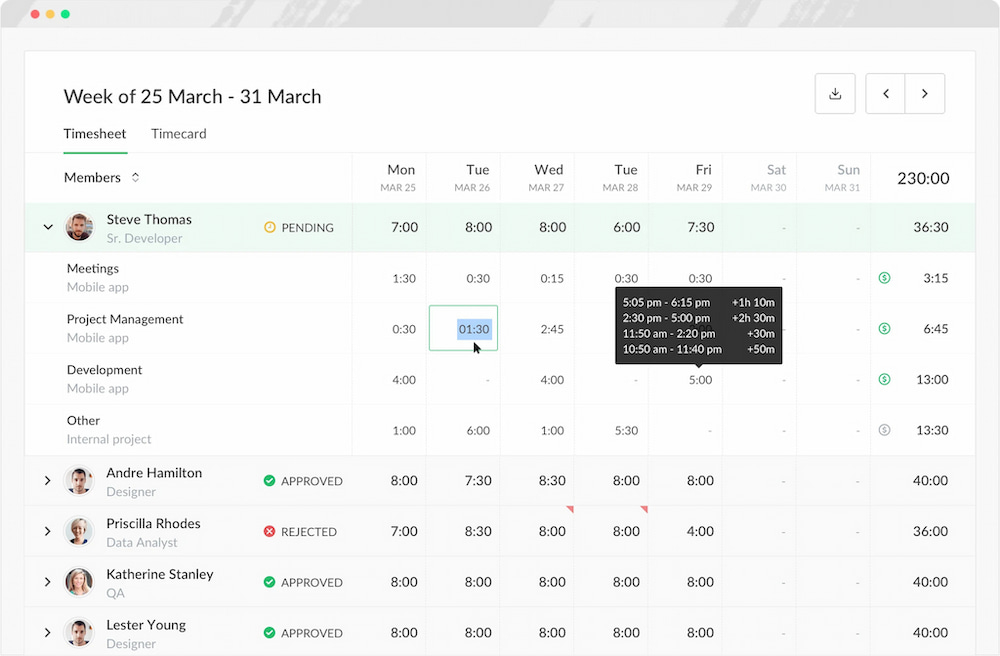
Platforms like Everhour track employee hours, automatically convert them to decimal time, and integrate with payroll systems. Teams can see total hours worked, overtime, and project-specific time via integrations without needing manual calculations, ensuring accurate payments while saving administrative effort.
FAQs About Time Card Conversion
What is time card conversion?
Time card conversion is the process of converting hours and minutes worked into decimal hours, which makes payroll calculations easier and more accurate.
Why do payroll systems use decimal hours?
Decimal hours simplify math for payroll, making it easier to calculate pay, overtime, and project costs without converting minutes manually.
How do I convert time to decimal?
Divide the minutes by 60 and add the result to the total hours worked. For example, 7 hours 15 minutes → 7 + (15 ÷ 60) = 7.25 hours.
Can I convert decimal hours back to regular time?
Yes, multiply the decimal fraction by 60 to get minutes. For example, 7.75 hours → 7 hours + (0.75 × 60) = 7 hours 45 minutes.
Are there tools to make time card conversion easier?
Yes, time tracking platforms like Everhour automatically track hours and convert them to decimal time for payroll, reducing errors.
What are common mistakes in time card conversion?
Entering minutes incorrectly, misreading decimals, or forgetting to convert minutes can lead to underpayment or overpayment. Using software like Everhour helps prevent these errors.
Can Excel or Google Sheets handle time card conversion?
Yes, both can convert hours and minutes to decimal using formulas, but errors can still happen if formulas are misapplied or entered incorrectly. Automated tracking tools are safer for accuracy.
Conclusion
Time card conversion is an essential part of accurate payroll and efficient workforce management. Converting hours and minutes into decimal format helps prevent errors, streamline payroll processing, and ensure employees are paid correctly. While manual calculations can be prone to mistakes, modern time tracking tools simplify the process by automatically converting and logging hours for payroll and reporting. Understanding how time card conversion works and using reliable tools can save time, reduce stress, and improve accuracy for both employers and employees.

Maria
A dedicated content enthusiast with extensive experience in international teams and projects of all sizes. Maria thrives on creativity and attention to detail, fueled by a love for fantasy novels, music, classic black-and-white films, and always finding ways to make things better.