


10 Best Timesheet Software for 2026: Free & Paid Options
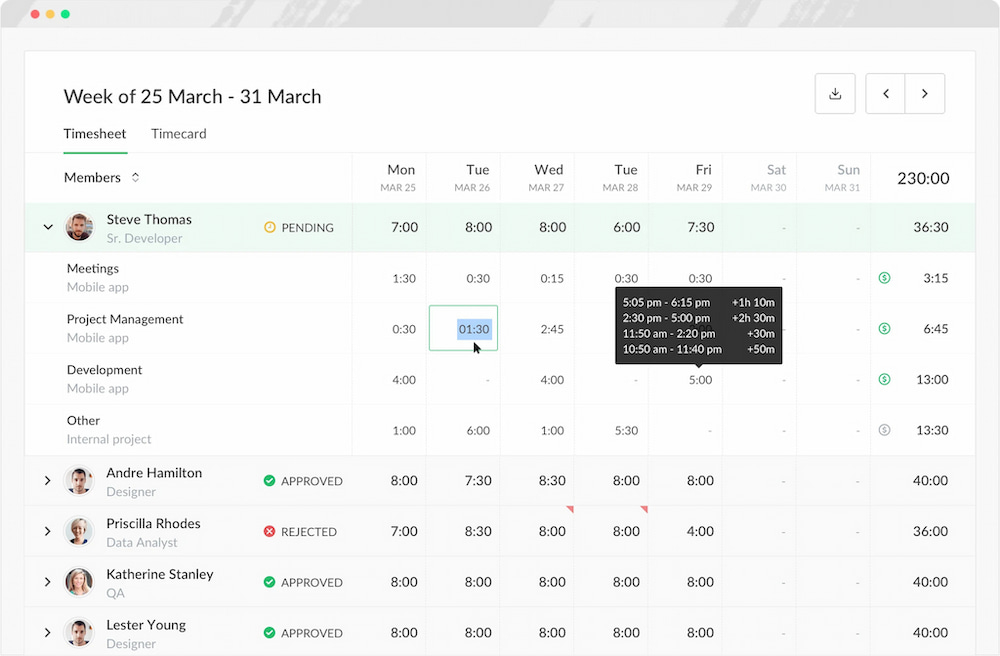
Timesheet software helps businesses and individuals record, manage, and report hours worked without relying on paper timesheets or spreadsheets. Depending on the tool, employees can enter hours manually, track time with a timer, or automatically record work activity and turn it into digital timesheets.
Timesheet software can also connect hours to projects, tasks, clients, and billable work. More advanced platforms may include attendance tracking, overtime, approvals, budgeting, invoicing, payroll integrations, and employee monitoring.
We compared 10 of the best timesheet software tools based on time-tracking methods, timesheet features, project and task tracking, reporting, integrations, pricing, and suitability for different types of teams.
Best Timesheet Software at a Glance
The best timesheet software depends on how you need to track and use work hours:
- Everhour: Best for project-based teams that need timesheets, project budgets, and reporting.
- Hubstaff: Best for remote teams that need timesheets alongside employee activity and GPS tracking.
- Jibble: Best free timesheet software for employee attendance and clock-in/clock-out tracking.
- TimeCamp: Best for automatic time tracking and productivity reporting.
- ClockShark: Best for construction and field service teams that need GPS-enabled timesheets.
- actiTIME: Best for customizable timesheets and detailed reporting.
- ClickTime: Best for professional services firms that need timesheets, budgeting, and resource planning.
- QuickBooks Time: Best for businesses that use QuickBooks and need time tracking, scheduling, and payroll workflows.
- Beebole: Best for larger teams that need advanced timesheets, resource planning, and project profitability tracking.
- MyHours: Best for freelancers and small teams that need simple time tracking and client billing.
What Is Timesheet Software?
Timesheet software is a digital tool for recording and managing the hours people spend working. Instead of entering hours into a spreadsheet or filling out a paper timesheet, employees can record their time in an app and organize it by project, task, client, or activity.
Depending on the software, time can be entered manually, recorded with a start-and-stop timer, or captured automatically based on computer activity. Managers can then review, approve, and report on timesheets for payroll, invoicing, project management, budgeting, or workforce planning.
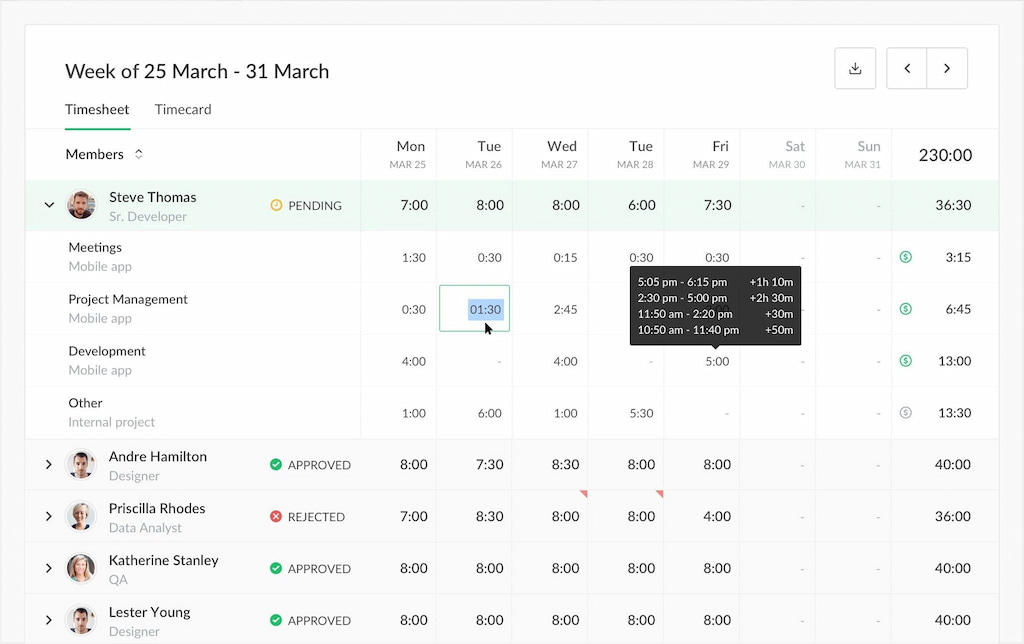
What can timesheet software track?
Common timesheet software features include:
- Hours worked: Total time worked during a day, week, or pay period.
- Start and end times: When employees begin and finish work.
- Breaks and overtime: Paid or unpaid breaks and hours beyond scheduled work.
- Projects and tasks: Time spent on specific projects, tasks, or activities.
- Clients: Hours worked for individual clients or accounts.
- Billable hours: Time that can be charged to clients.
- Attendance: Clock-ins, absences, holidays, and other attendance information.
- Expenses: Costs associated with projects or client work.
- Approvals: Manager review and approval of submitted timesheets.
- Reports: Summaries of hours, costs, utilization, budgets, and other time data.
Not every timesheet app includes all of these features. A freelancer may only need a simple timer and client-based timesheets, while a construction company may need GPS, scheduling, overtime, and mobile time tracking.
Types of Timesheet Software
Timesheet software can generally be divided into three categories based on how work hours are recorded:
| Type | How it works | Best for |
|---|---|---|
| Manual timesheets | Employees enter hours themselves or use a timer | Freelancers, consultants, project teams |
| Automatic time tracking | Software records computer activity and creates time entries | Knowledge workers and teams that switch between tasks |
| Employee time and attendance | Records clock-ins, breaks, schedules, overtime, and sometimes location | Hourly, field, and distributed teams |
Some tools combine multiple approaches. For example, a platform may offer both manual timesheets and automatic time tracking, while employee-focused software may combine timesheets with attendance, GPS, and scheduling.
Key Features to Look For in Timesheet Software
| Feature | Why it matters |
|---|---|
| Time tracking | Records hours accurately and reduces manual timesheet work |
| Reporting | Helps analyze workloads, project costs, and profitability |
| Project tracking | Connects hours to specific tasks, clients, or projects |
| Integrations | Syncs time data with PM, payroll, and accounting tools |
| Mobile access | Allows employees to track time from anywhere |
| Invoicing | Makes billing clients faster and more accurate |
| Security | Protects employee and company data |
Best Timesheet Software: Comparison Table
| Tool | Best for | Free plan | Starting price |
|---|---|---|---|
| Everhour | Project-based teams and agencies | Yes | $8.50/user/month |
| Hubstaff | Remote teams and productivity tracking | No | $4.99/user/month |
| Jibble | Employee attendance tracking | Yes | Free |
| TimeCamp | Automated time tracking and invoicing | Yes | $3.99/user/month |
| ClockShark | Field teams and mobile workers | No | $40/user/month |
| actiTIME | Customizable timesheets and reporting | Yes | $6/user/month |
| ClickTime | Budgeting and resource management | No | $12/user/month |
| QuickBooks Time | GPS tracking and payroll workflows | No | $20 base fee |
| Beebole | Project time tracking and resource planning | Yes | $9/user/month |
| MyHours | Freelancers and client billing | Yes | $4/user/month |
10 Best Timesheet Software Tools
Everhour
Best for: Project-based teams and agencies
Tracking: Manual timer and timesheets
Free plan: Yes
Everhour is a time tracking and timesheet platform designed for teams that manage work in project management tools. It lets employees track time against tasks and projects in tools such as Asana, ClickUp, Trello, Jira, and Notion.
Its timesheets can be used alongside project budgets, estimates, reporting, invoicing, and workload management, making it particularly useful for teams that need to connect working hours with project costs and progress.
Key features
- Project- and task-based time tracking
- Manual timesheets and timer
- Billable and non-billable hours
- Project budgets and estimates
- Customizable reports
- Timesheet approvals
- Invoicing
- Project management integrations
Pricing: Free plan available. Team plans start at $8.50/user/month when billed annually, with a five-user minimum.
Limitations: Best suited to project-based work rather than employee monitoring, GPS tracking, or workforce scheduling.
Hubstaff
Best for: Remote, distributed, and field teams
Tracking: Timer, timesheets, and automatic activity tracking
Free plan: No
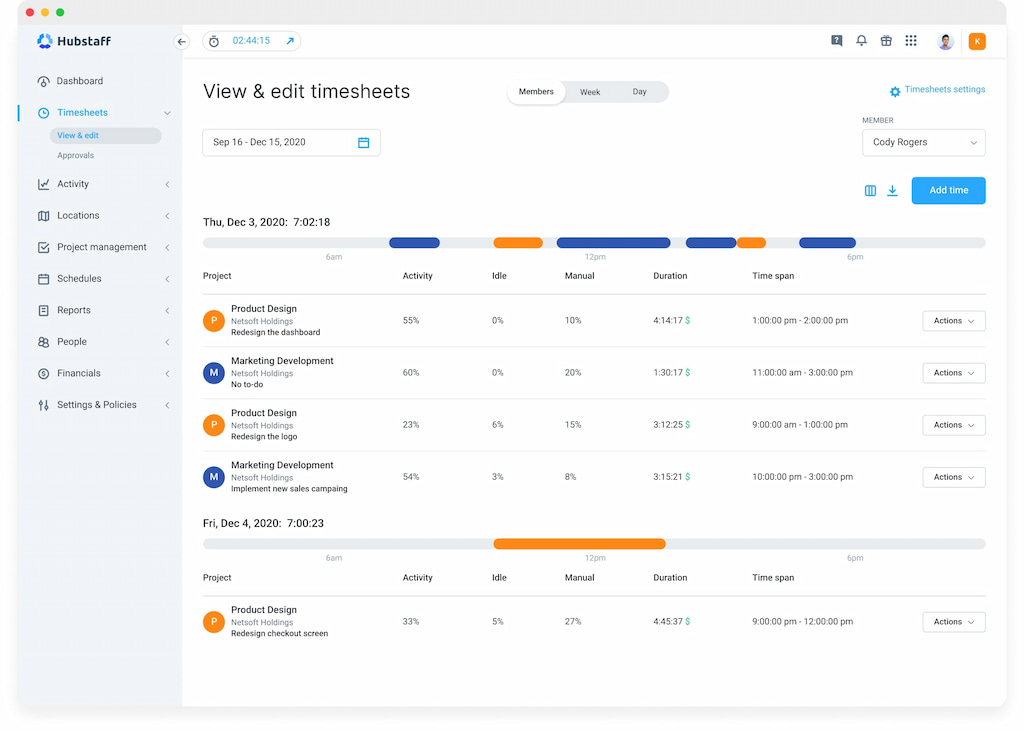
Hubstaff is a time tracking and workforce management platform designed for teams that need visibility into employee work hours and activity. It combines timesheets with features such as screenshots, app and website tracking, GPS tracking, scheduling, and productivity reporting.
It also connects tracked time to projects, tasks, and clients, making it useful for businesses that need to use timesheet data for payroll, billing, project management, or workforce oversight.
Key features
- Time tracking and online timesheets
- Automatic activity tracking
- Screenshots and app and website monitoring
- GPS tracking and geofencing
- Project- and task-based time tracking
- Scheduling and attendance tracking
- Reporting and analytics
- Payroll, invoicing, and project management integrations
Pricing: Paid plans start at $4.99/user/month. A free plan is available for solo users.
Limitations: More focused on employee monitoring and workforce management than simple project-based timesheets.
Jibble
Best for: Employee attendance and hourly teams
Tracking: Clock-in/out, timesheets, and GPS
Free plan: Yes
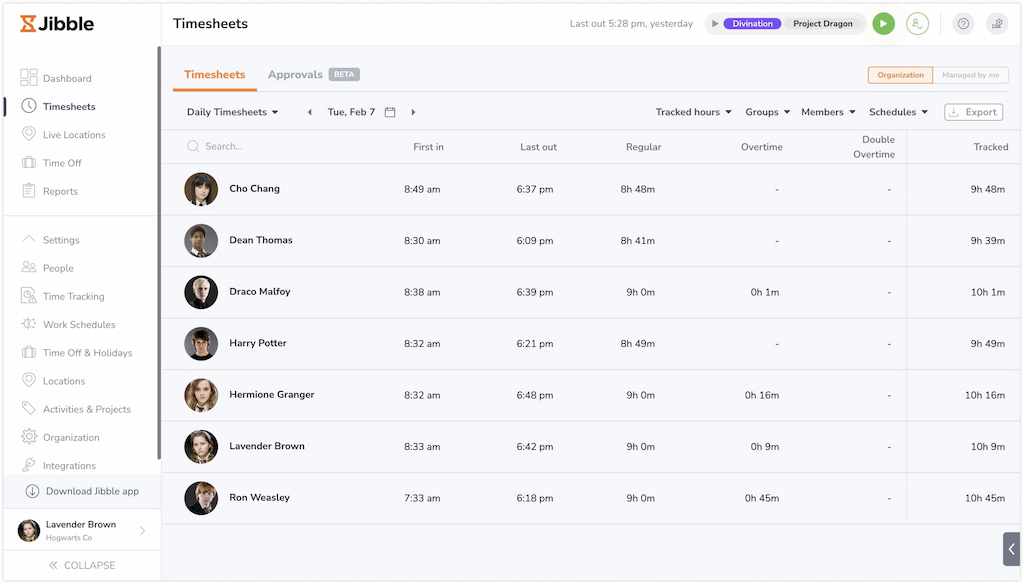
Jibble is a time and attendance platform designed for businesses that need to track employee hours, attendance, shifts, and locations. Employees can clock in and out through the web, mobile app, kiosk, or supported integrations, while managers can review and approve timesheets.
Its combination of attendance tracking, GPS, geofencing, and shift management makes it particularly useful for hourly, remote, and field-based teams.
Key features
- Employee time and attendance tracking
- Clock-in and clock-out
- GPS and geofencing
- Timesheet generation and approvals
- Shift scheduling
- Overtime and time-off tracking
- Kiosk and mobile time tracking
- Payroll and other business integrations
Pricing: Free
Limitations: Better suited to attendance and workforce management than project-based time tracking and budgeting.
TimeCamp
Best for: Freelancers and small businesses
Tracking: Automatic and manual time tracking
Free plan: Yes
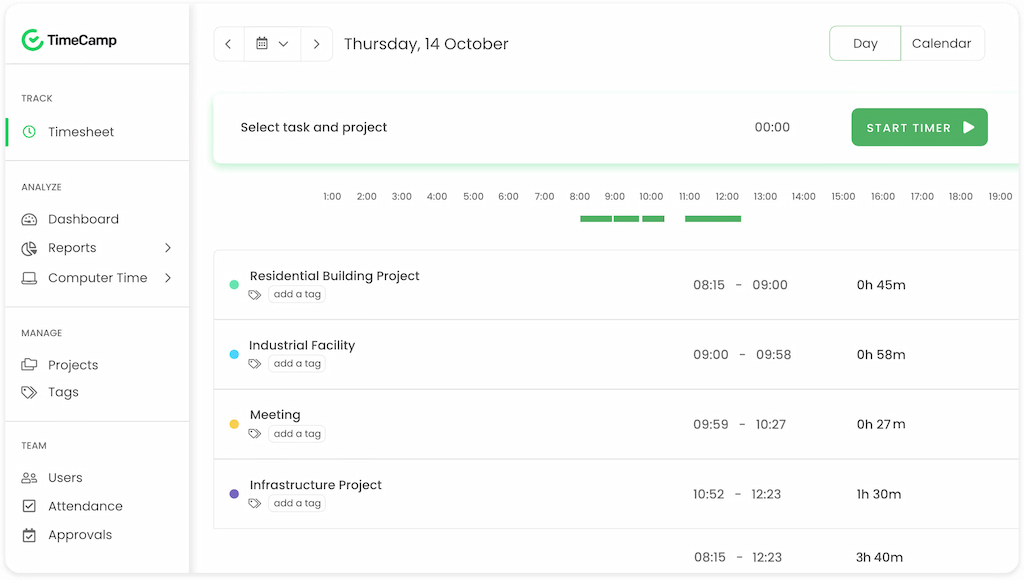
TimeCamp is a time tracking platform that combines automatic time tracking with project management, timesheets, reporting, attendance, and invoicing. It can automatically record time spent on applications and websites or let users track hours manually. Its project and billing features make it useful for freelancers and teams that need to turn tracked hours into reports, invoices, and project insights.
Key features
- Automatic and manual time tracking
- Digital timesheets
- Project and task tracking
- App and website tracking
- Attendance tracking
- Productivity reports
- Invoicing
- Project management and accounting integrations
Pricing: Free plan available. Paid plans start at $3.99/user/month.
Limitations: Its broad feature set may be more than teams need if they only want simple timesheets.
ClockShark
Best for: Construction and field service teams
Tracking: Mobile time tracking, GPS, and geofencing
Free plan: No
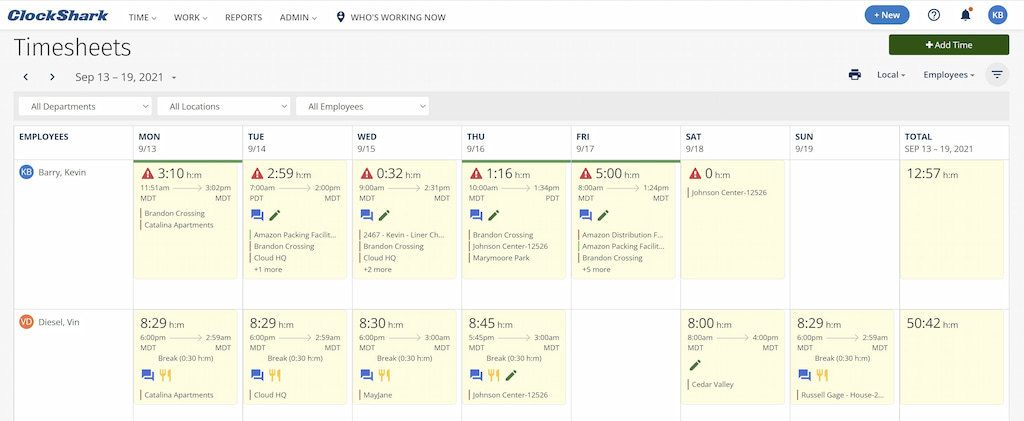
ClockShark is a time tracking and workforce management platform built for construction, field service, and other businesses with employees working away from a central office. Employees can clock in and out from mobile devices, while managers can track locations, schedules, projects, and job hours.
Key features
- Mobile time tracking
- Digital timesheets
- GPS tracking and geofencing
- Job and project tracking
- Employee scheduling
- Time-off management
- Overtime tracking
- Payroll and accounting integrations
Pricing: Plans start at $40/month, with pricing varying by plan and team size.
Limitations: Primarily designed for field-based businesses rather than office teams looking for simple project timesheets.
actiTIME
Best for: Teams that need customizable timesheets and reporting
Tracking: Manual and automatic time entry
Free plan: Yes
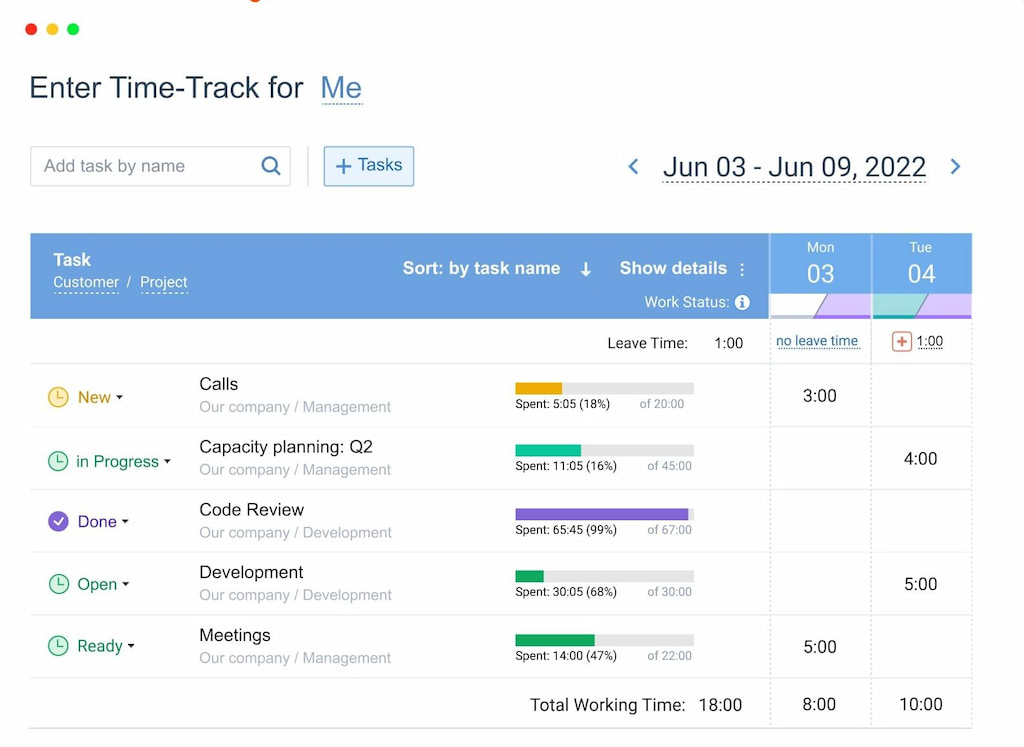
actiTIME is a flexible time tracking and timesheet platform that helps teams record hours, manage projects, track time off, and generate detailed reports. Its customizable timesheets allow businesses to adapt time tracking to different workflows, projects, and billing requirements.
The platform also supports project budgeting, invoicing, and integrations with accounting and project management tools.
Key features
- Manual and automatic time tracking
- Customizable timesheets
- Project and task tracking
- Time-off management
- Reporting and analytics
- Project budgeting
- Invoicing
- QuickBooks and other integrations
Pricing: Free plan available. Paid plans start at $6/user/month.
Limitations: Its interface and customization options may take more time to set up than simpler timesheet tools.
ClickTime
Best for: Professional services and project-based organizations
Tracking: Online timesheets
Free plan: No
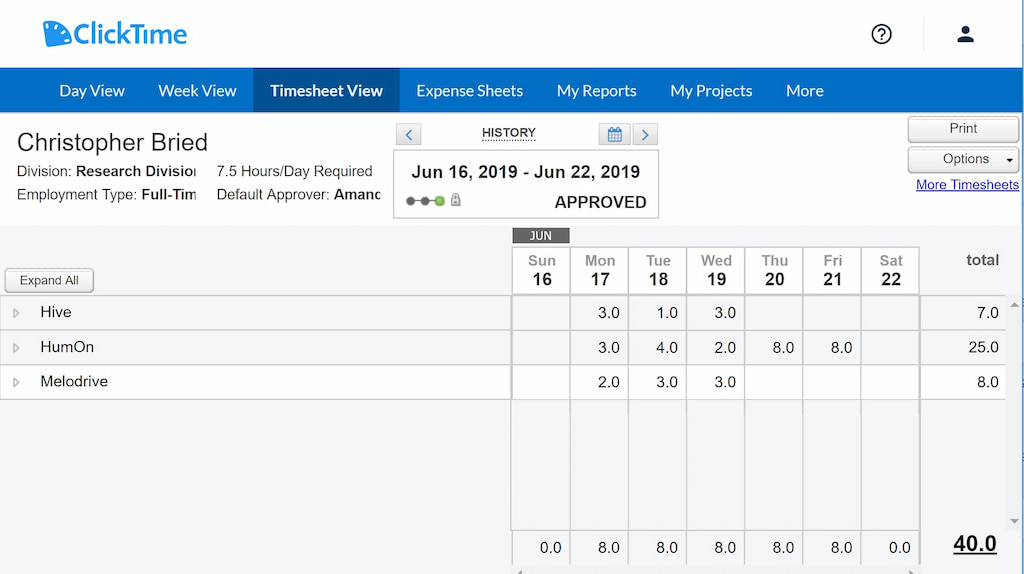
ClickTime combines time tracking with budgeting, resource planning, expense tracking, and reporting. It is designed for organizations that need to connect employee hours with project budgets and resource allocation rather than simply record time.
Key features
- Online timesheets
- Project and task tracking
- Budget and expense tracking
- Resource planning
- Capacity and utilization reporting
- Project forecasting
- Custom reports
- Accounting and project management integrations
Pricing: Plans start at $12/user/month.
Limitations: Its resource planning and budgeting features may be unnecessary for individuals or teams looking for basic time tracking.
Quickbooks Time
Best for: Businesses using QuickBooks and mobile workforces
Tracking: Mobile timer, timesheets, and GPS
Free plan: No
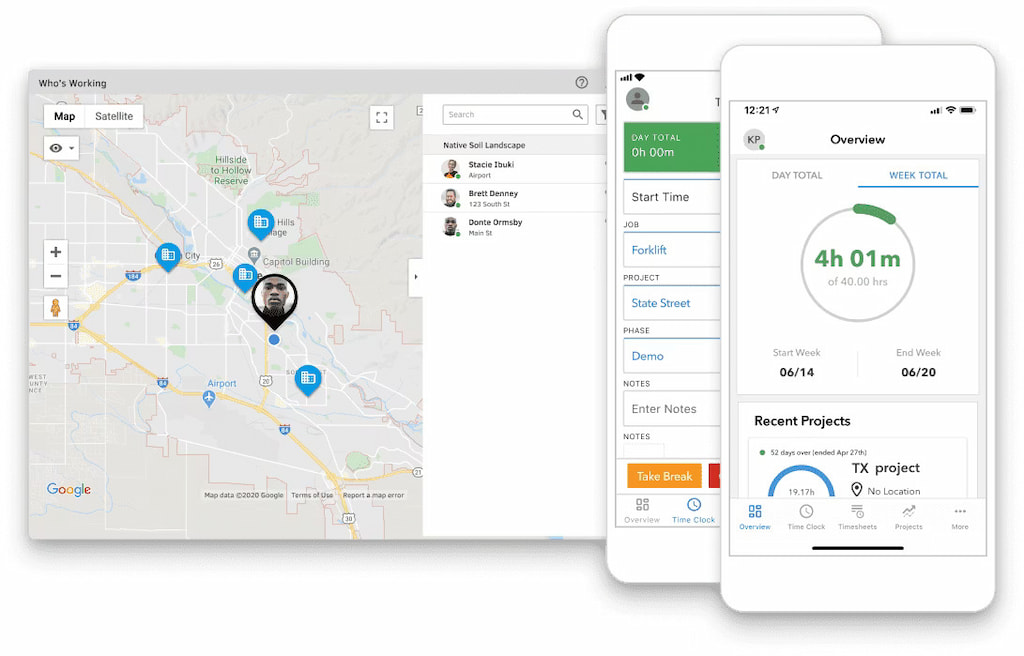
QuickBooks Time is a time tracking and workforce management platform that integrates closely with QuickBooks. It lets employees track hours from their phones or computers while managers can use GPS tracking, scheduling, and timesheet approvals to manage mobile and field teams.
Because tracked hours can flow directly into QuickBooks payroll and accounting workflows, it is particularly useful for businesses already using the QuickBooks ecosystem.
Key features
- Mobile and desktop time tracking
- Digital timesheets
- GPS location tracking
- Employee scheduling
- Job and project tracking
- Time-off management
- Timesheet approvals
- QuickBooks payroll and accounting integration
Pricing: Plans start at $20/month plus a base fee, with additional costs depending on the number of users and features.
Limitations: Best value for businesses already using QuickBooks or needing workforce features such as GPS and scheduling.
Beebole
Best for: Growing teams that need advanced reporting and resource planning
Tracking: Manual time tracking and timesheets
Free plan: Yes
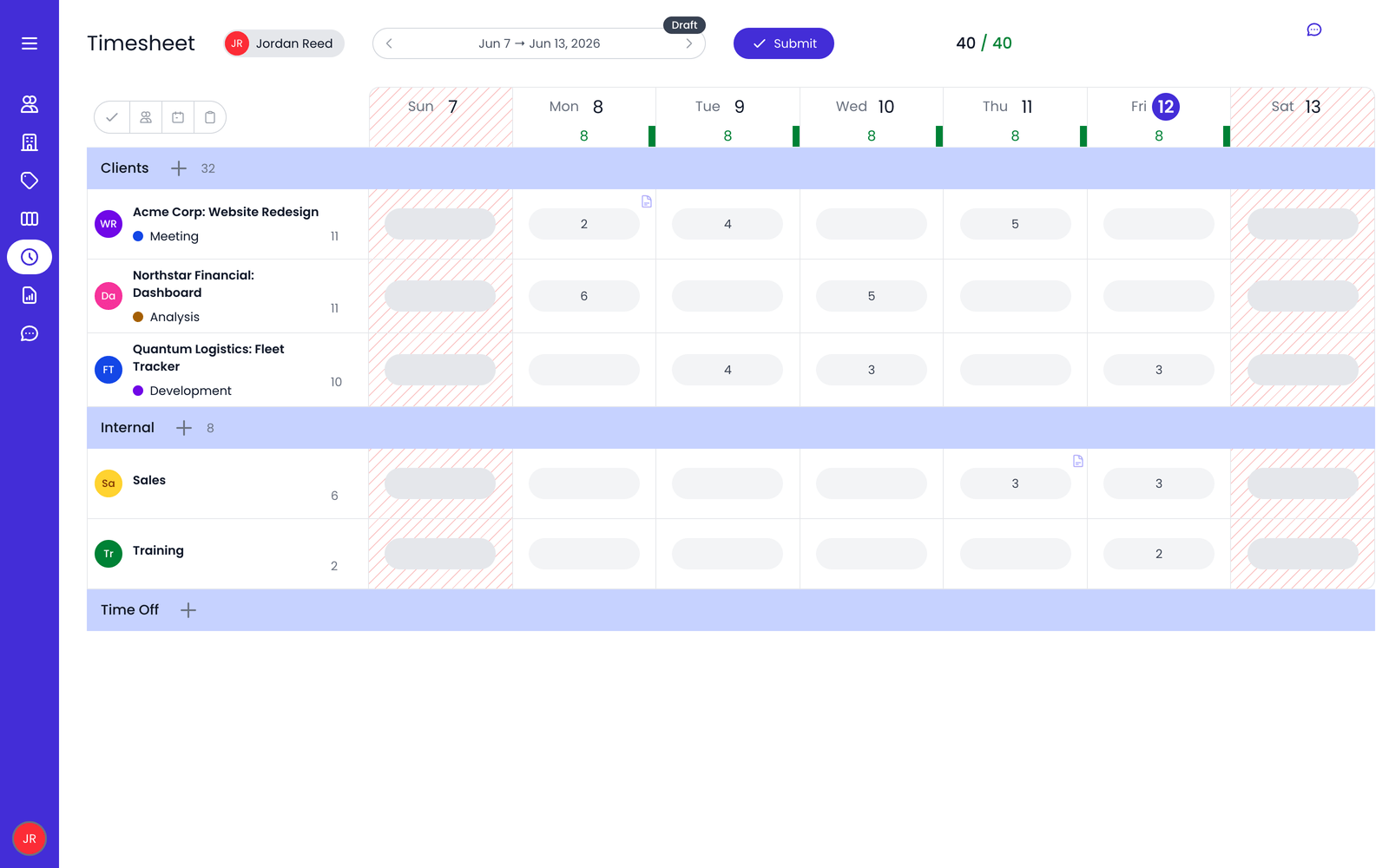
Beebole is a timesheet and project time tracking platform designed for organizations that need more control over project costs, resource planning, and time data. In addition to tracking hours, it supports capacity planning, project budgets, profitability analysis, timesheet approvals, and customizable reporting.
Key features
- Project and task time tracking
- Customizable timesheets
- Resource and capacity planning
- Project budgets and profitability tracking
- Custom reports and dashboards
- Timesheet approvals and audit trails
- GDPR compliance and SSO
- Project management, payroll, and accounting integrations
Pricing: Free plan available for up to 5 users. Paid plans start at $9/user/month when billed annually.
Limitations: Its advanced project and reporting features may be unnecessary for individuals who only need basic timesheets.
MyHours
Best for: Freelancers, consultants, and small teams
Tracking: Timer and manual timesheets
Free plan: Yes
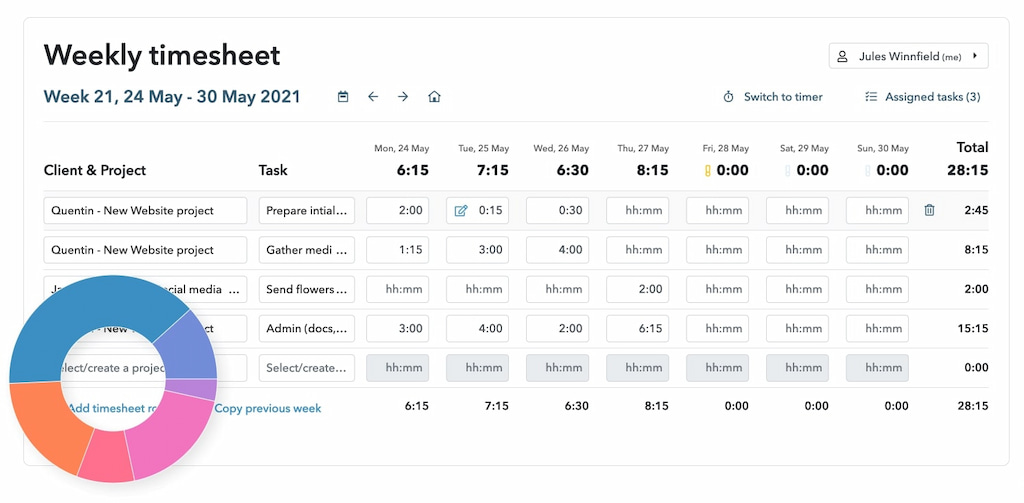
MyHours is a simple time tracking and invoicing platform designed for freelancers, consultants, agencies, and small teams. It lets users track hours against projects and clients, monitor expenses, generate reports, and turn tracked time into invoices.
Key features
- Timer and manual time tracking
- Project and client tracking
- Billable and non-billable hours
- Timesheets and reports
- Invoicing
- Expense tracking
- Client portals
- Project management integrations
Pricing: Free plan available. Paid plans start at $4 per active team member/month.
Limitations: Better suited to client and project time tracking than employee monitoring, attendance, or workforce management.
Which Timesheet Software Is Best for Different Needs?
Different teams need different timesheet features. A simple freelancer timesheet is very different from software for a construction company or a large professional services firm.
- For project-based teams: Everhour combines timesheets with project tracking, budgets, estimates, and reporting.
- For employee attendance: Jibble focuses on clock-ins, attendance, shifts, and employee timesheets.
- For employee monitoring: Hubstaff combines time tracking with screenshots, activity monitoring, and GPS.
- For construction and field teams: ClockShark provides mobile time tracking, GPS, and geofencing.
- For automatic tracking: TimeCamp automatically records work activity and converts it into time data.
- For professional services: ClickTime combines timesheets with budgeting, resource planning, and forecasting.
- For QuickBooks users: QuickBooks Time connects employee time tracking with QuickBooks payroll and accounting workflows.
- For freelancers: MyHours provides simple time tracking, client management, reporting, and invoicing.
- For customizable timesheets: actiTIME provides flexible time tracking and reporting options.
- For advanced resource planning: Beebole combines timesheets with capacity management, project financials, and detailed reporting.
FAQ
Timesheet software helps individuals and teams record, organize, and manage working hours digitally. Depending on the tool, it can track time by project, task, client, or employee and provide reporting, approvals, invoicing, and payroll integrations.
Timesheet software focuses on recording and managing work hours, while time tracking software can also include timers and automatic activity tracking. Many modern tools offer both.
Look for time tracking, digital timesheets, project and task tracking, reporting, billable hours, approvals, and integrations with payroll, accounting, or project management tools. Attendance, GPS, and employee monitoring may also be important for some teams.
Yes. Everhour, Jibble, TimeCamp, actiTIME, Beebole, and MyHours all offer free plans, although the included features and user limits vary.
It depends on the workflow. Everhour is a good choice for project-based teams, Jibble for employee attendance, and MyHours for freelancers and small teams that need simple time tracking and invoicing.
Yes. Most timesheet tools let you mark hours as billable or non-billable and assign them to specific clients or projects. Some can also generate invoices from tracked time.
Yes. Many timesheet platforms integrate with payroll and accounting software, allowing approved hours to be transferred into payroll workflows.
Some tools include clock-ins, clock-outs, overtime, breaks, absences, and time-off tracking. Jibble and QuickBooks Time are examples of platforms with stronger attendance features.
Some workforce and timesheet tools offer GPS tracking and geofencing, particularly for field and mobile teams. Project-focused tools may not include location tracking.
For small teams with simple needs, spreadsheets may be sufficient. Dedicated timesheet software is more useful when you need automated tracking, approvals, reporting, integrations, billing, or payroll workflows.
Best Timesheet Software: On a Final Note
The best timesheet software depends on what you need to do with your time data. Project-based teams may prioritize task tracking, budgets, and billable hours, while businesses with hourly or field employees may need attendance, GPS, scheduling, and overtime features.
For project-based teams, Everhour combines timesheets with project tracking, budgeting, reporting, and integrations with popular project management tools. Jibble is a better fit for employee attendance, while Hubstaff adds employee monitoring and GPS tracking. For freelancers and small businesses, MyHours and TimeCamp offer simpler ways to track hours and manage billable work.
Before choosing a platform, focus on how your team records time, where that data needs to go, and what you need to do with it afterward. The right timesheet software should reduce administrative work rather than simply replace one spreadsheet with another.

Maria
A dedicated content enthusiast with extensive experience in international teams and projects of all sizes. Maria thrives on creativity and attention to detail, fueled by a love for fantasy novels, music, classic black-and-white films, and always finding ways to make things better.