


My Hours Review: Is This the Right Time Tracking Tool for You?
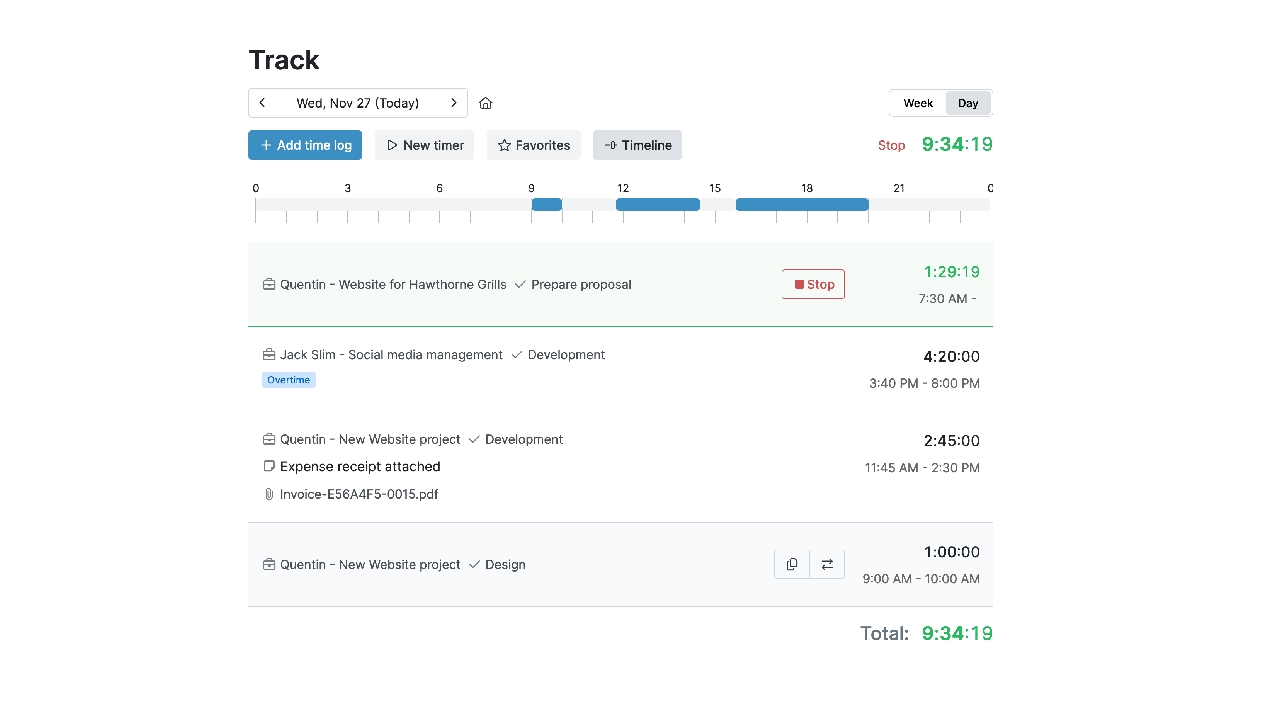
In this My Hours review, we examine a time tracking and project budgeting tool designed to help teams monitor billable hours and control project costs. My Hours places a strong emphasis on financial visibility and reporting, making it particularly useful for service-based businesses. However, it offers limited workforce monitoring and lacks advanced visual project planning features. Let’s look at its features and drawbacks in detail.
My Hours is a time tracking platform built around one central idea: connecting tracked time to project budgets and financial performance. It goes beyond basic hour logging by helping teams understand how time translates into cost, revenue, and profitability.
Unlike monitoring-focused workforce tools, My Hours does not emphasize employee surveillance or automatic activity tracking. Its approach centers on financial clarity and project-level accountability rather than detailed productivity monitoring.
While it handles time tracking and reporting well, it is less focused on advanced project planning tools or workforce monitoring features.
✅ What it does well
- Connects time tracking directly to project budgets
- Provides clear financial reporting for billable work
- Keeps the interface focused and easy to navigate
❌ Where it’s limited
- No advanced visual planning tools (e.g., Gantt charts or Kanban boards)
- Minimal workforce monitoring capabilities
- Enterprise-level controls are limited
🏆 Best suited for
- Agencies and consultancies managing client budgets
- Service-based teams that rely on billable hours
- Organizations prioritizing cost visibility over activity monitoring
👀 Less suited for
- Teams needing advanced project scheduling tools
- Companies requiring detailed employee surveillance
- Large enterprises with complex compliance requirements
My Hours Core Features
Time tracking
Manual and timer-based time logging with project-level organization.
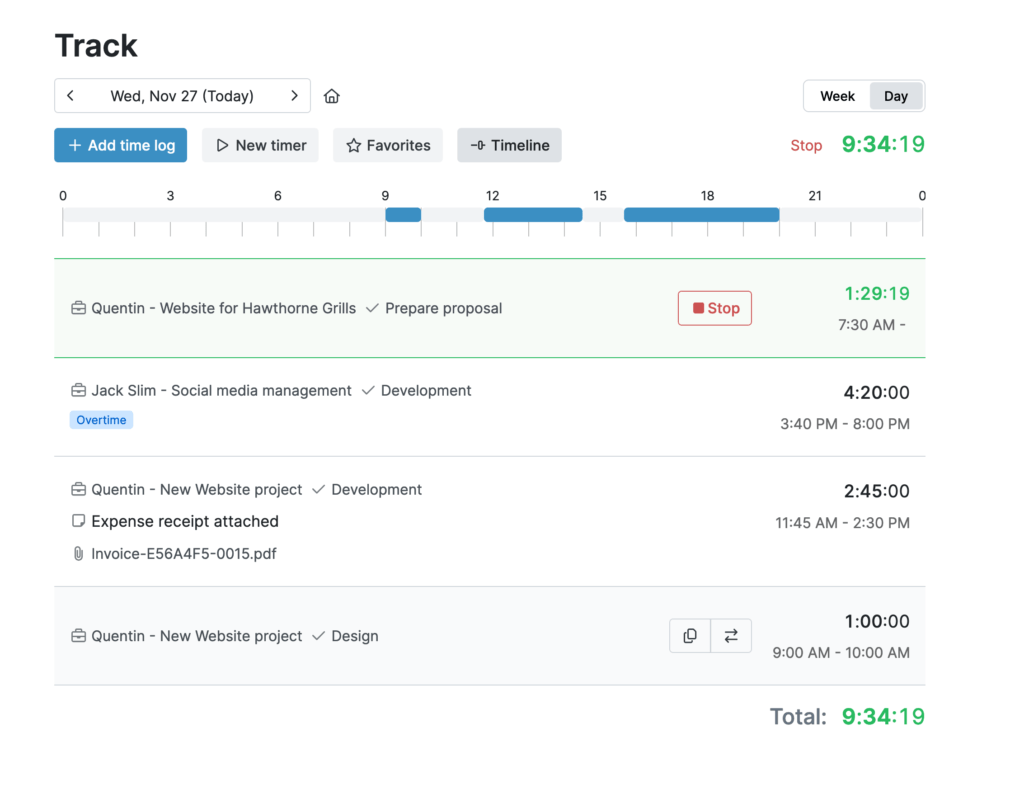
- What it does: Allows users to track time via live timer or manual entry, assigning hours to projects and tasks.
- Strengths: Simple interface, clear categorization by client/project.
- Limitations: No automatic activity tracking or passive monitoring.
- Best for: Teams tracking billable and non-billable work with intention.
🔎 Key takeaways
- Flexible logging options
- Organized around clients and projects
- Relies on manual input
Project management
Centralized view of project progress through tracked hours and budget usage.
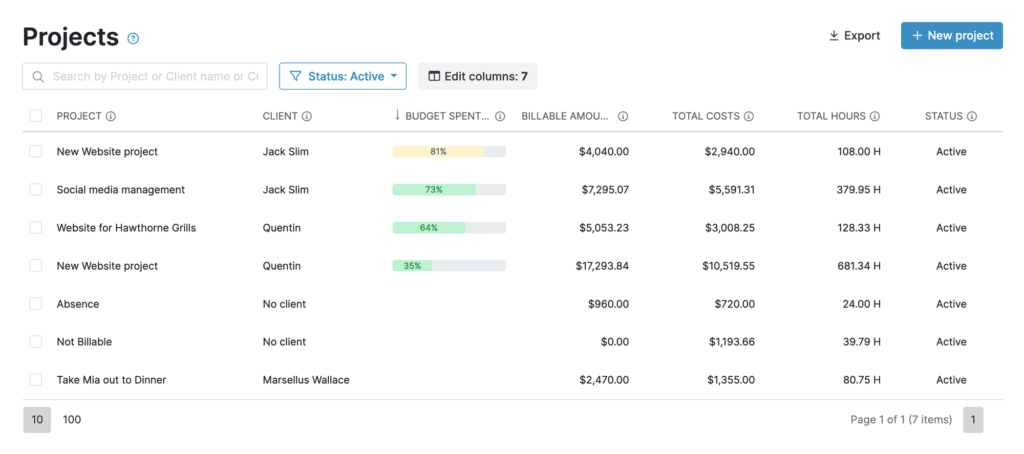
- What it does: Lets teams monitor total time spent per project and compare against estimates.
- Strengths: Clear visibility into project workload.
- Limitations: No visual planning tools like Kanban boards or Gantt charts.
- Best for: Teams managing straightforward service projects.
🔎 Key takeaways
- Tracks effort at project level
- Supports estimate vs actual comparison
- Not a full project management system
Budgeting & cost control
Core differentiator focused on financial oversight.
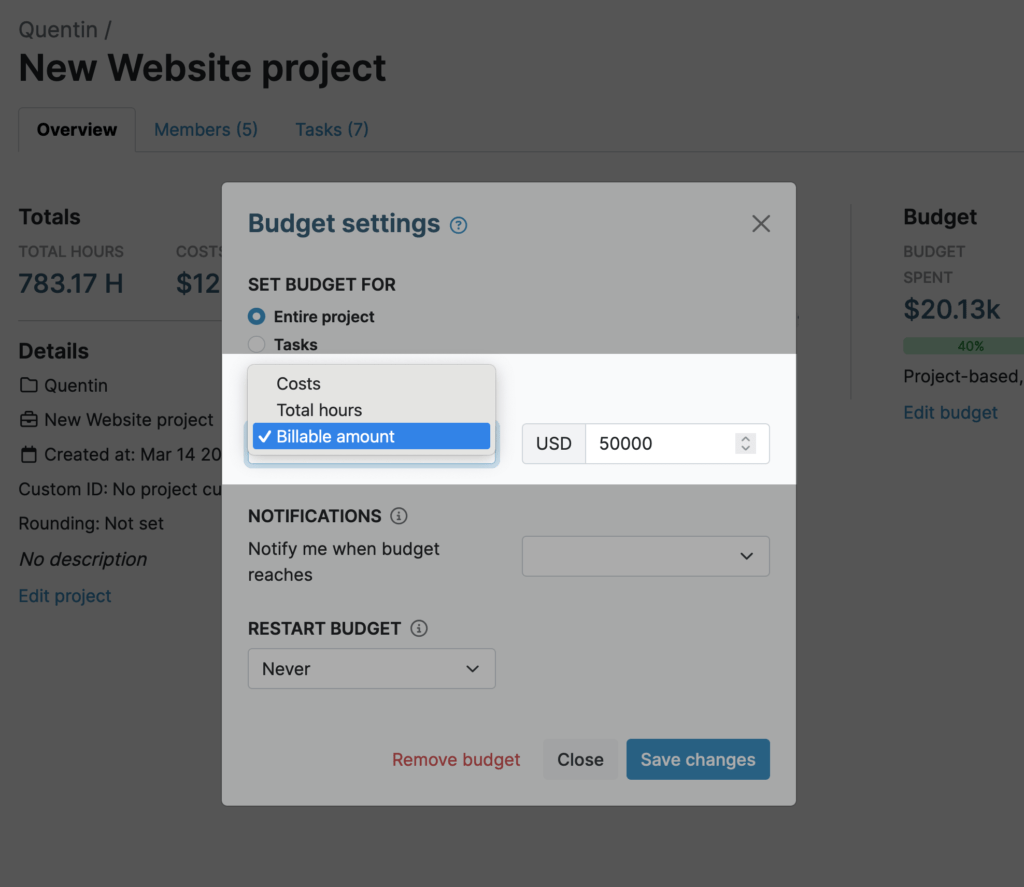
- What it does: Enables setting project budgets, tracking labor costs, and monitoring profitability.
- Strengths: Strong financial visibility; supports cost-based decision-making.
- Limitations: Advanced forecasting and multi-layer budgeting are limited.
- Best for: Agencies and consultancies managing billable projects.
🔎 Key takeaways
- Connects time directly to cost
- Helps prevent budget overruns
- Designed for service-based businesses
Reporting
Detailed reports focused on time distribution and project performance.
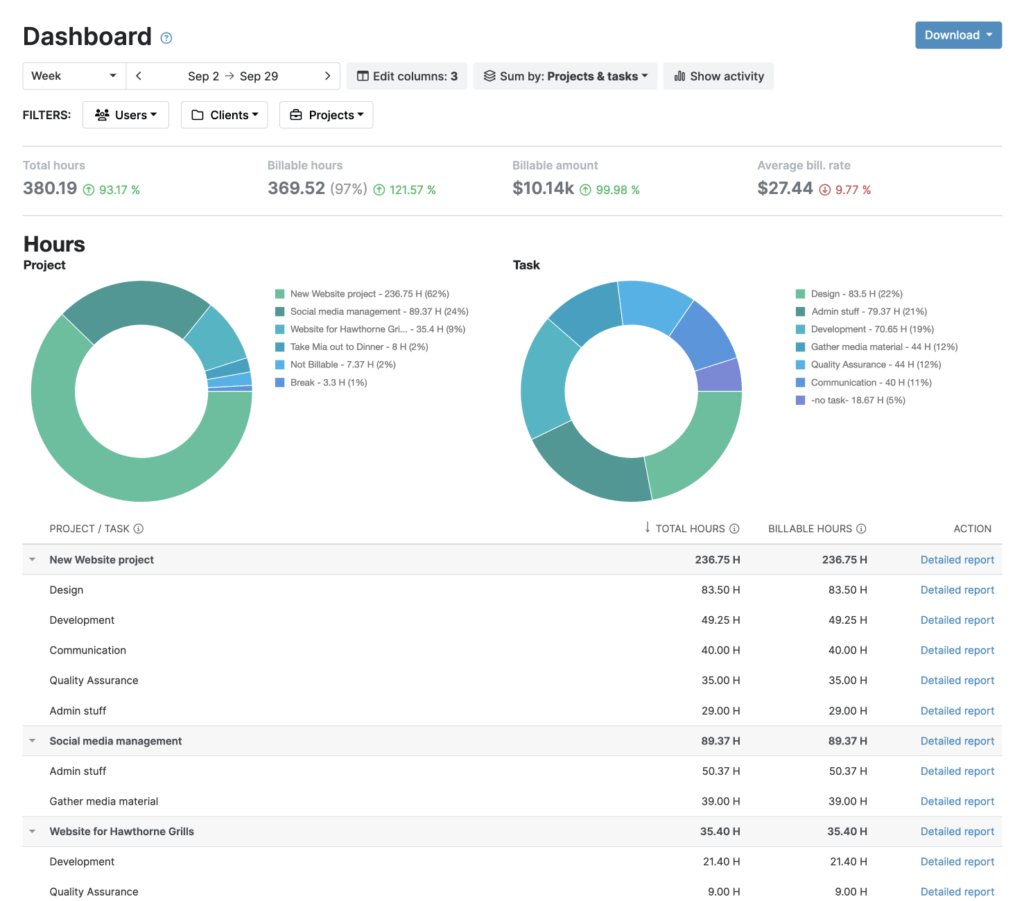
- What it does: Generates customizable reports by client, project, task, or team member.
- Strengths: Clear exportable reports for billing and analysis.
- Limitations: No AI-driven insights or predictive analytics.
- Best for: Teams needing structured financial reporting.
🔎 Key takeaways
- Flexible filtering options
- Useful for client billing
- Focused on historical data
Invoicing
Built-in invoicing based on tracked time.
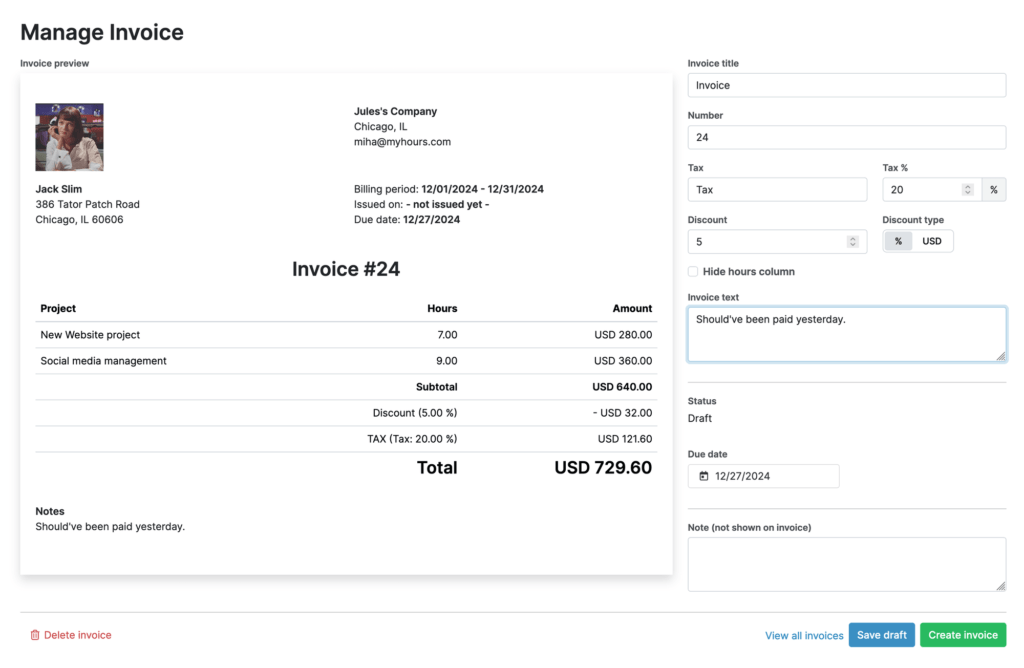
- What it does: Converts billable hours into invoices with client-level breakdowns.
- Strengths: Streamlines billing for service teams.
- Limitations: Limited advanced accounting automation.
- Best for: Agencies billing clients hourly.
🔎 Key takeaways
- Direct link between time and invoices
- Reduces manual billing steps
- Not a full accounting solution
Team management
Role-based access and team oversight.
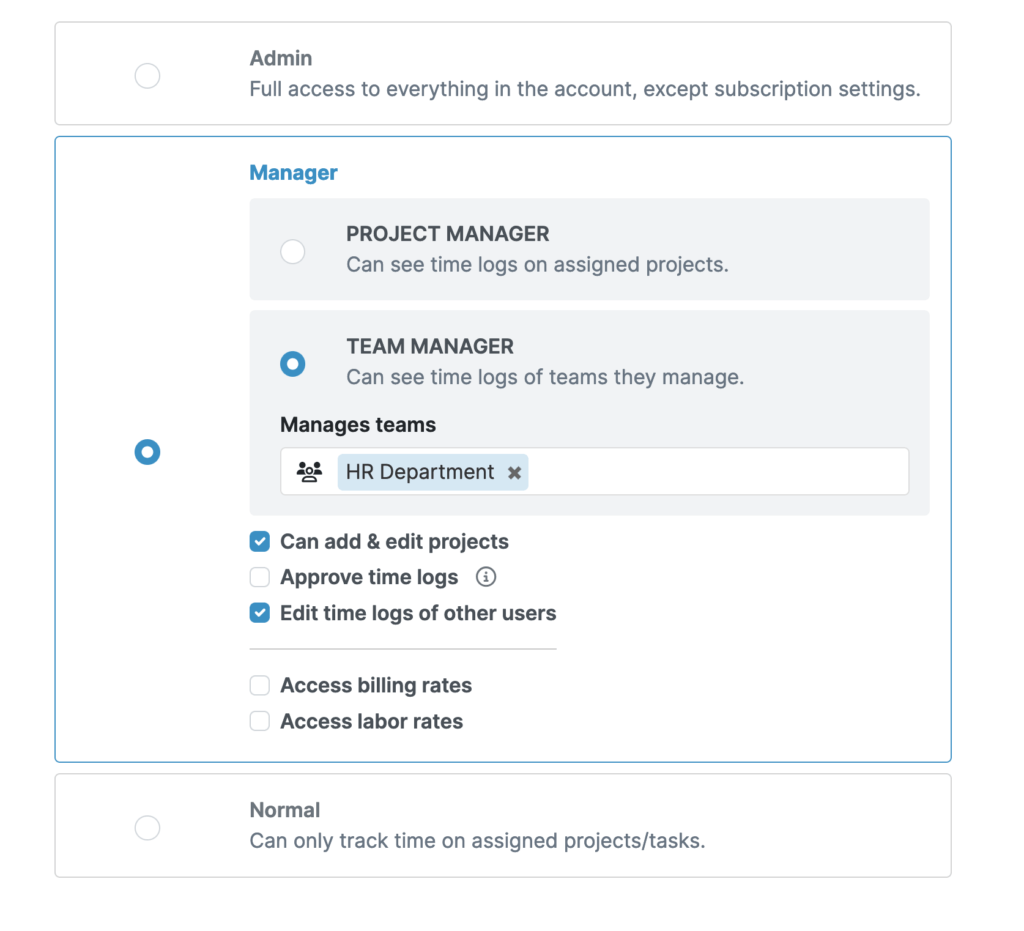
- What it does: Allows managers to oversee time entries and approve reports.
- Strengths: Simple permission structure.
- Limitations: Limited enterprise-grade controls.
- Best for: Small to mid-sized teams.
🔎 Key takeaways
- Clear oversight of team time
- Easy onboarding
- Basic administrative controls
Integrations
Connects with selected business tools.
- What it does: Integrates with accounting and productivity software.
- Strengths: Supports common workflows.
- Limitations: Integration ecosystem is narrower than larger platforms.
- Best for: Teams with moderate integration needs.
🔎 Key takeaways
- Supports financial workflows
- Setup is straightforward
- Not built for complex automation stacks
Monitoring capabilities
Minimal workforce monitoring features.
- What it does: Focuses on logged time rather than tracking activity.
- Strengths: Privacy-friendly approach.
- Limitations: No automatic app tracking, screenshots, or surveillance tools.
- Best for: Teams valuing transparency over monitoring.
🔎 Key takeaways
- Non-intrusive tracking
- No automated activity capture
- Budget-focused philosophy
Mobile & accessibility
Track time across devices.
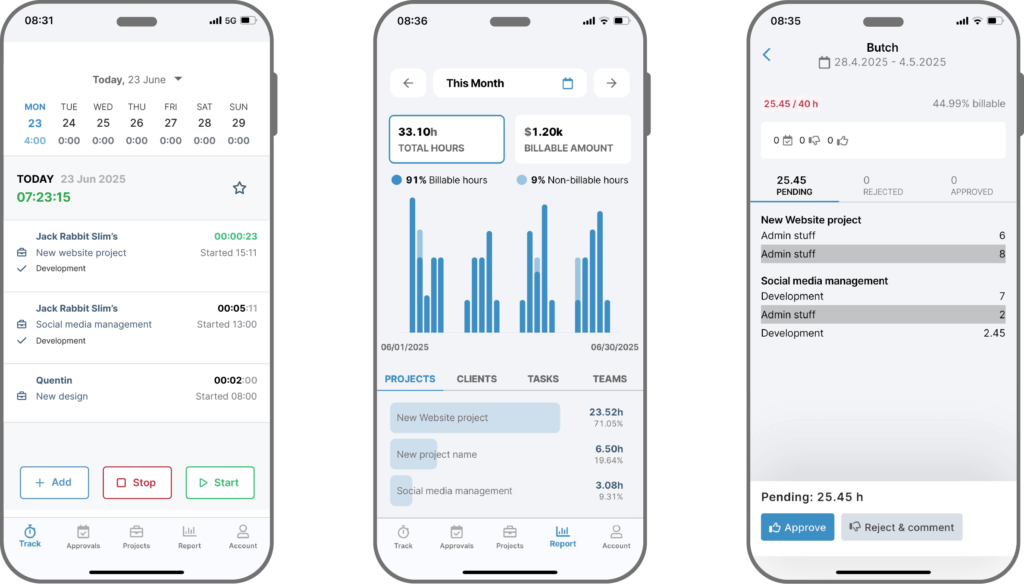
- What it does: Provides mobile access for tracking on the go.
- Strengths: Supports remote and field work.
- Limitations: Some advanced reporting features are desktop-focused.
- Best for: Flexible teams working across locations.
🔎 Key takeaways
- Mobile time entry
- Cross-device access
- Web version offers fuller feature set
My Hours Pricing
My Hours offers a free plan for small teams, a Pro plan with budgeting and approval features, and a fully customizable Enterprise plan. It scales well for growing teams but advanced features require higher-tier plans, and larger teams will see costs increase quickly.
| Plan | Price | Best for | Key features |
|---|---|---|---|
| Free | $0 USD for up to 5 users | Teams just getting started with time tracking |
|
| Pro | $9 USD per user/month | Teams actively managing their time |
|
| Enterprise | Custom pricing | Large or complex organizations |
|
My Hours Review: Pros and Cons
My Hours is a solid time tracking and project budgeting tool that emphasizes clarity, control, and simplicity. While it covers the essentials very well, it doesn’t focus on employee monitoring or advanced visual project planning. Here’s a closer look at its strengths and limitations:
| Pros | Cons |
|---|---|
| Flexible time tracking via timer or manual entry | Advanced visual project planning (Gantt, Kanban) is missing |
| Strong project budgeting and cost tracking | Some advanced features only available on Pro or Enterprise plans |
| Billable rates, profit/loss calculation, and invoicing built-in | Reporting is straightforward but lacks automated insights or analytics |
| Customizable team roles, timesheet approvals, and audit logs | Integrations are limited compared to more enterprise-focused tools |
| Supports unlimited projects, clients, and tasks | No monitoring features for employee activity |
| Mobile, desktop, and browser support with API and Zapier | Some settings may require a learning curve for new users |
Overall perspective:
My Hours is best for teams that prioritize accurate time tracking, budgeting, and project oversight without relying on monitoring-heavy features. It provides clear visibility and control over work hours and costs, though teams needing advanced analytics or visual project management may need to explore other solutions.
Who Is My Hours For?
My Hours is best suited for teams and businesses that need straightforward time tracking combined with budget visibility, without heavy emphasis on employee activity monitoring.
🧠 Ideal for
- Agencies and consultancies managing client budgets and billable hours
- Service-based teams that need financial visibility tied to time tracking
- Small to mid-sized teams looking for a simple, structured time and cost tracking system
- Organizations focused on profitability and budget control rather than workforce surveillance
🤔 Less ideal for
- Teams that require advanced project planning tools (e.g., Kanban boards, Gantt charts)
- Companies that depend on automatic activity monitoring or screenshots
- Large enterprises with complex compliance or deep analytics needs
My Hours Review: FAQ
Is My Hours free?
Yes. My Hours offers a Free plan for up to 5 users. It includes core time tracking, unlimited projects and clients, and basic reporting. Advanced budgeting, permissions, and approval workflows are available on paid plans.
What is My Hours mainly used for?
My Hours is primarily used for tracking work hours, managing project budgets, and calculating profitability. It connects time tracking directly to billable rates, costs, and financial reporting.
Does My Hours support project budgeting?
Yes. Budgeting is one of its core strengths. Teams can set project budgets in hours or monetary amounts, track labor costs, and monitor profit and loss on paid plans.
Can My Hours replace a project management tool?
Not entirely. My Hours supports project and task organization, but it does not offer advanced visual planning tools like Kanban boards, Gantt charts, or dependency tracking.
Does My Hours monitor employee activity?
No. My Hours does not focus on automatic activity tracking, screenshots, or surveillance-style monitoring. It centers on logged time and financial accountability rather than workforce monitoring.
Is My Hours good for agencies?
Yes, particularly for agencies that bill clients by the hour and need clear budget visibility. Its budgeting, rate calculation, and invoicing features make it well-suited for service-based businesses.
Does My Hours integrate with other tools?
Yes. It offers mobile apps, browser extensions, API access, Zapier integration, and Jira sync. However, its integration ecosystem is more focused than some larger enterprise platforms.
Is My Hours suitable for large enterprises?
It offers an Enterprise plan with SSO, audit logs, and custom integrations. However, organizations requiring highly complex compliance controls or advanced analytics may need additional systems.
My Hours Review: Is It the Right Fit?
My Hours is a focused time tracking and budgeting tool built for teams that want clear visibility into how time translates into cost and revenue. It performs well when financial oversight — not workforce surveillance — is the priority.
Its strengths lie in project budgeting, billable rate management, and profitability tracking. For agencies, consultancies, and service-based teams, that combination can provide meaningful operational clarity without unnecessary complexity.
That said, My Hours is not a full project management platform, nor is it designed for monitoring-heavy environments. Teams that rely on advanced visual planning tools, deep analytics, or automated activity tracking may find it limited.
If your goal is to connect time tracking directly to budgets and profitability, My Hours is a practical and structured solution. If your needs extend into complex project orchestration or workforce monitoring, additional tools may be required.

Maria
A dedicated content enthusiast with extensive experience in international teams and projects of all sizes. Maria thrives on creativity and attention to detail, fueled by a love for fantasy novels, music, classic black-and-white films, and always finding ways to make things better.