


Wrike vs Smartsheet: Project Planning, Tracking & Reporting Compared
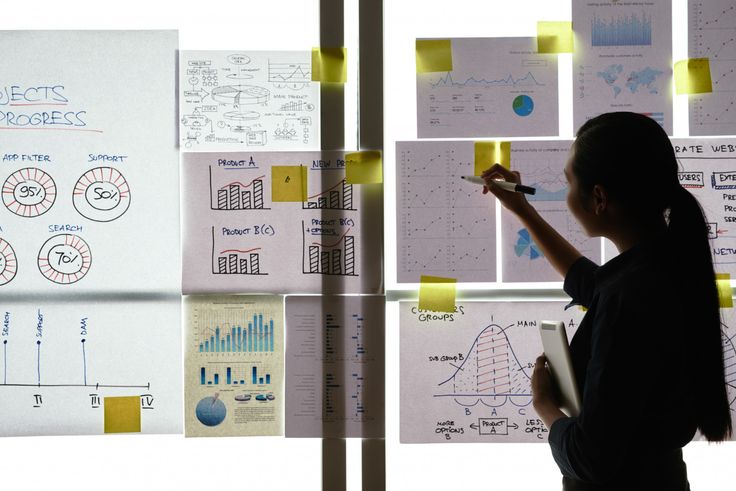
Choosing the right project management tool can have a big impact on how smoothly your team works. Wrike vs Smartsheet are both widely used, but they take different approaches. Wrike is built around tasks, structured workflows, and collaboration across teams, while Smartsheet uses a familiar spreadsheet-style interface for planning, tracking, and reporting.
In this article, we’ll break down the main differences between Wrike and Smartsheet, highlight their key strengths and limitations, and help you figure out which tool—or combination of tools—fits your team’s workflow. We’ll also cover how teams can extend Wrike with integrations (including Wrike time tracking integration) to get better visibility into time, effort, and project costs, making execution and reporting much easier as projects grow.
🗂 Core Approach To Project Management
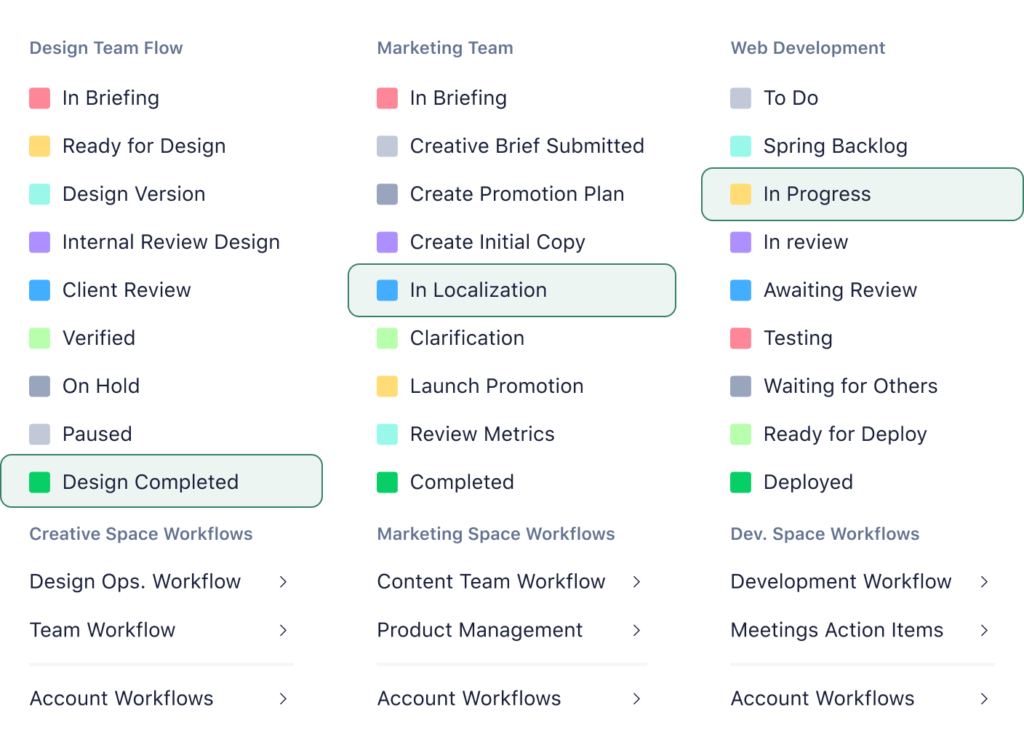
Wrike is built around task- and project-based collaboration. Teams create tasks, subtasks, and dependencies, and organize them into folders, projects, or spaces. It’s designed for visibility across teams, structured workflows, and real-time collaboration, making it easier to manage complex projects and cross-functional work.
Smartsheet, on the other hand, uses a spreadsheet-style interface to plan, track, and manage work. Tasks, timelines, and resources are organized in grid-like sheets, making it familiar for teams accustomed to Excel. Its strength lies in flexibility and automation, with dashboards and reporting that allow managers to monitor progress and performance at a glance.
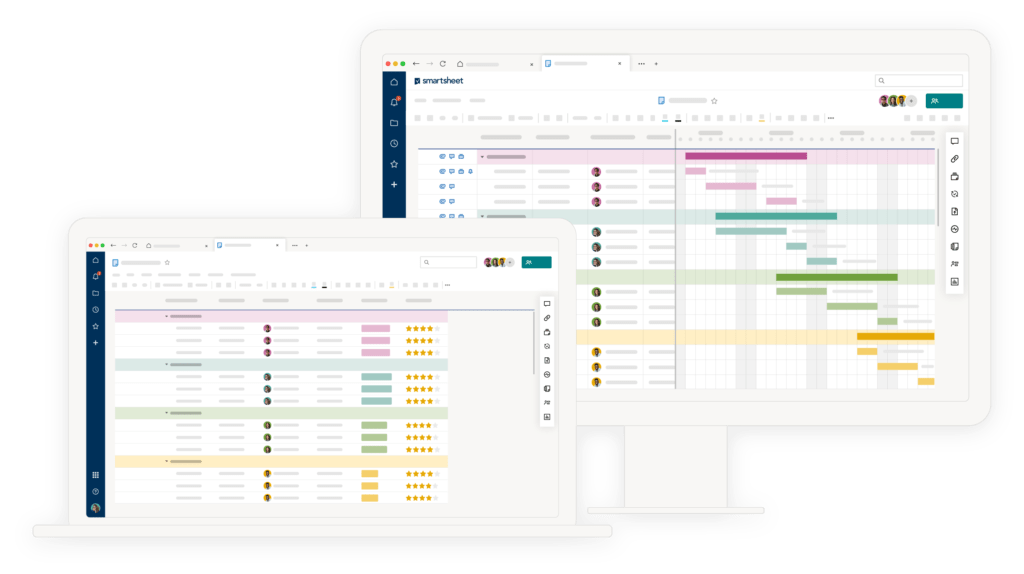
▶ Both tools support collaboration, but the way teams interact with their projects differs: Wrike emphasizes structured task management, while Smartsheet emphasizes a flexible, spreadsheet-like approach that scales across workflows.
📋 Planning and Task Management
Task structure and flexibility
Wrike organizes work using a task hierarchy, including tasks, subtasks, and folders. This gives teams a clear structure and allows complex projects to be broken into manageable pieces.
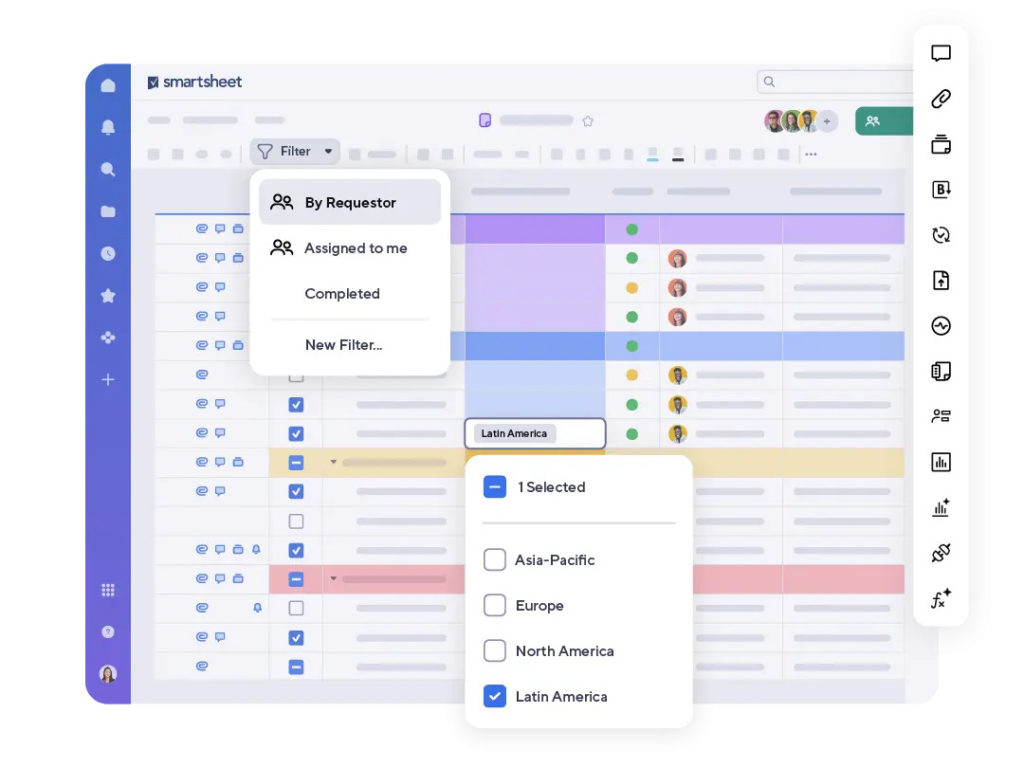
Smartsheet, on the other hand, uses rows and columns within sheets. Tasks are listed like spreadsheet entries, with hierarchy achieved through indents and parent-child relationships.
Handling dependencies and milestones
Both tools let you manage task dependencies and milestones, but they do it differently:
Wrike: Dependencies are visualized in Gantt charts, making it easy to see which tasks block others. Milestones can be set to mark key dates in a project.
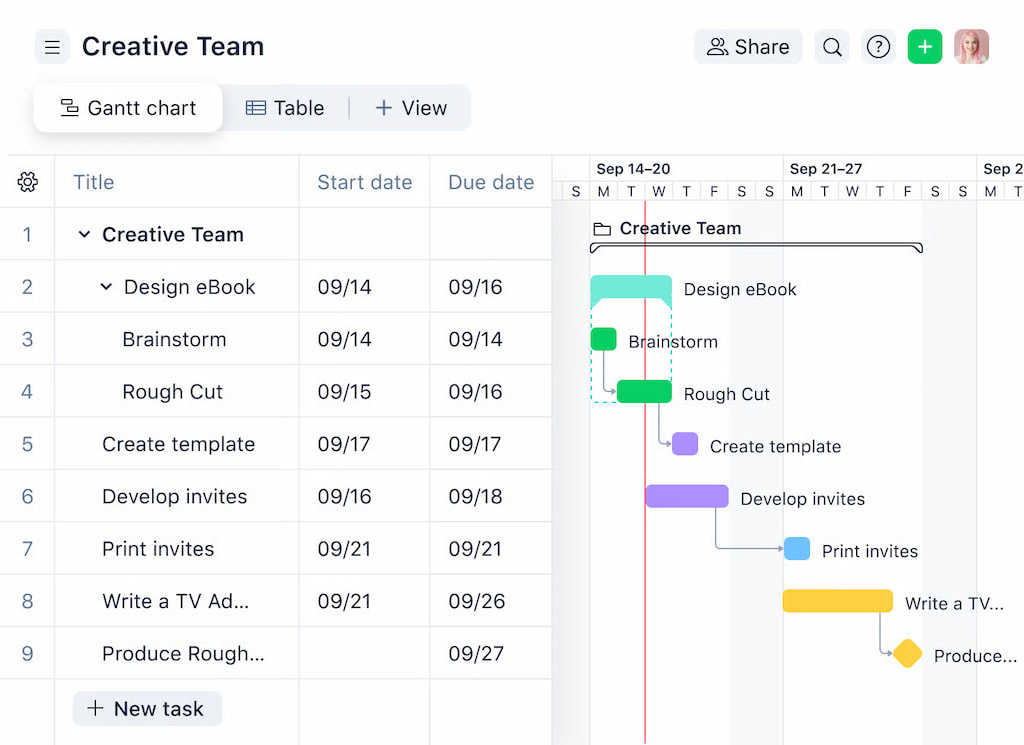
Smartsheet: Dependencies are handled through predecessor columns in sheets, with automated alerts for approaching deadlines. Milestones are indicated as specific rows with distinct formatting.
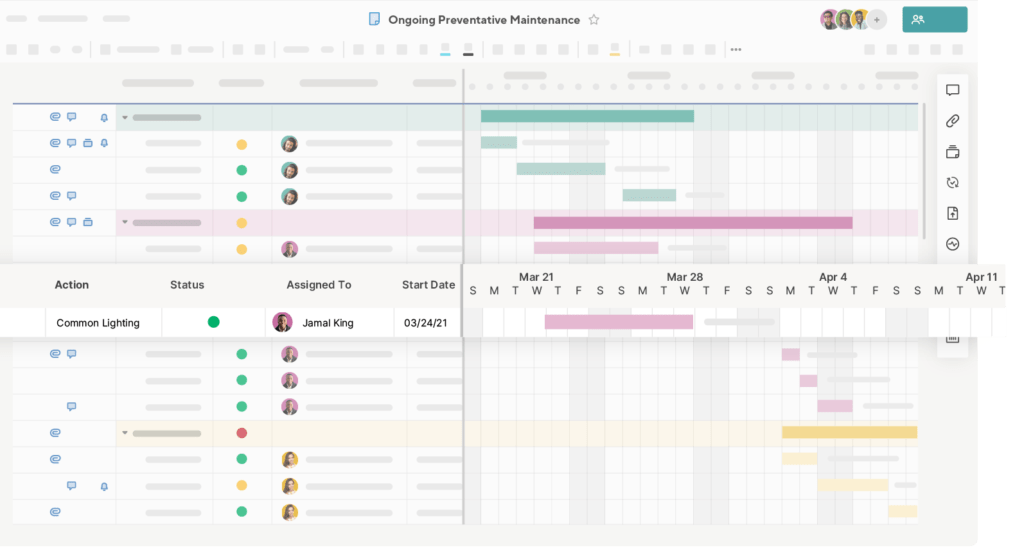
Workflow customization
Wrike provides flexible workflows using custom statuses, automations, and approvals. Teams can tailor workflows per project or team, which is useful for cross-functional collaboration.
Smartsheet allows workflow automation through rules and triggers on sheets, such as sending alerts or updating statuses when a condition is met. While powerful, it can be more complex to configure across multiple sheets.
Bottom line
Wrike: Easier to start with, visual hierarchies, intuitive for task tracking, but some advanced workflow customization may require training.
Smartsheet: Extremely flexible for structured planning, but can be overwhelming for teams unfamiliar with spreadsheets or handling large portfolios.
📊 Reporting and Visibility
Built-in reports and dashboards
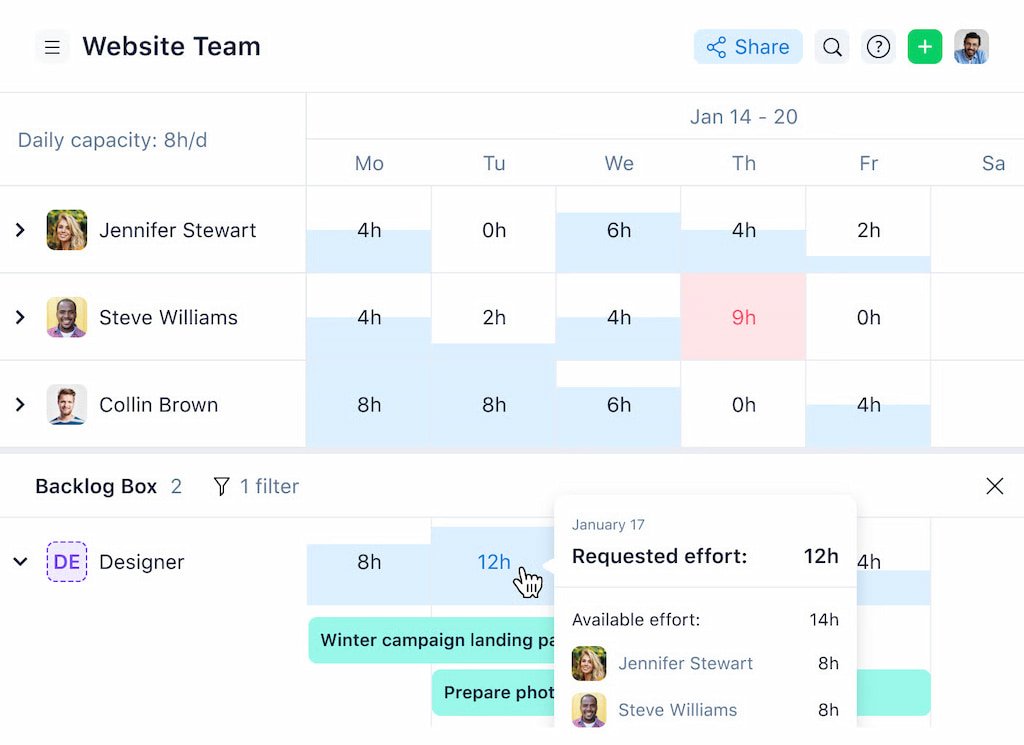
Wrike offers pre-built reports and dashboards that summarize tasks, projects, and team performance. Managers can see progress, workload, and upcoming deadlines at a glance. Custom dashboards allow filtering by project, team, or status.
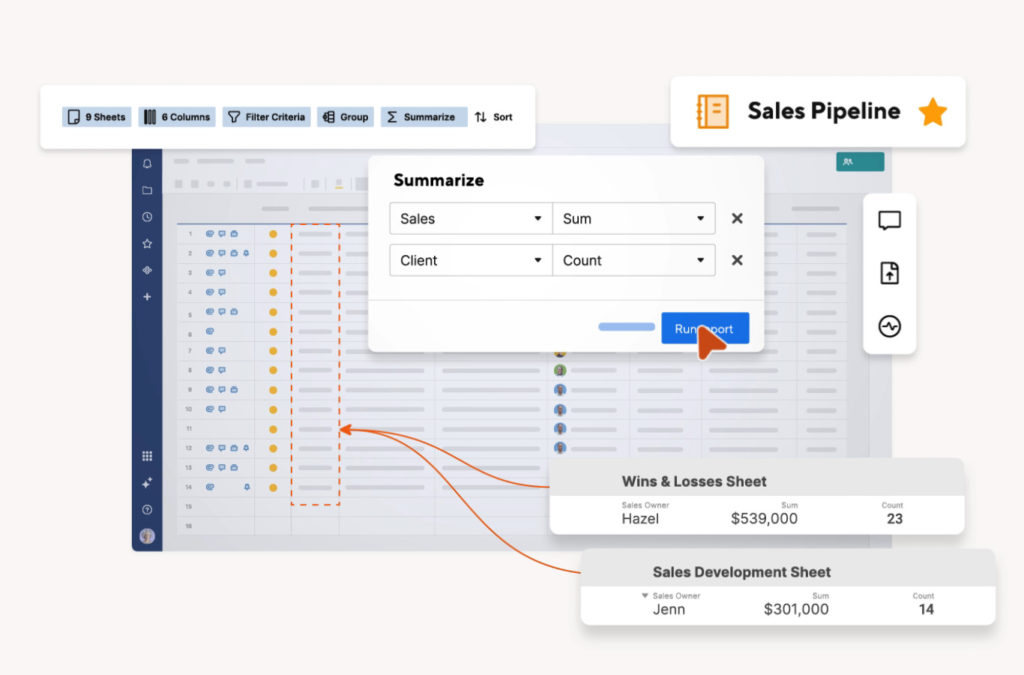
Smartsheet provides dashboards and report sheets that pull data from multiple sheets. Users can display charts, metrics, and key performance indicators. While highly customizable, creating dashboards requires setting up the underlying sheets correctly.
What managers can see easily
Wrike: Progress on tasks and projects, completed vs pending work, overdue items, and team workload. Visual Gantt charts and timeline views make cross-project visibility intuitive.
Smartsheet: Aggregated data across sheets, milestones, deadlines, and custom metrics. However, cross-sheet reporting can take extra setup and maintenance.
❌ Limitations when reporting across teams or projects
Wrike: Reporting is simple for projects within the same workspace, but consolidating multiple projects with different workflows may require additional configuration or Wrike integrations.
Smartsheet: Powerful for single-sheet or sheet-based reporting, but scaling dashboards across multiple projects and teams can become cumbersome.
Bottom line
Both tools provide basic visibility into time and task effort, but teams often look for deeper insights into actual vs planned time, cost tracking, and cross-project performance. This is where integrations or add-ons, like Everhour, can fill the gap without changing how teams plan and execute work.
⏱️ Time, Effort, and Cost Tracking
What Wrike offers natively
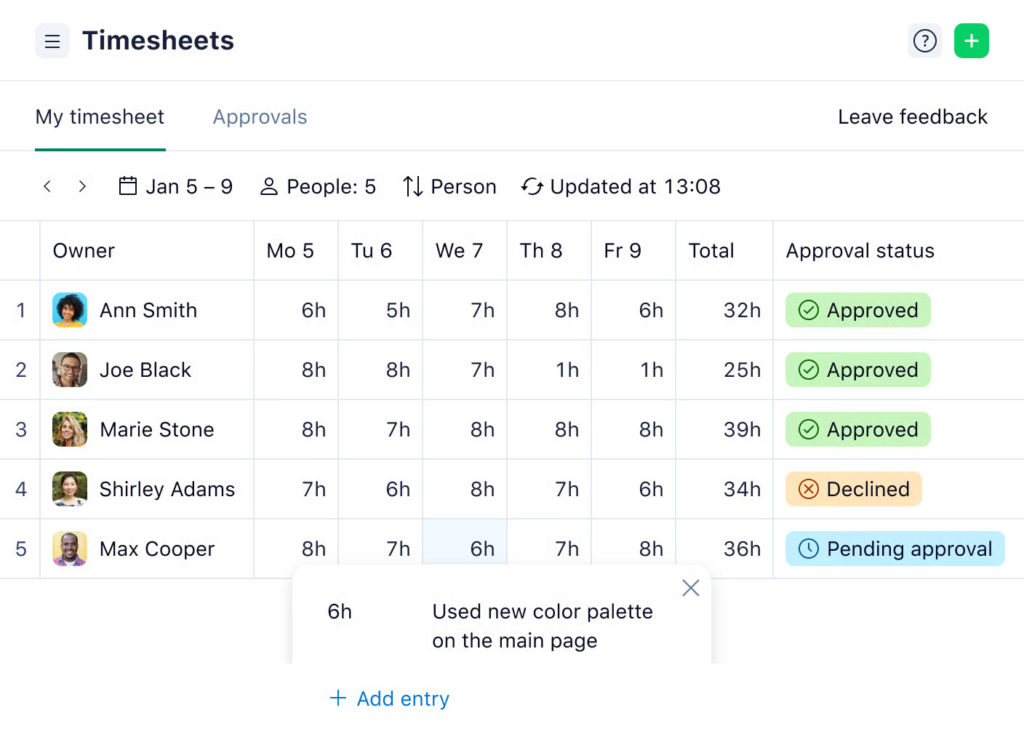
Wrike includes basic time tracking and effort logging within tasks. Users can:
- Start timers or manually log hours per task
- View task-level activity in the timelog and activity streams
- Assign time to projects for simple tracking of workload
While useful for small teams or straightforward projects, Wrike’s native features have limitations in reporting across multiple projects, tracking billable vs non-billable hours, and providing a comprehensive view of project costs.
What Smartsheet offers natively
Smartsheet allows teams to track work effort using columns for hours, start/end dates, and cost data within rows. Users can:
- Assign resources and enter estimated vs actual hours
- Calculate costs via formulas
- Display Gantt charts and dashboards to summarize task durations and costs
However, Smartsheet does not have built-in timers or automated time tracking. Reporting requires proper sheet setup and manual updates, which can make tracking across multiple projects tedious.
❌ Where teams start to feel gaps
As projects grow, teams often notice:
- Limited visibility into actual time vs planned effort
- Difficulty monitoring budgets and resource costs across multiple projects
- Increased reliance on spreadsheets or third-party reporting tools
Why time and cost visibility matter as teams scale
Transparent tracking of time, effort, and costs helps teams:
- Make informed decisions on workload and resource allocation
- Prevent budget overruns and missed deadlines
- Evaluate project performance and team efficiency
Bottom line
For many teams, native features are enough initially, but scaling projects often leads to exploring integrations or add-ons like Everhour‘s time tracker to get accurate time, effort, and cost visibility without disrupting existing workflows.
🖥️ Ease Of Use And Adoption
Onboarding and learning curve
Wrike is designed for teams that value structured Wrike project management. Its hierarchy of tasks, folders, and projects works well for organized teams, but new users may need time to understand how everything fits together, especially with automations, approvals, and reporting.
Smartsheet, on the other hand, feels familiar for users comfortable with spreadsheets. Its row-and-column interface makes task entry, resource allocation, and simple tracking intuitive, but teams must learn how to build dependencies, dashboards, and reports effectively to get the most out of the tool.
Day-to-day usability
Collaboration experience
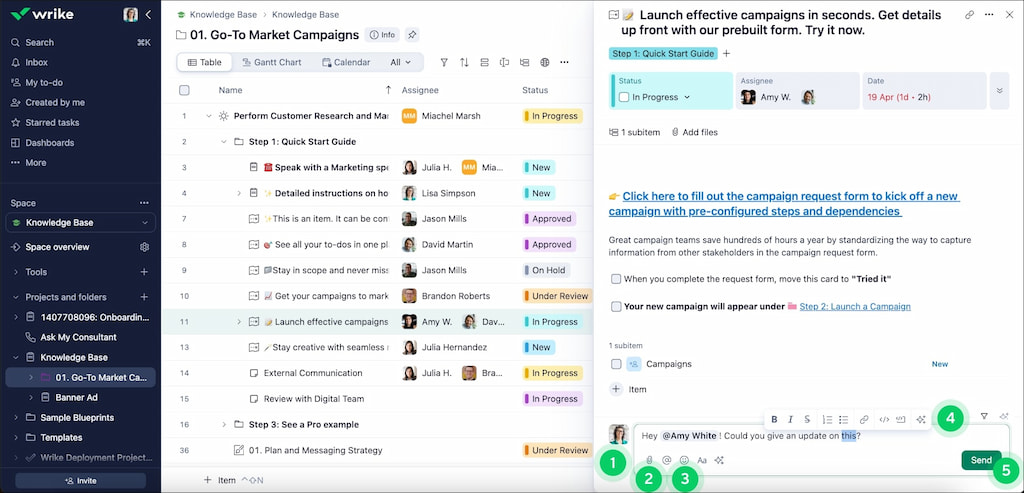
- Wrike offers threaded comments, mentions, and file attachments directly in tasks, helping teams communicate within the context of work.
- Smartsheet enables collaboration through comments on rows, attachments, and sheet sharing, but conversations can feel less integrated than Wrike’s task-based approach.
Updating work and staying aligned
- Wrike users can quickly update task statuses, check timelines, and see changes reflected across projects. Its dashboards provide a centralized view of work progress.
- Smartsheet users benefit from the familiar grid view for updates, but cross-project visibility requires careful sheet design or dashboards, which can be more manual and less interactive than Wrike.
Bottom line
Overall, Wrike works well for structured teams that need formal workflows and task-level visibility, while Smartsheet is ideal for spreadsheet-native teams that prefer a flexible, formula-driven approach.
🔌 Integrations and Extensibility
Wrike integrations
Wrike has a robust ecosystem of apps and integrations. Teams can connect Wrike to tools for communication (Slack, Teams, Zoom), file storage (Google Drive, SharePoint, Adobe CC), CRM (Salesforce, HubSpot), business intelligence (Tableau, Google Sheets), and automation (Zapier, Workato, Unito). These integrations help teams keep all work in sync without switching between too many platforms.
Smartsheet integrations
Smartsheet also supports a wide range of integrations. Users can link sheets with tools like Salesforce, Jira, Microsoft Teams, Google Workspace, and Tableau. Smartsheet’s automation features allow workflows, reminders, and notifications to be set up without code, helping teams reduce manual updates.
Common use cases for extending each platform
- Wrike: Adding integrations to enhance reporting, track time, connect financial data, or automate task updates.
- Smartsheet: Using integrations to consolidate data from multiple sources, automate approvals, or create dashboards that summarize multiple sheets.
Bottom line
By connecting additional tools or automating workflows, both platforms can provide better visibility into project execution, helping teams track progress, effort, and outcomes more effectively.
🤔 Wrike vs Smartsheet: Which One to Choose
✅ When Wrike makes more sense
- Complex project management: Wrike works well for teams handling multiple projects with dependencies, milestones, and structured timelines.
- Cross-functional collaboration: Teams across departments can collaborate seamlessly while keeping work organized in one platform.
- Structured workflows and approvals: Wrike’s automation, task statuses, and approval processes help maintain control over complex workflows.
✅ When Smartsheet makes more sense
- Spreadsheet-driven teams: If your team is comfortable with Excel-like layouts, Smartsheet provides a familiar environment for planning and tracking.
- Reporting-heavy planning: Smartsheet excels at consolidating data across projects and generating dashboards for executives or stakeholders.
- Operational or PMO-style use cases: For teams focused on operational projects, portfolio management, or standardized processes, Smartsheet offers flexibility without heavy setup.
🔑 Wrike vs Smartsheet: Key Differences at a Glance
| Aspect | Wrike | Smartsheet |
|---|---|---|
| Project structure | Task hierarchy with folders, projects, and subfolders – ideal for complex, cross-functional initiatives. | Row-based sheets familiar to spreadsheet users – simpler but less intuitive for multi-level projects. |
| Reporting approach | Built-in dashboards and customizable reports focused on project and task progress. | Spreadsheet-style reporting with dashboards and formulas – powerful for Excel-savvy teams, may require extra setup for real-time insights. |
| Scalability | Handles large teams, complex projects, dependencies, and approvals effectively. | Best for medium to large teams comfortable with spreadsheets; very complex workflows can get cumbersome. |
| Flexibility vs control | Structured workflows, automations, and approvals provide strong control but have a steeper learning curve. | Spreadsheet flexibility allows teams to mold the tool to their needs, though consistency and structure may suffer. |
⏱️ Wrike With Added Time and Cost Visibility
Many teams continue using Wrike because it handles complex projects, cross-functional collaboration, and structured workflows well. However, native time and cost tracking can fall short as teams scale:
- Limited native tracking: Wrike’s built-in time tracking is basic and doesn’t provide full visibility into project effort or budget usage.
- Reporting gaps: Managers may struggle to see actuals versus estimates across multiple projects.
- Cost control challenges: Without detailed tracking, it’s harder to manage project budgets effectively.
This is where Everhour’s Wrike integration comes in. Everhour extends Wrike with:
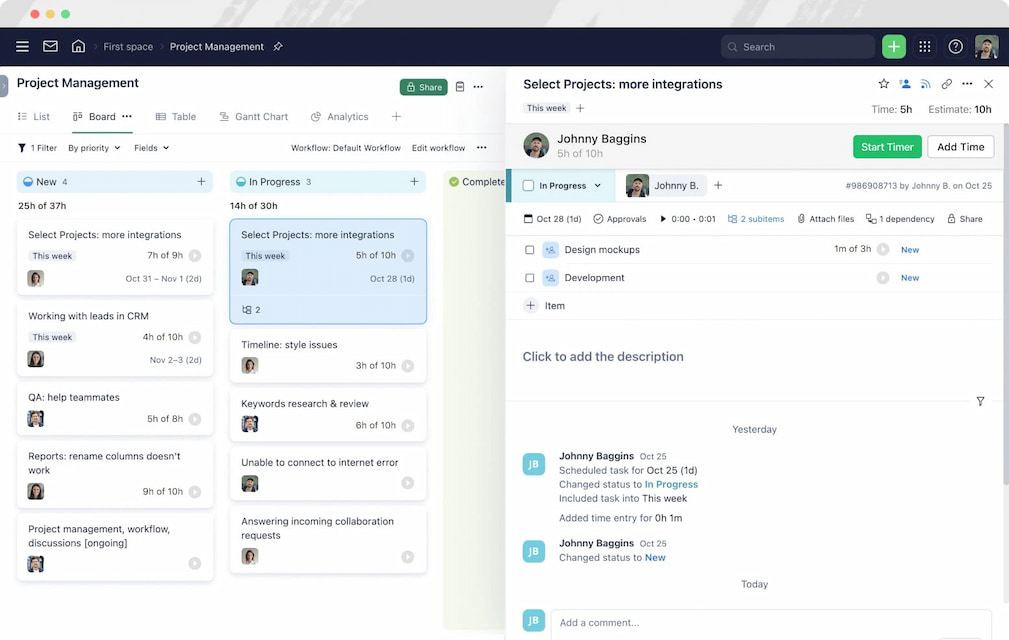
- Time tracking inside tasks: Timers and manual entries appear directly in the Wrike interface, eliminating tool switching.
- Estimates vs actuals: Teams can quickly compare planned effort to real-time work, catching overruns early.
- Budgeting and reporting: Project budgets, cost tracking, and detailed reports are available without extra spreadsheets.
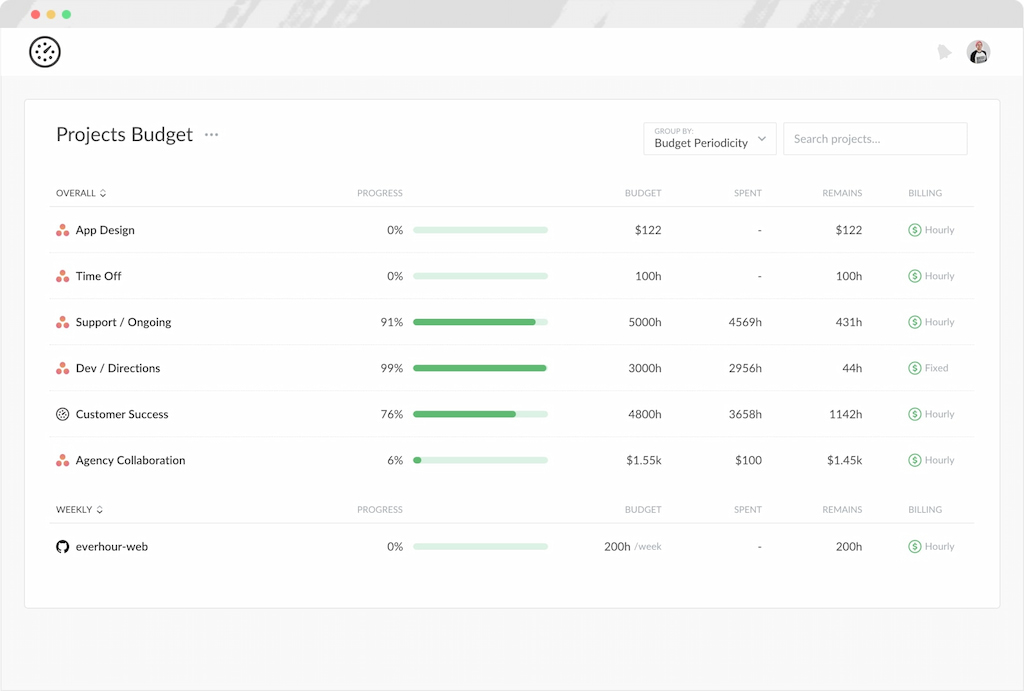
- Cross-project visibility: Managers can monitor time, effort, and costs across all projects in one place.
By adding Everhour, teams gain clearer insight into project execution, better accountability, and more control over time and costs—all while continuing to use Wrike as their main project management tool.
✅ Wrike vs Smartsheet: Conclusion
Wrike and Smartsheet solve different problems, even though teams often compare them. Wrike is built for structured project management, with clear task ownership, workflows, and cross-team collaboration. Smartsheet works better for teams that prefer spreadsheet-style planning, reporting-heavy work, or PMO-style oversight.
For teams managing complex projects with dependencies, approvals, and multiple contributors, Wrike usually offers more control and day-to-day clarity. Smartsheet can be a better choice when work revolves around tables, dashboards, and high-level tracking rather than task execution.
That said, many teams choose Wrike but still struggle with visibility into time, effort, and costs as projects scale. This is where switching tools isn’t always necessary.
Everhour’s Wrike integration helps close that gap by adding:
- Time tracking directly inside Wrike tasks
- Clear estimates vs actuals
- Project budgets and cost tracking
- Detailed reports without spreadsheets
If your team likes Wrike’s structure but needs better execution visibility, extending Wrike with Everhour is often a simpler and safer move than migrating to Smartsheet or another platform.
Learn what Wrike is, its core features, pros and cons, and how to use it for your benefit!

Maria
A dedicated content enthusiast with extensive experience in international teams and projects of all sizes. Maria thrives on creativity and attention to detail, fueled by a love for fantasy novels, music, classic black-and-white films, and always finding ways to make things better.