


Wrike vs Everhour: Time Tracking, Budgets, and Project Visibility Compared

Managing projects efficiently isn’t just about assigning tasks—it’s about tracking progress, understanding effort, and keeping costs under control. That’s where Wrike and Everhour come in, but they solve different parts of the problem. In this article, we’ll explore Wrike vs Everhour, show where each shines, and help you decide whether to stick with Wrike alone or extend it with Everhour’s time tracker for full project visibility.
✍️ Wrike vs Everhour: Core Feature Comparison
Everhour and Wrike solve different parts of project management. Wrike focuses on planning, structuring, and collaboration, while Everhour focuses on execution visibility — tracking time, effort, and costs. Comparing their core features helps teams understand when to use one, or both together.
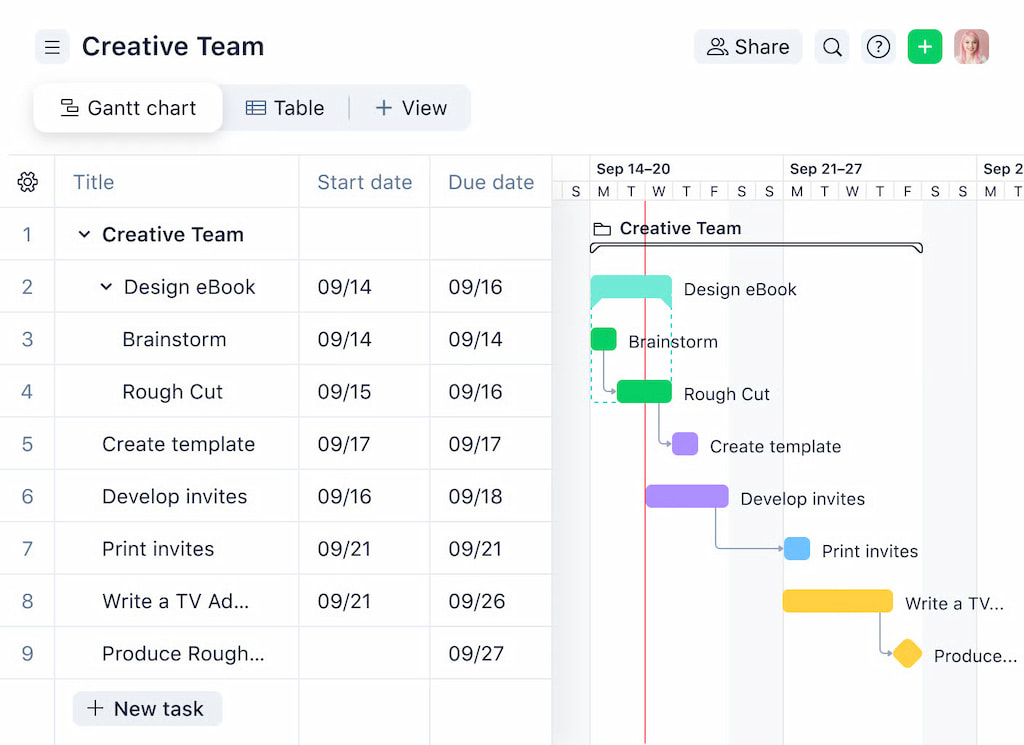
📁 Planning and project structure
- Wrike: Lets teams create projects, folders, milestones, and task hierarchies. Supports dependencies and timeline planning across teams. Ideal for structured, cross-functional projects.
- Everhour: Uses the structure already in Wrike. It does not plan work but tracks time and costs within existing tasks and projects.
Bottom line: Wrike leads in organizing and planning work.
⏱ Time tracking
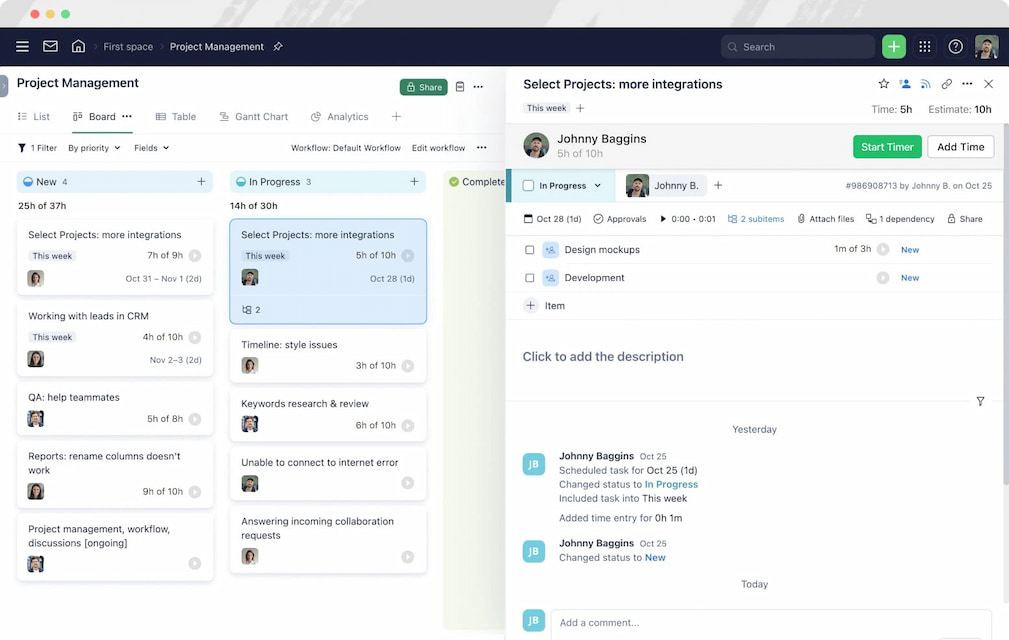
- Wrike: Offers basic time tracking inside tasks. Suitable for simple tracking but lacks depth for analytics.
- Everhour: Tracks time in Wrike and other PM tools such as Asana, Basecamp, Jira, Notion, and others, using timers or manual entries. Shows time per task, user, or project, improving accuracy and adoption.
Bottom line: Everhour is stronger for detailed time tracking.
📊 Estimates vs actuals
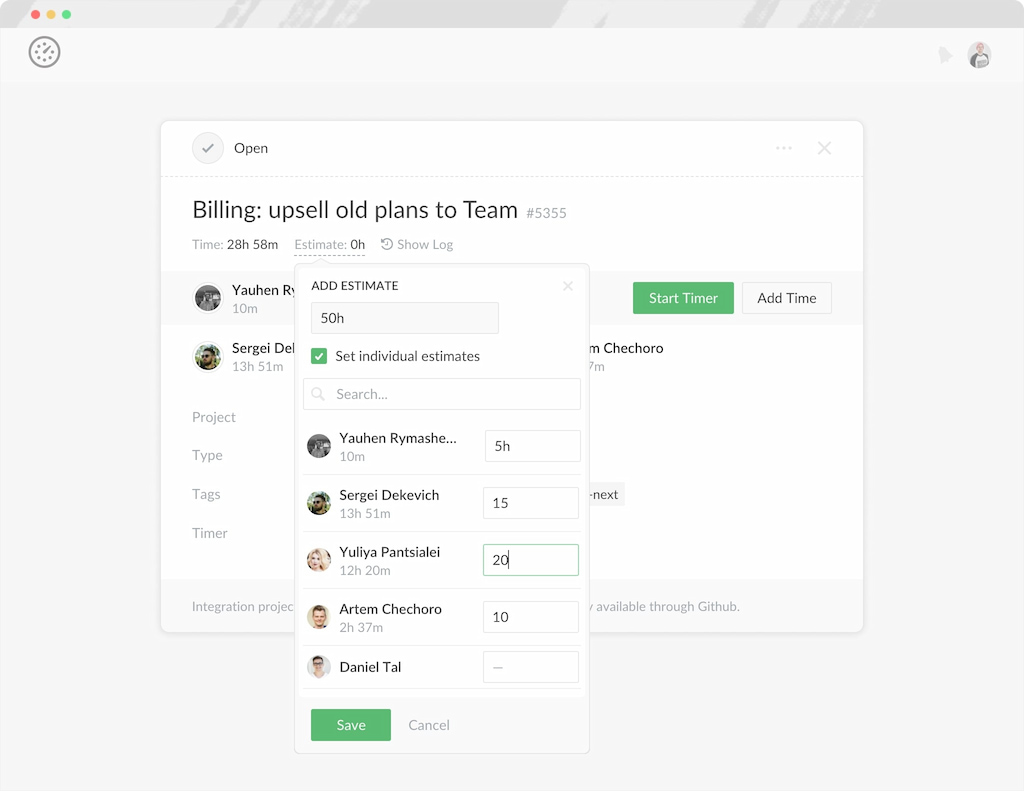
- Wrike: Allows adding estimates to tasks but comparing them to actual time is not very visible.
- Everhour: Displays tracked time next to estimates, highlighting overruns, trends, and task performance.
Bottom line: Everhour provides clearer insight into planned vs actual work.
💰 Budget and cost visibility
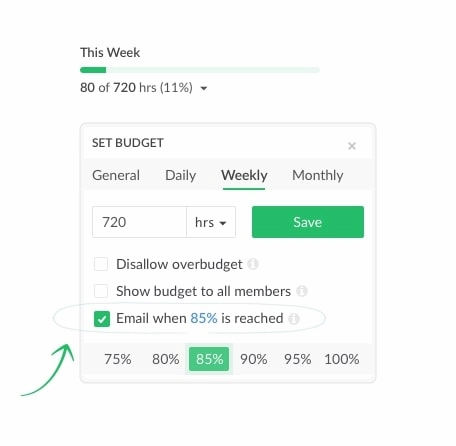
- Wrike: No native cost tracking. Teams often rely on spreadsheets or external tools.
- Everhour: Lets teams set budgets, assign hourly rates, and track costs as work happens. Custom reports show budget usage in real time.
Bottom line: Everhour excels at budget and cost tracking.
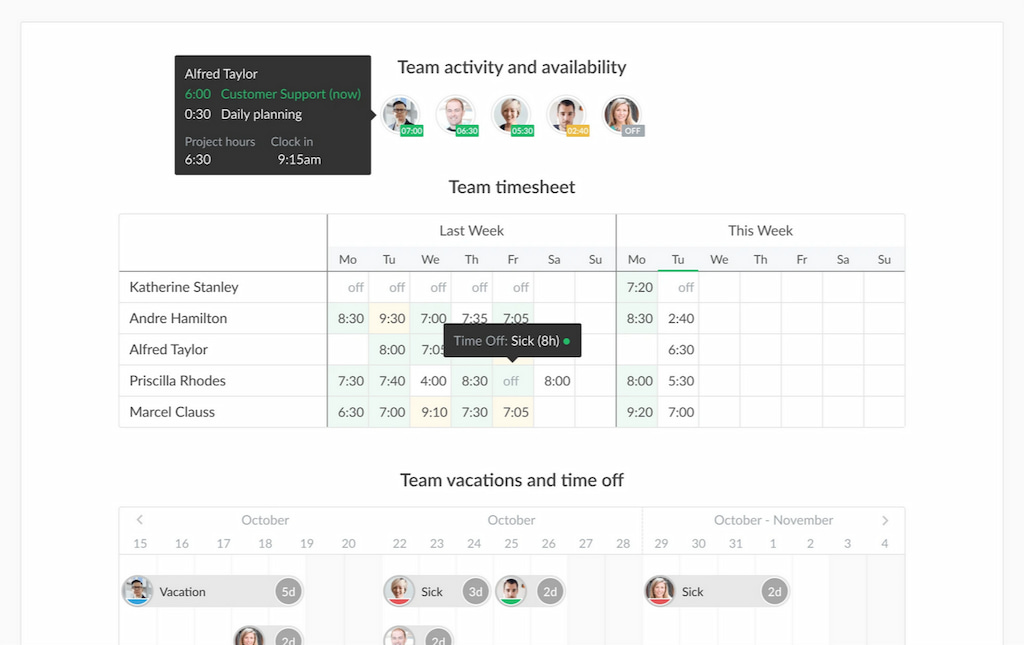
📈 Reporting and analytics
- Wrike: Focuses on task status, workflow progress, and workload. Good for project oversight but limited for detailed time/cost analysis.
- Everhour: Custom reports show time spent per project, task, user, or period. Great for analyzing efficiency and planning resources.
Bottom line: Wrike is better for project progress, Everhour for time and cost analytics.
🔄 Workflows and customization
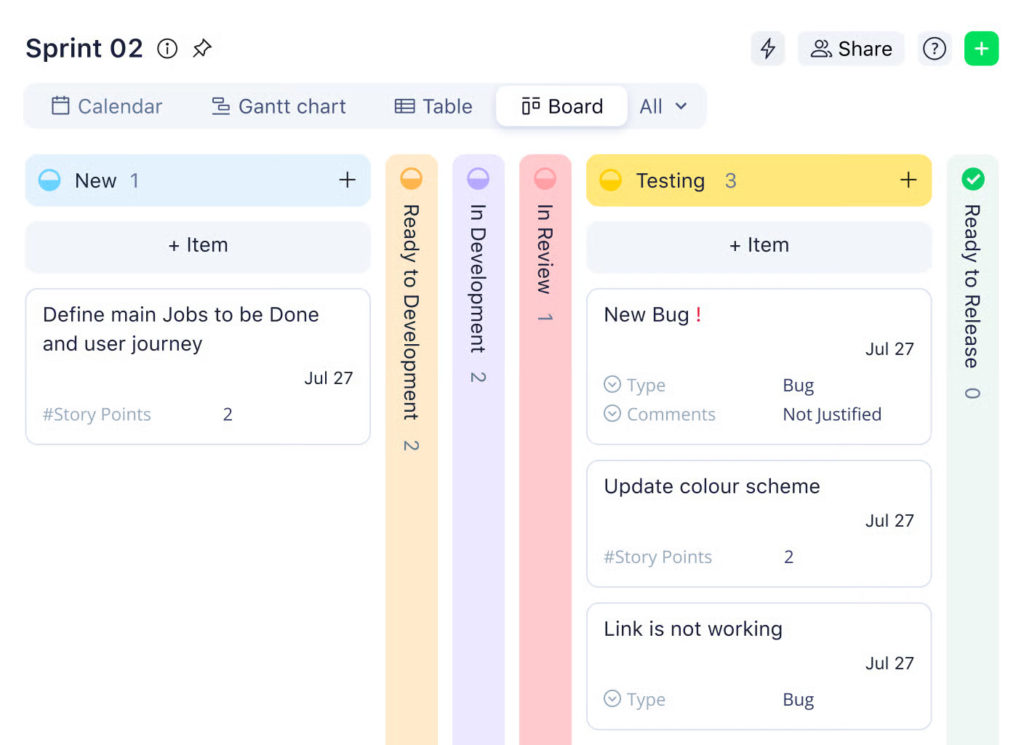
- Wrike: Supports full workflows with custom statuses, approvals, handoffs, and automation rules.
- Everhour: Does not manage workflows; fits into existing ones for tracking and reporting.
Bottom line: Wrike leads in workflow control.
⚡ How Wrike and Everhour work together
Wrike organizes work and defines how tasks flow. Everhour tracks how that work is performed, measuring time, effort, and costs. Together, they give teams full visibility from planning to execution.
Many teams use Everhour as a Wrike time tracking integration to extend Wrike without changing project management workflows.
👀 Wrike vs Everhour: Detailed Feature Comparison
| Feature | Wrike | Everhour |
|---|---|---|
| Planning & project structure | Projects, folders, milestones, task hierarchies, dependencies, timelines | Uses existing Wrike projects and tasks |
| Time tracking | Basic task-level tracking, limited analytics | Track time directly in Wrike tasks with timers or manual entries |
| Estimates vs actuals | Can add estimates but limited visibility vs actuals | Shows tracked time beside estimates, highlighting overruns and trends |
| Budget & cost visibility | No native cost tracking; relies on spreadsheets | Set budgets, hourly rates, track costs in real time, custom reports |
| Reporting & analytics | Focus on task status, workflow progress, workload | Custom reports: time per project, task, user, or period; analyze efficiency and resource usage |
| Workflows & customization | Full workflows, custom statuses, approvals, automation | Fits into existing workflows for tracking |
| Collaboration & visibility | Comments, mentions, file sharing, dashboards | Visibility into time and effort only |
| Integration synergy | Core project management platform | Works inside Wrike to extend time, effort, and cost tracking |
| Pricing | Free – Pinnacle ($0–$45+/user/month) | Free plan, Paid $5–$10.50/user/month |
❓ Choosing Between Wrike and Everhour
When deciding whether to use Wrike, Everhour, or both together, it helps to focus on what your team needs most from a project management setup.
🟣 Why choose Wrike
- Comprehensive project management platform for organizing tasks, projects, and teams.
- Excellent for cross-functional collaboration and workflow management.
- Offers multiple views (list, board, timeline, dashboards) and built-in reporting.
- Ideal if you need a central hub for project planning and execution.
🟢 Why choose Everhour
- Enhances time tracking, estimates, and cost visibility directly inside Wrike tasks.
- Provides detailed reports for workload, budgets, and billable hours.
- Reduces manual tracking and improves accuracy by keeping time tracking inside your workflow.
- Best if you want to extend Wrike or another PM tool without replacing it.
Bottom line
- Teams focused on structured project management will benefit most from Wrike.
- Teams that need precise time, effort, and cost tracking should add Everhour.
- Using Wrike with Everhour combines the strengths of both: robust project management with transparent execution visibility.
🛠 Use Cases and Examples
Using Wrike + Everhour can transform how teams manage projects, track time, and control budgets. Here are some practical scenarios:
🎯 Marketing teams
- Plan campaigns with Wrike projects and tasks.
- Track time spent on each asset or campaign directly in Wrike using Everhour.
- Compare estimated vs actual time to optimize resource allocation.
💻 Software development
- Organize features, bugs, and sprints in Wrike.
- Developers log hours with Everhour, keeping timesheets accurate without leaving Wrike.
- Generate detailed reports to monitor project velocity and budget consumption.
📈 Agencies & client work
- Manage multiple client projects in Wrike with deadlines, milestones, and approvals.
- Use Everhour to track billable hours for invoicing and ensure client budgets are on track.
- Quickly create reports for clients showing time spent, progress, and budget use.
🤝 Cross-functional teams
- Coordinate design, product, and operations work in Wrike.
- Everhour provides visibility into who is spending time on what tasks.
- Identify bottlenecks early and adjust workloads to stay on schedule.
✅ Bottom line: Combining Wrike and Everhour works best when teams need both structured project management and clear time, effort, and cost visibility.
✅ Wrike vs Everhour: Conclusion
Wrike is a powerful platform for managing projects, tasks, and cross-team collaboration. It keeps work organized, provides visibility across teams, and supports structured workflows for complex projects.
Everhour complements Wrike by adding time tracking, budgeting, and detailed reporting directly inside tasks. Teams get clear insights into actual vs estimated work, costs, and resource allocation, without leaving Wrike or juggling spreadsheets.
Why use them together:
- 👀 Better visibility: Track time and budgets alongside project progress.
- ⚡ Less context switching: No need for separate apps or tools.
- 📊 Data-driven decisions: Detailed reports help managers spot bottlenecks and optimize work.
- 🤝 Team accountability: Everyone sees progress and can adjust workloads efficiently.
For teams looking to scale projects, manage budgets, and track effort effectively, combining Wrike with Everhour provides a complete solution for both project management and execution visibility.

Maria
A dedicated content enthusiast with extensive experience in international teams and projects of all sizes. Maria thrives on creativity and attention to detail, fueled by a love for fantasy novels, music, classic black-and-white films, and always finding ways to make things better.