


Wrike Integrations That Improve Time And Cost Visibility
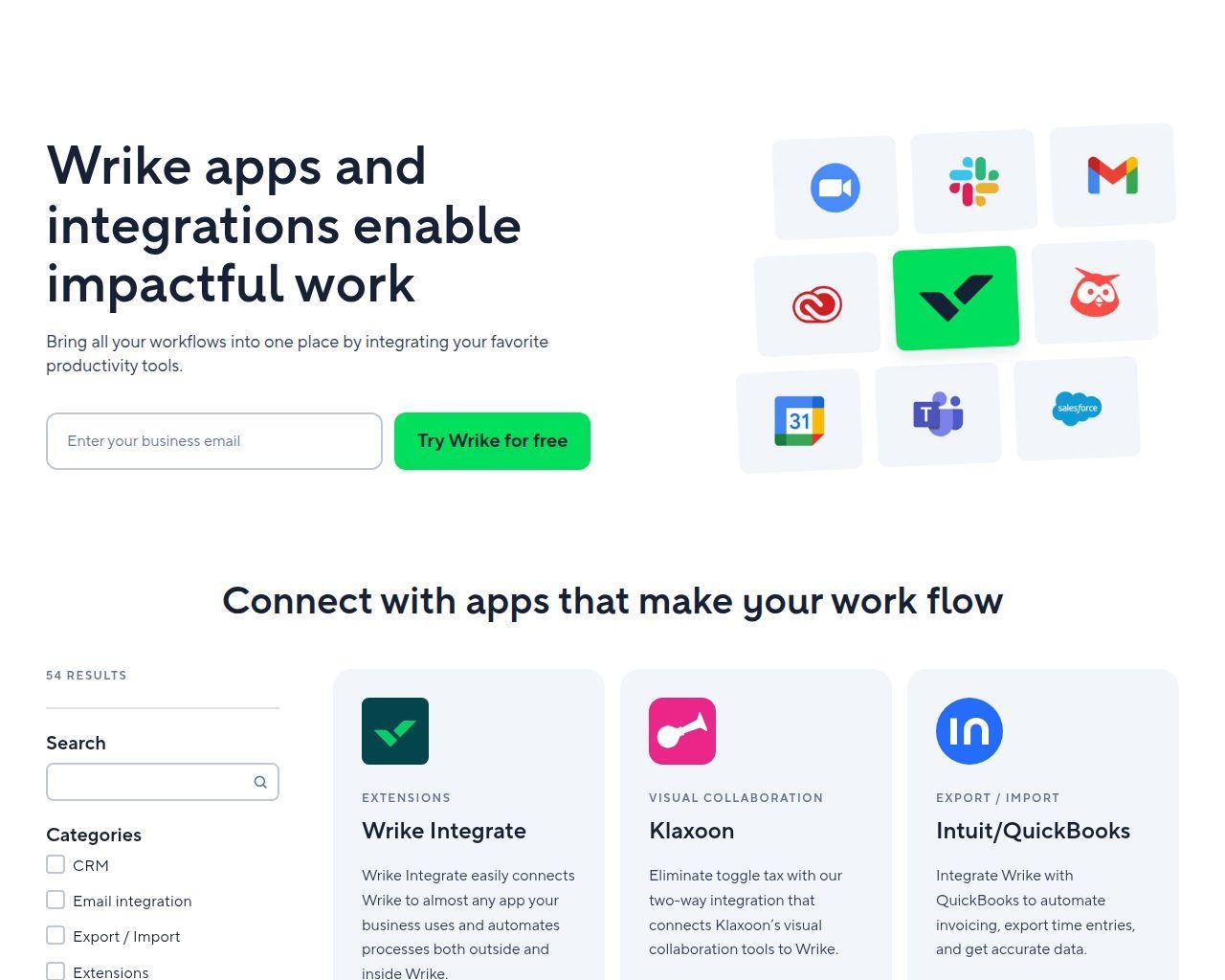
Wrike is a strong project management tool, but most teams don’t rely on it alone for very long. As projects grow and work becomes harder to track, teams usually look for ways to extend Wrike rather than replace it. That’s where Wrike integrations come in.
Integrations allow teams to connect Wrike with tools they already use for time tracking, reporting, communication, billing, and automation. Integrations help fill the gaps that appear as teams scale, especially around visibility, effort tracking, and reporting across multiple projects.
In this article, we’ll explain what Wrike integrations are, why teams rely on them, and which types of integrations matter most as work becomes more complex. We’ll also look at where native Wrike features often fall short and how the right integrations can make execution easier to manage day to day.
❓ What Wrike Integrations Are And Why They Matter
Wrike integrations are tools that connect Wrike with the other apps your team already uses. They extend Wrike’s capabilities without changing how your projects are planned or managed.
Most teams start with Wrike’s native features and do fine at first. Over time, though, questions start to pop up:
- Where is time actually being spent?
- How much effort does a project really take?
- How can we see progress across multiple teams without manually compiling reports?
This is where integrations come in. They help solve common challenges, like:
- ⏱ Tracking time, effort, and costs more accurately across projects
- 📊 Improving reporting and visibility beyond task-level data
- ⚡ Automating repetitive steps between tools
- 🔗 Connecting Wrike with communication, CRM, or finance systems
Native features are often enough for small teams or simple projects. But when teams scale, manage multiple projects at once, or need clearer accountability, integrations let Wrike stay the central planning tool while adding the missing layers needed to manage execution effectively.
☝️ Core Categories Of Wrike Integrations
| Integration Category | Examples | Purpose / Benefit |
|---|---|---|
| CRM | Salesforce, HubSpot | Keep customer and project data in sync |
| Email integration | Gmail, Outlook | Turn emails into tasks or updates |
| Export / Import | CSV, Excel | Move data in and out efficiently |
| Extensions | Browser or app extensions | Add extra functionality inside Wrike |
| File storage | Google Drive, SharePoint, Dropbox, Adobe CC | Centralize and manage project documents |
| Chat / Messaging | Slack, Teams, Zoom | Seamless communication and task updates |
| Mobile & Desktop apps | Official Wrike apps | Access projects from any device |
| Single sign-on (SSO) | Okta, Azure AD | Simplify user access and security |
| Software / IT | Jira, GitHub, Azure DevOps | Integrate software & IT project tools |
| Business intelligence | Tableau, Google Sheets, Power BI | Enhanced reporting and analytics |
| Visual collaboration | Miro, Lucidchart | Plan visually with whiteboarding tools |
🏆 10 Best Wrike Integrations
Wrike works well on its own, but integrating the right tools can fill gaps, save time, and give teams a clearer view of projects. Below are ten integrations across core categories, each helping teams work smarter without leaving Wrike.
1. ⏱️ Everhour – Time tracking & reporting
💡 What it does: Everhour embeds its time tracker directly into Wrike tasks, letting teams track time inside Wrike with timers or manual entries. It also handles budgets, estimates vs actuals, and detailed reporting.
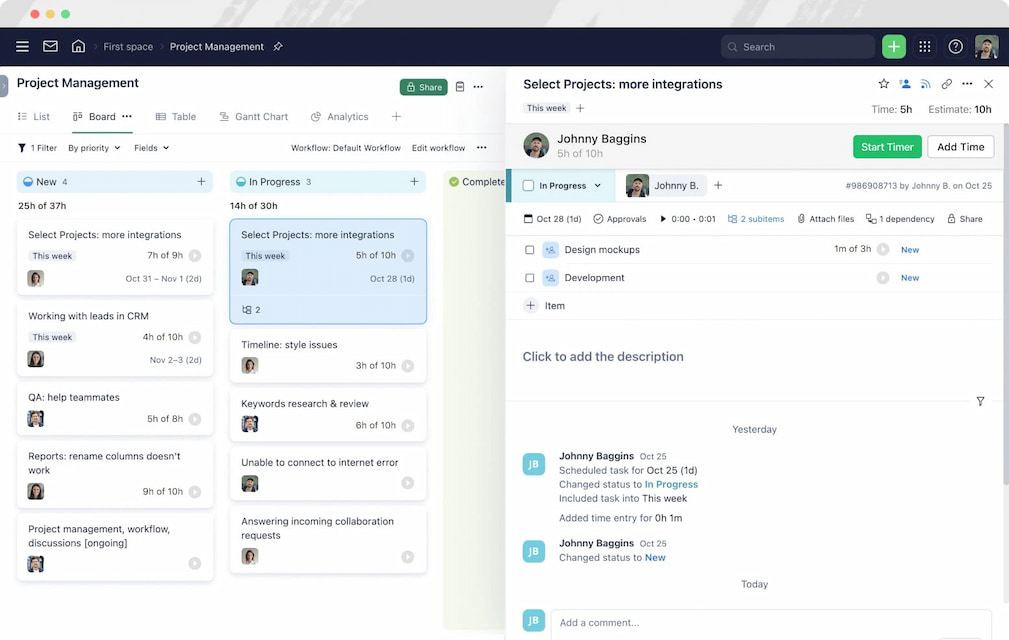
👀 Why it’s useful: With this Wrike time tracking integration, teams no longer need separate spreadsheets or time tracking apps. Project managers can see who’s working on what, check progress against estimates, and monitor costs in real time. For example, a marketing team can track hours spent on a campaign, see where they’re over or under budget, and adjust assignments immediately.
Learn more in our Wrike vs Everhour comparison!
2. 📊 Salesforce – CRM
💡 What it does: Integrates Wrike tasks with Salesforce data, such as leads, opportunities, and accounts.
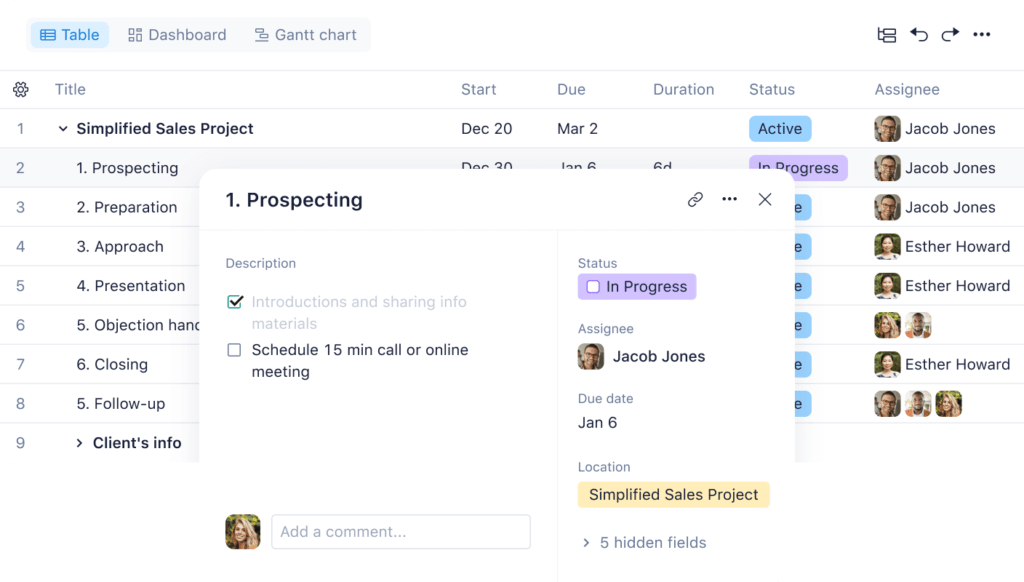
👀 Why it’s useful: Keeps sales and project teams aligned. A project manager can link a client’s campaign tasks directly to the Salesforce deal, ensuring nothing falls through the cracks and the client’s information is always up to date.
3. ✉️ Gmail – Email integration
💡 What it does: Convert emails into Wrike tasks or comments automatically.
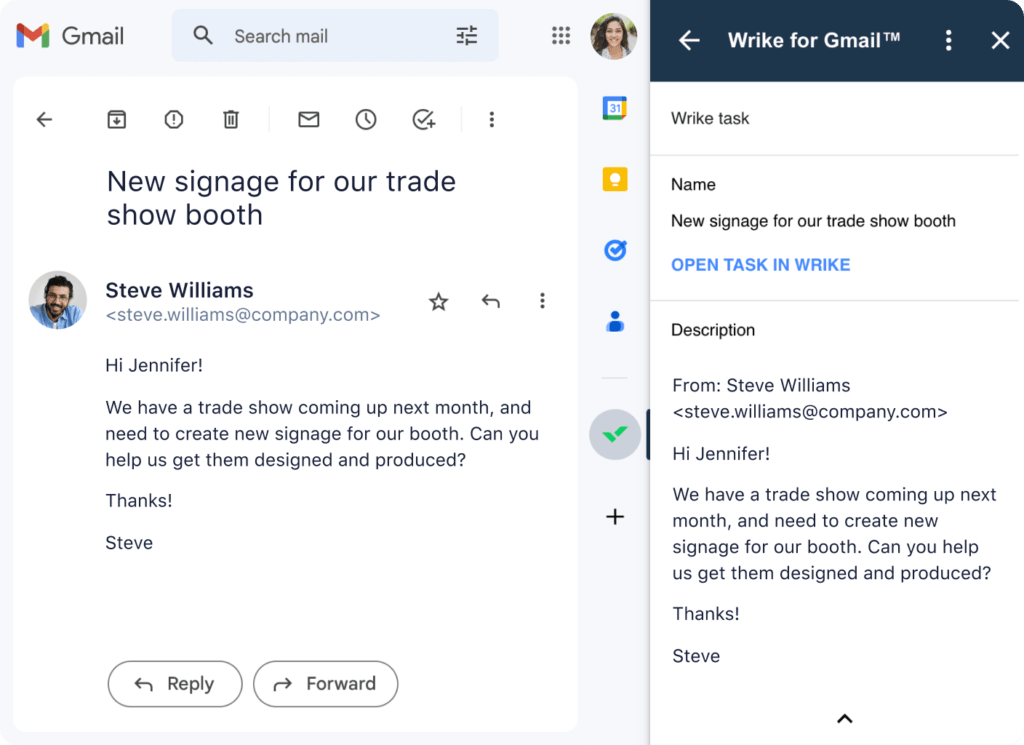
👀 Why it’s useful: Teams avoid copying and pasting details manually. For instance, a customer support email can become a task assigned to the right team member, keeping everyone accountable and reducing delays.
4. 📂 Google Drive – File storage
💡 What it does: Attach or link documents, spreadsheets, and presentations to Wrike tasks.
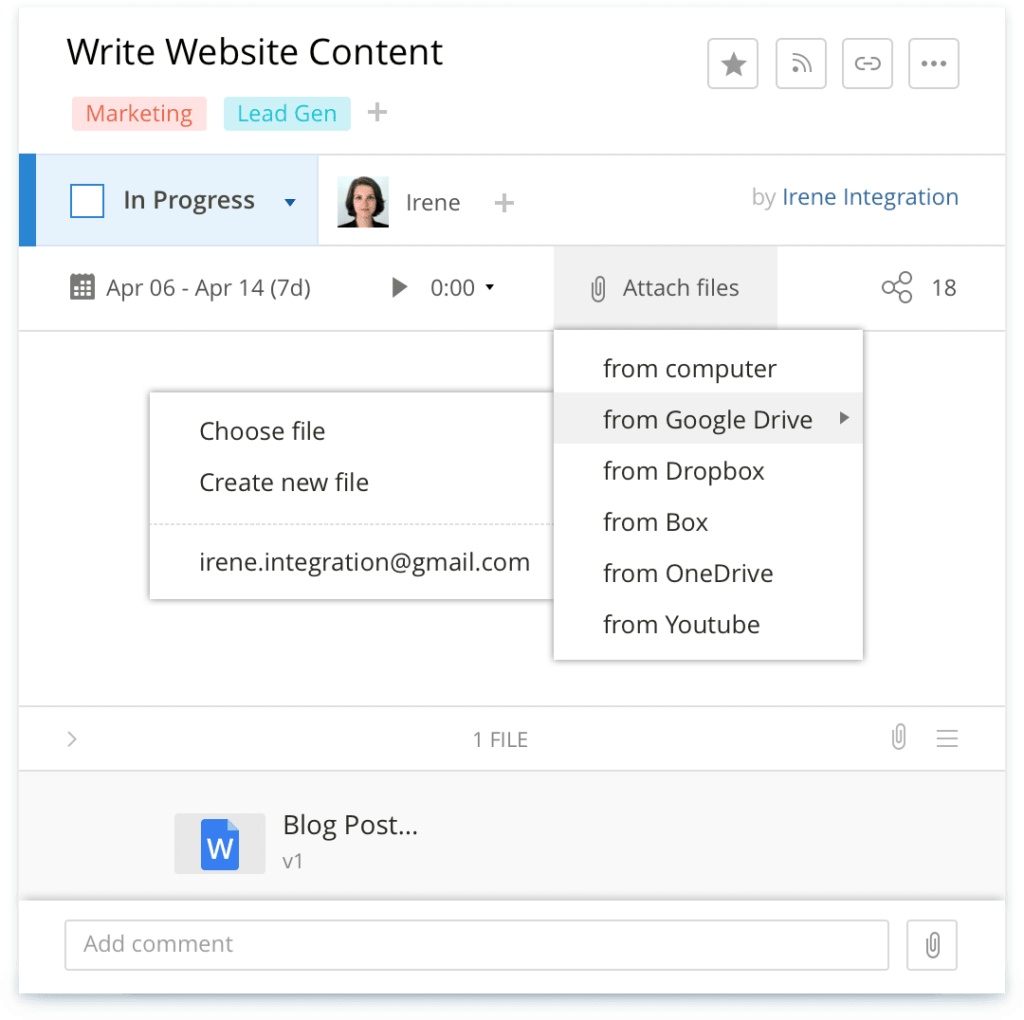
👀 Why it’s useful: Teams can always access the latest files without leaving Wrike. A design team, for example, can link a creative brief from Google Drive directly to the task, so everyone works on the current version.
5. 💬 Slack – Chat & Messaging
💡 What it does: Push Wrike notifications into Slack channels and enable task commenting.
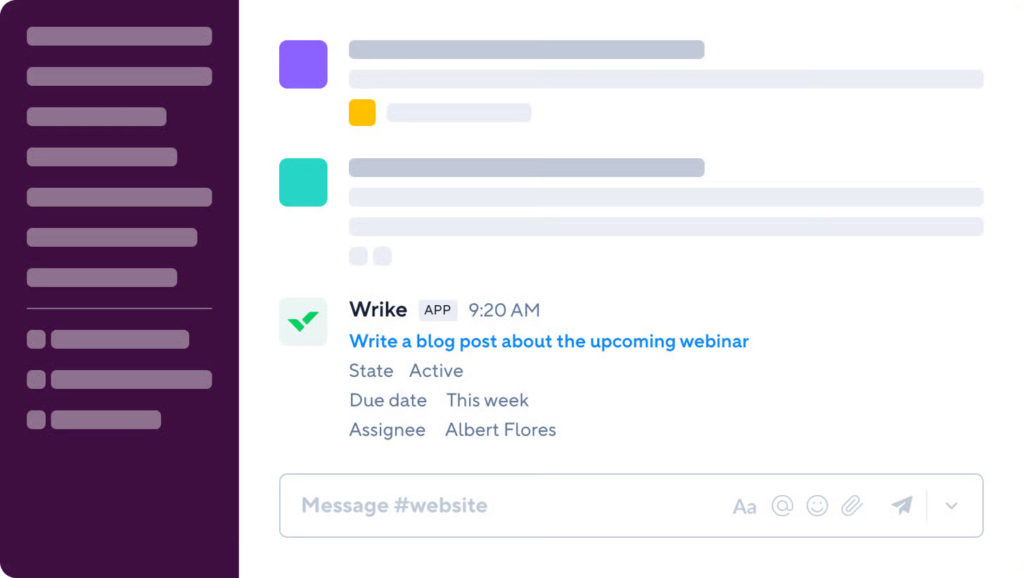
👀 Why it’s useful: Reduces context switching. Team members can get updates, comment, or approve tasks directly from Slack without logging into Wrike. This is especially useful for fast-moving teams who need real-time updates.
6. 🛠️ Jira – Software / IT
💡 What it does: Connect Jira issues with Wrike tasks.
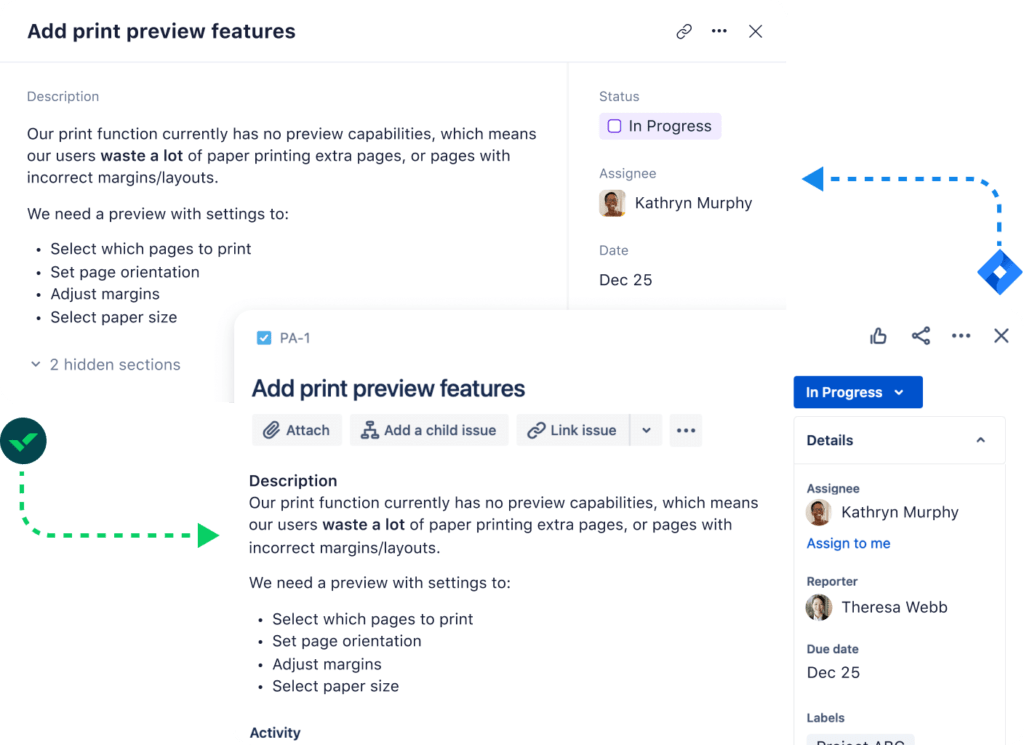
👀 Why it’s useful: Makes software development visible to project managers. A product manager can track engineering tasks in Jira while keeping the overall project timeline in Wrike, ensuring alignment between technical teams and business teams.
Check out how tools compare to each other in our Wrike vs Jira breakdown!
7. 📈 Tableau – Business intelligence
💡 What it does: Pull Wrike data into Tableau dashboards for advanced reporting and analytics.
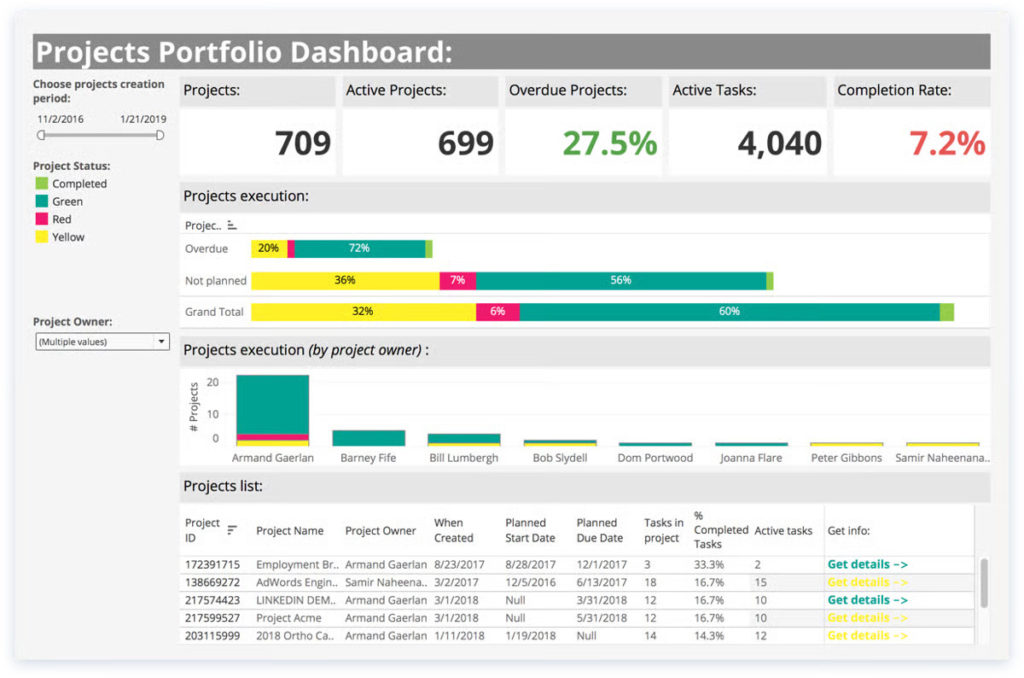
👀 Why it’s useful: Teams can visualize trends, track KPIs, and optimize resource allocation across multiple projects. For example, leadership can see which projects are taking more hours than expected and take proactive steps.
8. 🧪 TestLodge – QA & test management
💡 What it does: Link test cases and test runs to Wrike tasks.
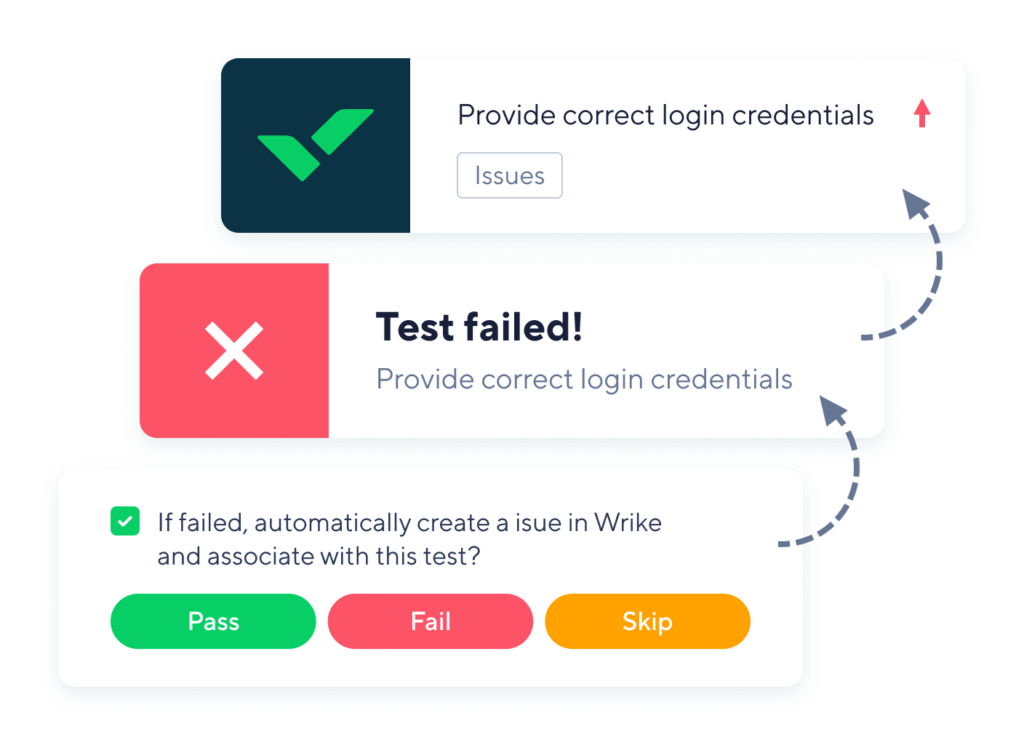
👀 Why it’s useful: Keeps QA processes aligned with project timelines. For instance, a software team can track bug reports and testing cycles directly in Wrike, ensuring testing milestones are completed before release.
9. 🎨 Miro – Visual collaboration
💡 What it does: Embed Miro boards into Wrike tasks.
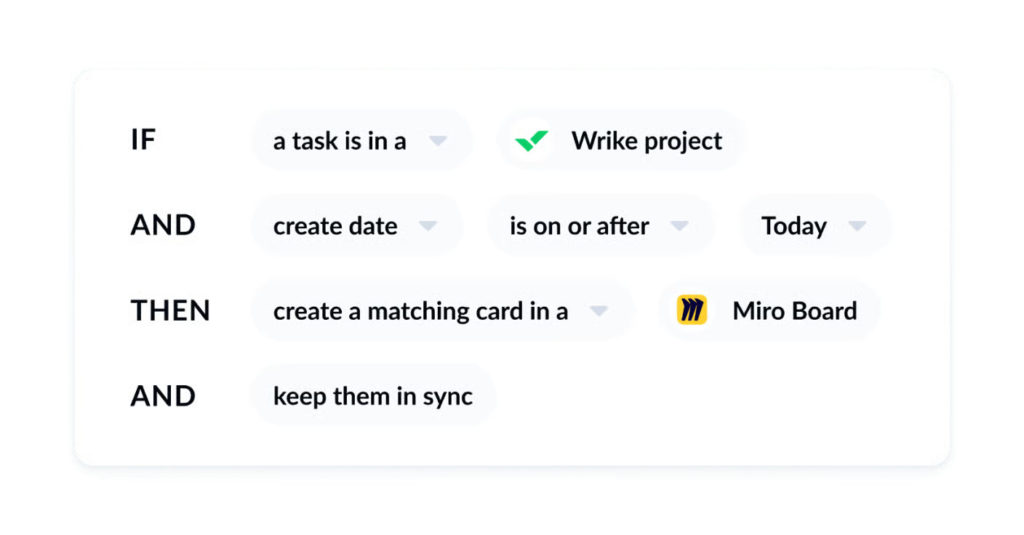
👀 Why it’s useful: Ideal for brainstorming, planning, and visual project mapping. A design or product team can create mind maps, flowcharts, or wireframes in Miro and link them to Wrike tasks, so ideas move seamlessly into actionable work.
10. 🔒 Okta – Single sign-on
💡 What it does: Provides secure access management for Wrike.
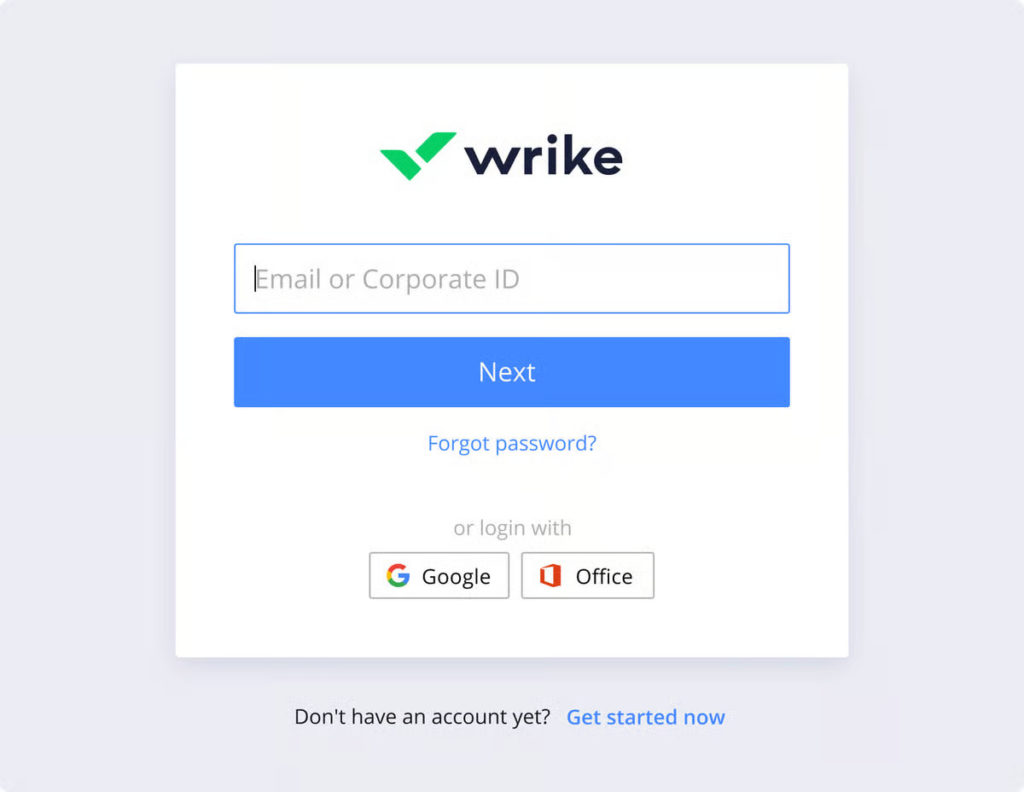
👀 Why it’s useful: Simplifies login processes and enhances security. Large teams or enterprises can manage access centrally, reduce password fatigue, and ensure sensitive project data is protected without complicating workflows.
⚠️ Where Native Wrike Features Often Fall Short
Even though Wrike covers many core project management needs, teams often run into limitations as projects grow or become more complex. Common gaps include:
- Time vs effort visibility gaps – Wrike tracks time, but it doesn’t always show how that effort compares across tasks, projects, or teams. Managers can struggle to see who’s overloaded or whether estimates match reality.
- Cost and budget tracking limitations – While you can track project budgets in Wrike, detailed cost visibility tied to actual time spent is often missing, making it hard to control expenses accurately.
- Reporting complexity as teams scale – Wrike’s built-in reports work well for small teams, but as projects multiply and data grows, generating consolidated, cross-project insights can become time-consuming and complicated.
These limitations are why many teams look for integrations like Everhour, which fill these gaps without requiring a complete switch from Wrike.
⏱️ Using Everhour With Wrike For Time And Cost Visibility
Adding Everhour‘s Wrike time tracking integration takes your project management to the next level. It keeps your team in Wrike while providing detailed time tracking, budgeting, and reporting that native Wrike controls can’t fully cover.
Why teams choose Everhour for Wrike
- Quick setup – Everhour automatically syncs your Wrike projects, so tracking starts immediately. No manual setup needed.
- Time tracking inside Wrike – timers and manual entries appear directly in tasks, so your team doesn’t need to learn a new tool.
- More accurate tracking – eliminates the hassle of switching apps, so team members are more likely to log their time consistently.
- Estimates vs actuals – see time spent next to task estimates at a glance, keeping everyone accountable.
- Automatic updates – any project or task name changes in Wrike sync automatically in Everhour reports.
- Detailed, customizable reports – build reports using Wrike data like tags, sections, or custom fields for deeper insights.
Step-by-step setup
- Create an Everhour account – sign up for free and install the browser extension (supports Chrome, Firefox, Safari, Edge).
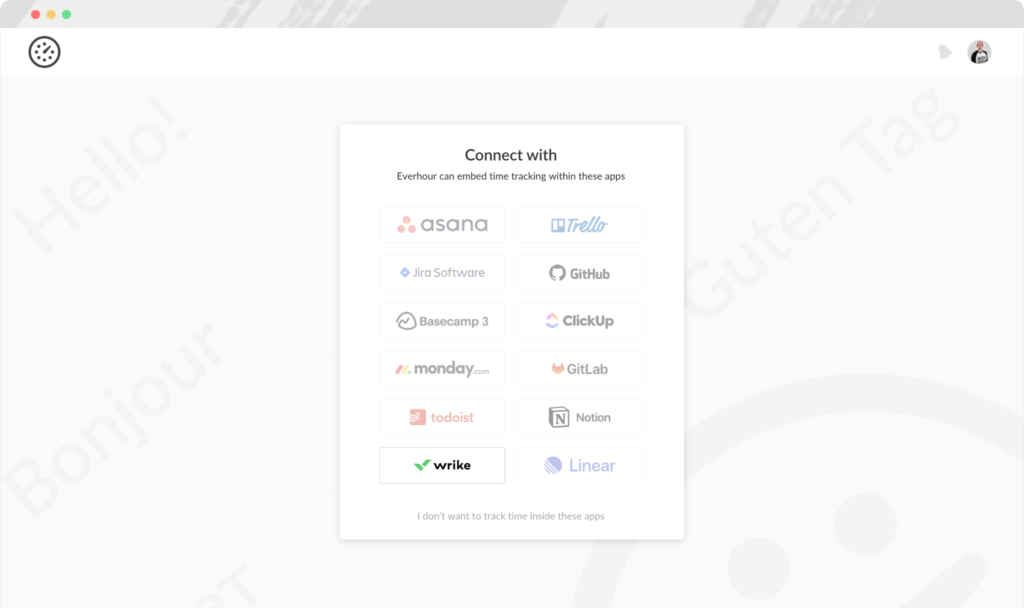
- Connect Wrike – Everhour automatically syncs all projects, including new ones, so your reports are always up to date.
- Invite your team – team members connect their Wrike accounts and can start tracking time immediately.
- Track time inside Wrike – use timers or log time manually directly on tasks.
- Use the browser extension – start, edit, or add time without opening Wrike or Everhour separately.
- Generate custom reports – select Wrike columns and filters to create reports that fit your workflow.
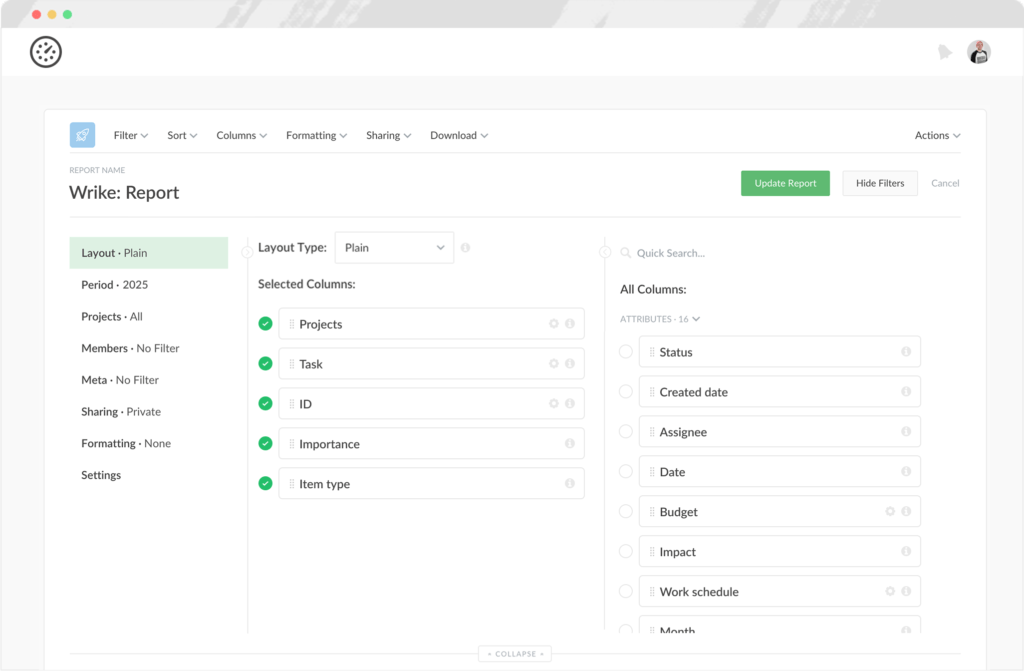
Why Everhour is better than native Wrike time tracking
| Feature | Everhour | Wrike |
|---|---|---|
| Log time on behalf of others | ✅ | ❌ |
| Timesheet approvals | ✅ | ❌ |
| Individual time estimates | ✅ | ❌ |
| Project budgeting | ✅ | ❌ |
| Customizable reports | ✅ | ❌ |
| Invoicing from tracked time | ✅ | ❌ |
With Everhour, Wrike becomes more than a planning tool—it gives full visibility into time, effort, and costs while keeping your workflow familiar and simple. Teams get better accountability, more reliable reports, and less context switching, all without leaving Wrike.
🔧 How To Pick The Right Wrike Integrations
Choosing the right integrations can make your Wrike experience smoother and your projects more manageable. Here’s how to approach it:
1. Identify your gaps
- Time tracking & cost visibility – do you need more detailed insights than Wrike provides?
- Reporting & analytics – are cross-project reports easy, or do you struggle to see the big picture?
- Automation & workflow extensions – do you spend time manually updating tasks or moving data between apps?
2. Match integrations to your needs
- One tool per gap – pick integrations that directly solve the issues you’ve identified.
- Avoid overlap – adding multiple tools for the same purpose can create confusion and extra work.
- Ease of use – consider how easy it is for your team to adopt the integration.
3. Check compatibility and setup
- Make sure the integration works seamlessly with your existing Wrike projects.
- Look for quick setup options, automatic syncing, and minimal manual maintenance.
4. Consider long-term Bbenefits
- Will the integration scale with your team as projects grow?
- Does it provide actionable insights into time, effort, and budgets?
- Can it reduce context switching and improve productivity?
For most teams, starting with Everhour covers time tracking, budgeting, and reporting needs. From there, you can explore other integrations for file management, communication, or automation without disrupting your core Wrike workflow.
✅ Conclusion
Wrike is a powerful project management tool, but as teams grow, native features for time tracking, cost visibility, and reporting can sometimes fall short. Integrations help fill those gaps without forcing you to change how your team works.
Choosing the right integration depends on your team’s needs. Identify where you need more visibility, match tools to those gaps, and make sure setup is seamless. Everhour stands out as a time tracking and cost management solution that works directly inside Wrike, helping teams track progress, manage budgets, and create detailed reports—all without extra spreadsheets or context switching.
By extending Wrike with the right integrations, you get the best of both worlds: the structured project management Wrike provides, plus the execution visibility your projects need to succeed.
Learn what Wrike is, its core features, pros and cons, and how to use it for your benefit!

Maria
A dedicated content enthusiast with extensive experience in international teams and projects of all sizes. Maria thrives on creativity and attention to detail, fueled by a love for fantasy novels, music, classic black-and-white films, and always finding ways to make things better.