


How to Fix Payroll Errors, Reconcile Hours, and Keep Employees Happy

Payroll errors happen more often than teams realize. Incorrect hours, missed overtime, or outdated employee data can quickly lead to frustrated employees, compliance issues, and extra work for payroll teams, even when reliable tools are in place. The key is catching mistakes early and fixing them with a clear process. Using accurate time tracking tools like Everhour‘s time tracker helps reduce payroll errors at the source by ensuring work hours, overtime, and billable time are recorded correctly.
In this article, we’ll cover common payroll errors, how to fix them, and practical ways to prevent them moving forward.
⚠️ Common Payroll Errors to Watch For
Payroll mistakes usually don’t come from one big failure. They’re often the result of small issues that go unnoticed until payday. Knowing where problems typically appear makes them easier to catch early.
- ⏱ Incorrect employee hours or overtime calculations
Missed punches, manual time entry, or unclear overtime rules can result in incorrect pay, especially for teams with shifts or flexible schedules. - 🗓 Missed or late payroll runs
Approval delays, incomplete data, or last-minute changes can push payroll past its deadline and harm employee trust. - 💰 Tax withholding and deduction mistakes
Outdated tax tables or incorrect employee details can lead to under- or over-withholding and require follow-up corrections. - 📄 Misclassified employees (employee vs. contractor)
Incorrect classification affects taxes, benefits, and overtime eligibility and can lead to serious compliance issues. - 🔁 Outdated pay rates or benefits information
Raises, promotions, or benefits changes that aren’t reflected in payroll systems often cause disputes and rework. - 🔌 Data entry and system sync errors
Manual input or broken integrations between payroll, HR, and time tracking tools can introduce inconsistencies.
🔍 How to Identify Payroll Errors Quickly
Mistakes in payroll can be costly, both for employees and your business. Catching them early is essential — and with the right process, it’s easier than you might think.
Review payroll reports before processing
Before sending out paychecks, always review your payroll summary. Look for missing entries, unusual totals, or sudden changes from previous pay periods. For example, if an employee’s hours spike unexpectedly, it might indicate a manual entry error or forgotten time off.
✍️ Tip: Highlight totals by department or employee type to quickly spot anomalies.
Reconcile time tracking with payroll data
Ensure the hours your team logs in tools like Everhour match what’s in your payroll system. This includes regular hours, overtime, and PTO. Automated time tracking integration reduces mistakes caused by manual entry and ensures every hour is accounted for.
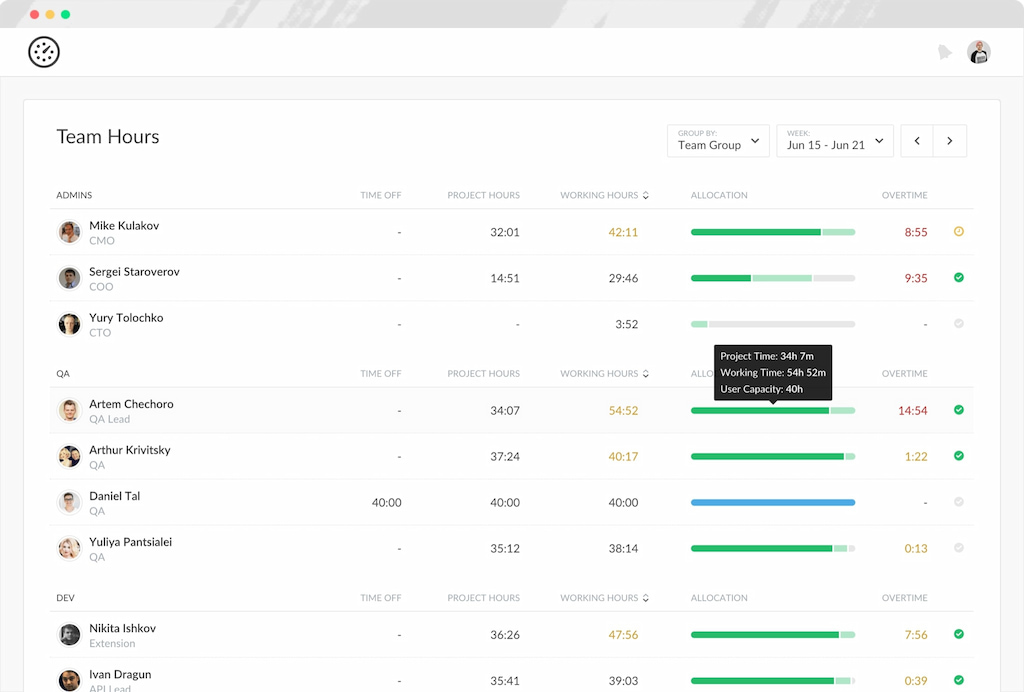
✍️ Tip: Set up weekly or biweekly checks to compare timesheets with payroll records — small fixes now prevent big issues later.
Use audit logs and approval workflows
Audit trails show who made changes, when, and why, making it easier to detect mistakes or unauthorized edits. Approval workflows let managers review and sign off on payroll data before processing, reducing errors and increasing accountability.
✍️ Tip: Keep an archive of audit logs for compliance and easier troubleshooting.
Encourage early reporting from employees
Employees are often the first to notice errors in their hours or pay. Encourage them to report discrepancies promptly through a clear, simple channel — whether via email, a form, or a chat tool. Early reporting means errors can be corrected before paychecks are issued, avoiding frustration and repeated fixes.
✍️ Tip: Offer a quick checklist for employees to verify their hours and pay each period.
🛠 Steps to Fix Payroll Errors
Fixing payroll mistakes quickly is crucial to keep employees happy and stay compliant. Here’s a practical approach:
1. Confirm the source of the error
Before making any corrections, figure out exactly what went wrong. Check if the issue is related to incorrect hours, pay rates, or tax calculations. Tools like Everhour make it easier to reconcile tracked time with payroll records.
2. Correct time, pay rate, or tax data
Update the payroll system with the correct hours, rates, or deductions. Accuracy is key here — a small mistake can lead to further payroll issues.
3. Re-run payroll or issue off-cycle payments
If employees were already paid incorrectly, decide whether to re-run the payroll or issue off-cycle payments. Clear communication with employees helps avoid confusion and frustration.
4. Adjust tax filings and deductions
Errors often affect tax withholdings. Make sure all tax filings, deductions, and benefits contributions are accurate. Amend previously submitted forms if needed to stay compliant.
5. Document the correction
Keep a record of the error, the correction, and any steps taken. Documentation helps prevent similar mistakes in the future and serves as a reference for audits or employee inquiries.
💬 How to Communicate Payroll Corrections to Employees
Handling payroll corrections isn’t just about fixing numbers — it’s also about maintaining trust and transparency with your team. Here’s how to approach it:
1. When and how to notify affected employees
Inform employees as soon as possible after discovering the error. Use direct channels like email or your HR platform, and ensure the message reaches everyone affected. Timely communication shows accountability and prevents frustration or confusion.
2. What details to include in correction messages
Be clear and concise. Include:
- What the error was (e.g., incorrect hours, missed overtime)
- How it was fixed (adjusted hours, updated pay, or tax correction)
- When the corrected payment will be made
- Who to contact for questions or concerns
Providing these details helps employees understand the correction and reduces follow-up inquiries.
3. Handling sensitive situations and maintaining trust
Errors can feel personal to employees, so approach the conversation with empathy and professionalism. Acknowledge the mistake, explain the steps taken to correct it, and reassure employees that you’re taking measures to prevent future errors. Maintaining transparency builds confidence and strengthens workplace trust.
⚖️ Legal and Compliance Considerations
Fixing payroll errors isn’t just about getting the numbers right — it also involves staying compliant with labor laws and tax regulations. Here’s what to keep in mind:
1. Deadlines for correcting payroll mistakes
Many jurisdictions have strict timelines for correcting payroll errors. Missing these deadlines can lead to penalties or interest charges, so it’s essential to act promptly once an error is identified.
2. Tax reporting adjustments and amended filings
If your correction affects tax withholdings, you may need to submit amended payroll or tax filings. This could include adjustments to income tax, social security, or other employee deductions. Accurate and timely updates help avoid fines and maintain compliance.
3. Record-keeping requirements
Document every payroll correction, including the original error, the fix, and approval records. Keeping detailed records protects your business during audits and ensures transparency.
4. When to involve an accountant or payroll specialist
Complex corrections — such as retroactive pay changes, misclassified employees, or multi-jurisdiction tax issues — may require expert help. A payroll specialist or accountant can ensure that corrections are accurate and compliant with local regulations.
🛠️ Tools That Help Reduce Payroll Errors
⏱️ Time tracking software for accurate hours
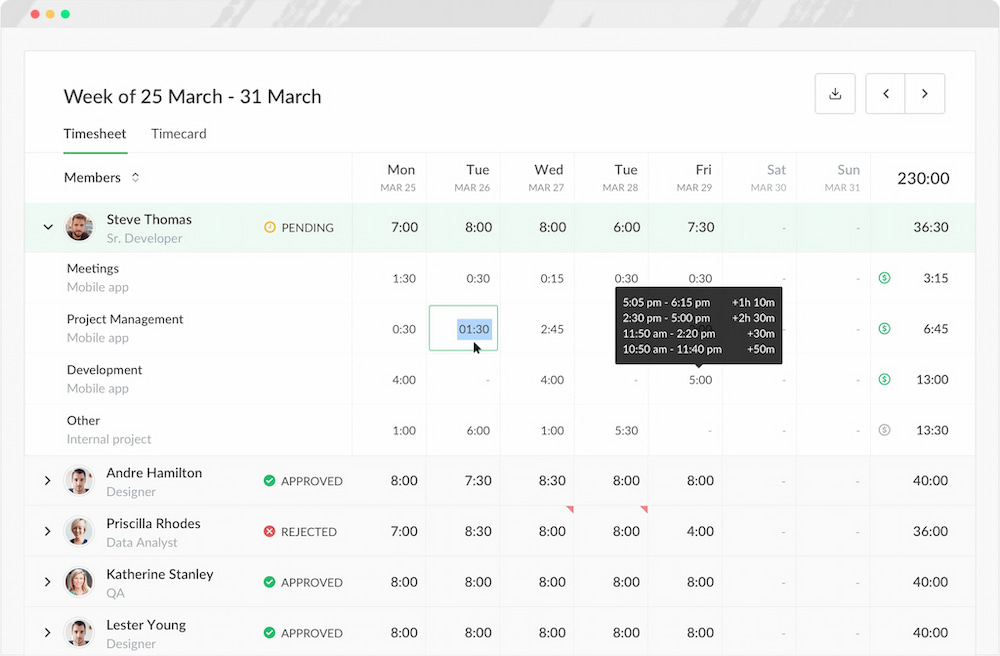
Accurately tracking employee hours is the foundation of error-free payroll. Tools like Everhour help you log hours in real time, automatically capture overtime, and prevent mistakes caused by manual entry. By keeping precise records, you can reconcile time data with payroll quickly and confidently.
✅ Payroll software with built-in validation
Modern payroll software includes automatic validation checks to ensure pay rates, deductions, and taxes are calculated correctly. These systems flag inconsistencies before payroll is processed, helping avoid costly errors and compliance issues.
🔗 Integrations between time tracking and payroll systems
Connecting your time tracking tools with payroll integrations reduces manual data entry and sync errors. When hours flow directly from a system like Everhour into your payroll platform, you save time and prevent discrepancies that can arise from copying or re-entering data.
📊 Reporting and audit tools
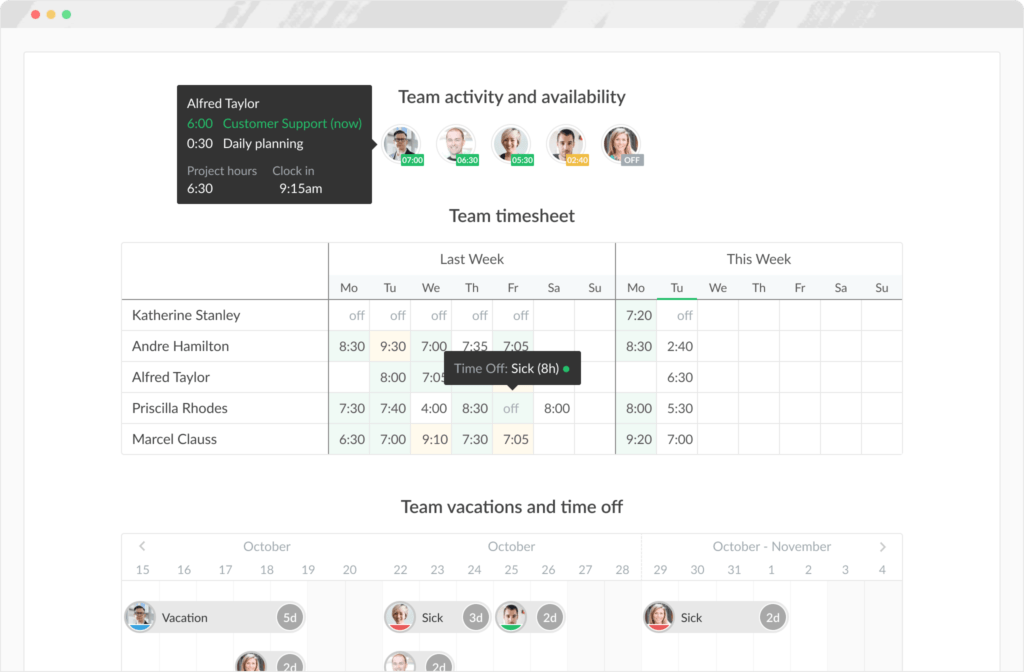
Comprehensive reporting and audit features allow you to monitor payroll in real time, track corrections, and maintain detailed logs. These tools make it easier to identify issues, document fixes, and comply with legal and tax requirements.
❓ Payroll Errors FAQ
How can I prevent payroll errors before they happen?
Use accurate time tracking tools like Everhour, verify employee hours regularly, and ensure all pay rates, deductions, and benefits are up to date. Integrating time tracking with payroll systems reduces manual entry mistakes.
What should I do if I discover an error after payroll has been processed?
First, confirm the source of the mistake. Correct time, pay rate, or tax data as needed, re-run payroll if possible, or issue an off-cycle payment. Always document the correction and notify affected employees promptly.
Are there legal consequences for payroll errors?
Yes, errors in pay, tax withholding, or reporting can result in fines, penalties, or compliance issues. Correcting mistakes quickly and keeping thorough documentation is essential. For complex issues, consult an accountant or payroll specialist.
How do payroll corrections affect taxes and deductions?
Depending on the error, you may need to adjust tax filings, update withholding, or submit amended payroll reports. Integrated payroll systems and reporting tools make these adjustments easier to track and implement.
Should employees be informed about payroll corrections?
Absolutely. Transparency builds trust. Notify affected employees promptly, explain the error, and outline the correction process, including any revised pay or deductions. Maintain professionalism and clarity in all communications.
Can software tools help reduce payroll errors long-term?
Yes. Time tracking, payroll software, and reporting tools work together to minimize mistakes, provide audit trails, and ensure consistent accuracy. Tools like Everhour streamline hours tracking and integrate directly with payroll systems for smoother operations.
✅ How to Fix Errors: Conclusion
Payroll errors can be costly and disruptive, but with the right approach, they are entirely preventable. By regularly reviewing payroll data, reconciling hours, and using reliable tools like Everhour for time tracking, businesses can identify mistakes quickly and fix them efficiently.
Implementing structured processes, automating calculations where possible, and keeping clear documentation not only ensures compliance but also builds trust with your team. Combining accurate time tracking, integrated payroll systems, and reporting tools creates a streamlined workflow that minimizes errors and keeps payroll running smoothly.
With these practices in place, payroll can become one less thing to worry about—allowing you to focus on growing your business and supporting your employees.

Maria
A dedicated content enthusiast with extensive experience in international teams and projects of all sizes. Maria thrives on creativity and attention to detail, fueled by a love for fantasy novels, music, classic black-and-white films, and always finding ways to make things better.