


Free Scheduling App for Employees: Streamline Workforce Planning

Scheduling employees can be tricky, even for small teams. Overlapping shifts, last-minute changes, and manual tracking can quickly create confusion, missed hours, and frustrated staff. A free scheduling app for employees makes this process simpler. Such apps help managers create shifts, track availability, and send notifications in real time, helping teams stay organized without added costs. Tools like Shifts by Everhour take it a step further by combining shift management, mobile access, and real-time updates, ensuring your team always knows when and where they need to work.
👀 Why Employee Scheduling Is Challenging
Scheduling employees may seem simple, but it comes with multiple challenges that can disrupt workflow and productivity. Key difficulties include:
- ⏰ Overlapping shifts – Assigning multiple employees to the same shift by mistake can create confusion and inefficiency.
- ⚡ Last-minute changes – Employee availability can change suddenly, requiring quick adjustments.
- 👥 Managing team availability – Keeping track of who is available and who is off can be tricky without a system.
- 💬 Communication gaps – Without proper notifications, employees may miss updates about shifts.
- 📊 Tracking hours and attendance – Manual tracking can lead to errors in payroll or labor reporting.
🧠 Key Features to Look For in a Free Scheduling App
When choosing a free scheduling app for employees, certain features make managing shifts easier and more efficient.
- 📝 Easy shift creation – Quickly set up and adjust shifts with drag-and-drop calendars.
- 📢 Real-time notifications – Keep employees informed about new shifts, changes, or updates instantly.
- 📅 Availability management – Allow employees to submit availability or time-off requests easily.
- 📱 Mobile access – Employees can view their schedules, request changes, and receive alerts on their phones.
- 📊 Basic reporting – Track hours, attendance, and shift coverage to spot gaps or overstaffing.
- ⚡ User-friendly interface – Simple navigation ensures managers and employees can use the app without training.
- 🔗 Integrations – Optional connections to payroll or communication tools help streamline workflows.
With these features, a free scheduling app can help teams stay organized, reduce errors, and ensure everyone knows their schedule.
💪 Top Free Scheduling Apps for Employees
| Tool | Short description | Key features | Free plan details |
|---|---|---|---|
| Shifts by Everhour | All-in-one employee scheduling tool with real-time updates and mobile access. | Shift creation, notifications, availability management, mobile access, reporting | Free plan available for small teams |
| When I Work | Easy-to-use scheduling software for small to medium teams. | Shift planning, employee notifications, mobile access | Free plan for up to 75 employees |
| Homebase | Employee scheduling with time tracking and team communication. | Shift management, time tracking, notifications | Free plan includes scheduling and basic time tracking |
| 7shifts | Designed for restaurants but flexible for small businesses. | Shift creation, swap requests, team messaging | Free plan for up to 10 employees |
| ZoomShift | Simplifies scheduling and time tracking for hourly employees. | Drag-and-drop scheduling, notifications, mobile access | Free plan for up to 5 users |
| Sling | Combines scheduling, time tracking, and team messaging. | Shift scheduling, availability, notifications, reports | Free plan with core scheduling features |
Tool highlights
- Shifts by Everhour: Streamlined shift creation, real-time notifications, mobile access, and availability management make scheduling effortless.
- When I Work: Easy shift planning for small to medium teams with instant notifications and mobile-friendly interface.
- Homebase: Combines scheduling and time tracking with team communication to reduce errors and missed shifts.
- 7shifts: Ideal for restaurants but flexible for other small businesses, offering shift swaps and team messaging.
- ZoomShift: Drag-and-drop scheduling, mobile notifications, and simple time tracking for hourly employees.
- Sling: Integrates scheduling, availability management, and reporting with team communication features.
✍️ How Shifts by Everhour Supports Teams
Shifts by Everhour is designed to make employee scheduling simple, efficient, and stress-free. Key benefits include:
- 📝 Simple shift creation – Quickly set up, adjust, and assign shifts using an intuitive interface.
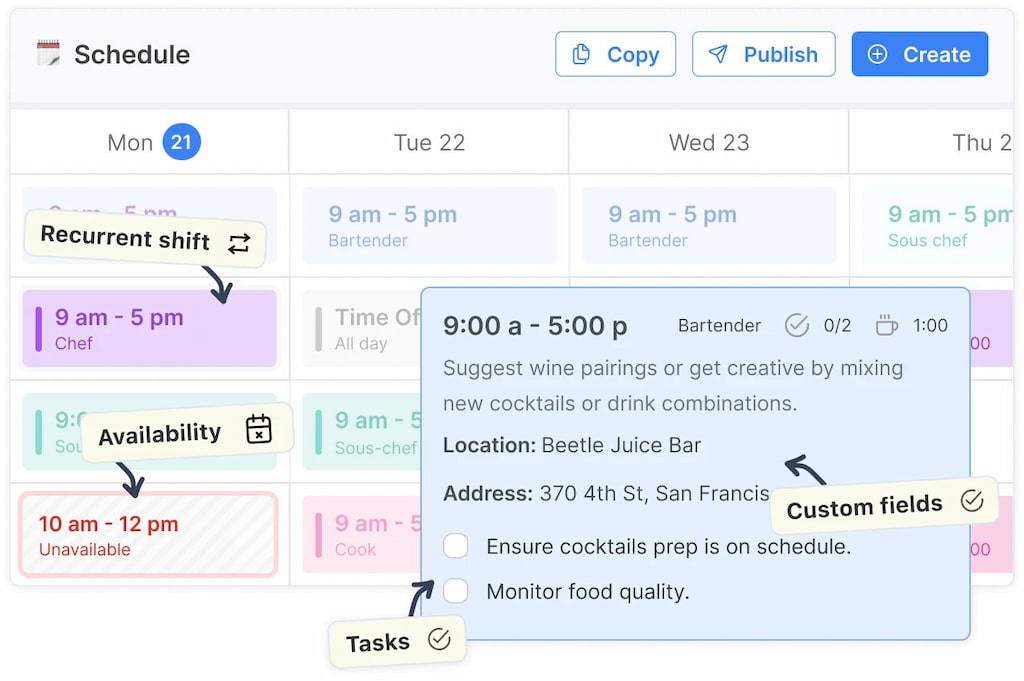
- 📢 Real-time notifications – Keep employees informed instantly about new shifts, changes, or updates.
- 📅 Availability management – Employees can submit availability or request time off, making planning easier.
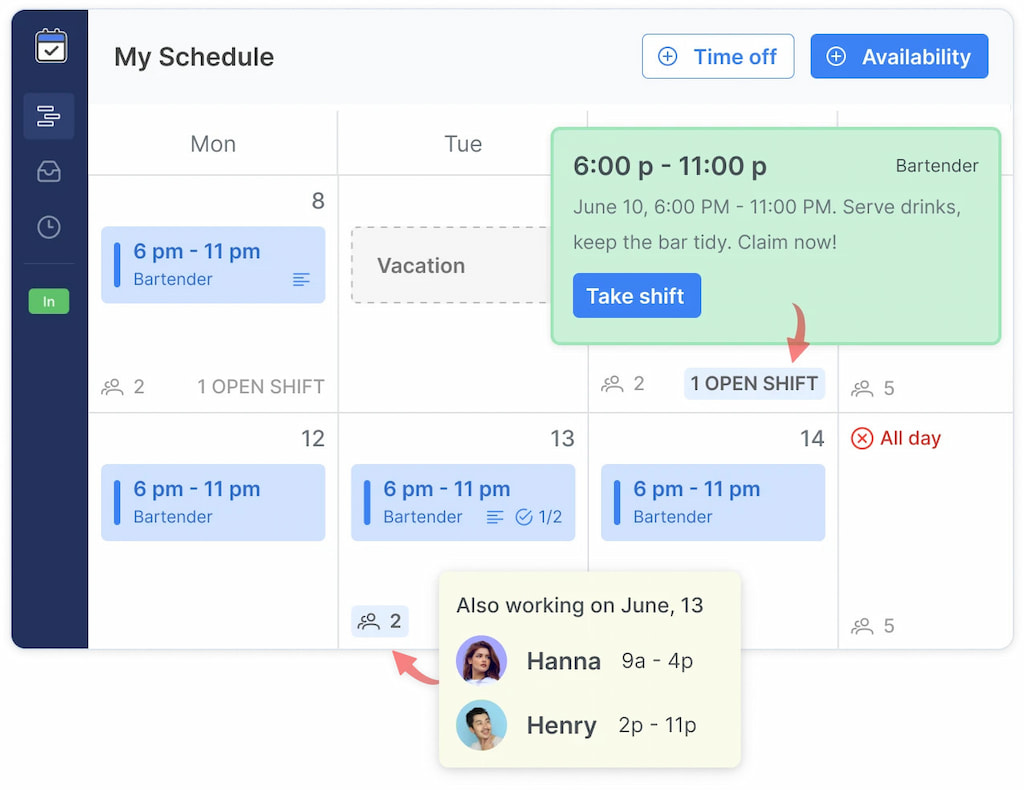
- 📱 Mobile access – View schedules, receive alerts, and manage shifts on the go.
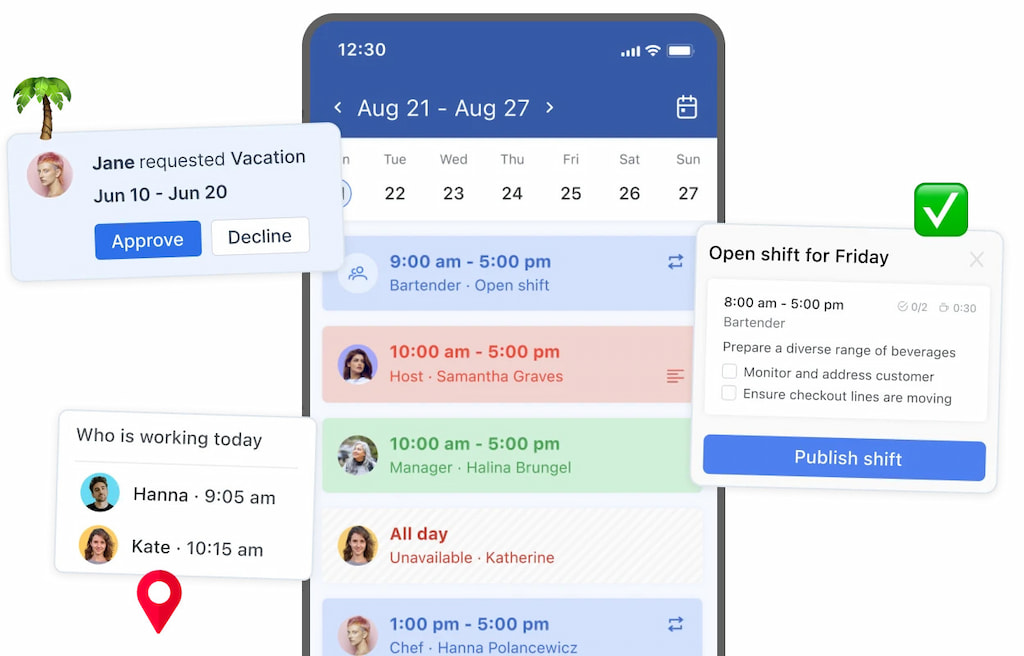
- ⚡ Reduced errors – Automated updates and clear visibility prevent overlaps and miscommunication.
- 💼 Better team coordination – Ensure everyone knows where and when they need to work, improving productivity.
❓ FAQ
What is a free scheduling app for employees?
A free scheduling app is a tool that helps managers create, manage, and share employee schedules without cost. Many apps also include mobile access, notifications, and basic reporting to keep teams organized.
Can free scheduling apps handle large teams?
Most free plans work best for small to medium teams. For larger teams, some features may be limited, but tools like Shifts by Everhour can still accommodate growing teams efficiently.
Can employees access schedules on mobile?
Yes! Most free scheduling apps provide mobile access so employees can view shifts, receive notifications, and request time off on the go.
Are free apps enough for complex scheduling needs?
Free apps cover basic scheduling and communication. For advanced features like detailed reporting, payroll integration, or large-scale automation, a paid plan may be required.
Is Shifts by Everhour suitable for small teams?
Absolutely. Its free plan offers essential features like shift creation, notifications, mobile access, and availability management, making it ideal for small teams.
☝️Conclusion
Managing employee schedules doesn’t have to be complicated. Free scheduling apps simplify shift creation, notifications, and team coordination, helping managers save time and reduce errors. Choosing the right tool depends on your team size, workflow, and the features you need. For small teams looking for an all-in-one solution, Shifts by Everhour offers a reliable free plan with mobile access, real-time notifications, and availability management, making scheduling easy and stress-free.

Maria
A dedicated content enthusiast with extensive experience in international teams and projects of all sizes. Maria thrives on creativity and attention to detail, fueled by a love for fantasy novels, music, classic black-and-white films, and always finding ways to make things better.