


Redesigned Docs, Time Import, and Flexible Sidebar
This update brings three improvements to Everhour: a redesigned Docs experience, an easy way to import your time-tracking history from Harvest and other tools, and a sidebar you can customize to fit the way you work.
Docs, redesigned
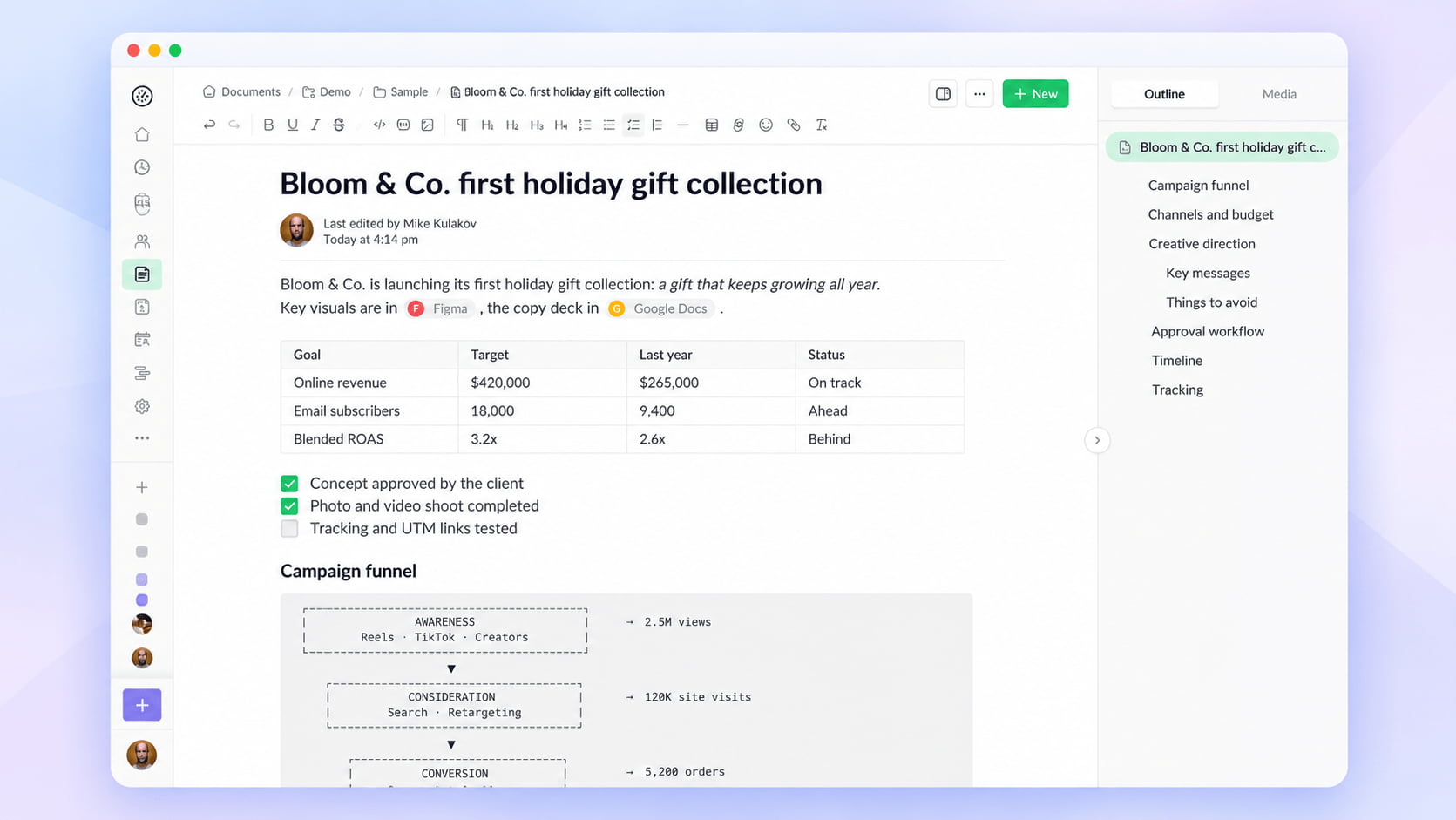
Many teams use Everhour Docs to keep project specs, processes, and ideas right alongside their work. And as more teams rely on Docs, we’ve been hearing the same request: make documents more practical and easier to work with. We hear you.
The biggest changes are in the editor. Tables are now easier to work with, code pasted from your IDE preserves its lines and indentation, and Markdown pasted from other sources is automatically converted into properly formatted content.
Reading documents has improved, too. Add a cover to give a document more personality and use the outline in the side panel to jump straight to the section you need in longer documents.
Bring your history from Harvest
A recent BBC report on a UK business facing a 1,500% price hike for Harvest software has added to the conversation around software costs.
With more teams reconsidering their time-tracking tools, being able to bring your historical data along is more important than ever.
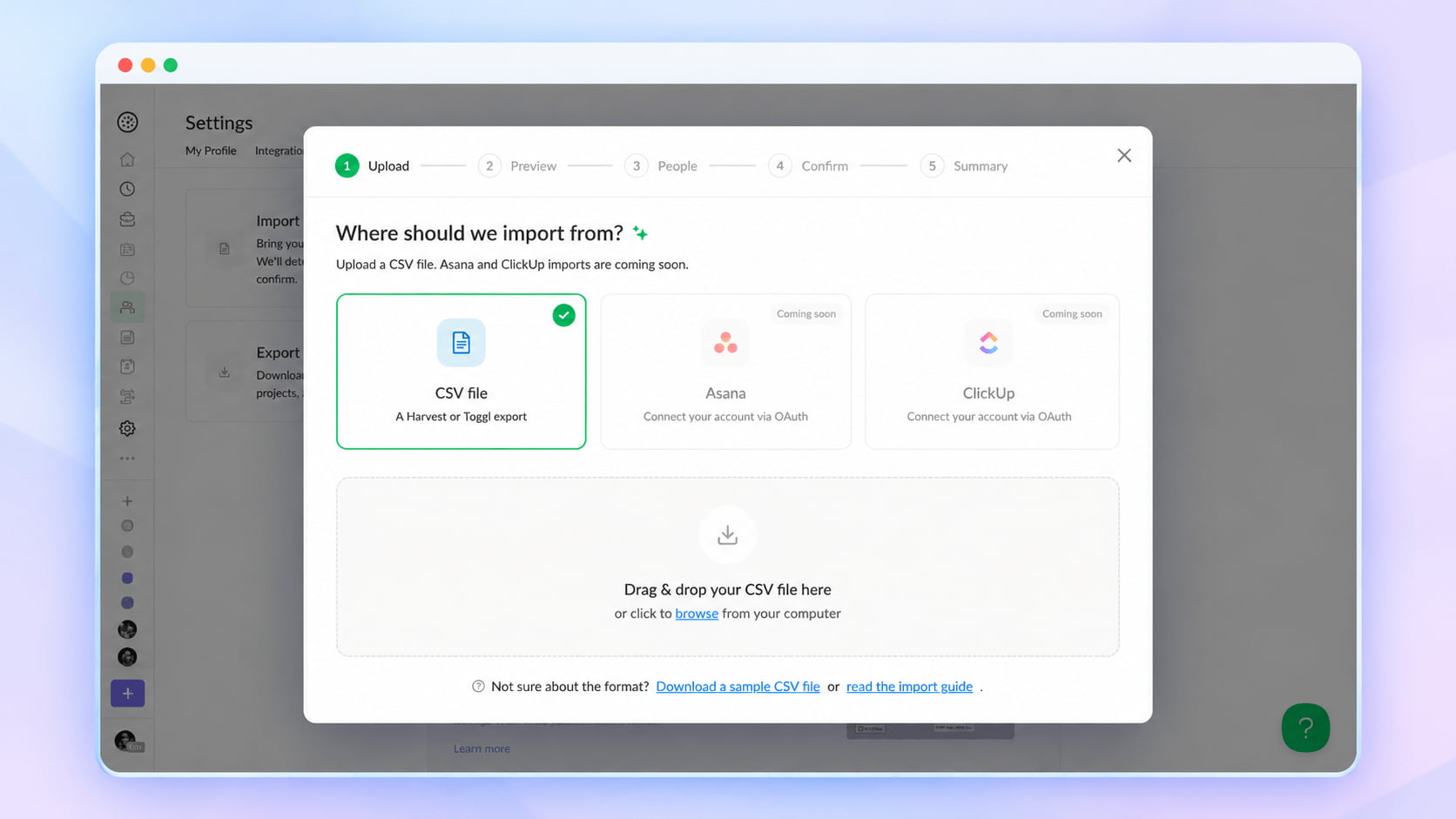
With Everhour, you can import your historical time-tracking data using a CSV file. Upload your file, review the entries, match team members, and confirm the import.
Upload your file, and Everhour will recognize its columns and show you a preview of the data it found. It will then list the people in the file and help you match them to existing Everhour members. You choose who to import and can add email addresses for teammates who aren’t in your account yet.
Nothing is imported until you confirm, and no invitation emails are sent during the import. That means you can bring in your historical data first and invite new teammates when you’re ready.
You can find the importer under Settings → Import/Export. Admins can also access it while setting up a new account.
Whether you’re switching tools or simply consolidating your time-tracking history, getting your data into Everhour is now much easier.
A sidebar that fits the way you work
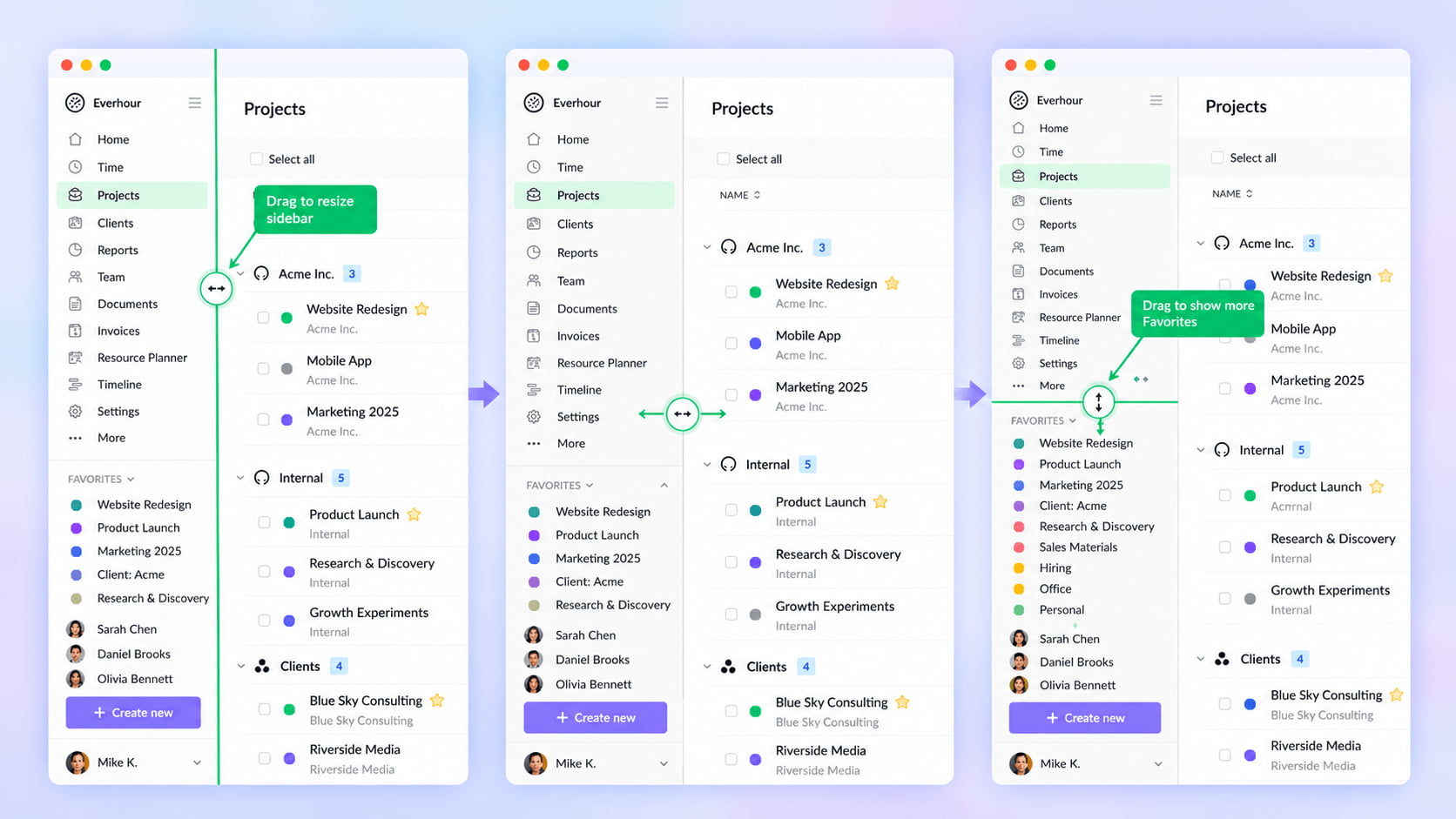
The sidebar is one of the parts of Everhour you use most, so we’ve made it more flexible and useful.
The new Create new button lets you create a time entry, time off request, task, project, client, invoice, or report from anywhere in the app. You can also invite a teammate without navigating to the Members page first.
You can now resize the sidebar by dragging its edge. Give it more room when you’re working with long project names, or make it narrower to leave more space for your work.
If you only use a few sections regularly, drag the divider below the menu to choose how many items remain visible. The rest will be neatly tucked under More, keeping the sidebar focused on what matters to you.
Your Favorites are easier to manage, too. Collapse them when you need more space or drag items to rearrange them in the order that works best for you.
And if you’re tracking time, the running timer is now much easier to spot, so you can quickly check on your active work without losing track of what you’re doing.
Small adjustments, but together they make Everhour feel a little more like your own workspace.
What’s next?
This release is just one step. Right now we’re working on a big wave of improvements that will touch almost every part of Everhour.
The Home page and Summary pages are being redesigned to give you a clearer picture of where time and budget are going at a glance. Projects get a refreshed task list. Invoices are getting a new look that makes them faster to create and easier to read. The Calendar is being reworked, and the Time page is getting a calendar view, so you can see your week the way you plan it. Schedule and Timeline are also being redesigned to make resource planning more visual and easier to adjust.
We’re also bringing search to the sidebar. One place to quickly find any task, project, client, member or invoice, and to jump to any page in the app.
We’ll share more as each of these lands. If there’s something you’d like us to focus on, we’re always listening.

Mike
An IT entrepreneur, executive, and former engineer with a passion for innovation and leadership. Mike focuses on driving company growth while keeping the team inspired. Outside of work, he enjoys tennis, snowboarding, traveling, reading, and, of course, putting his heart and soul into Everhour.