


E-Invoicing: Everhour Now Supports UBL Export and Peppol-Ready Invoices
E-invoicing is quickly moving from a niche compliance topic to a business reality and Everhour is ready. You can now export invoices in UBL format, the structured XML standard used across Europe and beyond for electronic invoicing. Whether you’re preparing for EU compliance requirements or simply want a cleaner, more automated invoicing workflow, here’s everything you need to know.
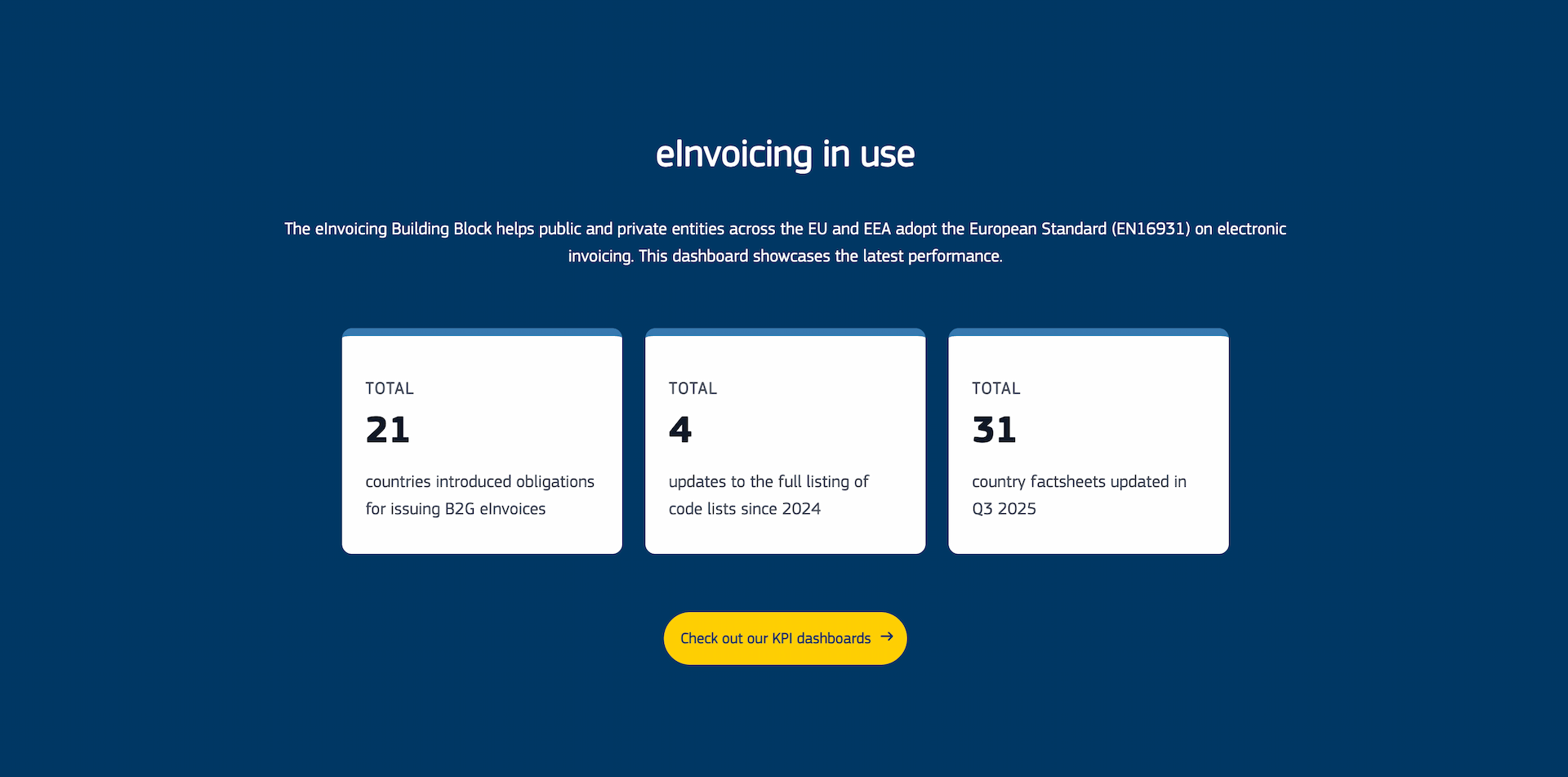
What Is E-Invoicing, and Why Does It Matter?
An e-invoice isn’t just a PDF sent by email. It’s a structured digital document — typically in XML format — that accounting and tax systems can read and process automatically, without any manual data entry on either end.
This matters for a few reasons:
- It reduces errors. No more re-keying invoice data into a client’s accounting system.
- It speeds up payments. Automated processing means fewer delays.
- It’s becoming mandatory. The EU’s VAT in the Digital Age (ViDA) initiative, adopted in 2025, is pushing all EU member states toward mandatory e-invoicing for B2B transactions. From July 2030, all intra-EU B2B invoices will need to comply with this standard. Several countries have already started rolling out their own timelines ahead of that date.
If your clients are based in Europe or if you’re an EU-based business this is something worth getting ahead of now.
How E-Invoicing Works in Everhour
Everhour generates invoices in UBL 2.1 format (Universal Business Language), the XML standard used across most EU e-invoicing frameworks, including Peppol BIS 3.0. Here’s the workflow:
1. Set Up Your Billing Details
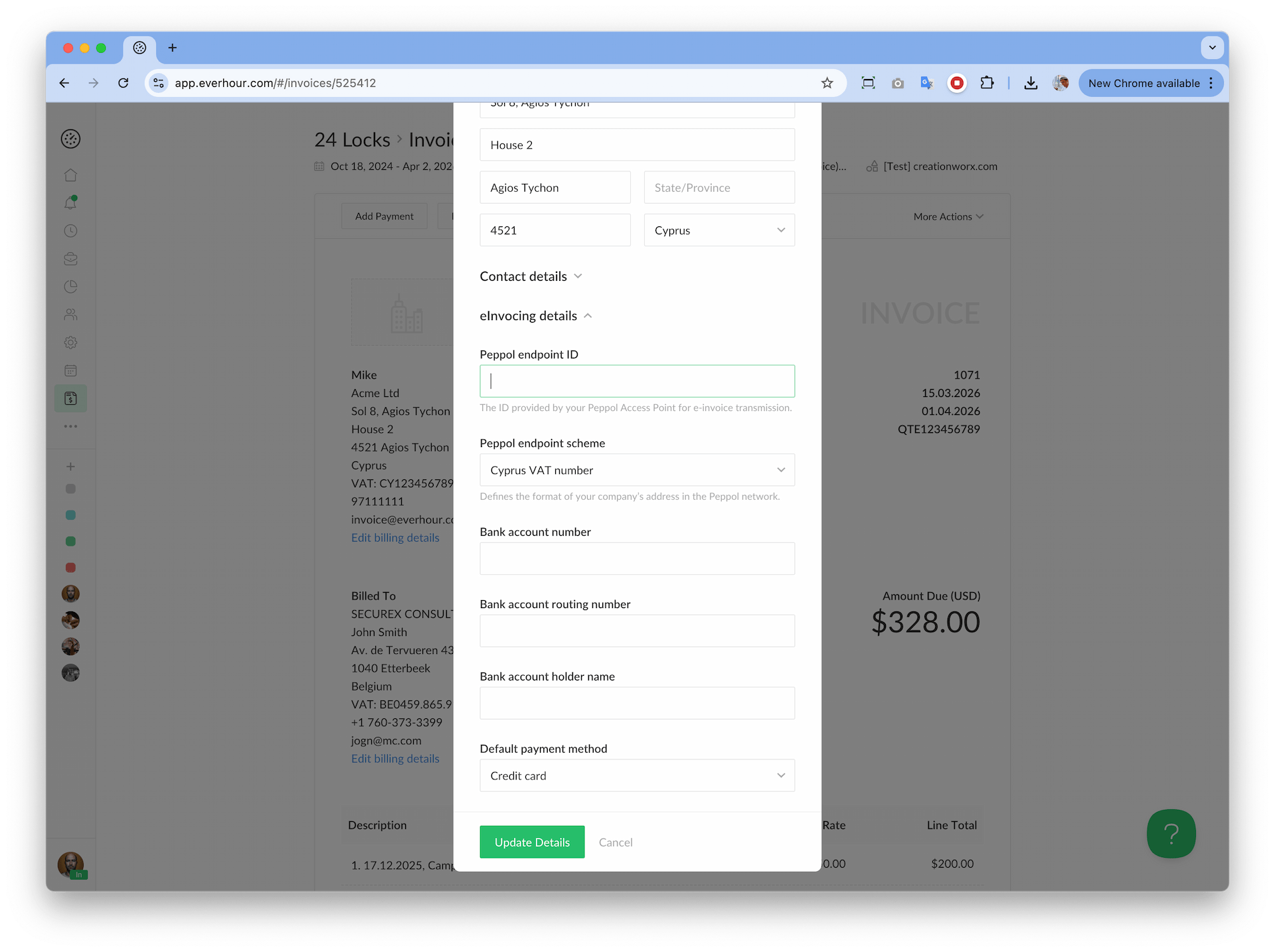
Before exporting your first UBL invoice, make sure your billing details are complete. On any invoice page, click “Edit billing details” to open the Update Billing Details panel. You’ll need to fill in:
- Company name and VAT number
- Billing address (street, city, postal code, country)
- Contact details (name, phone, email)
- eInvoicing details — optional fields used for Peppol routing
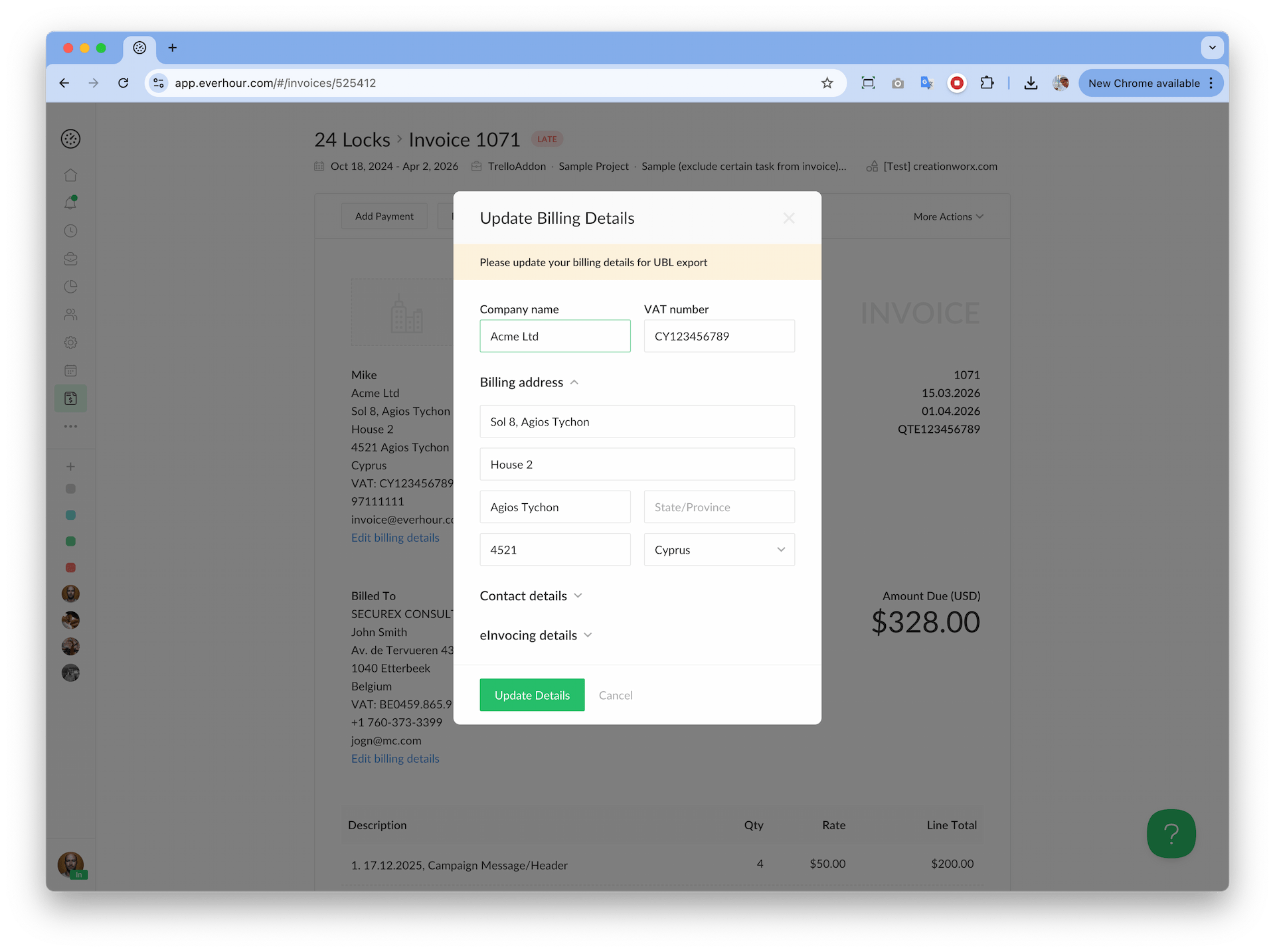
These details are embedded directly into the XML file, so accuracy matters.
2. Download the UBL File
Once your details are saved, open any invoice and click More Actions → Download UBL. Everhour will generate a standards-compliant XML file ready to send to your client or submit through an e-invoicing network.
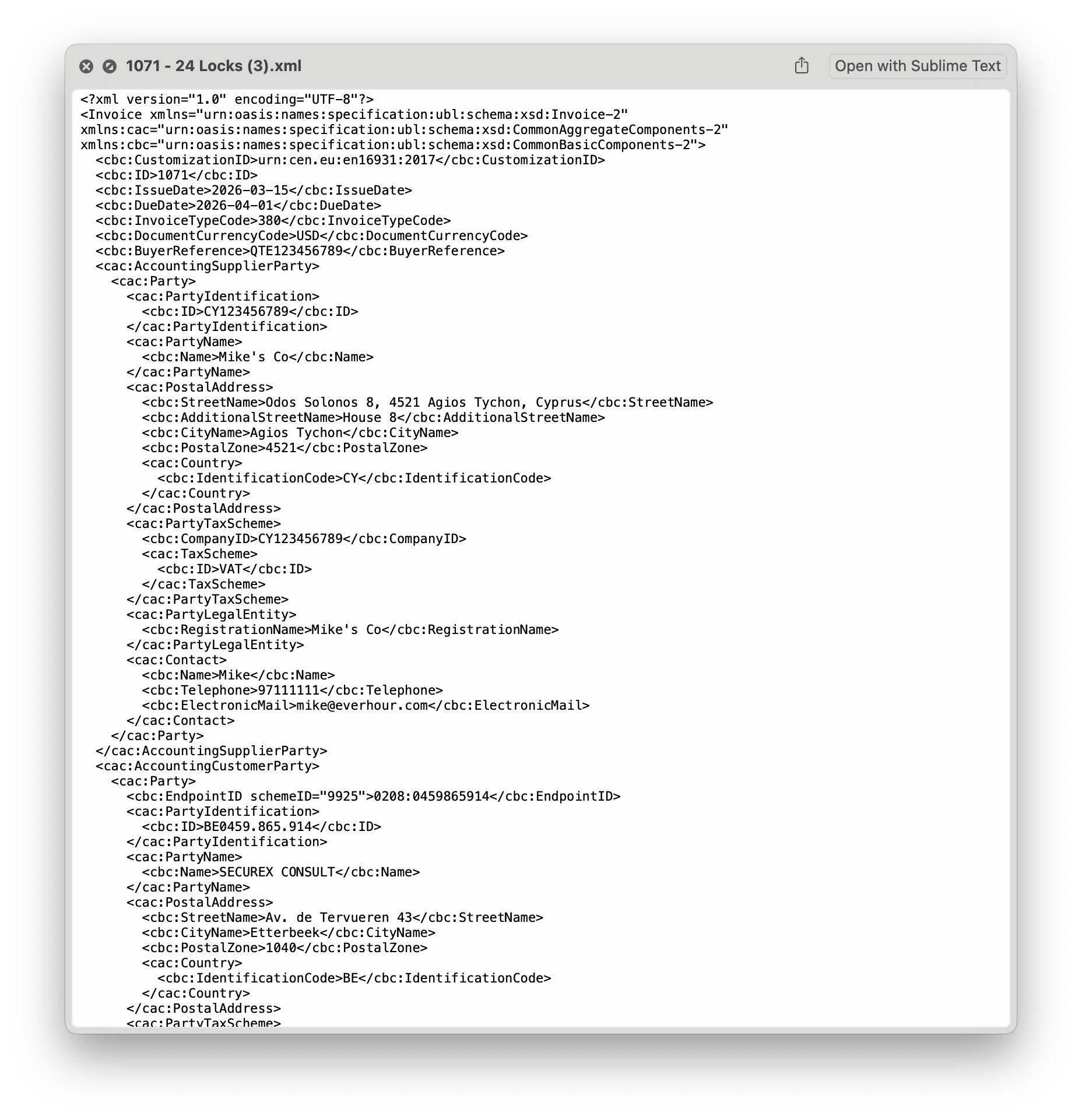
You can also send the UBL file alongside a PDF — both formats are supported in the invoice email flow.
3. Validate Your Invoice (Optional but Recommended)
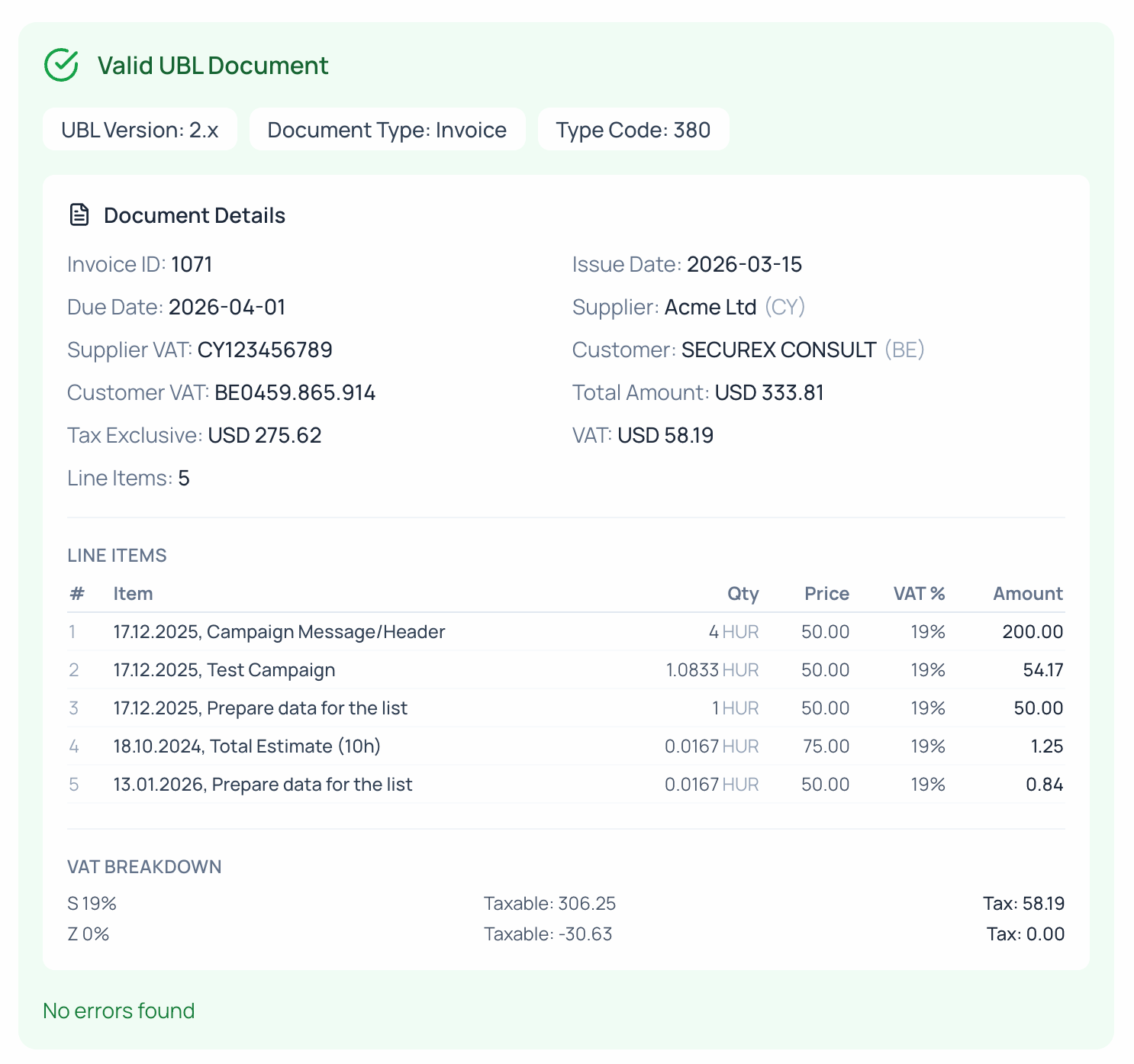
Not sure if your UBL file is correctly structured? You can validate it using a free online tools, which renders your XML as a human-readable invoice and checks it against Peppol standards — entirely in the browser, with no data leaving your device.
What About Peppol?
Peppol (Pan-European Public Procurement Online) is a secure, standardized network for exchanging e-invoices across borders. Several EU countries are requiring businesses to send invoices through Peppol-certified access points rather than directly by email.
Everhour isn’t a Peppol gateway itself, but the UBL files it generates are compatible with Peppol BIS 3.0. The optional eInvoicing details fields in the billing setup — including your Peppol endpoint ID — allow you to prepare invoices that can be handed off to a Peppol gateway for delivery.
If you need to find an accredited Peppol gateway, peppol.org maintains a directory of registered access points by country.
Who Needs to Act Now?
If any of the following apply to you, it’s worth setting up UBL export today:
- You invoice clients in Belgium, France, Germany, Italy, or other EU countries with active or upcoming e-invoicing mandates
- Your clients’ accounts payable teams have started requesting structured invoice files
- You work with public sector clients anywhere in Europe (B2G e-invoicing is already mandatory in most EU countries)
Even if none of these apply yet, getting your billing details accurate and testing a UBL export now means you won’t be caught off guard when requirements tighten.
Getting Started
- Open any invoice in Everhour
- Click “Edit billing details” and complete your company and VAT information
- Click More Actions → Download UBL
- Optionally validate the file
That’s it. No new tools, no third-party integrations required for the export itself.
Note: You are responsible for ensuring your invoices comply with any applicable e-invoicing regulations in your country. If you’re unsure about your specific obligations, consult a tax advisor or local authority.

Mike
An IT entrepreneur, executive, and former engineer with a passion for innovation and leadership. Mike focuses on driving company growth while keeping the team inspired. Outside of work, he enjoys tennis, snowboarding, traveling, reading, and, of course, putting his heart and soul into Everhour.