


Wrike Project Management: Features, Use Cases & Limitations
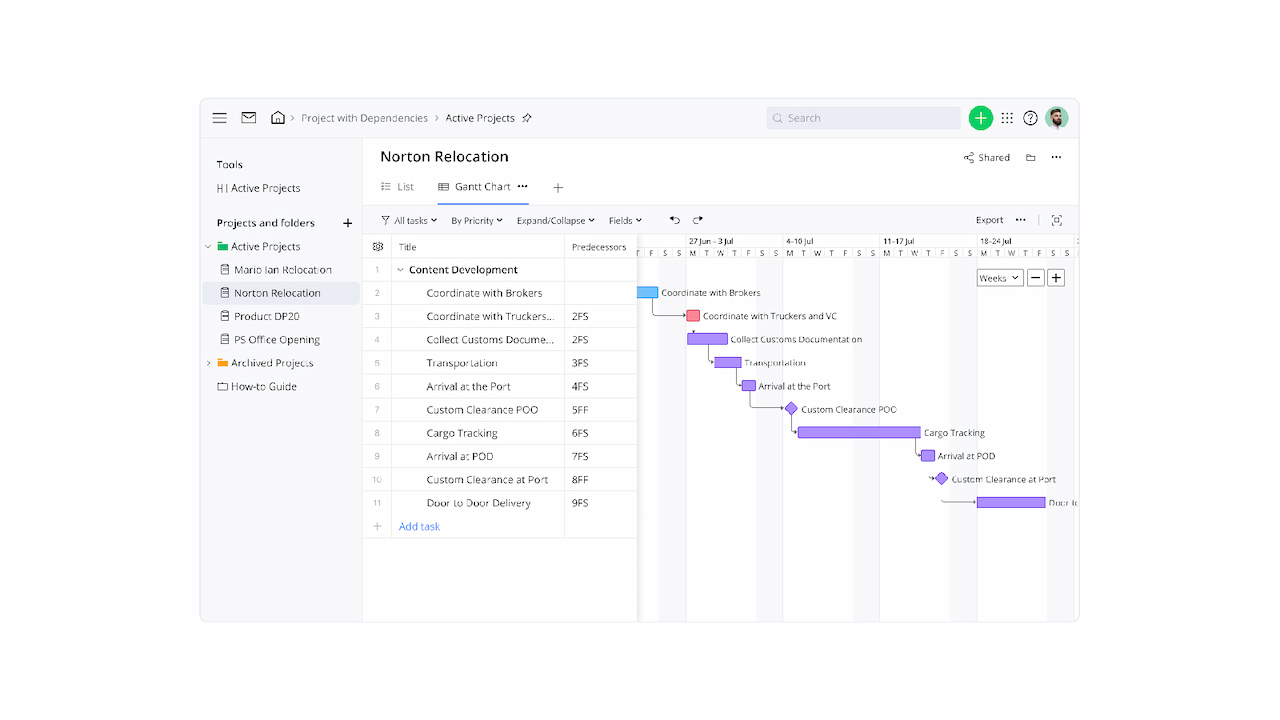
Wrike is popular with teams that need a flexible way to plan projects, organize work, and collaborate across departments. It handles task management, timelines, reporting, and automation, covering many core project management needs. How well it works often depends on team size and project complexity. As workflows grow, teams focus more on visibility, reporting, and tracking progress across multiple projects. In this article, we’ll look at Wrike project management: what it does well, how its core features work, and where teams often add tools as their needs evolve (including for Wrike time tracking).
🧩 What Is Wrike Project Management?
Wrike is a cloud-based project management platform designed to help teams plan, execute, and track work in one place. It’s used by marketing teams, agencies, IT departments, and larger organizations that manage multiple projects at the same time.
At its core, Wrike focuses on structured work management. Projects are built around folders, tasks, and subtasks, with clear ownership, deadlines, and dependencies. This makes it easier to coordinate work across teams and keep everyone aligned on priorities.
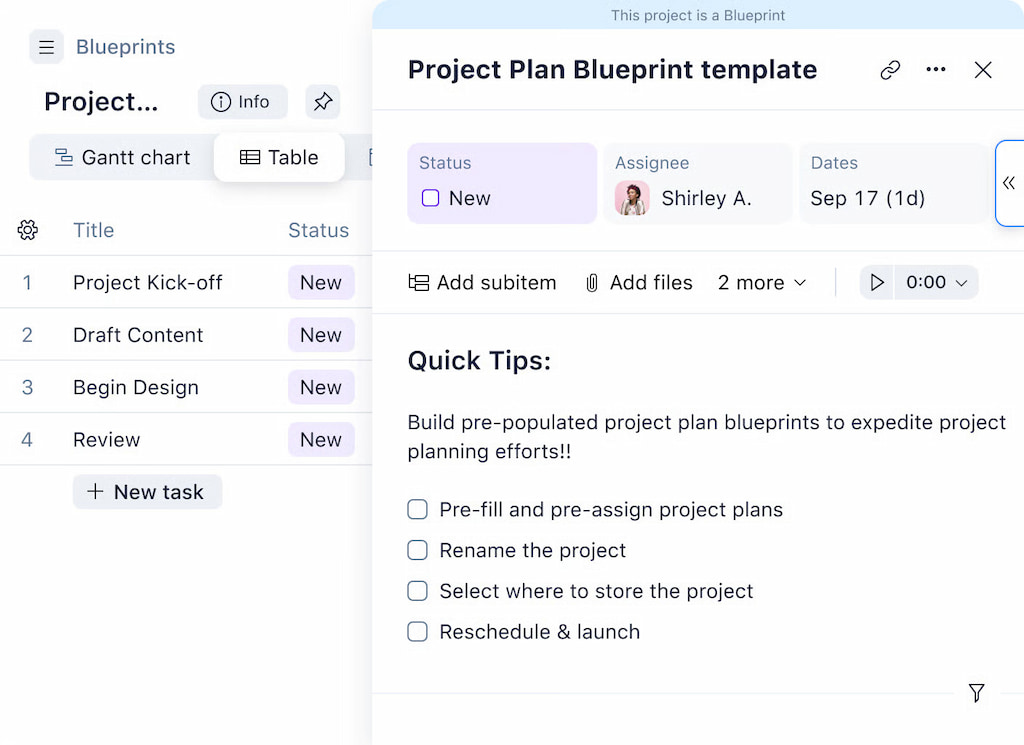
Wrike is especially strong in environments where work needs to be standardized and reported on. Teams can customize workflows, create repeatable processes, and use dashboards and reports to monitor progress across projects and departments.
📋 Core Project Management Features in Wrike
Wrike is built to support complex, cross-functional projects by combining task management, planning, collaboration, and automation in one workspace.
Task and subtask management
Wrike lets teams break work down into tasks and subtasks with owners, due dates, priorities, and custom fields. Tasks can live in multiple folders or projects at once, making it easier to reflect how work actually flows across teams without duplicating effort.
Project planning and Gantt charts
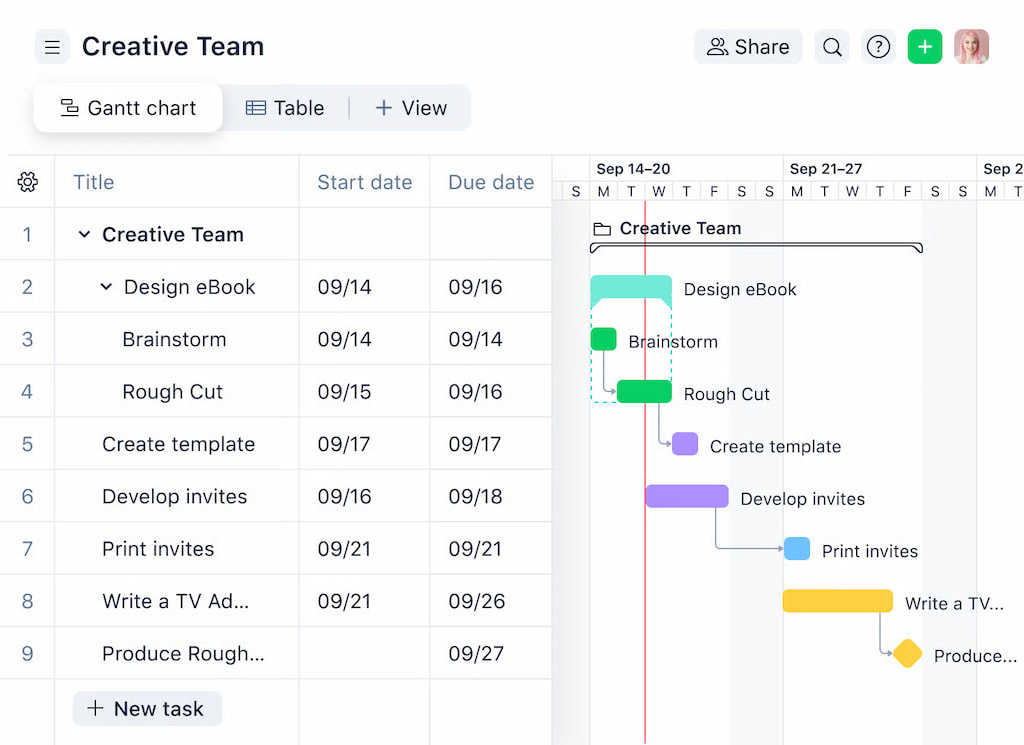
Wrike’s Gantt charts allow teams to plan timelines visually, set dependencies, and adjust schedules as priorities change. When a task moves or is delayed, dependent tasks automatically shift, helping teams understand the impact on delivery dates in real time.
Collaboration and communication
Each task includes comments, file attachments, and activity history, keeping discussions tied directly to the work. Team members can collaborate without switching tools, reducing the risk of missed context or decisions getting lost in external chats or emails.
Custom workflows and automation
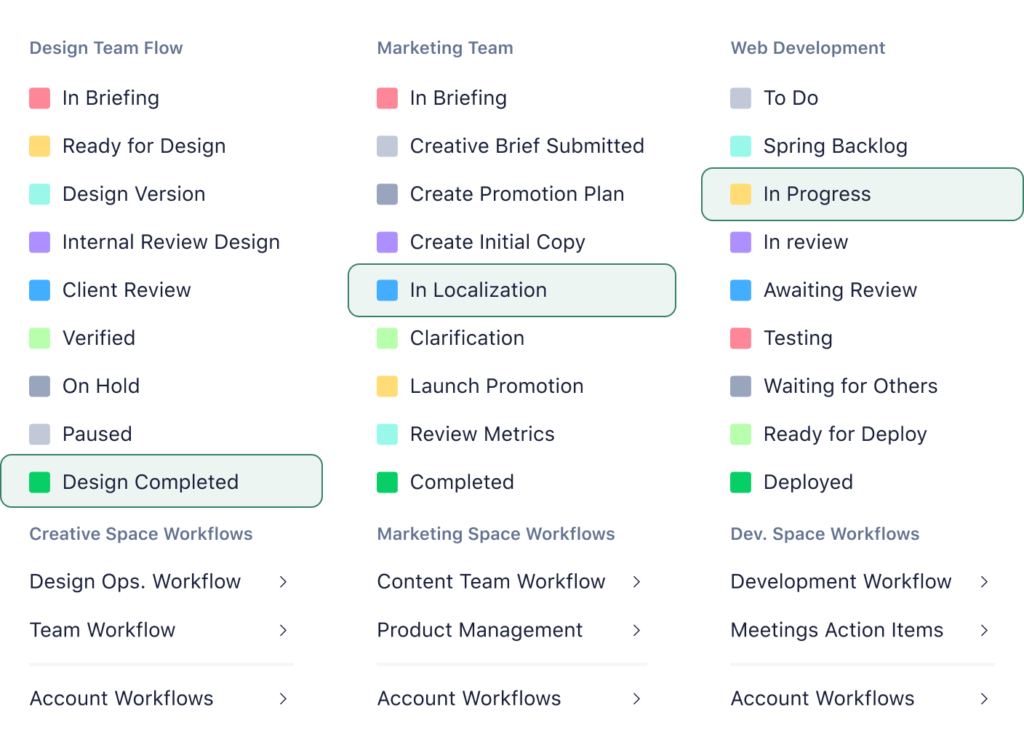
Wrike supports custom workflows that reflect how different teams work, from simple task progress to complex approval flows. Automation rules can update statuses, assign owners, or trigger notifications, helping teams reduce manual follow-ups and maintain consistency across projects.
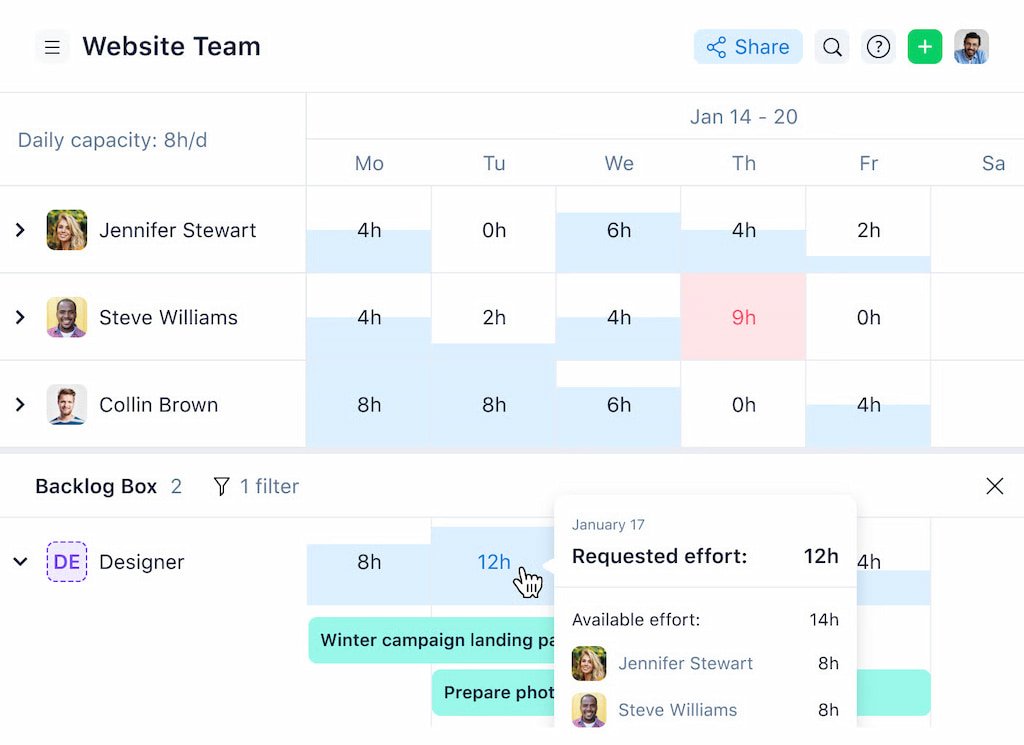
Workload and resource management
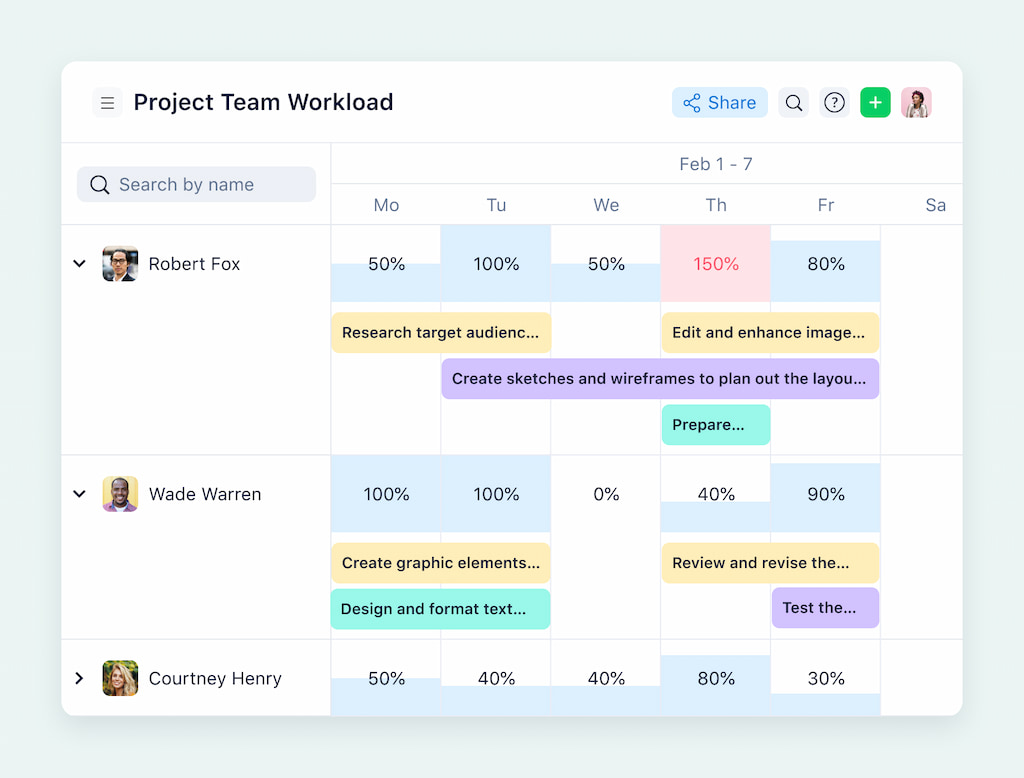
Workload views show how tasks are distributed across team members over time. This helps managers spot over-allocation early, rebalance work, and avoid burnout that can lead to delays or missed deadlines.
Wrike AI and work intelligence
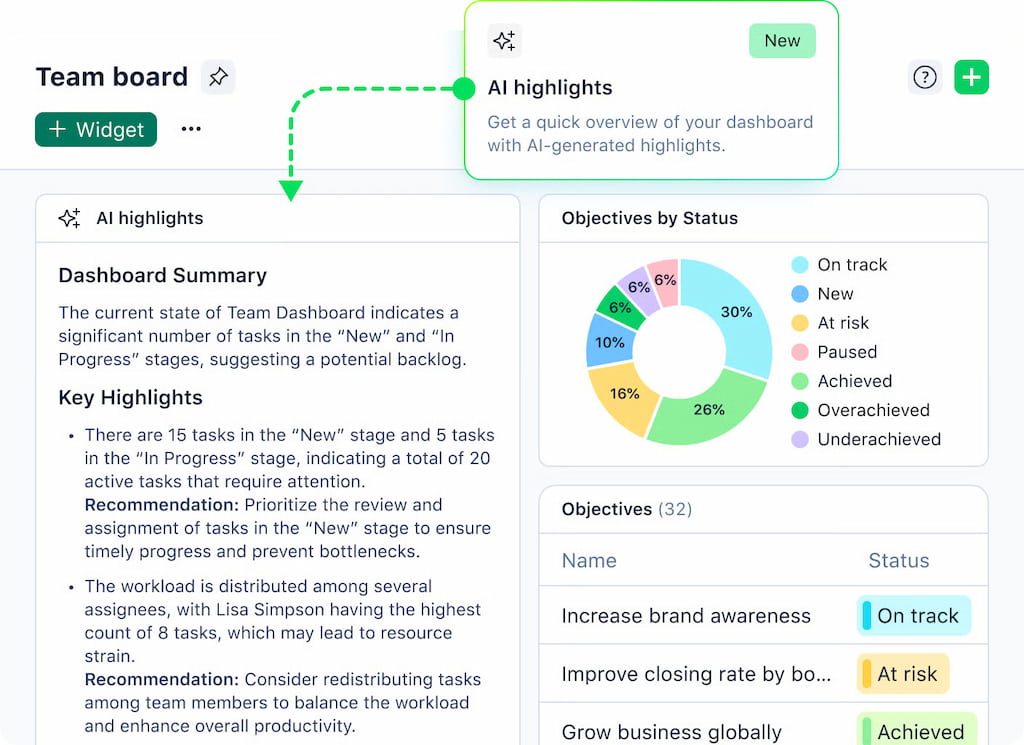
Wrike includes AI-powered features that help teams work more efficiently and manage complexity. AI can generate task summaries, highlight key updates in long discussions, and assist with writing clearer task descriptions. It also analyzes project signals such as delays and shifting workloads to surface potential risks before they escalate.
Risk management and project health visibility
Rather than using formal risk registers, Wrike focuses on early visibility. Delayed tasks, dependency conflicts, and workload imbalances are surfaced through project views, dashboards, and AI alerts. Managers can track overdue or blocked work, adjust timelines, and respond to risks while there’s still time to course-correct.
📊 Reporting and Visibility in Wrike
Wrike provides a variety of built-in reporting tools and dashboards to help teams and managers stay on top of project progress. While its native reports cover most day-to-day needs, understanding the limits of what you can track is essential for larger projects.
Built-in reports and dashboards
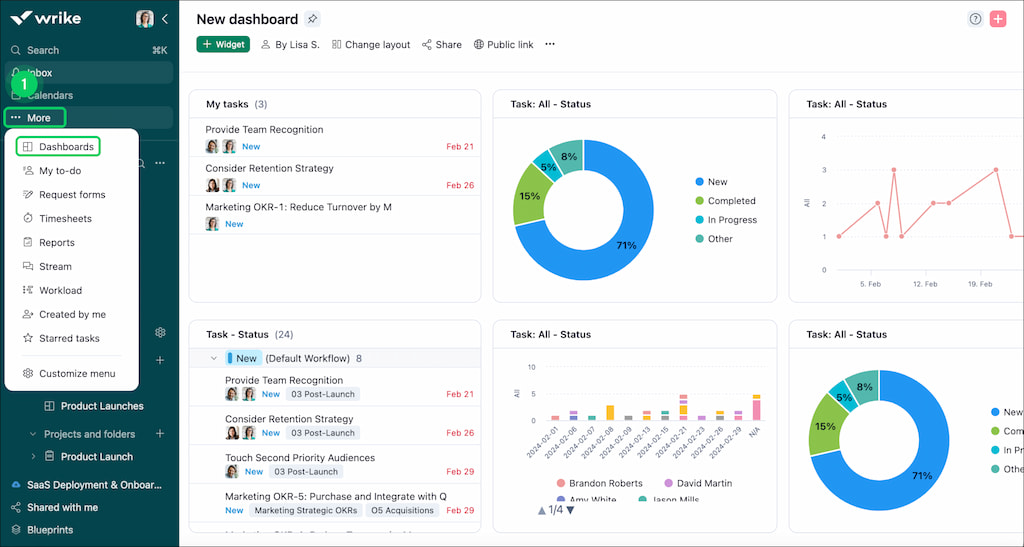
Wrike offers several ready-made dashboards and report templates, including task completion, overdue tasks, project progress, and workload distribution. Reports can be customized with filters, groupings, and charts, giving managers quick insight into how work is progressing.
🔎 What managers can see easily
Using Wrike’s dashboards, managers can monitor:
- Task statuses and deadlines
- Team workload and resource allocation
- Progress across folders, projects, and spaces
- Key performance indicators for ongoing projects
These features help teams identify bottlenecks, reallocate resources, and keep projects on schedule without digging through individual tasks.
⛔️ Limitations when reporting across teams or projects
Native reports don’t always provide deep insights into cumulative time, effort, or cost spent on tasks, especially when multiple projects run simultaneously. This can make it harder for managers to get a holistic view of project performance and make informed decisions quickly.
For teams that want to track detailed time, effort, or costs across multiple projects and teams, a dedicated Wrike time tracking integration can extend Wrike’s reporting capabilities. It allows managers to combine granular task data with overall project metrics to make more informed decisions and forecast resource needs accurately.
👥 Who Wrike Project Management Works Best For
Wrike adapts to different team sizes and workflows, giving teams the flexibility to manage projects efficiently.
🏢 Small to mid-size teams
Perfect for teams that need a centralized platform to manage tasks, projects, and collaboration without the complexity of enterprise software.
☝️ Example: A 15-person marketing team can manage campaigns, track deadlines, and share assets in one place.
🔄 Cross-functional project work
Wrike connects multiple departments and functions, letting teams manage dependencies, assign tasks, and maintain visibility on progress.
☝️ Example: Product teams collaborating with design and engineering can track tasks and deliverables without endless emails.
⚡ Teams that need flexible workflows
Supports Kanban boards, Gantt charts, lists, and dashboards—so teams can customize workflows to fit their project needs.
☝️ Example: Agencies handling client projects can create templates for campaigns, creative production, and approvals.
⚠️ Common Limitations Of Wrike Project Management
Wrike works well for organizing projects and tasks, but some limitations tend to surface as teams grow or workflows become more complex.
- Limited cost and budget tracking: Wrike offers basic visibility into work and time, but tracking project budgets, costs, and billable work in detail can be difficult.
- Effort vs. time visibility gaps: Comparing planned effort with actual time spent isn’t always straightforward, especially across multiple projects or teams.
- Reporting complexity as teams scale: Built-in reports are useful at a small scale, but cross-project and cross-team reporting can quickly become hard to manage.
- Managing multiple tools side by side: Teams often end up relying on additional tools for time tracking, budgeting, or invoicing, which adds friction to daily workflows.
Understanding these Wrike limitations is where teams start looking for ways to extend Wrike’s capabilities without changing their core project management setup.
🔌 Extending Wrike With Integrations
Wrike is often used as a central hub for project work, but most teams don’t rely on it alone. As projects grow, many teams look for ways to extend Wrike without changing how they manage work. That’s where integrations come in. They help connect Wrike to other tools teams already use, reduce manual work, and fill gaps in areas where Wrike is intentionally lightweight.
❓ Why teams add tools to Wrike
Teams usually add integrations when they need to:
- connect project work with sales, finance, or engineering systems
- keep conversations, files, and updates tied to tasks
- automate repetitive actions across tools
- get clearer visibility into time, effort, and costs behind the work
Wrike handles planning and execution well, but operational visibility often requires an additional layer.
🔨 Common integration categories in Wrike
Wrike offers integrations across many categories, including:
- CRM: Salesforce and HubSpot for linking projects to customers and deals
- Communication: Slack, Microsoft Teams, Zoom, and email for task-related discussions
- File storage and creative tools: Google Drive, SharePoint, and Adobe Creative Cloud
- Software and IT: Azure DevOps, Jira, and GitHub for engineering workflows
- Business intelligence: Tableau and Google Sheets for data analysis and dashboards
- Automation: Zapier, Workato, and Unito for syncing data and automating workflows
👀 Where Everhour fits in
For teams that need deeper insight into time expenditure inside Wrike, Everhour fills a gap that most other integrations don’t address.
Everhour’s time tracker adds structured time tracking, estimates, budgeting, approvals, and reporting directly on top of Wrike tasks. Team members track time without leaving Wrike, while managers get a clearer view of effort, progress, and costs across projects.
Learn more in our Wrike vs Everhour comparison!
🚀 Using Everhour With Wrike Project Management
Everhour integrates directly with Wrike to extend its project management capabilities, especially around time tracking, reporting, and cost visibility. Teams add Everhour when native tracking stops giving the full picture.
🤔 Why teams add Everhour to Wrike
- ⏱ Time tracking inside tasks – Controls appear directly in the Wrike interface, so teams don’t need to switch tools or change how they work.
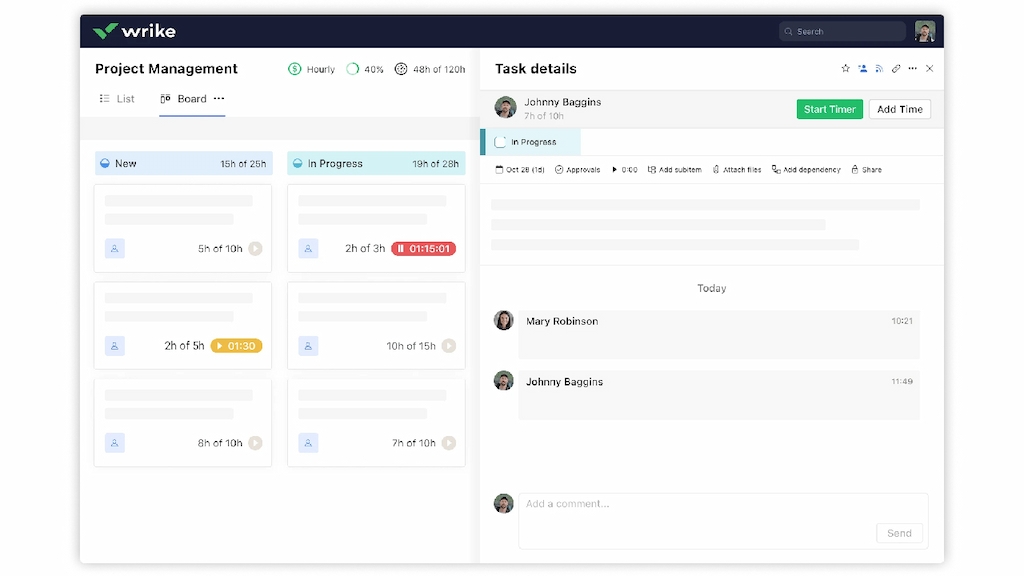
- 📊 Estimates vs actuals – See time spent next to task estimates to catch overruns early.
- 💰 Budgeting and reporting – Track budgets tied to time and costs, with detailed reports that require no manual cleanup.
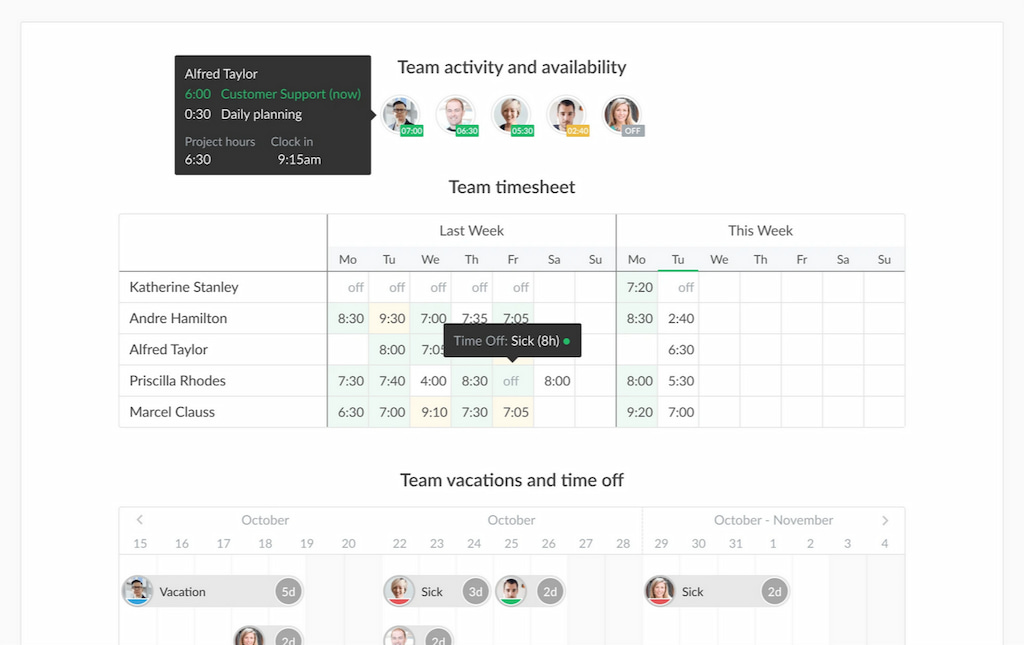
- 🌐 Visibility across projects – Managers can see how time, effort, and costs add up across multiple projects and teams.
🏆 What changes with Everhour
- Clearer insight into project performance
- More reliable reporting without spreadsheets or exports
- Less context switching for team members
- Better control over time, effort, and costs as work scales
For teams using Wrike as their main project management tool, Everhour acts as the missing layer that turns plans into measurable, manageable results.
✅ Wrike Project Management: Takeaways
Wrike is a powerful platform for managing projects, tasks, and workflows. Its built-in tools cover core project management needs, from task assignments to dashboards, but as teams grow, native features can leave gaps in time tracking, reporting, and cost visibility.
Adding a tool like Everhour bridges those gaps:
- Keep time tracking in one place – work is logged directly on tasks, without changing tools
- Spot risks earlier – compare planned work with actual time as projects move forward
- Understand costs at a higher level – view time, effort, and budgets across multiple projects
- Simplify daily work – fewer tools, fewer exports, and less manual follow-up
For teams scaling their work, integrating Everhour with Wrike turns project plans into measurable, actionable results—helping managers stay on top of deadlines, budgets, and performance while keeping teams focused on their work.
Learn what Wrike is, its core features, pros and cons, and how to use it for your benefit!

Maria
A dedicated content enthusiast with extensive experience in international teams and projects of all sizes. Maria thrives on creativity and attention to detail, fueled by a love for fantasy novels, music, classic black-and-white films, and always finding ways to make things better.